
Configure Regional Scope
Feature Introduction
# Overview
When configuring Global Authentication Policies and Access Control Policies for applications in IDaaS, access control rules can be set based on "Regions". For example: define different IP segments for office floors or corresponding departments to define these regions. Then, in access control, set rules to allow access to enterprise applications requiring special protection only from within these defined regions.
# Prerequisites
Possess administrator permissions for the IDaaS Enterprise Center platform.
# Steps
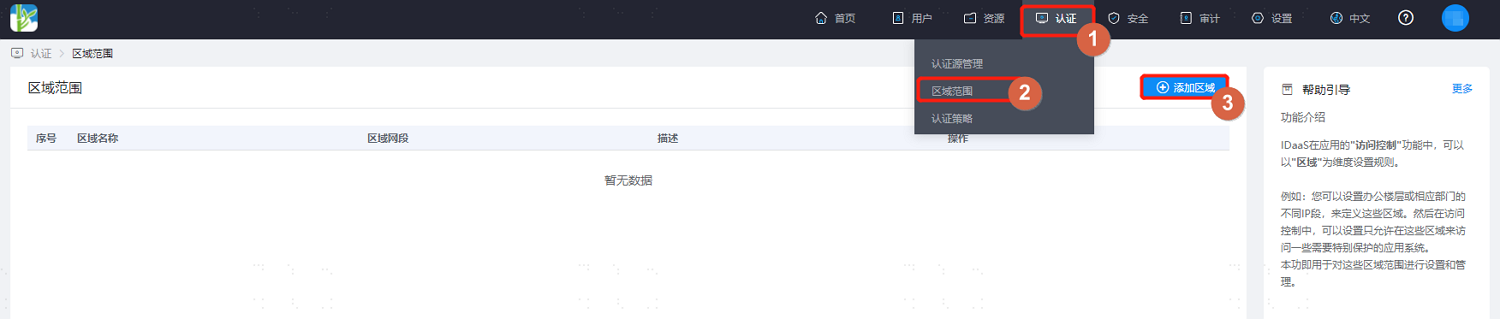
- Log in to the IDaaS Enterprise Center platform. In the top navigation bar, select Authentication > Regional Scope, then click "Add Region". Configure the region name and network segment(s). Multiple regions are supported.
The region network segment format must be in CIDR notation, e.g., 192.168.0.1/24.
- When configuring authentication policies subsequently, you can choose to set rules based on this regional scope.