Configuring User Sessions
# Overview
IDaaS can configure the properties of user login sessions, such as session expiration duration, maximum valid duration for a single login session, the upper limit of concurrent sessions per user, and cookie SameSite settings. Simultaneously, IDaaS supports clearing user sessions in the management console to log users out of IDaaS.
# Prerequisites
Have administrator privileges for the IDaaS Enterprise Center platform.
# Procedure
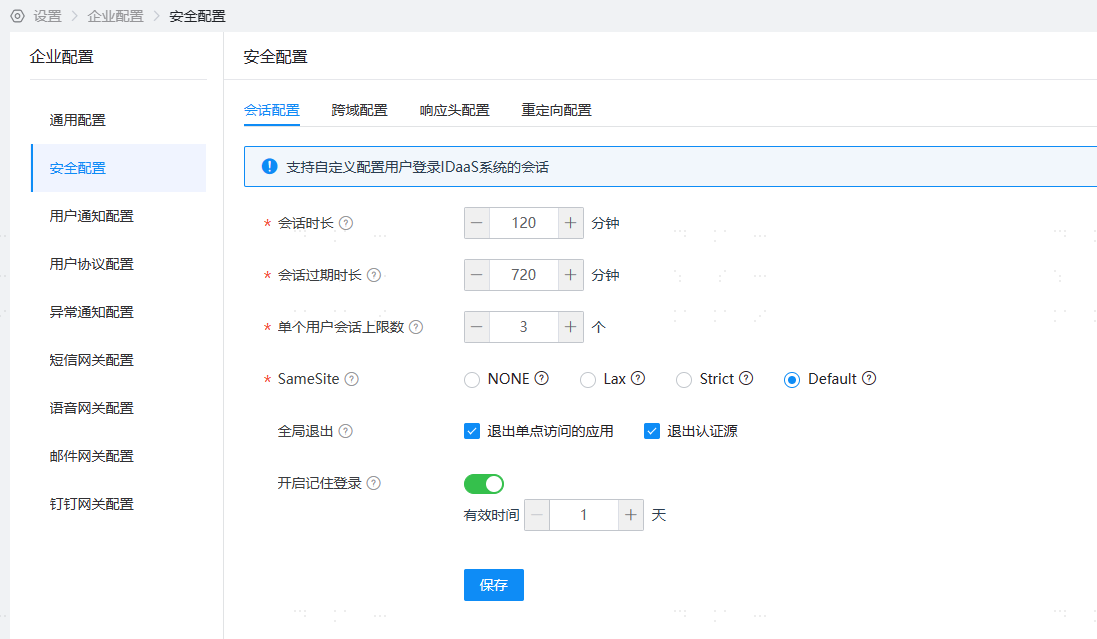
- Log in to the IDaaS Enterprise Center platform. In the top navigation bar, select "Settings > Enterprise Configuration", then choose the "Security Configuration" option on the left. Click the Save button to save the modified configuration.
# Session Duration
The retention period for a user's session after access. The session will expire if there is no operation within the specified duration. Default is 120. You can enter a number between 5 and 480, unit: minutes.
# Session Expiration Duration
The duration from session establishment to session expiration. Even if the user continues to access, the session will expire after exceeding this duration. Default is 720. You can enter a number between 5 and 1440, unit: minutes.
# Maximum Concurrent Sessions per User
When a user's number of sessions has reached the limit, logging in again will cause the earliest session to expire. Default is 5. You can enter a number between 1 and 50.
# SameSite
Cookie SameSite configuration, which prevents CSRF attacks and user tracking (malicious third-party cookie acquisition), restricts third-party cookies, thereby reducing security risks. Default option is "Default".
- None: Carries cookie information during cross-site requests. For example, when already logged into website B, navigating from a page on website A to a page on website B will carry cookie information, and the B website page will remain logged in upon arrival.
- Lax: When making cross-site URL requests, only GET requests that navigate to the target URL will carry cookies. This includes links (
<a>tags), preloads (<link>tags), and GET forms (forms with method GET). Cookies are not carried in other cases. For example, when already logged into website B, using a link on a website A page to navigate to a website B page will carry cookie information, and the B website page will remain logged in upon arrival. - Strict: When making cross-site URL requests, cookies are only carried if the current webpage's URL matches the requested target URL. Cookies are not carried in other cases. For example, when already logged into website B, using a link on a website A page to navigate to a website B page will NOT carry cookie information, and the B website will be in a logged-out state upon arrival.
- Default: IDaaS's default handling mechanism. Sets different attribute values based on device and browser version. For iOS 12, macOS 10-14, Safari, Macintosh, 360 Browser version 10.0, UC versions 12 and 13, Chrome versions 51 and 67, the SameSite attribute is not set. For other devices and browsers, it is set to None, meaning cookies are carried during cross-site URL requests.
# Global Logout
Global logout is initiated by the user actively logging out of IDaaS. Supports logging out of single sign-on accessed applications and authentication sources simultaneously during global logout, provided the applications and authentication sources have configured HTTPS logout URLs.
# Enable Remember Login
Disabled by default. When enabled, it remembers the user's login status, supporting password-free login on the same device within the validity period. Validity period (recommended 1 day, maximum setting 3 days). After expiration, the user needs to log in again.
# Clear User Sessions
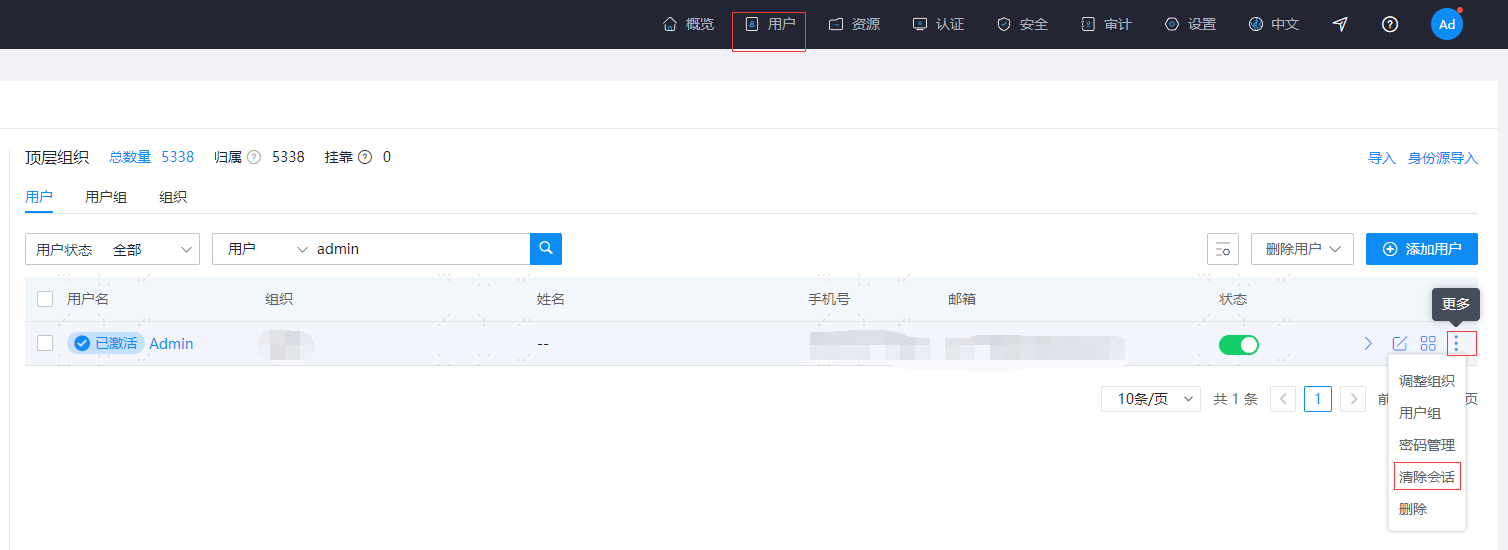
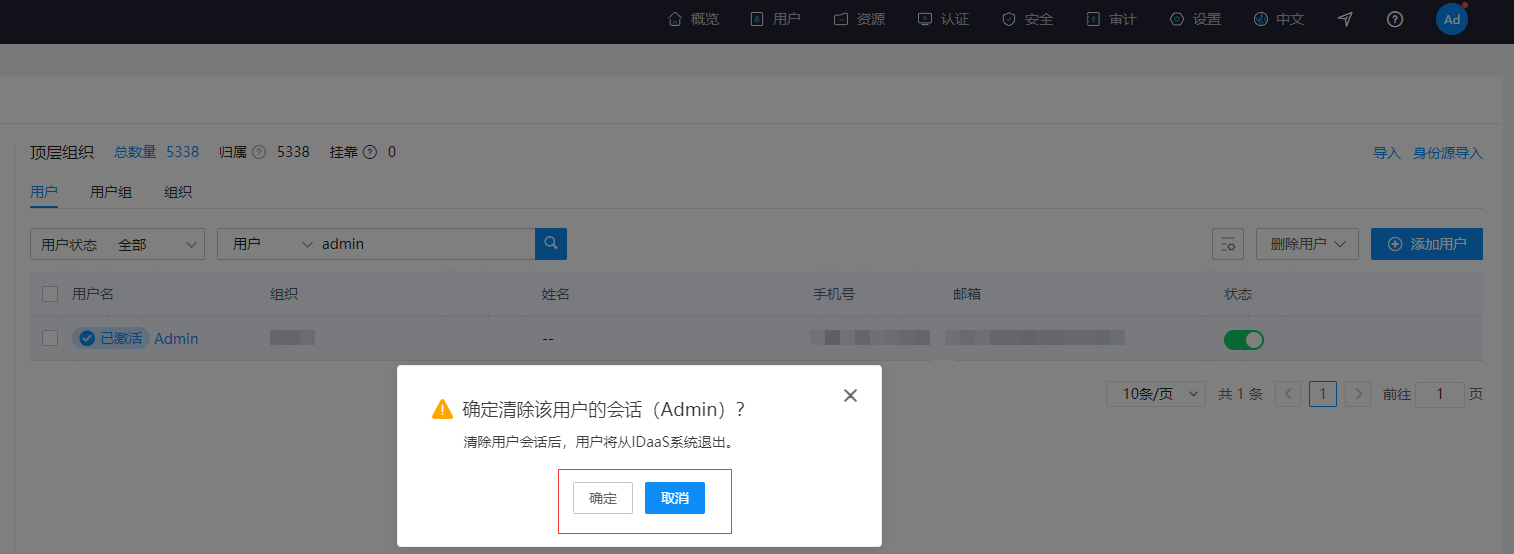
IDaaS supports clearing user sessions in the management console. After a user's sessions are cleared, the user will be logged out of IDaaS. Log in to the IDaaS Enterprise Center platform. In the top navigation bar, select "Users > Organization & Users". In the user list, choose the "Clear Session" operation from the "More Actions" menu on the far right. Click the Confirm button in the pop-up window to clear the user's sessions and log the user out of IDaaS.