Cross-Origin Configuration
Feature Introduction
# Overview
If there is a scenario where your application's front-end page calls IDaaS APIs, and the application domain and the IDaaS domain are not from the same site, cross-origin issues will arise. In this case, you can resolve the cross-origin problem by adding the specified domain in 【Enterprise Center】-【Security Configuration】-【Cross-Origin Configuration】.
- For information on cross-origin issues, refer to Cross-Origin Resource Sharing (CORS) (opens new window)
- For best practices on handling cross-origin issues, refer to Accessing IDaaS via Custom Enterprise Domain
# Prerequisites
Have administrator permissions for the IDaaS Enterprise Center platform.
# Steps
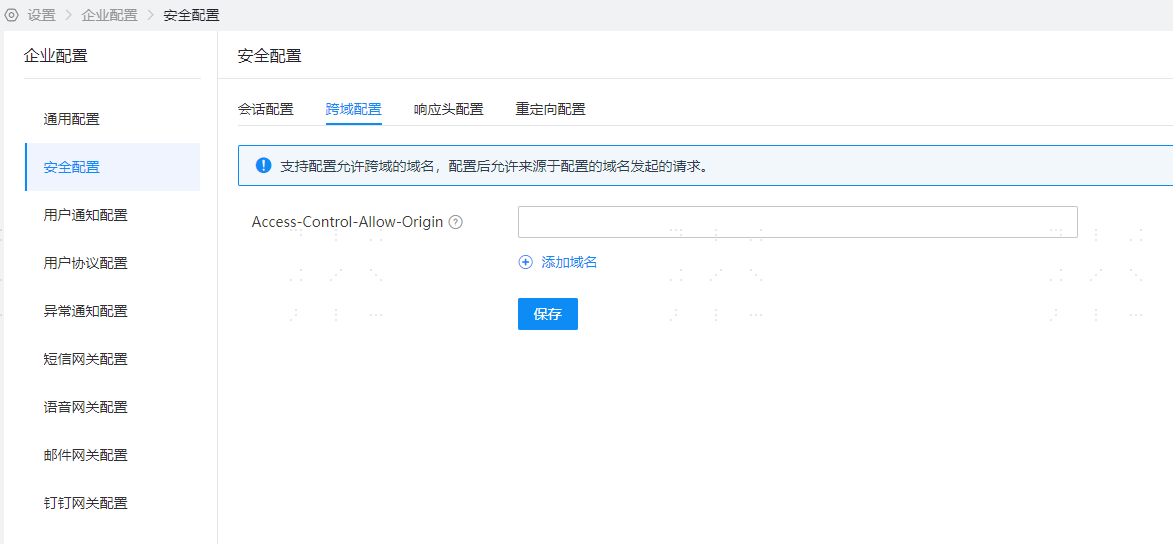
- Log in to the IDaaS Enterprise Center platform, select "Settings > Enterprise Configuration" in the top navigation bar, then choose the "Security Configuration" option on the left. Select "Cross-Origin Configuration".
# Parameter Description
- The maximum number of domains allowed for cross-origin can be configured is 10.
- Domain names support wildcard configuration. For example, configuring *.domain.com will support xxx.domain.com, xxx.yyy.domain.com.
# Feature Verification
During cross-origin access, if no domain is configured to allow cross-origin, calling the API returns a 403 Forbidden status code.
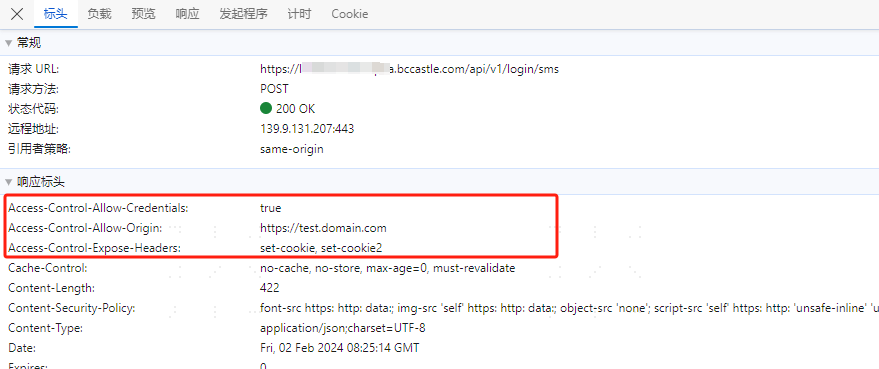
During cross-origin access, if a domain is configured to allow cross-origin, the API call is successful, and the Access-Control-Allow-Origin header is returned in the response.