Configure Unified Password Policy
# Overview
This module is used to configure your enterprise's global password policy. You can set password complexity, login failure lockout/unlock policies, initial password notification policies, and advanced policies such as whether to allow repetition of historical passwords.
# Prerequisites
Possess administrator permissions for the IDaaS Enterprise Center platform.
# Steps
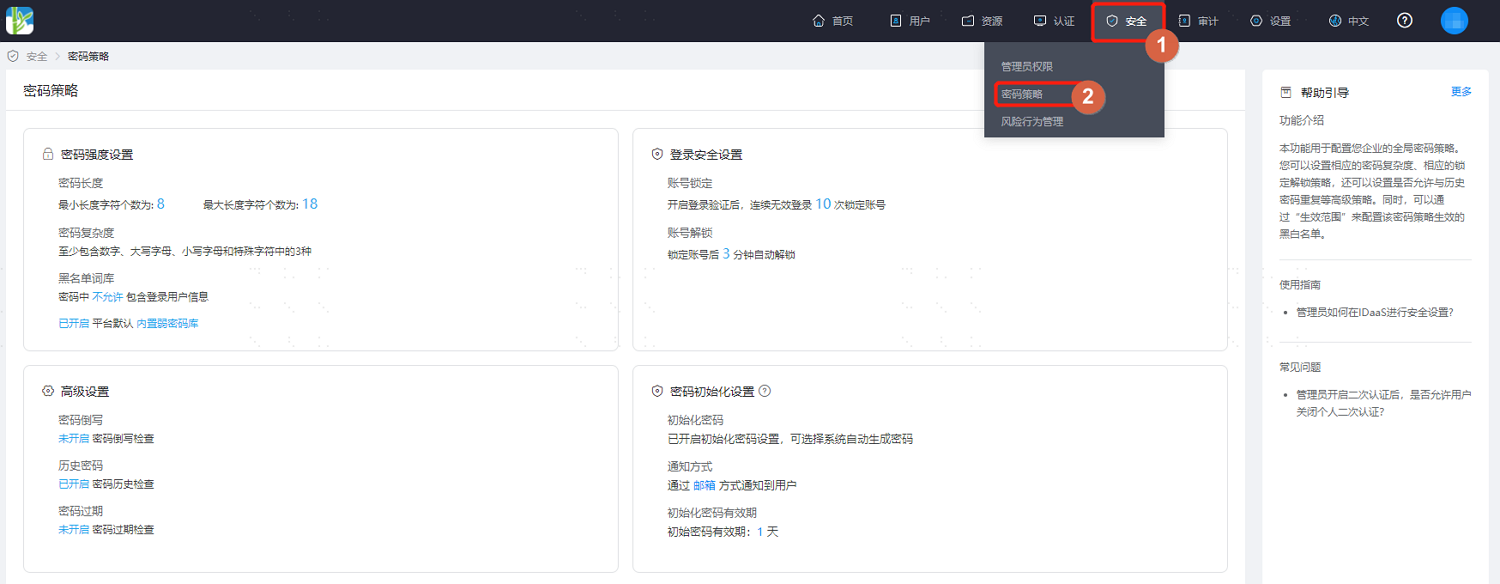
Log in to the IDaaS Enterprise Center platform, and select "Security > Password Policy" from the top navigation bar.
# Password Strength Settings
On the Password Security Policy page, select "Password Strength Settings". Key parameter descriptions are as follows.
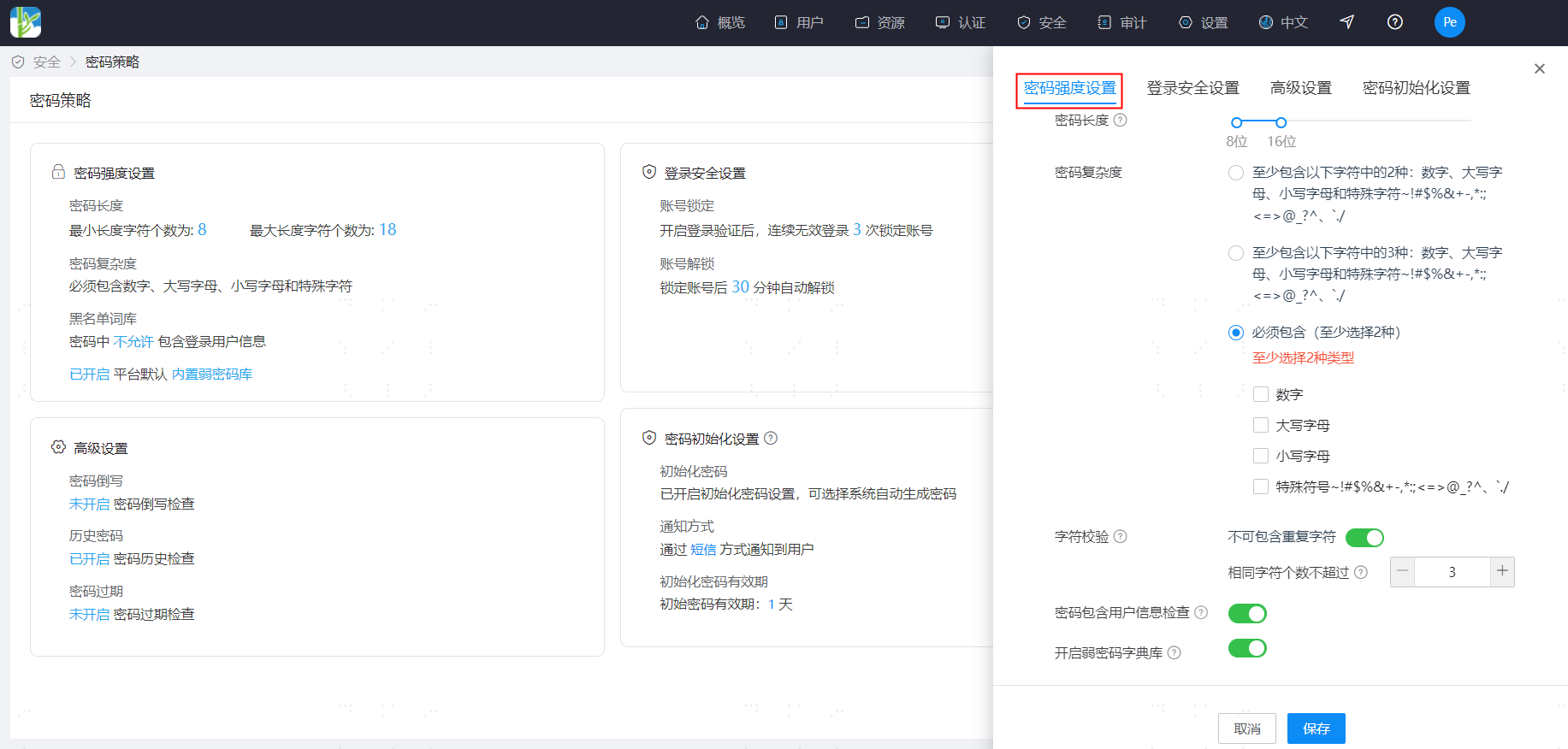
- Password Length: Set the password length (supports setting a range), minimum length 8, maximum length 50.
- Password Complexity: Set password complexity requirements (single select). Choose combinations of numbers, letters, uppercase/lowercase, and special characters that the password must contain.
- Character Validation: Choose whether to perform character validation. When enabled, limit the range of repeated character occurrences to 1-10.
- Password Contains User Information Check: When enabled, passwords are not allowed to contain the user's username, mobile number, email prefix, or name pinyin.
- Enable Weak Password Dictionary: When enabled, users' passwords are not allowed to use passwords from the weak password dictionary. In addition to the system's default dictionary entries, custom entries can be added. Both the system's built-in weak password dictionary and custom weak password dictionaries will take effect simultaneously. Please note that the IDaaS system proactively updates the system's built-in weak password dictionary at irregular intervals.
- Add Custom Weak Passwords: Custom weak passwords added must meet valid password requirements. Inputs that clearly do not meet password requirements will be automatically cleared, such as passwords shorter than 8 characters or longer than 50 characters, or passwords consisting entirely of numbers, all uppercase letters, all lowercase letters, or containing non-password characters. For example, input containing Chinese characters will be automatically cleared. Each tenant can have a maximum of 30,000 custom weak password dictionary entries.
# Login Security Settings
On the Password Security Policy page, select "Login Security Settings". Key parameter descriptions are as follows.
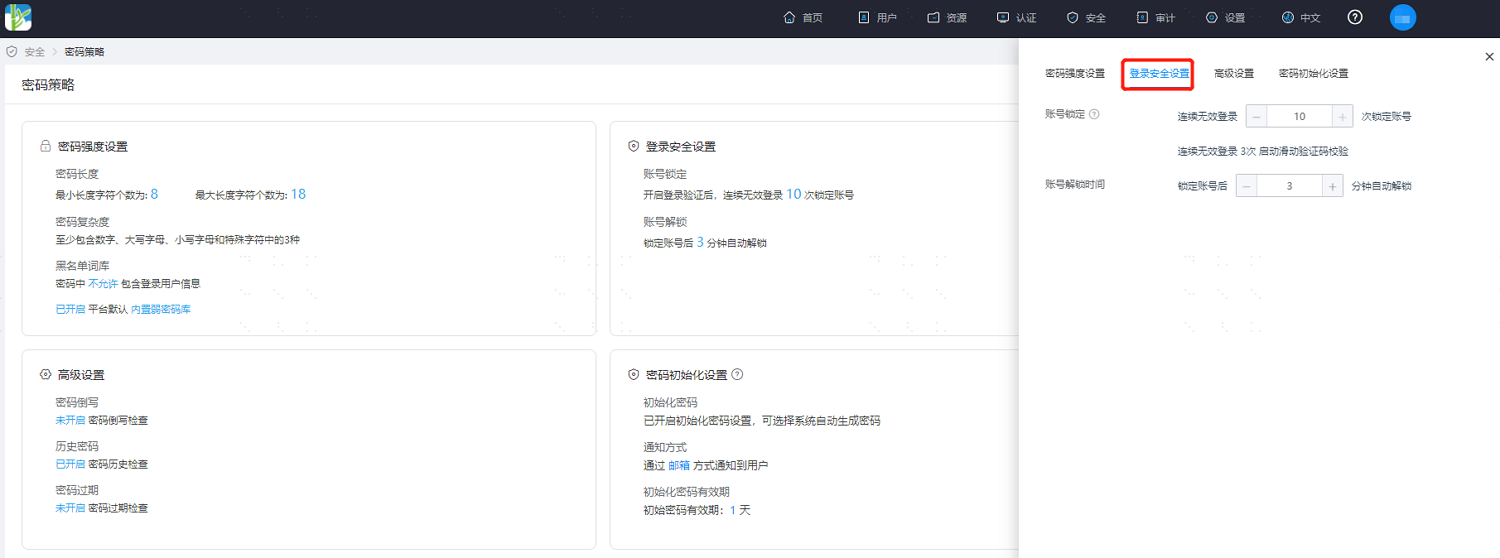
- Account Lockout: Set the account lockout policy, meaning the account will be automatically locked when the number of consecutive failed login attempts reaches the set value. The configurable range is 1-10 times.
- Account Unlock Time: Set the automatic unlock time for an account after it is locked, between 1-1440 minutes.
# Advanced Settings
On the Password Security Policy page, select "Advanced Settings". Key parameter descriptions are as follows.
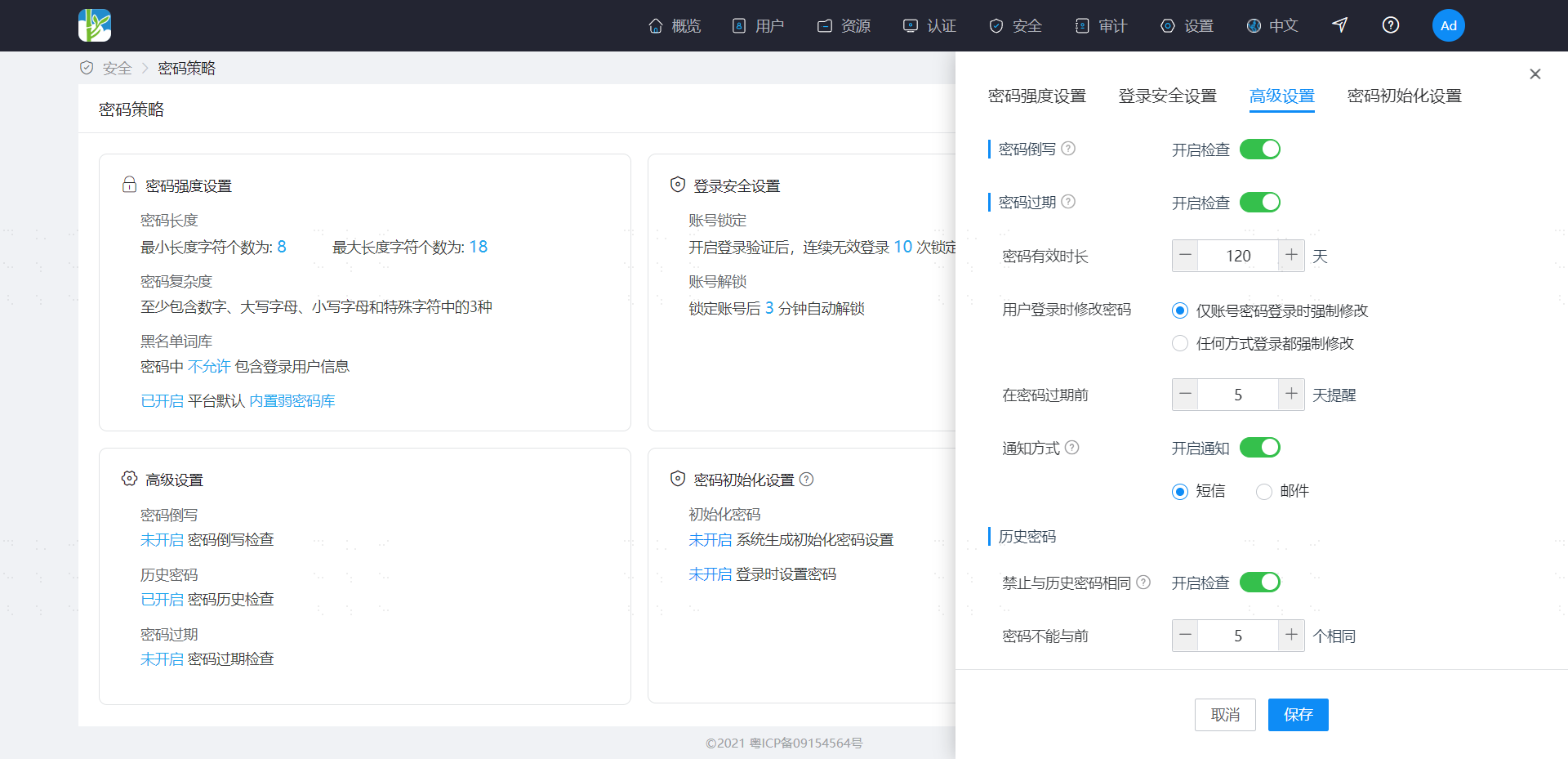
- Password Reversal: When this check is enabled, passwords cannot be the reverse spelling of the username.
- Password Expiration: When this check is enabled, set the password validity period. Supports enabling password expiration reminders, and supports selecting reminder methods. For users whose passwords are about to expire, reminders are sent based on the "Reminder Days Before Expiration" setting, daily at 10:00 AM. If reminders are enabled, please ensure the user has valid contact information; otherwise, notifications cannot reach the user.
- Historical Passwords: When this check is enabled, the system records historical passwords to ensure old passwords are not used consecutively, within a range of 1-10 times.
- Prohibit Frequent Changes: When enabled, the minimum interval time for password changes must be configured. When a user attempts to change their password, if the time since their last password change is less than the interval time, the change is not allowed. The maximum allowed value is 365.
- Force Password Change: Specify whether to force a password change only when logging in with a password, or when logging in using any method, when a password change is mandatory (e.g., password expiration or password being an initial password).
# Password Initialization Settings
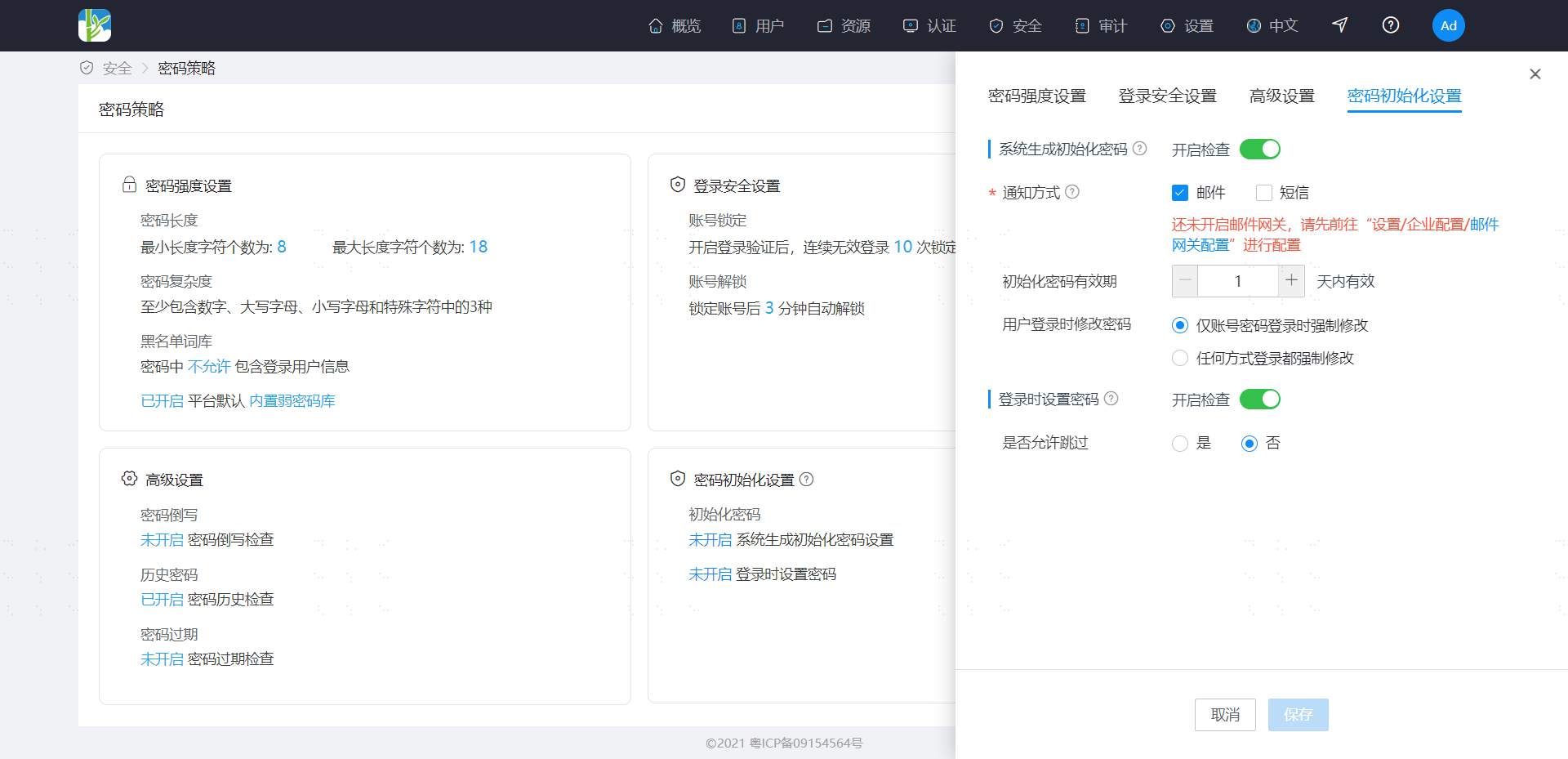
On the Password Security Policy page, select "Password Initialization Settings". When enabled, choose to send initial password notifications to users in IDaaS via email or SMS. You can customize the validity period for the initial password, ranging from 1-7 days.