
Configuring User Deactivation Notifications
# Overview
IDaaS supports sending notifications to users who have a scheduled deactivation date before they are deactivated. If configured, ensure the user has valid contact information; otherwise, the user cannot be notified.
This notification method supports SMS, email, and DingTalk notifications, and the notification content is configurable.
# Prerequisites
Have administrator permissions for the IDaaS Enterprise Center platform.
# Steps
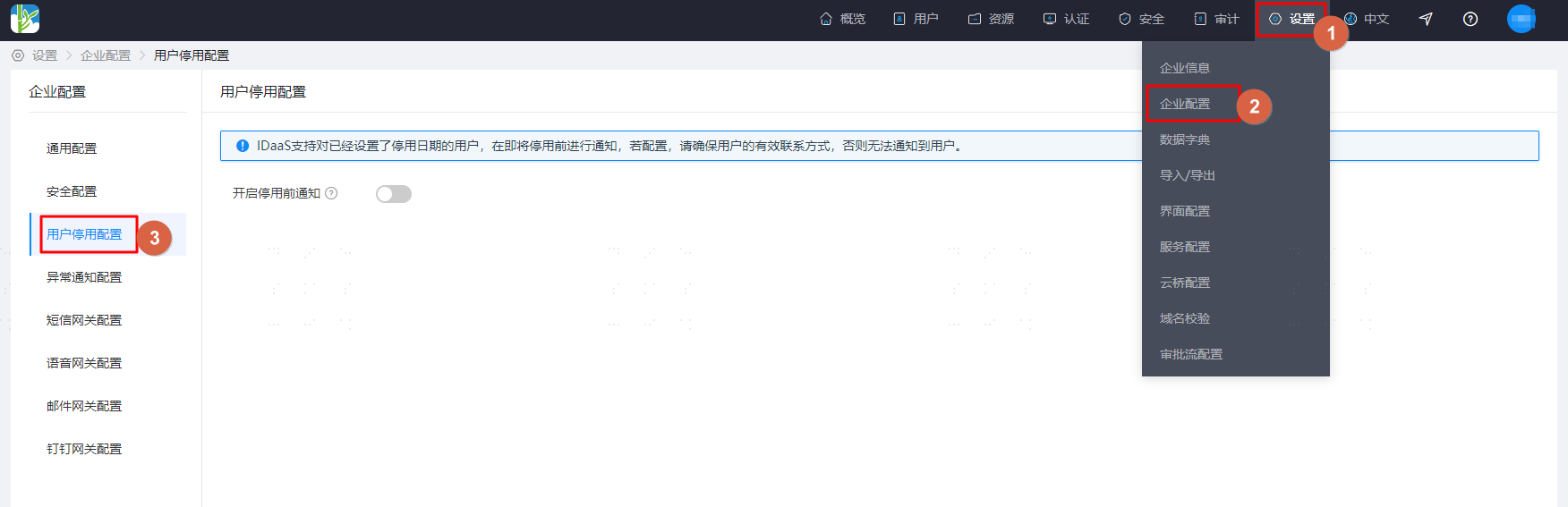
- Log in to the IDaaS Enterprise Center platform. In the top navigation bar, select "Settings > Enterprise Configuration," then choose "User Deactivation Configuration."
- If you need to enable notifications, turn on the notification switch, set how many days before the deactivation effective date to start notifying, select the notification method, and finally save the configuration.
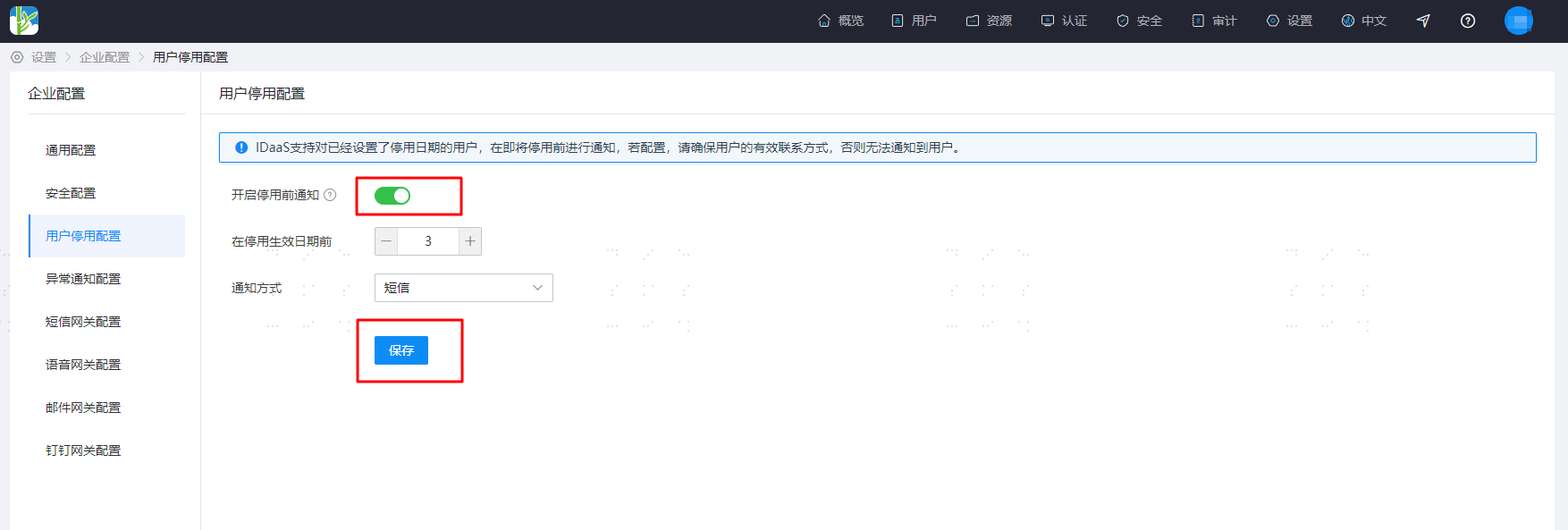
Once enabled, based on the "Reminder days before deactivation effective date" setting, notifications can be set for users who are about to be deactivated. If set to ≤3 days, reminder messages are sent daily at 10:00. If set to >3 days, reminders are sent three times. For example, if set to 7 days, reminders are sent at 10:00 on the day 7 days before deactivation, 4 days before deactivation, and 1 day before deactivation.