Upload Domain Verification File
# Overview
When developing applications for service providers such as WeChat Official Accounts, Alipay, and Feishu, developers need to call the relevant platform's JS interfaces under that domain name to embed IDaaS pages. This operation requires uploading a domain verification file to verify the developer's corresponding permissions for that domain.
This section will guide you on how to upload a domain verification file in IDaaS.
# Steps
The following configuration uses a WeChat Official Account service provider as an example.
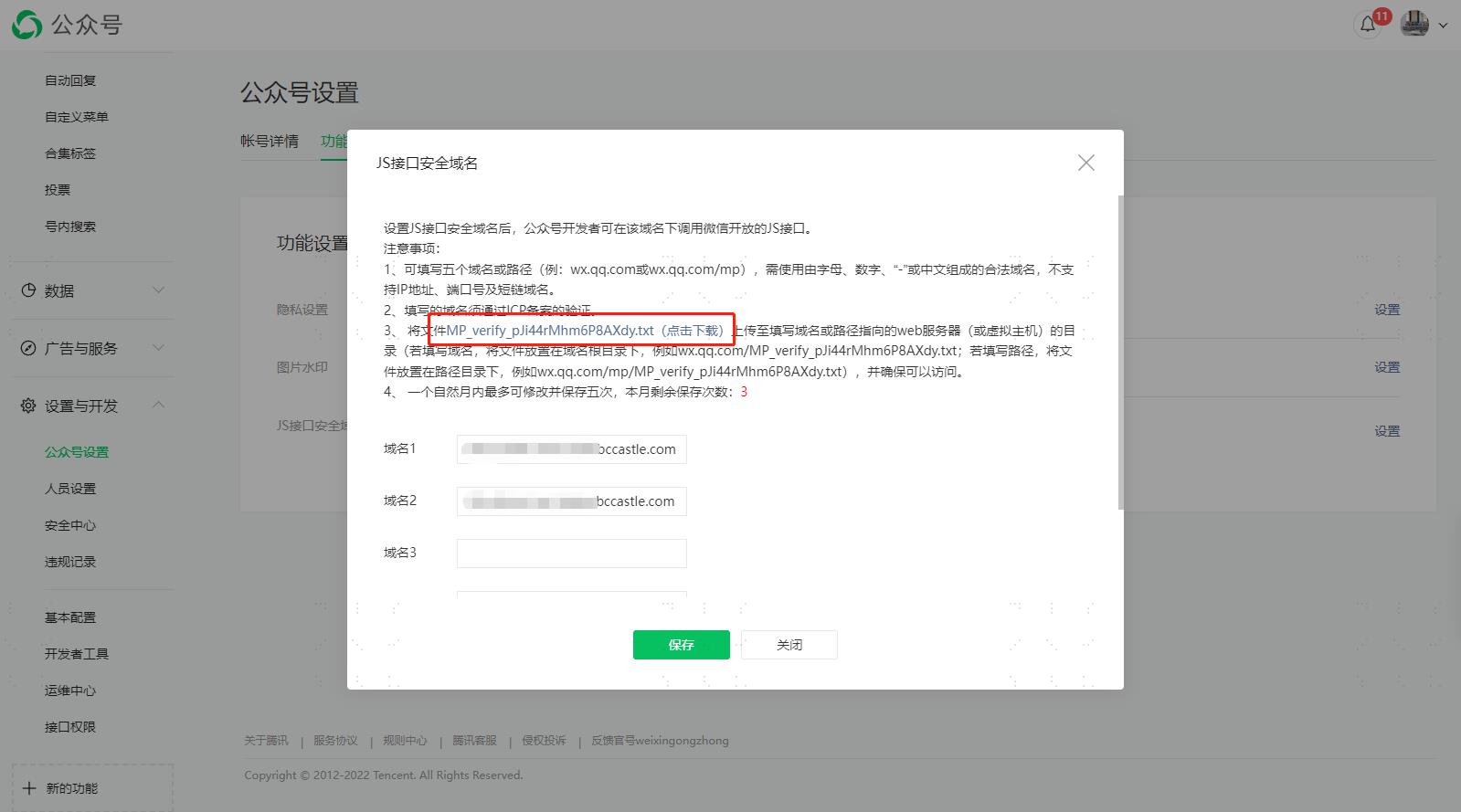
Download the verification file from the Official Account platform.
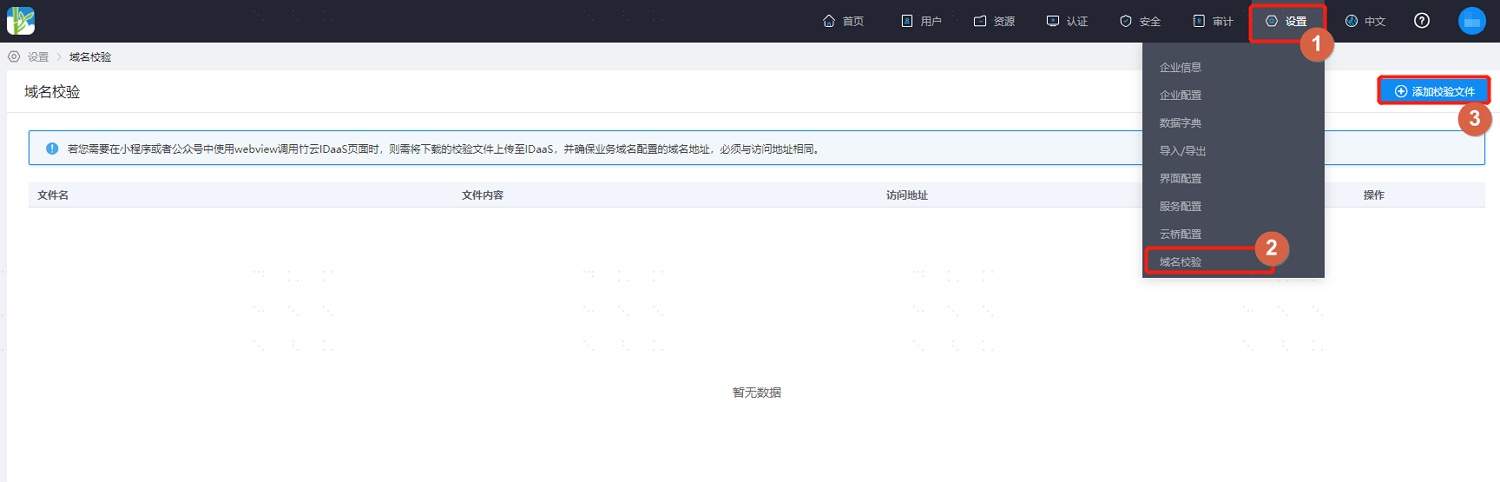
Log in to the IDaaS Enterprise Center platform, select "Settings > Domain Verification" from the top navigation bar, and choose "Add Verification File".
Upload the file downloaded from the Official Account to the page and save it.
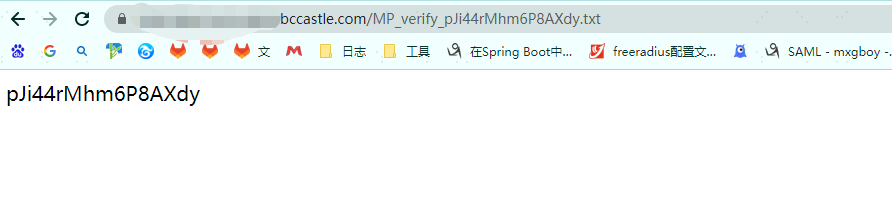
Wait for about 30 seconds, then visit the corresponding access address for the domain file: https://xxx.bccastle.com/domain file name.txt. When it appears as shown in the figure below, it indicates the verification is passed.