
Configuring Kerberos Authentication Login
# Overview
This section describes the integration and configuration process for Kerberos protocol authentication login. After configuring and integrating the Kerberos authentication source on the IDaaS platform, refer to this module to set up Kerberos authentication login. When accessing an application system, users will be redirected via IDaaS to a third-party identity provider to complete identity authentication.
# Prerequisites
An AD domain server has been created, and the IDaaS public cloud service can access the AD service.
Possess administrator permissions for the IDaaS Enterprise Center platform.
The application has been integrated on the IDaaS platform.
The Kerberos authentication source has been configured on the IDaaS platform.
# Configuration Process

# Procedure
# Configuring Kerberos Authentication for an Application
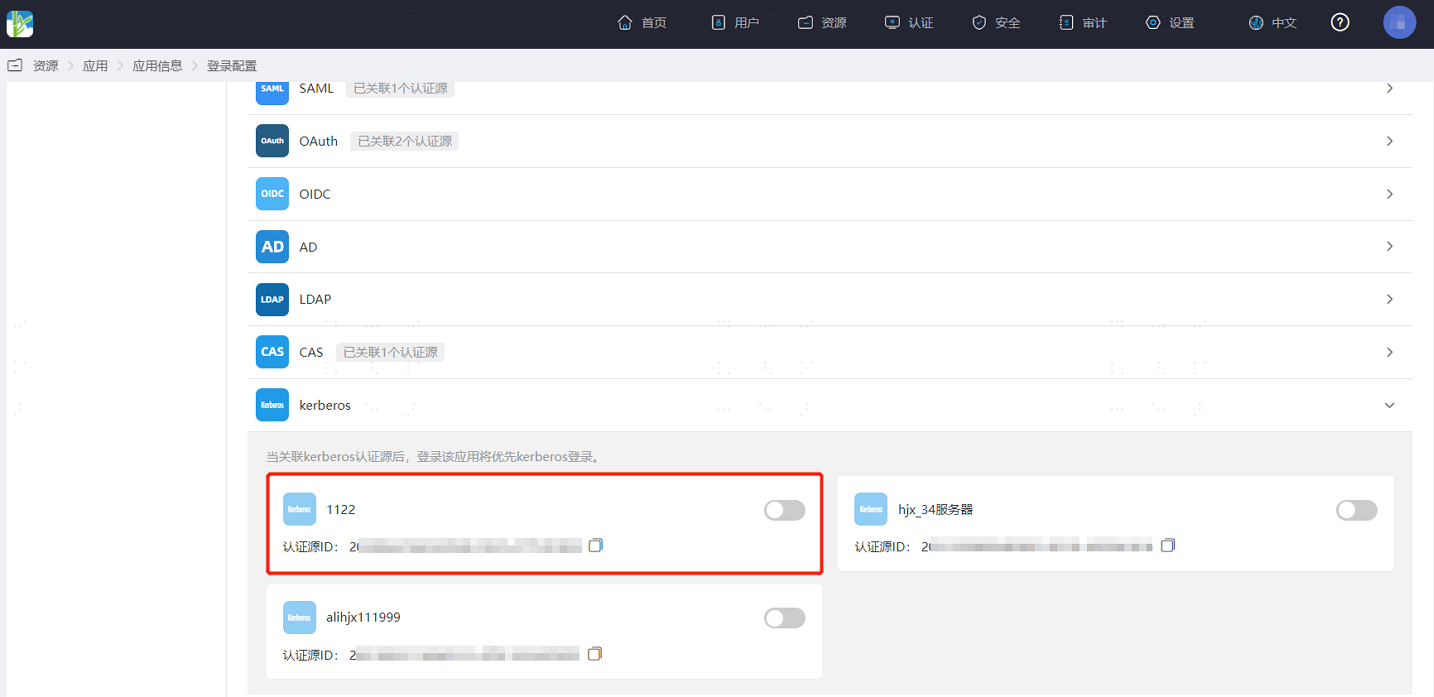
Log in to the IDaaS Enterprise Center platform. In the top navigation bar, select "Resources > Applications". Taking the User Center application as an example, select "User Center", switch to the "Login Configuration" tab, scroll down to Kerberos, and enable the previously added Kerberos authentication source.
# Verifying Kerberos Authentication Login
After a corporate user's device has joined the AD domain and the user logs into the device via the AD domain, accessing the User Center directly from a browser allows password-free login.
If multiple authentication methods are enabled for the application, Kerberos authentication is triggered first. If Kerberos authentication fails, the User Center login interface appears, allowing the user to choose another login method.
If secondary authentication is enabled for the application, access to the application also requires passing secondary authentication.