
Managing User Job Information
# Overview
In actual personnel management, an employee typically has one primary position and may also hold multiple concurrent positions, with information such as job title and rank varying under each position. Many HR systems have users with concurrent positions.
To ensure the integrity of enterprise employee data after migration to the IDaaS platform, IDaaS also provides the functionality to manage user job information.
On the IDaaS platform, a user is only allowed to have one primary position but can have multiple concurrent positions.
# Operational Steps
# Enabling Job Management
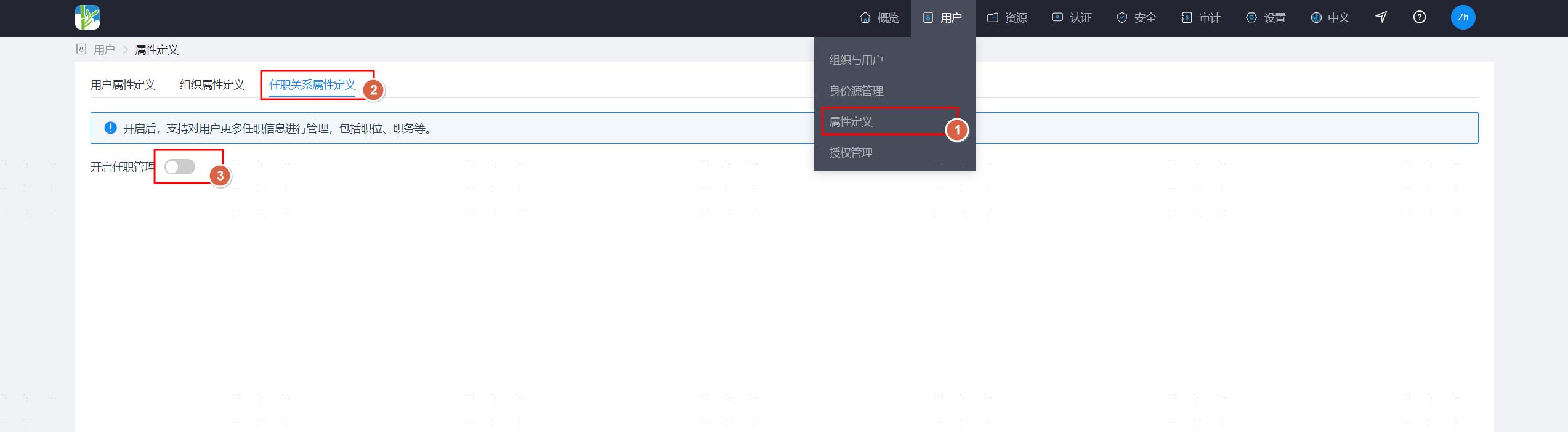
Log in to the IDaaS Enterprise Center platform, select "Users > Attribute Definition" from the top navigation bar, go to the "Job Relationship Attribute Definition" tab, and click the switch to enable job management.
After enabling, default job relationship attribute definitions will be added, the organization attribute (organizationId) in the user attribute definitions will become disabled and uneditable, and a new job information attribute (attrJobInfo) will be added.
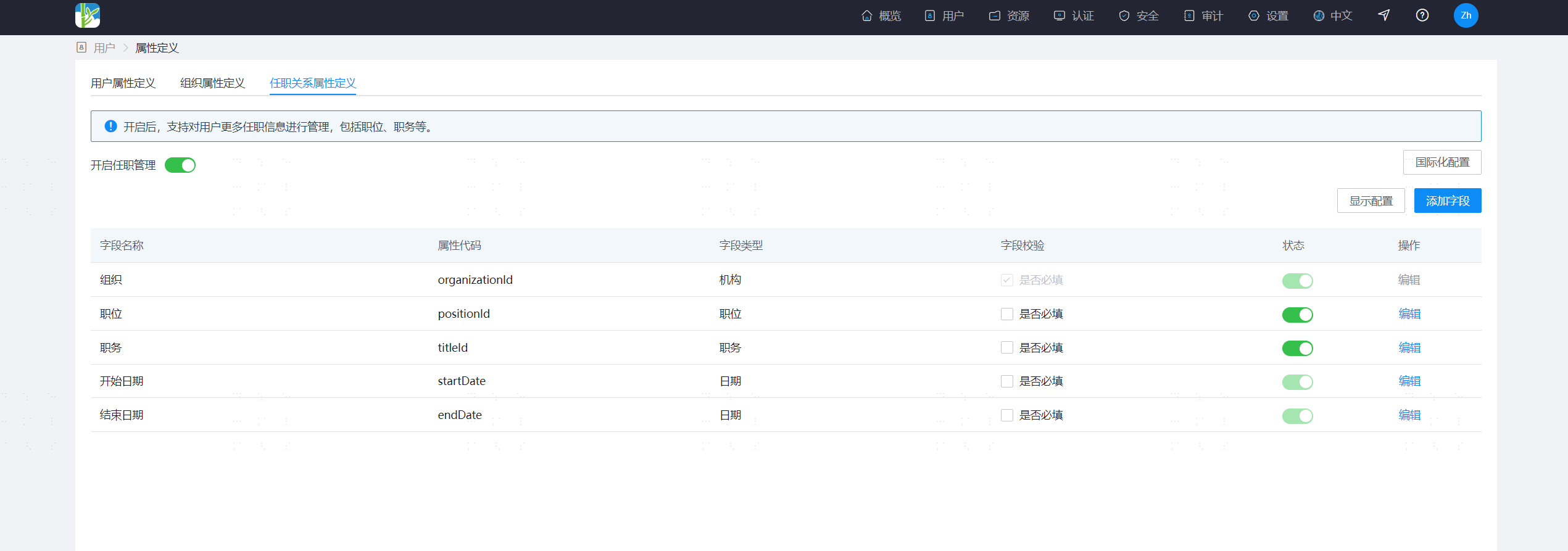
After enabling job management, the original user-organization relationship data is automatically upgraded to user position data.
If your enterprise uses the following user management related APIs, please note that after enabling job management, the input and output parameters of the APIs have changed. Please adjust the API calls as soon as possible!!!
# Disabling Job Management
Log in to the IDaaS Enterprise Center platform, select "Users > Attribute Definition" from the top navigation bar, go to the "Job Relationship Attribute Definition" tab, and click the switch to disable job management.
After disabling, the default job relationship attribute definitions will be deleted, the organization attribute (organizationId) in the user attribute definitions will become enabled, and the job information attribute (attrJobInfo) will be deleted.
If position and rank related data already exists, disabling is not allowed.
If the identity source has enabled job data recycling, disabling is not allowed.
If an application has enabled job data provisioning, disabling is not allowed.
# Position Management
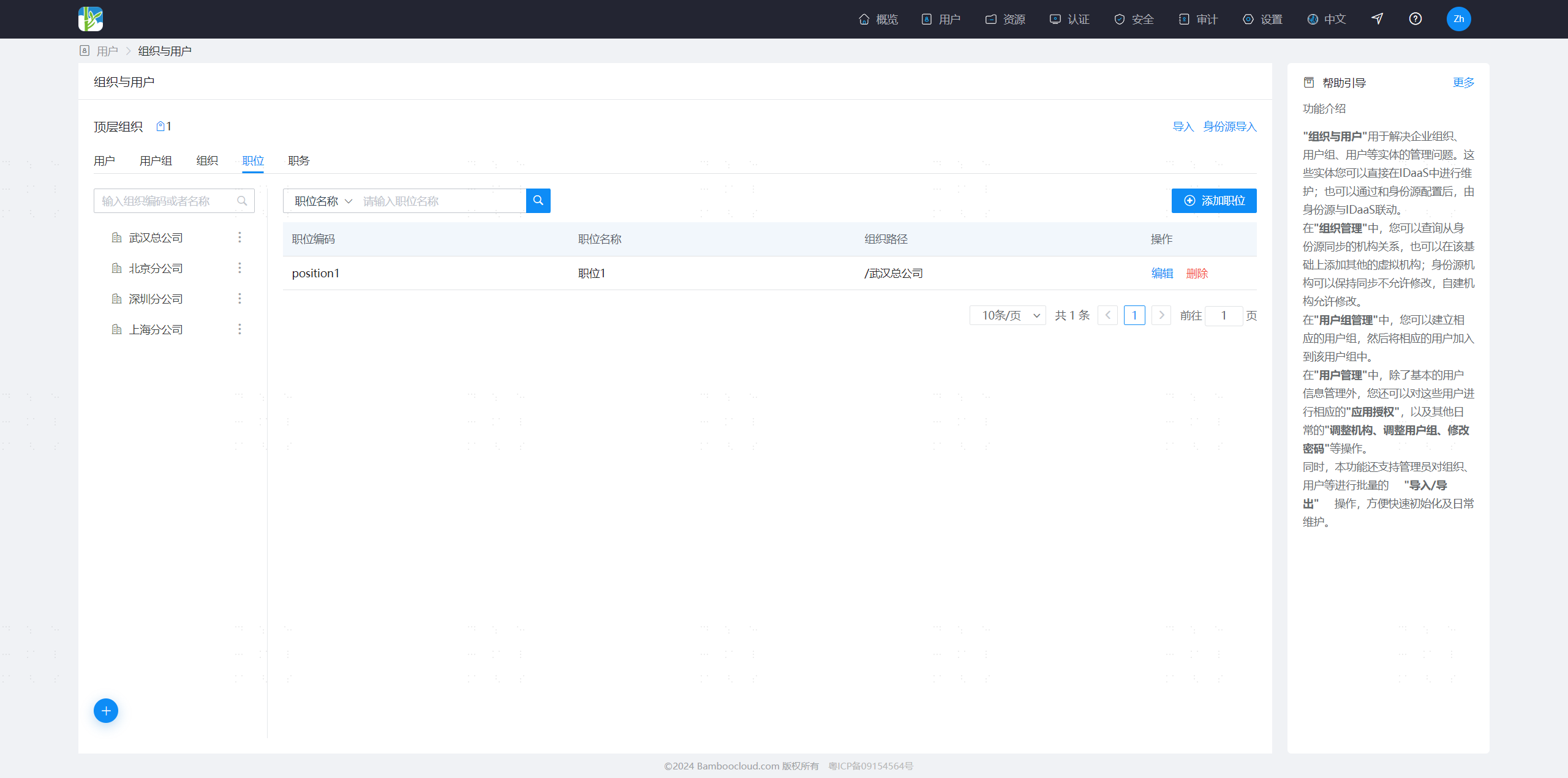
Log in to the IDaaS Enterprise Center platform, select "Users > Organization & Users" from the top navigation bar, go to the "Positions" tab, and manage position data.
Positions need to be placed under an organization.
Positions can be associated with a default rank.
# Rank Management
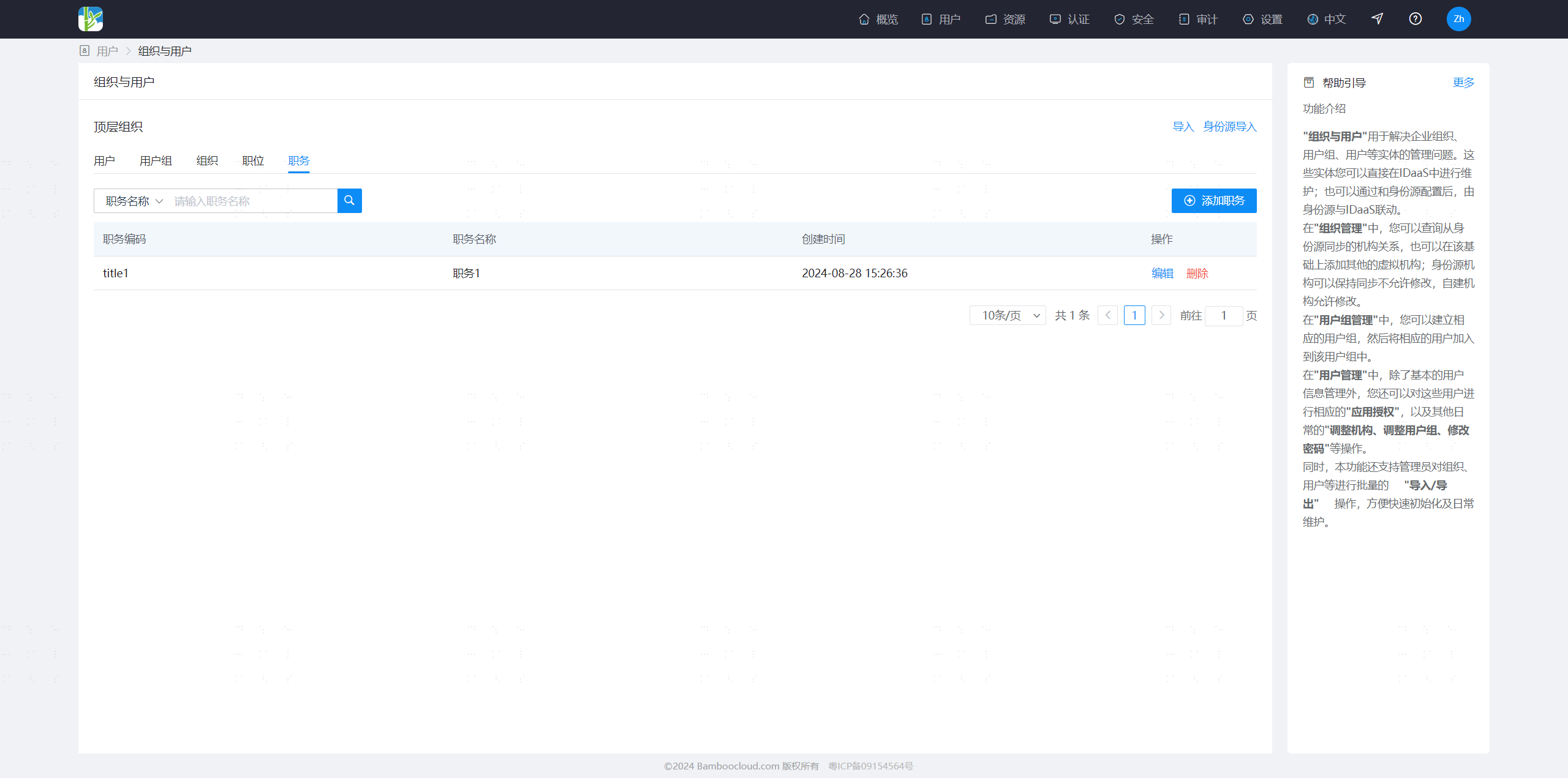
Log in to the IDaaS Enterprise Center platform, select "Users > Organization & Users" from the top navigation bar, go to the "Ranks" tab, and manage rank data.
# Managing User Job Information
Log in to the IDaaS Enterprise Center platform, select "Users > Organization & Users" from the top navigation bar, go to the "Users" tab, and manage user data.
When adding a user, you can fill in the job information for the primary and concurrent positions. The attribute fields in the job information can be extended and modified in the job relationship attribute definition.
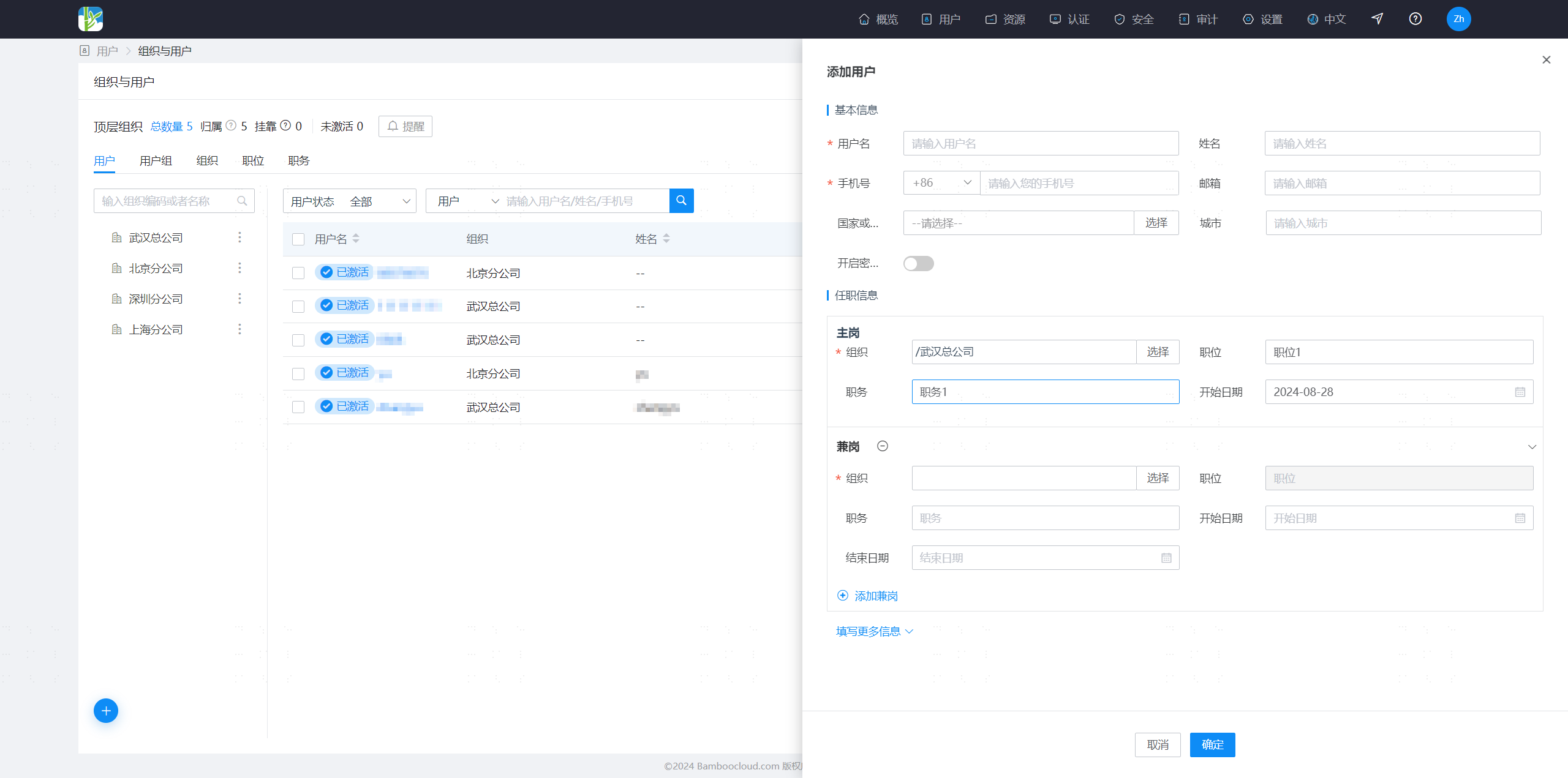
Enter the user details, select the Job Information tab, where you can adjust the user's primary position, and edit or delete concurrent positions.

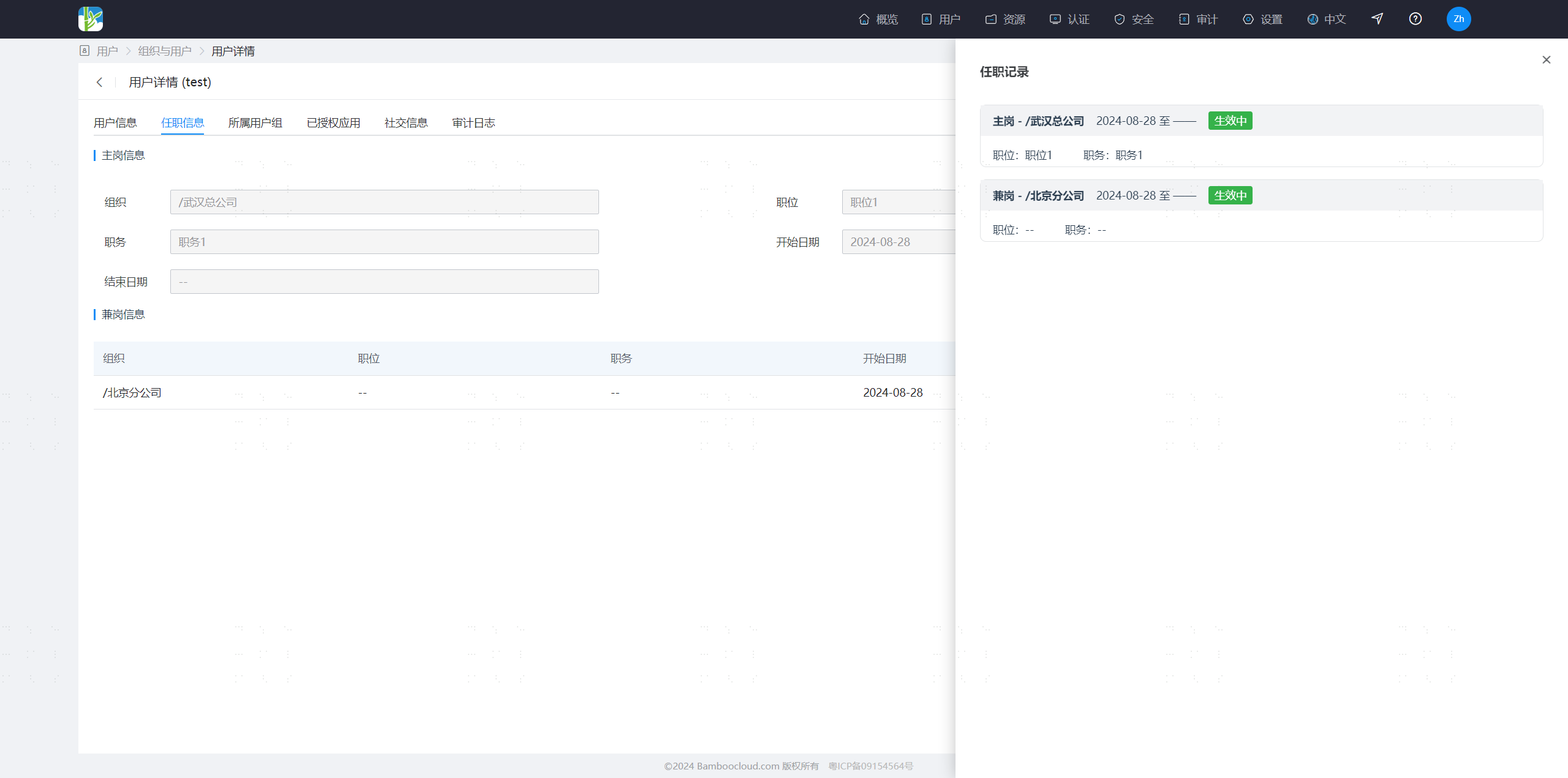
Enter the user details, select the Job Information tab, to view the user's job history information.
I am ready. Please provide the Markdown content for translation.