Customizing Default Authentication Sources
Authentication Source
# Overview
If you wish for enterprise employees to conveniently use a specific authentication method by default when accessing an application, please follow the operations below after configuring the authentication methods for the application.
# Steps
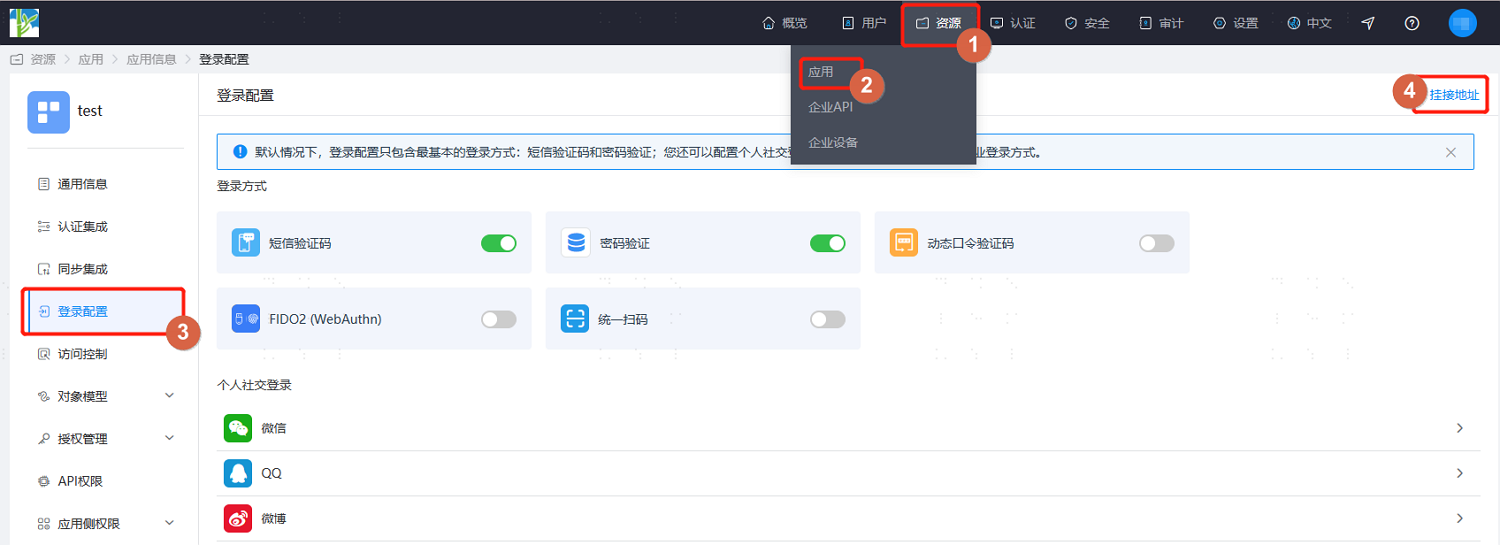
- The administrator logs into the IDaaS Enterprise Center platform, navigates to the "Resources > Applications" page, enters the application's "Login Configuration" page, and clicks the "Access Address" in the upper right corner (for some authentication methods, the access address can be obtained directly from the dropdown; refer to the screenshot in step 2).
- Customize the application's access address by keeping the built-in access address and replacing the
config_idvalue within it with the authentication source ID of the specified authentication method.
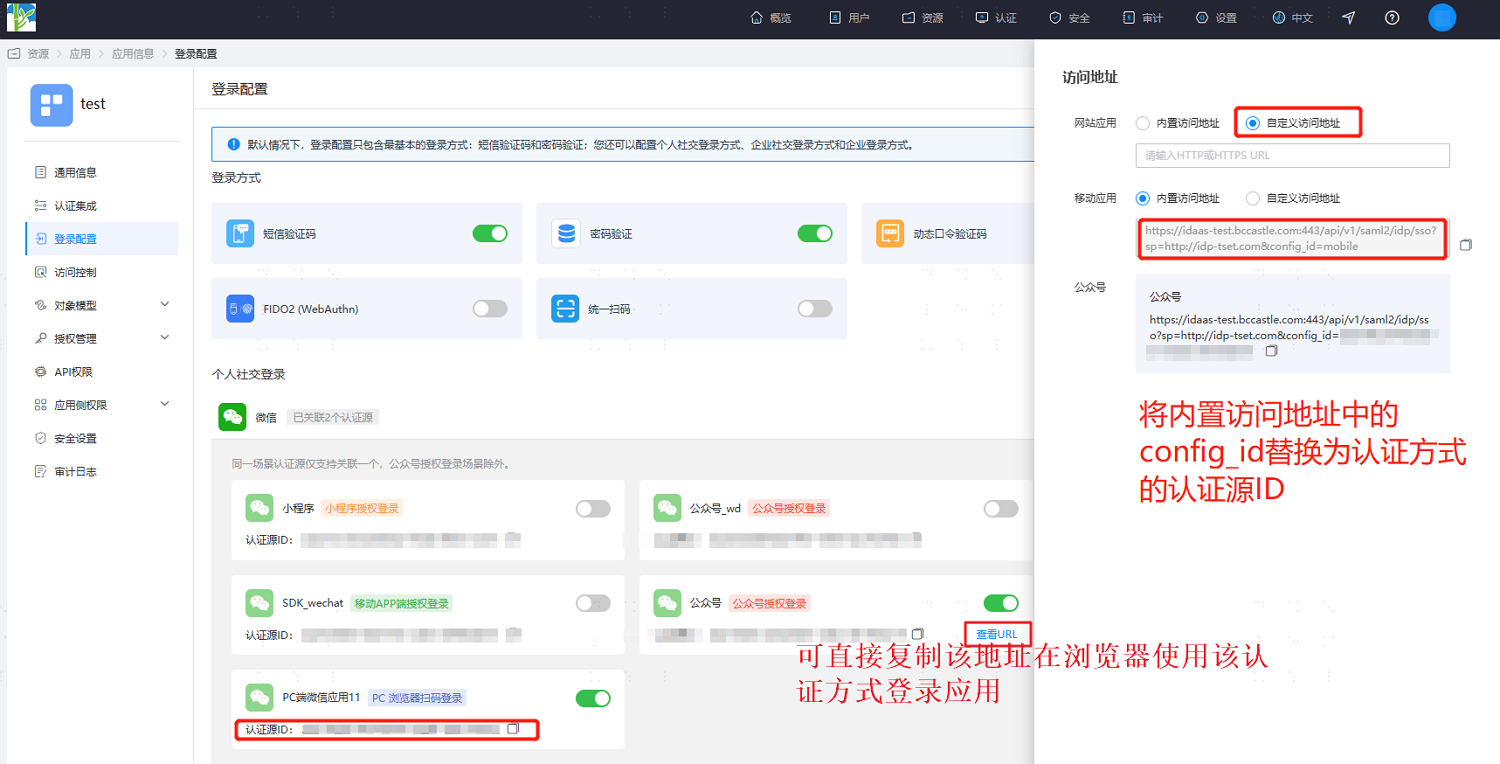
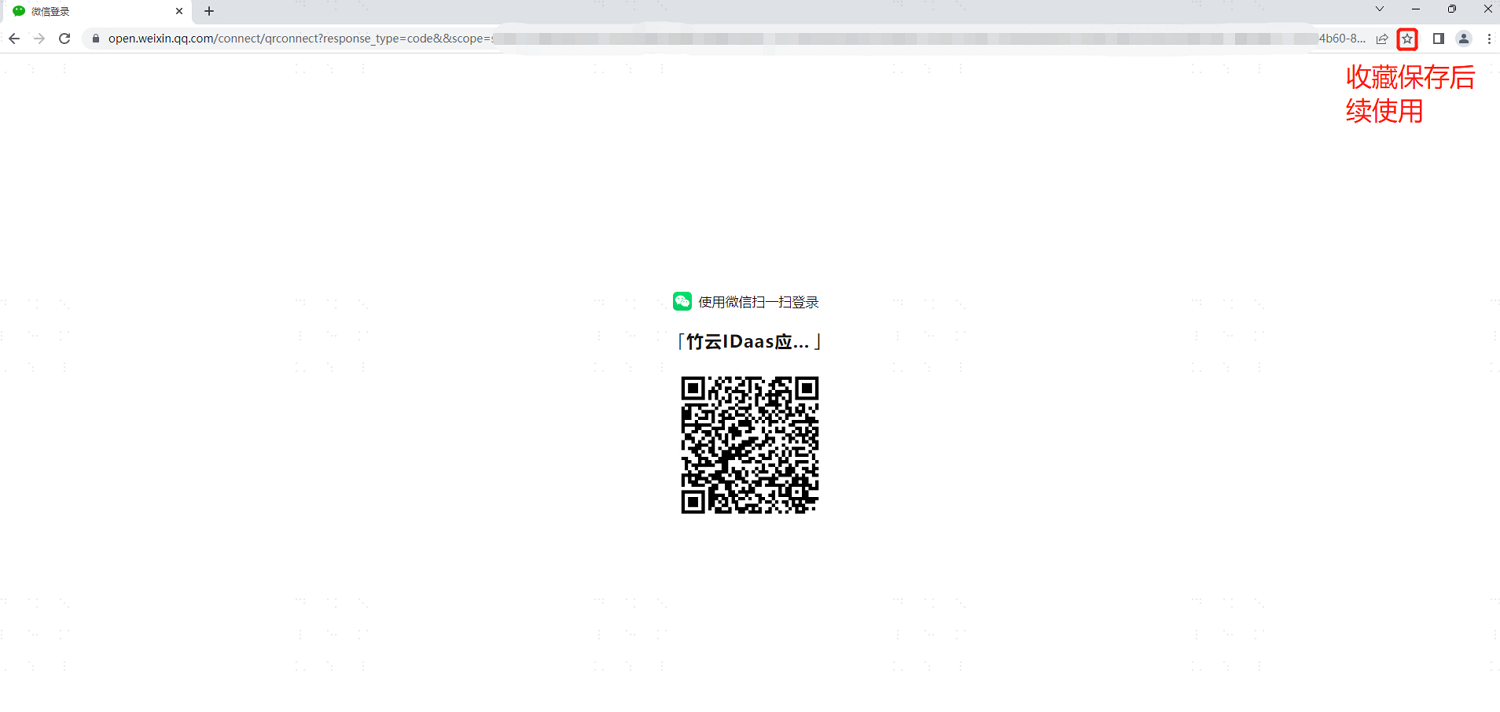
- Copy and open this URL in a browser to directly use this authentication method to log into the application. For convenience in future use, employees can directly bookmark this login page in their browser for direct login next time.