
How to Initiate My Approval
Approval
# Overview
This section introduces how to initiate "My Approval" within the WeCom APP/client.
# Prerequisites
- The application template has been added in the IDaaS platform Add My Application Template.
# Steps
# Initiate My Application on WeCom APP/Client
The initiator opens the WeCom APP/client, clicks "Workbench > Approval", finds the added template under the "Other" category, and initiates the WeCom approval process.
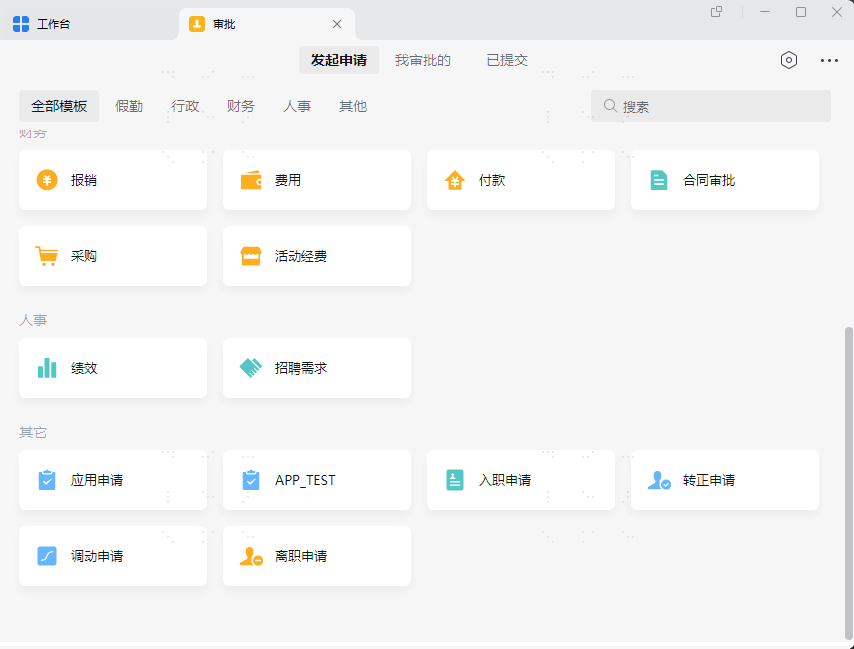

The approver opens the WeCom APP/client, receives the work notification requiring review, and clicks to approve.
# View Approved Applications in IDaaS Platform
Find the approved application, view the applicant's application account, and you can see the account source is "Approval".
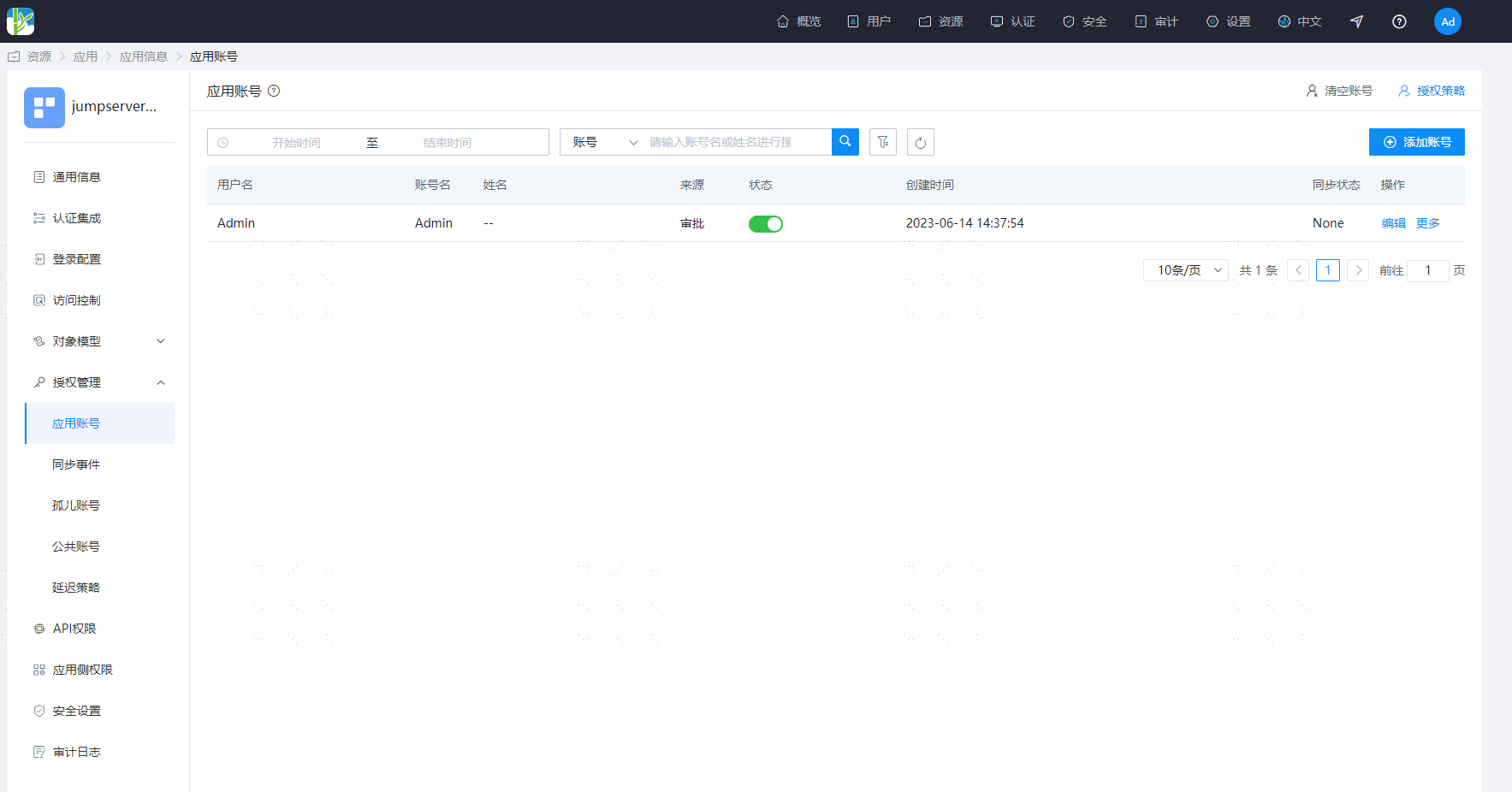
Approval records can be viewed in "WeCom Approval Engine > Callback Logs".
Only approved applications are recorded in the callback logs.