
Application Recycle Bin
# Overview
Due to human factors or other factors causing management risks, IDaaS provides an application account recycle bin feature. A protection period can be set, after which accounts are automatically deleted, or manual deletion can be performed.
This feature supports setting a deletion protection period for the recycle bin, defaulting to 7 days. After expiration, the system automatically performs deletion at 02:00:00 on the scheduled execution date.
If an application is configured to synchronize data downstream, when the recycle bin is enabled and an account is deleted and enters the recycle bin, downstream data synchronization is not triggered. Downstream data synchronization is only triggered after the account is permanently deleted from the recycle bin. If the recycle bin is not enabled, downstream data synchronization occurs immediately upon account deletion.
# Prerequisites
- Have permissions for the IDaaS Enterprise Center application menu and applications.
# Steps
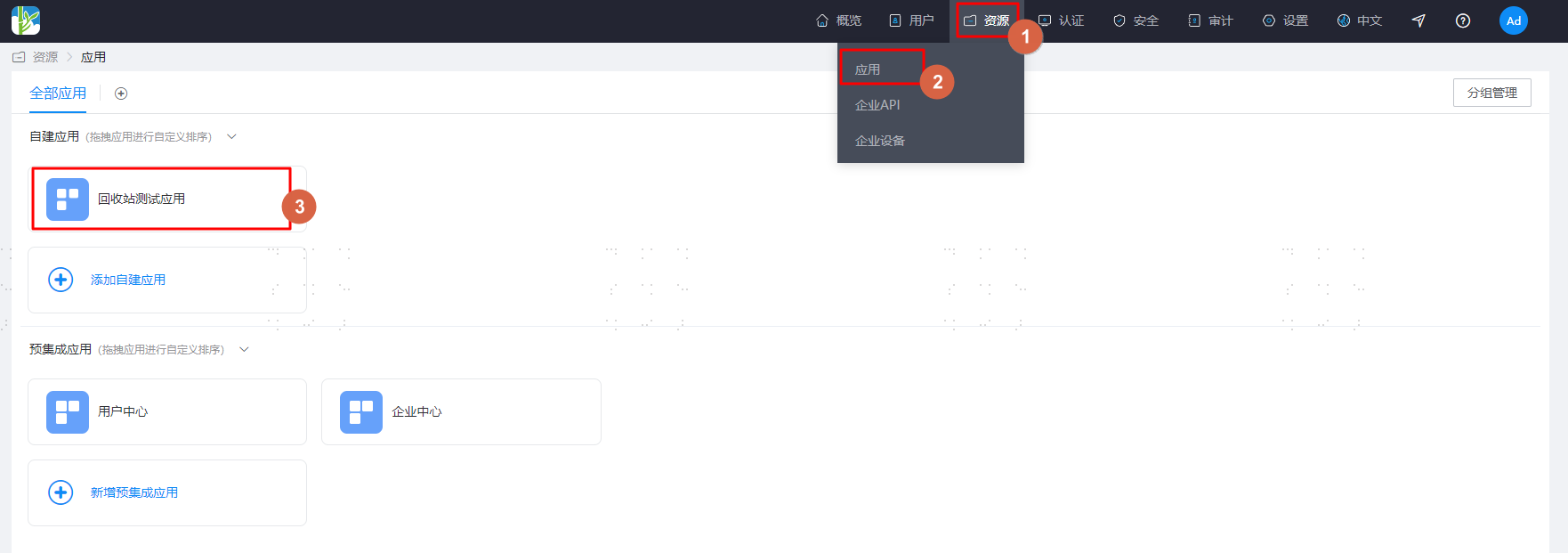
Log in to the IDaaS Enterprise Center platform, select "Resources > Applications" in the top navigation bar, click on the application that needs processing, and enter the "Recycle Bin" operation management page.
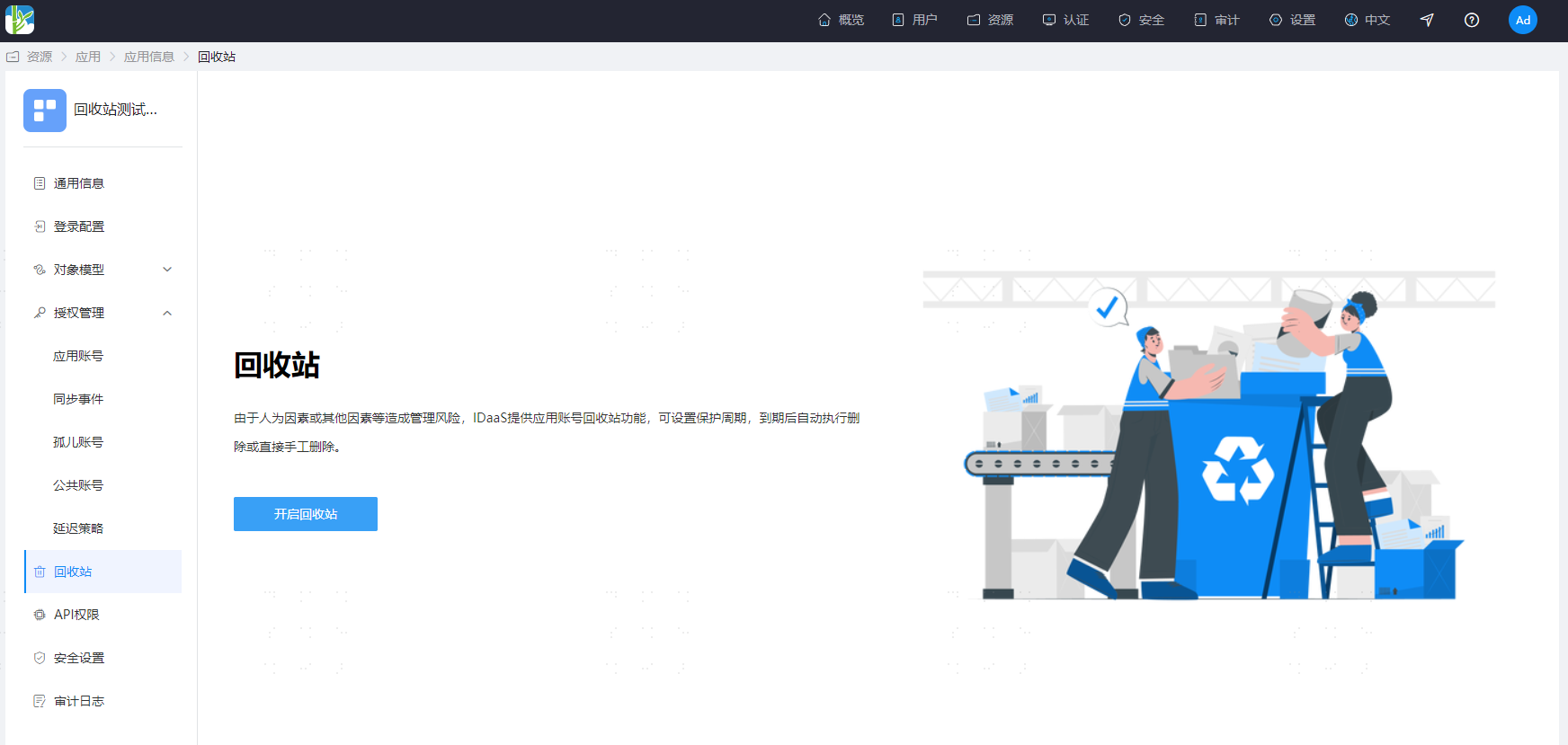
Click the "Enable Recycle Bin" button to enable the application recycle bin.
For newly added applications, the application recycle bin is enabled by default, with a default deletion protection period of 7 days;
When there is unprocessed data in the recycle bin, disabling the recycle bin is not allowed. Data must be processed first before disabling.
Configure the deletion protection period.
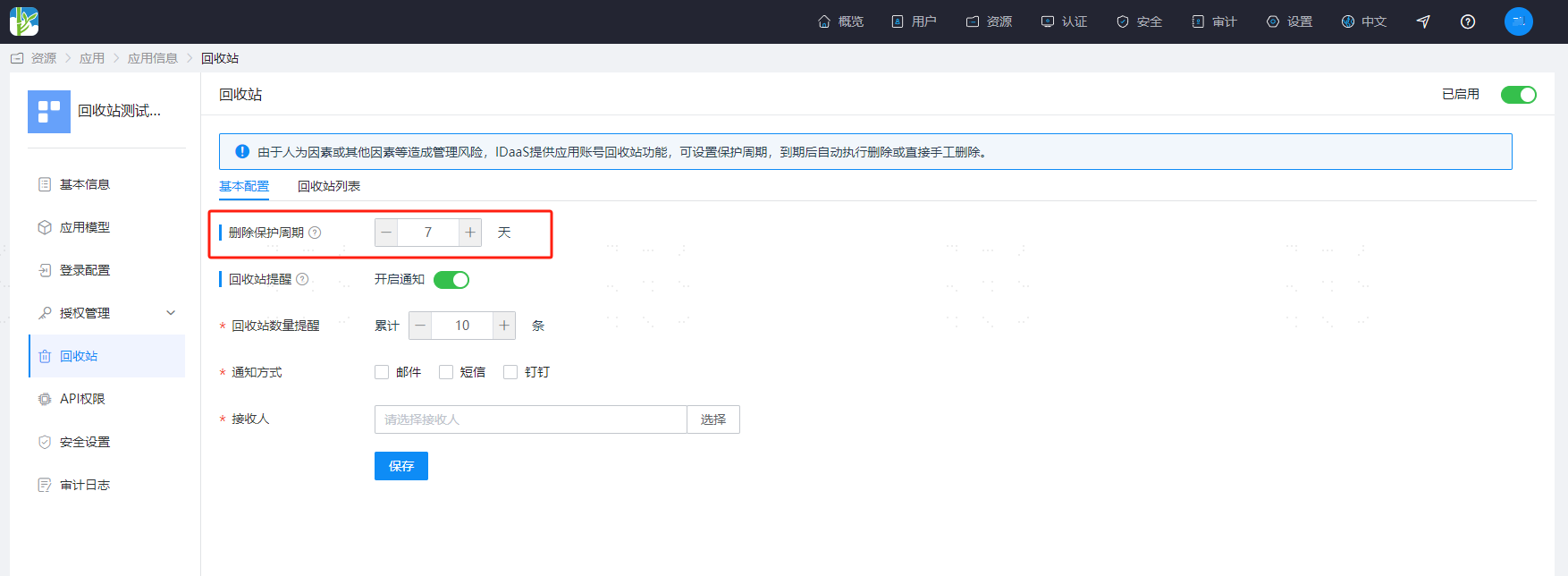
The deletion protection period is a minimum of 1 day and a maximum of 30 days;
The system has a scheduled task that checks whether the application's account data has reached the critical value of the deletion period. If reached, it will be deleted;
The scheduled task execution time is daily at 2:00 AM.
Configure recycle bin notifications.
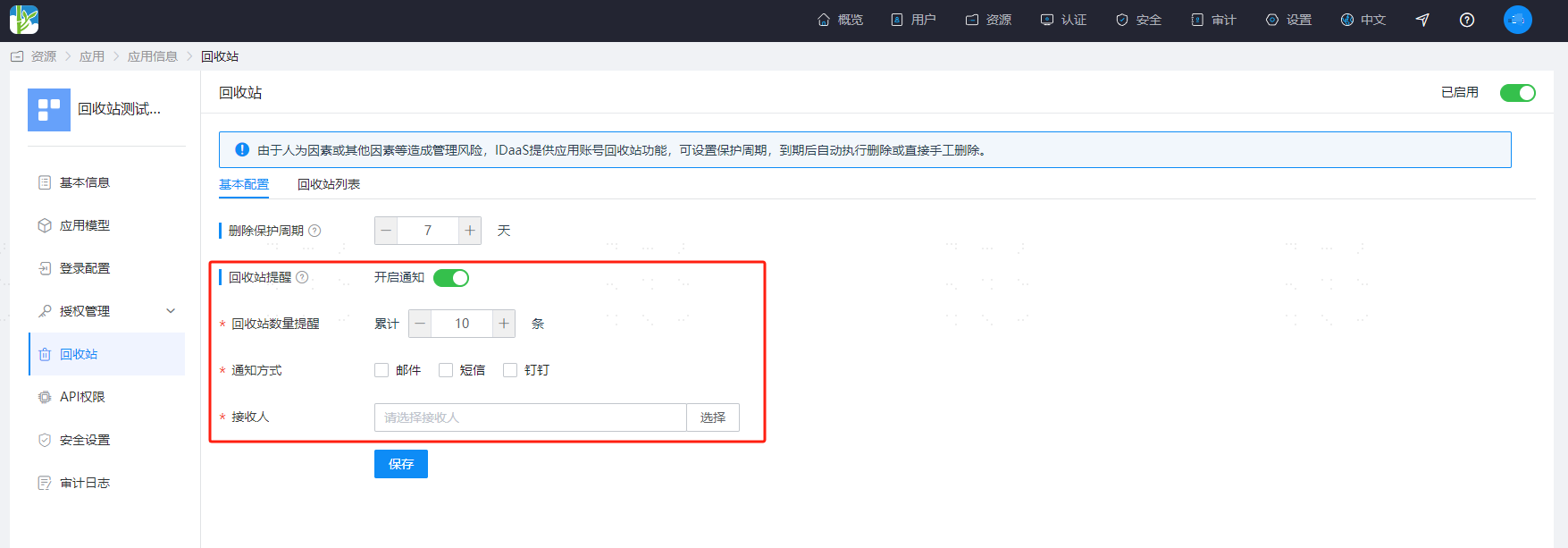
Default is disabled;
When enabled, an instant notification is sent upon reaching the reminder threshold. If not handled that day, another notification reminder is sent to the administrator at 10:00 the next day for review and handling;
Notification methods support email, SMS, DingTalk (requires successful configuration of the message gateway in advance);
Recipients are administrators with permissions for this application menu and data permissions.
# Recycle Bin List
View relevant data of accounts in the recycle bin within the list
Includes Occurrence Time, Scheduled Execution Time, Object Type, Account Name, Full Name, Source of Occurrence, Operation.
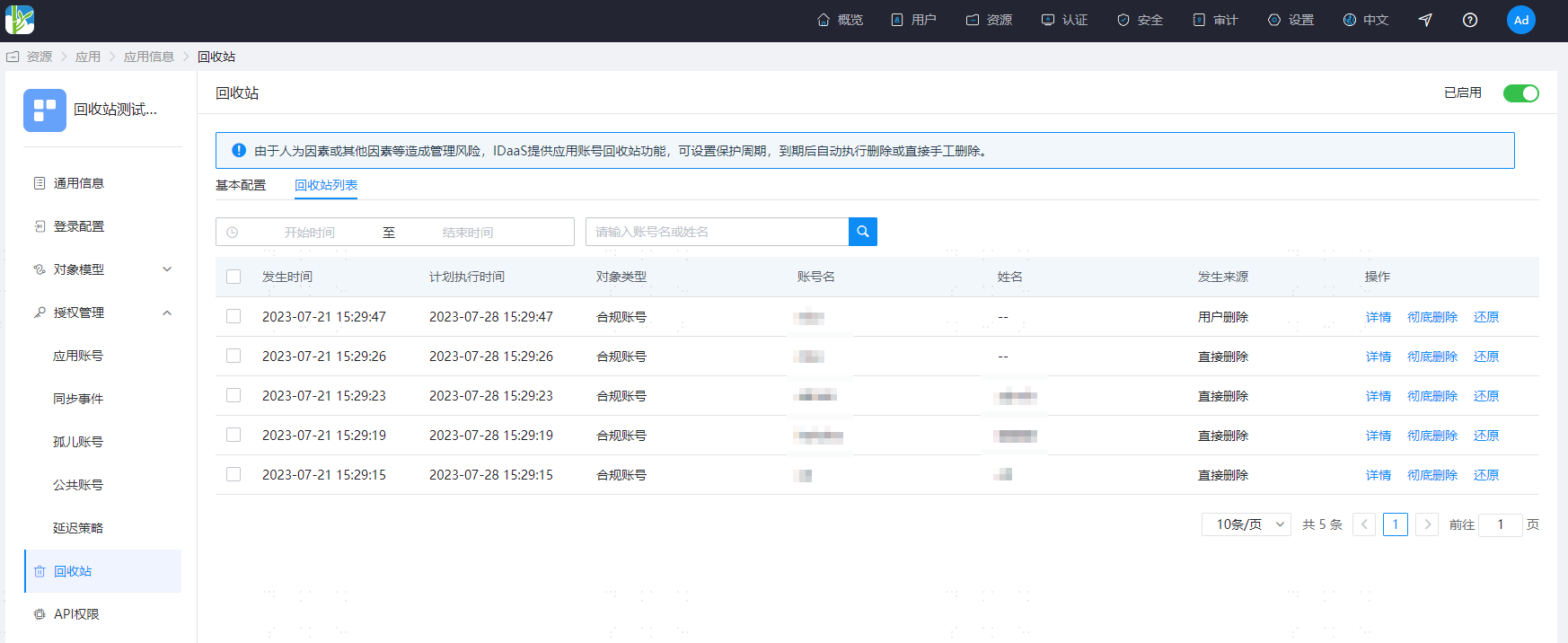
Object types include: Compliant Accounts, Orphan Accounts, Public Accounts
Source of Occurrence
Direct Deletion: Directly deleting an account within the "Application Accounts", "Orphan Accounts", or "Public Accounts" menus in the "Authorization Management" interface. This account enters the recycle bin.
User Deletion: Deleting the corresponding application account when a system user is deleted in the application's account model configuration. Accounts deleted under this condition due to user deletion enter the recycle bin.
User Disablement: Deleting the corresponding application account when a system user is disabled in the application's account model configuration. Accounts deleted under this condition due to user disablement enter the recycle bin.
Authorization Policy Deletion: Account deletion caused by not meeting the conditions set by the authorization policy. This account enters the recycle bin.
Restore Recycle Bin Account
The restore operation supports single and multiple restorations.
During restoration, if the originally bound user does not exist, it will be converted to an orphan account; If the information of the account to be restored (unique attribute in the application account model) is already occupied, the restoration will not succeed; If the user of the account to be restored is bound to another account, the restoration will not succeed.
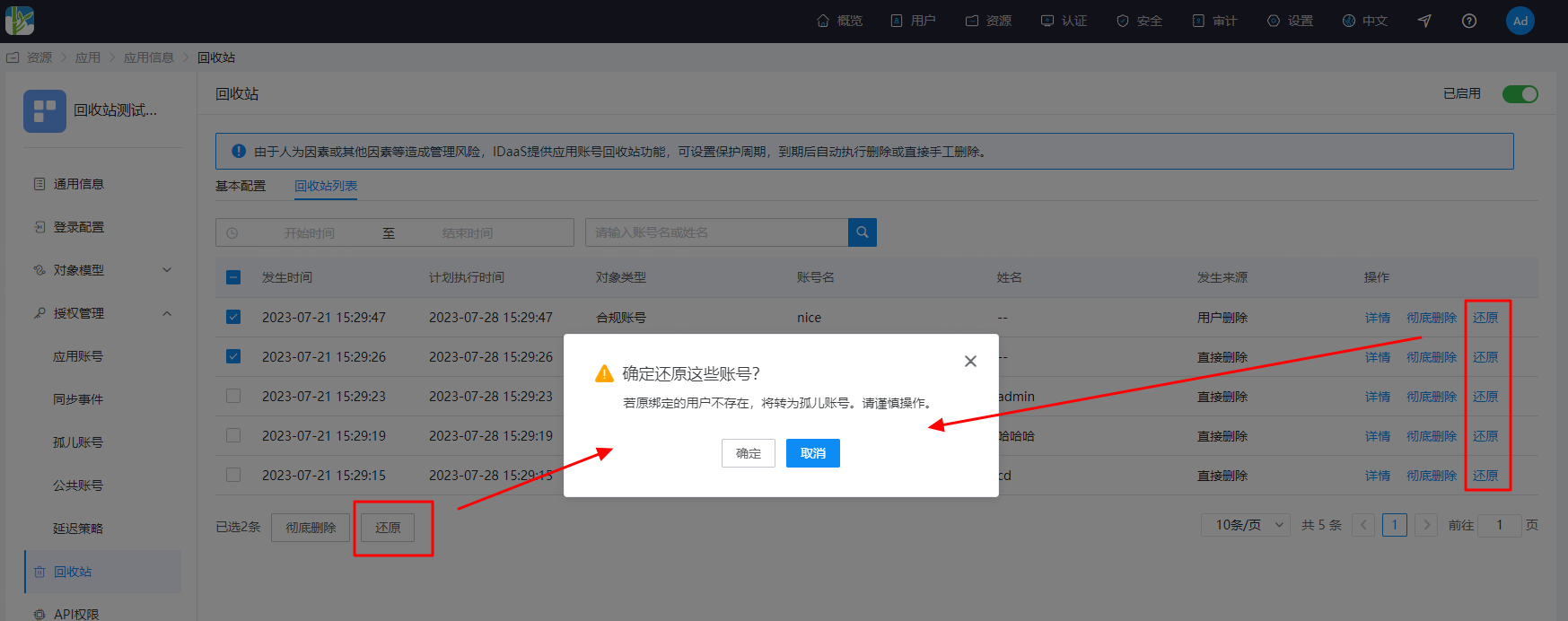
Permanently Delete Recycle Bin Account
The permanent deletion operation supports single and multiple permanent deletions. If downstream synchronization is configured, permanent deletion will trigger the downstream synchronization operation.
