
Configuring WeChat Mini Program Authorization Login
# Overview
This chapter describes the configuration process for the WeChat Mini Program authorization login feature. After configuring and integrating the WeChat authentication source on the IDaaS platform, refer to this module to configure WeChat Mini Program authorization authentication login for various application systems.
# Prerequisites
- Have administrator privileges on the IDaaS Enterprise Center platform.
- Have registered a mini program on the WeChat Official Accounts Platform.
- The application has been integrated on the IDaaS platform.
- Have configured a WeChat authentication source on the IDaaS platform with the login scenario set to Mini Program Authorization Login.
# Configuration Process

# Steps
# Configure WeChat Mini Program Authorization Authentication for an Application
Log in to the IDaaS Enterprise Center platform, select "Resources > Applications" from the top navigation bar. After creating a self-built application, enter the application details page. Under the "Authentication Integration" configuration, you must select "SDK/API". Save and enable the application after configuration.
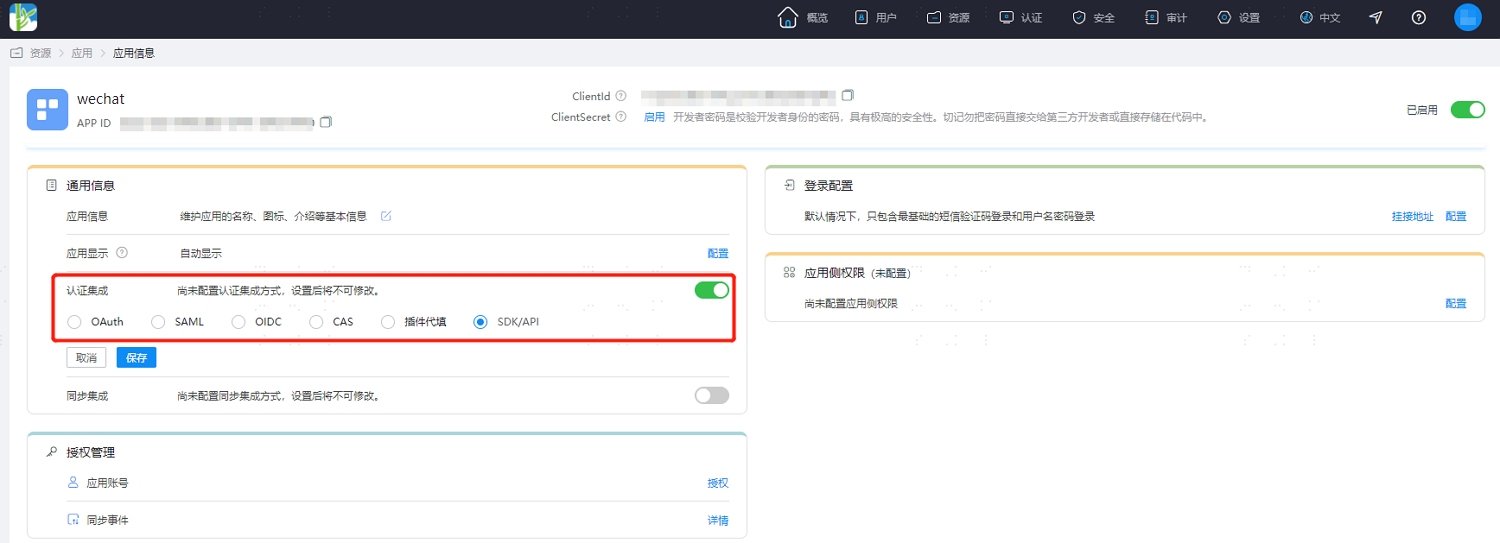
Authentication integration can only be configured once and cannot be changed later.
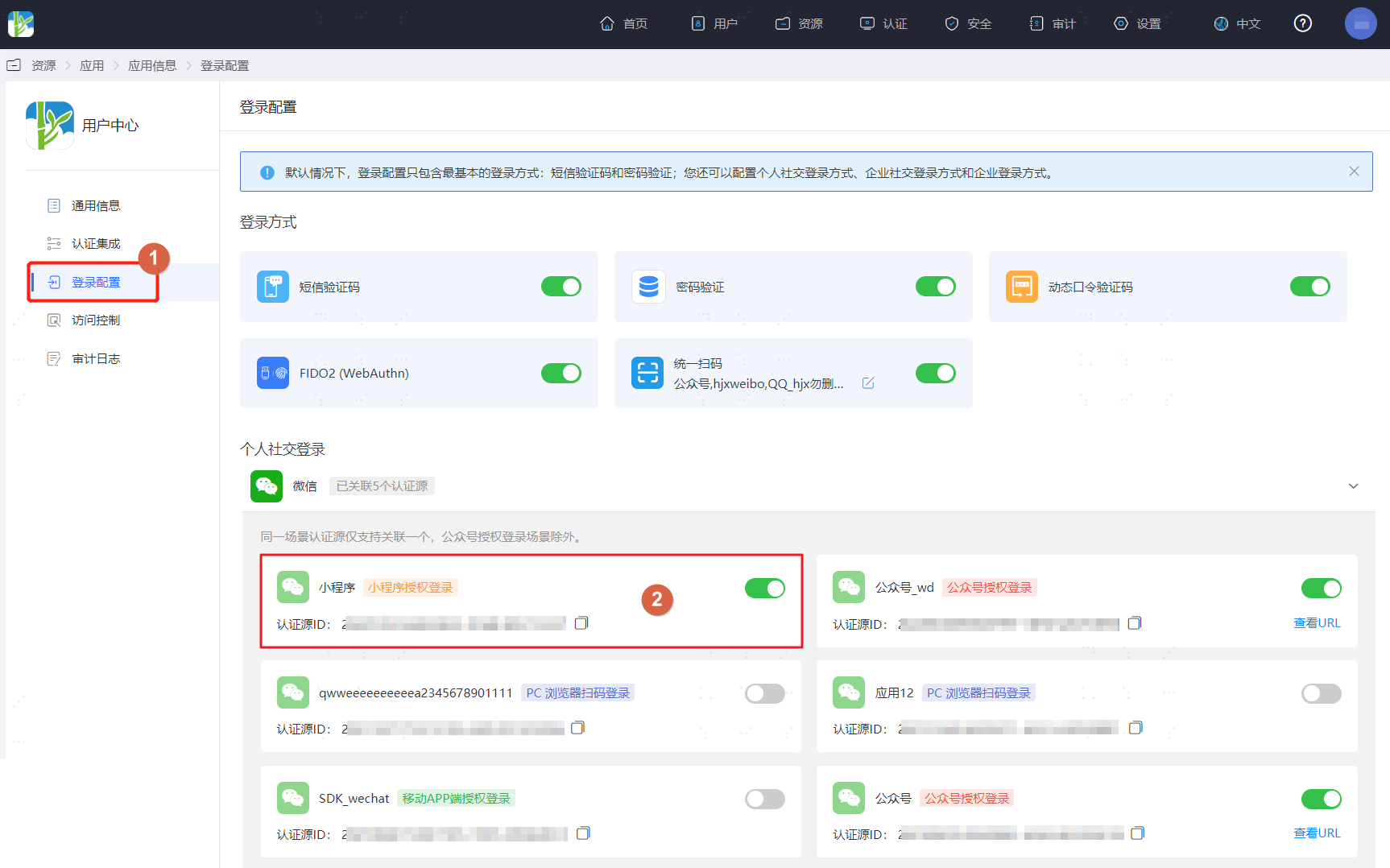
Switch to the "Login Configuration" tab of the application, scroll down to WeChat, and enable the previously added WeChat authentication source with the login scenario set to Mini Program Authorization Login.
# Development Integration
After configuration is complete on the IDaaS platform, development integration configuration for the client side is also required. Please refer to WeChat Mini Program to complete the subsequent client-side development integration. Users can use WeChat Mini Program authorization to log in to the application only after development is complete.