
Configuring Alipay Authentication Source
# Overview
Alipay authentication login allows users to securely log in to third-party applications or websites using Alipay as the authentication source. To facilitate enterprise users' authentication login, the IDaaS platform supports configuring Alipay as an authentication source. Users can log in to various application systems through Alipay authentication, providing enterprise users with simpler and more convenient login methods and a better user experience.
This section describes the related operations for configuring the Alipay authentication source.
# Prerequisites
- Have administrator permissions on the Alipay Open Platform.
- Have administrator permissions on the IDaaS Enterprise Center platform.
# Procedure
# Creating an Application and Obtaining Parameters on Alipay Open Platform
Based on the actual required Alipay authentication method, refer to the following sections to create the corresponding application.
Configuring Alipay Scan Code or Account Password Login:
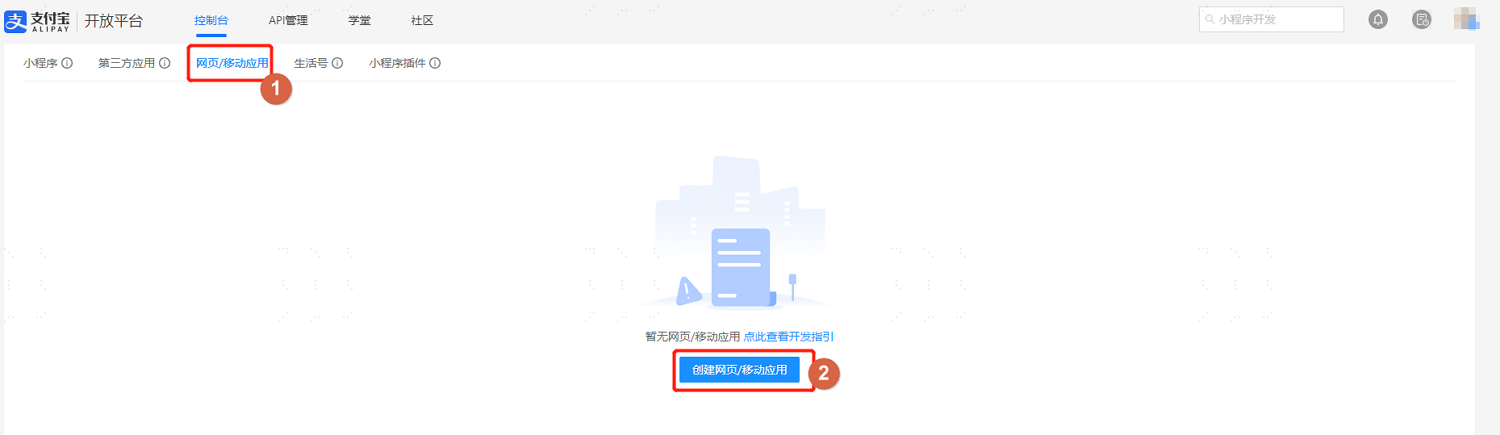
Log in to the Alipay Open Platform (opens new window), enter the console, select "Web & Mobile Apps", click "Create Web/Mobile App", and create a web application.
The website URL is the callback address of the IDaaS tenant, which can be obtained from the Alipay authentication source parameters in "Authentication > Authentication Source Management" in the IDaaS Enterprise Center.
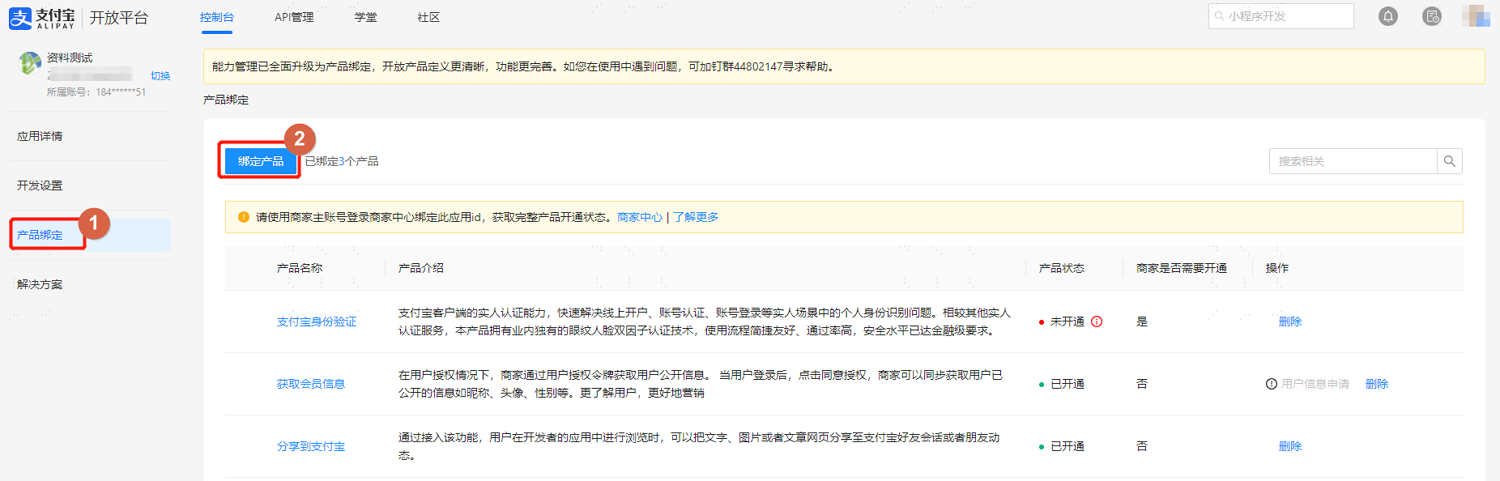
After completing the basic information settings, switch to the "Product Binding" tab and add the following authorization information for the application.
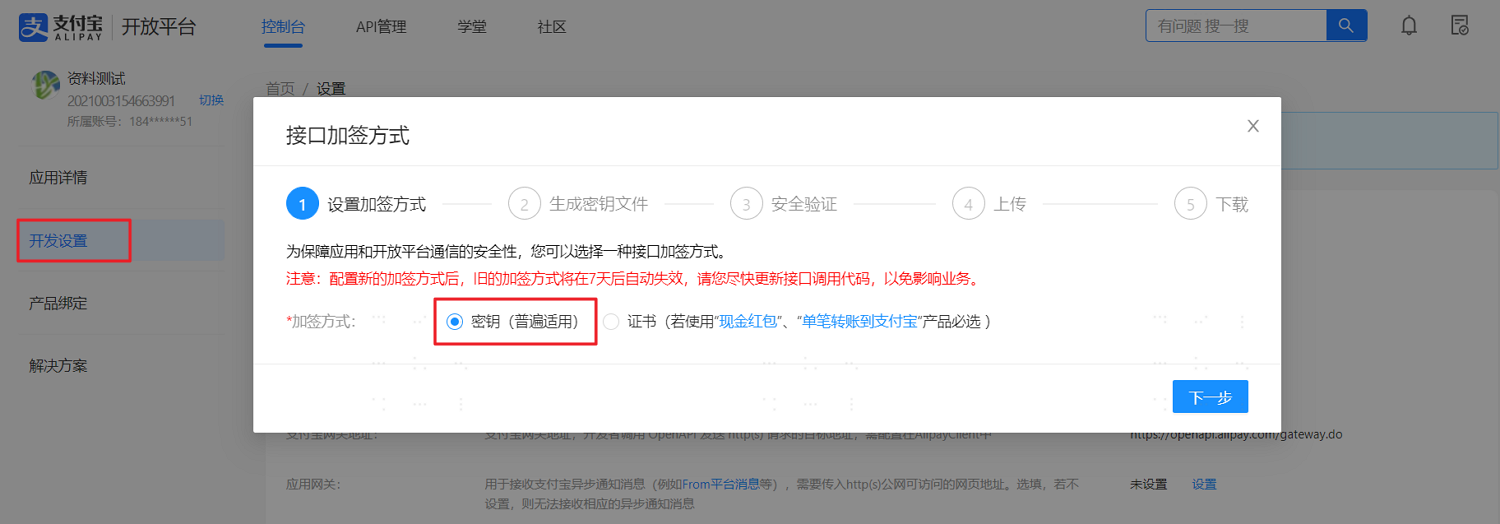
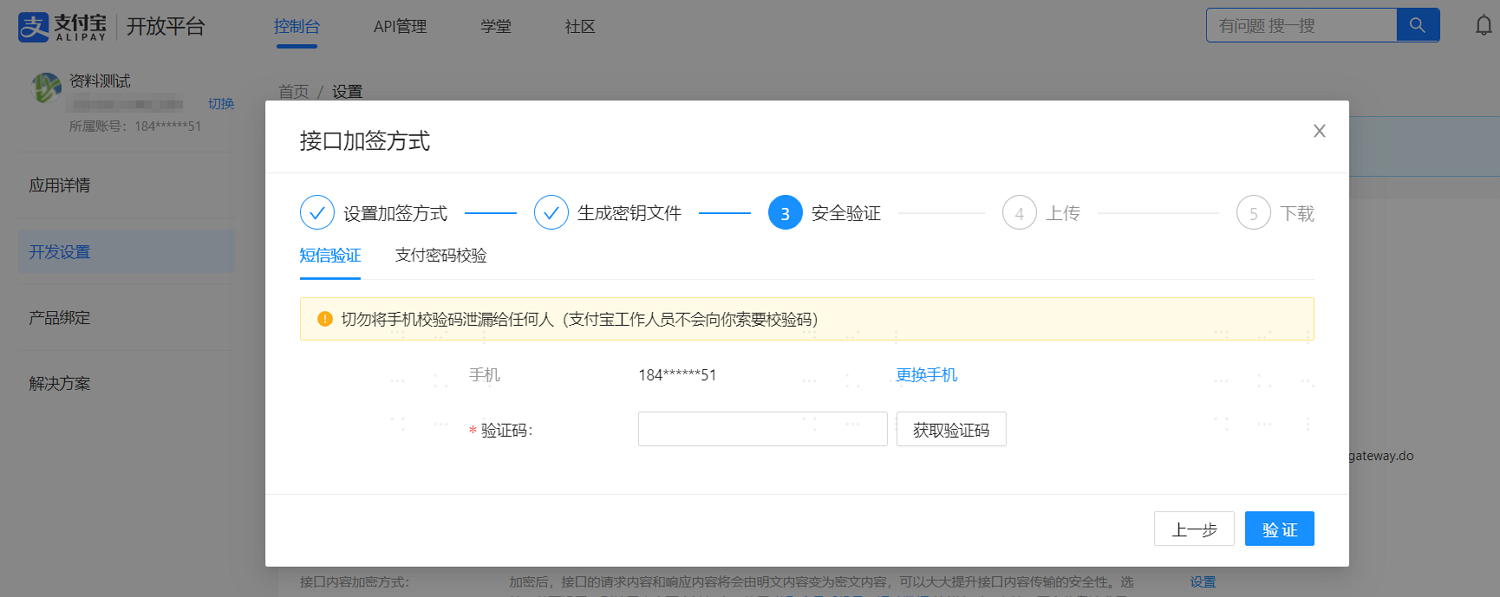
Switch to the "Development Settings" tab and set the interface signature method under "Development Information".
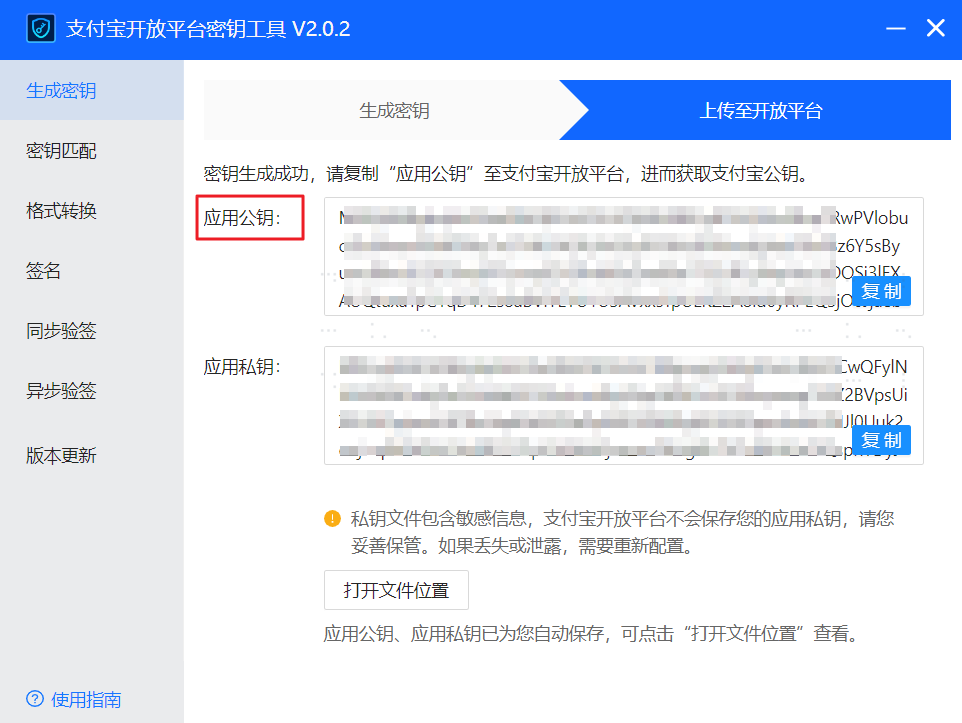
Refer to the interface prompts to generate a key using the tool and copy the application public key.
Perform security verification via SMS or payment password.
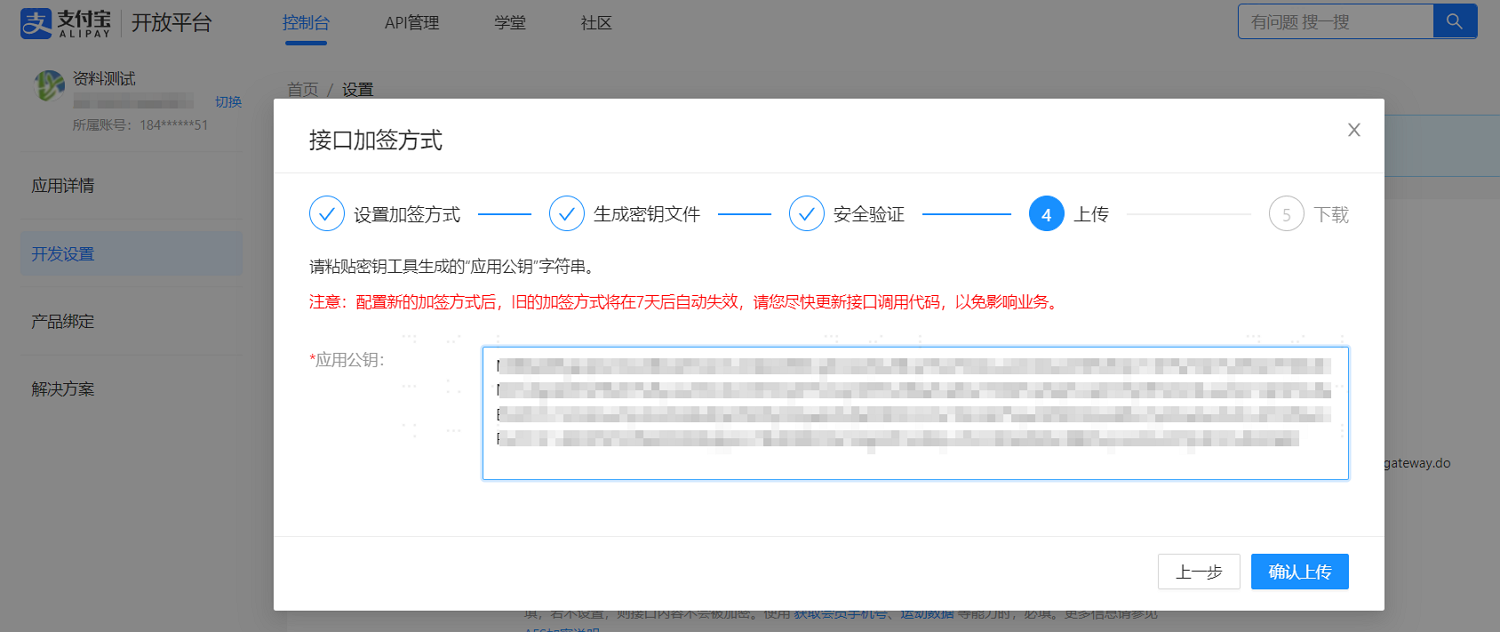
Paste the application public key copied from the tool into the corresponding text box, upload the public key, then download the Alipay public key and save it locally.
After configuration is complete, set the authorized callback address.
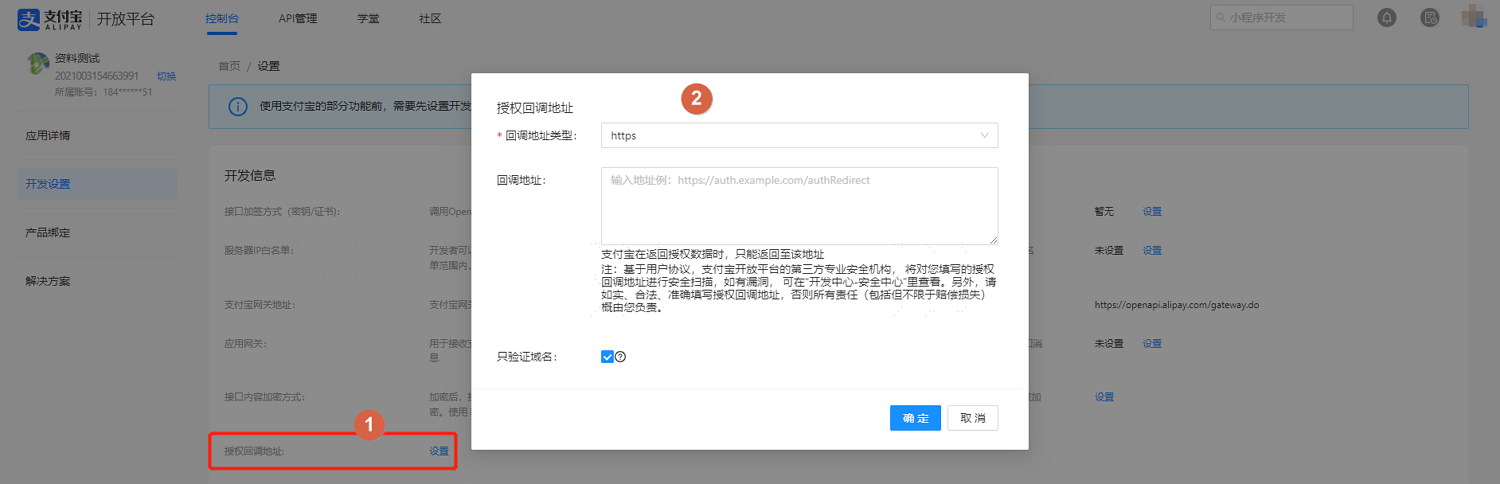
The callback address is the IDaaS tenant address that Alipay will call back to after authorization. It can be obtained from the Alipay authentication source parameters in "Authentication > Authentication Source Management" in the IDaaS Enterprise Center.
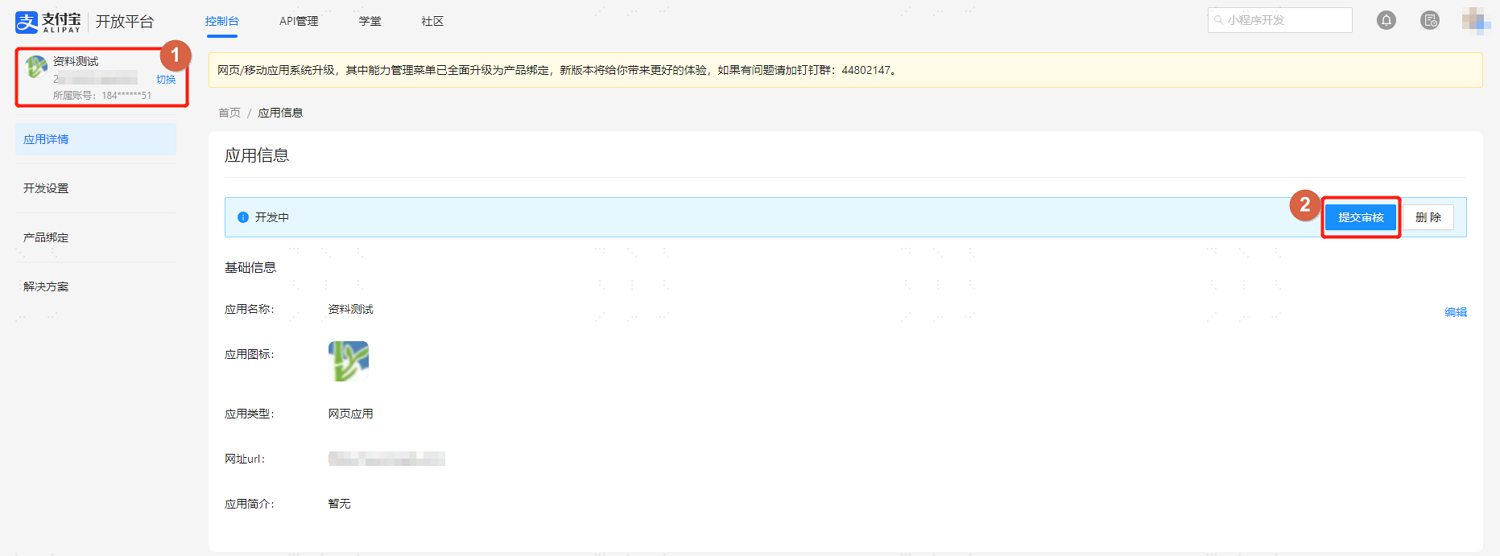
Obtain the application's AppId parameter, save it locally, and submit for review. The application configuration is complete after approval.
Configuring Alipay Mobile Authorization Login:
Log in to the Alipay Open Platform (opens new window), enter the console, select "Web & Mobile Apps", click "Create Web/Mobile App", refer to the page instructions to create a mobile application, obtain the application's AppId parameter and save it locally, submit for review. The application can only be used after approval.
Configuring Alipay Mini Program Authorization Login: This feature is currently only supported in 2C scenarios.
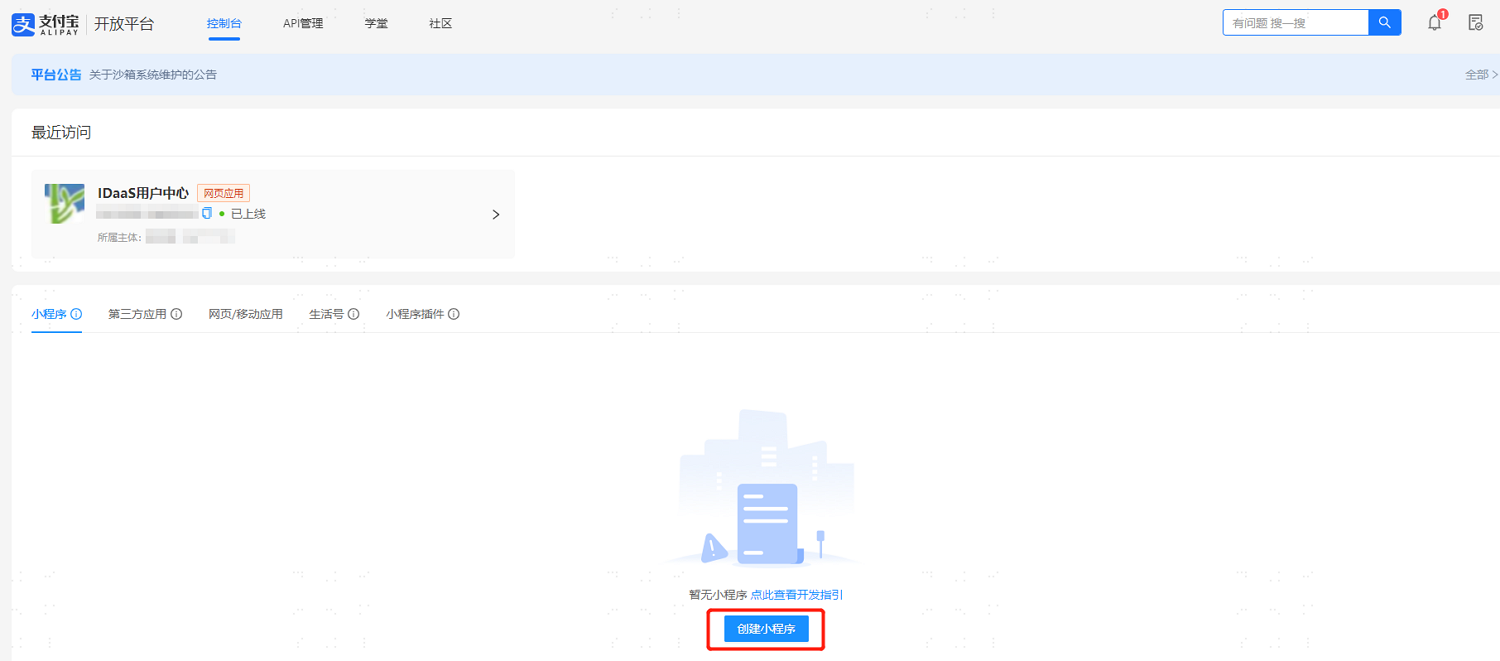
Log in to the Alipay Open Platform (opens new window), enter the console, select "Mini Programs", click "Create Mini Program", refer to the page instructions to complete the mini program creation, obtain the application's AppId parameter and save it locally, submit for review. The application can only be used after approval.
# Configuring Alipay Authentication Source on IDaaS Platform
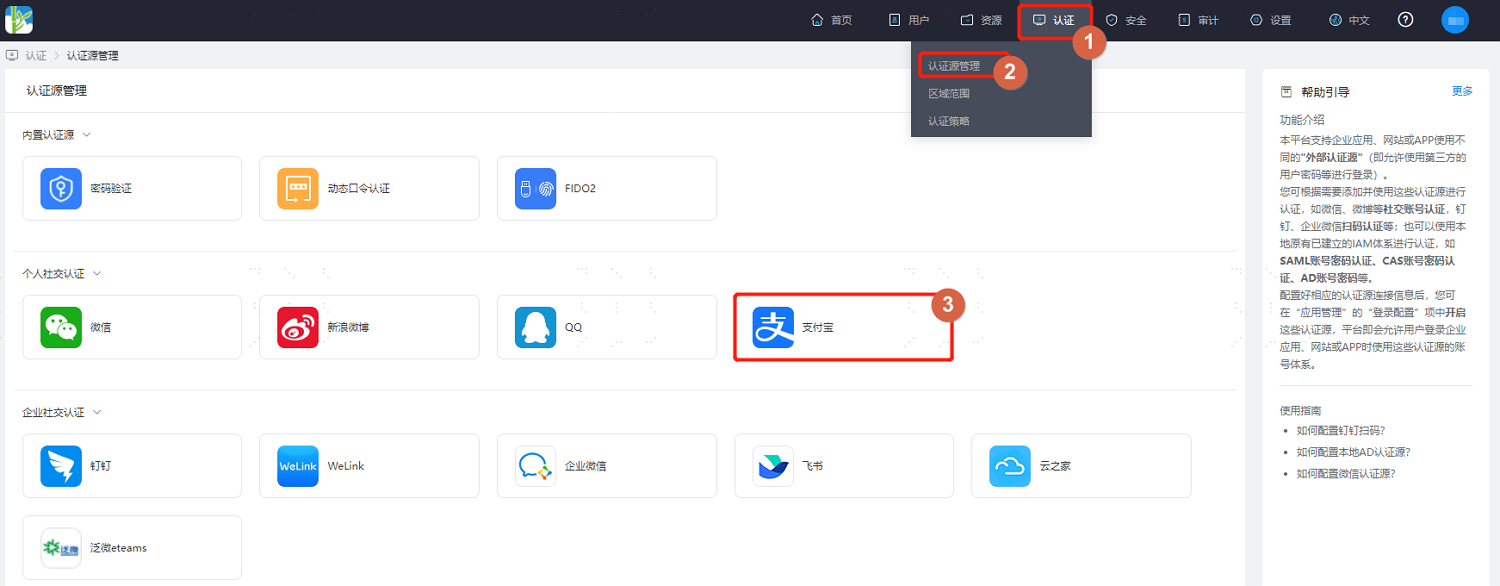
Log in to the BambooCloud IDaaS Enterprise Center platform, select "Authentication > Authentication Source Management > Alipay" from the top navigation bar, enter the Alipay authentication source page, and click "Add Authentication Source".
Configure the Alipay authentication source parameters by referring to the interface prompts. Key parameter descriptions are as follows.
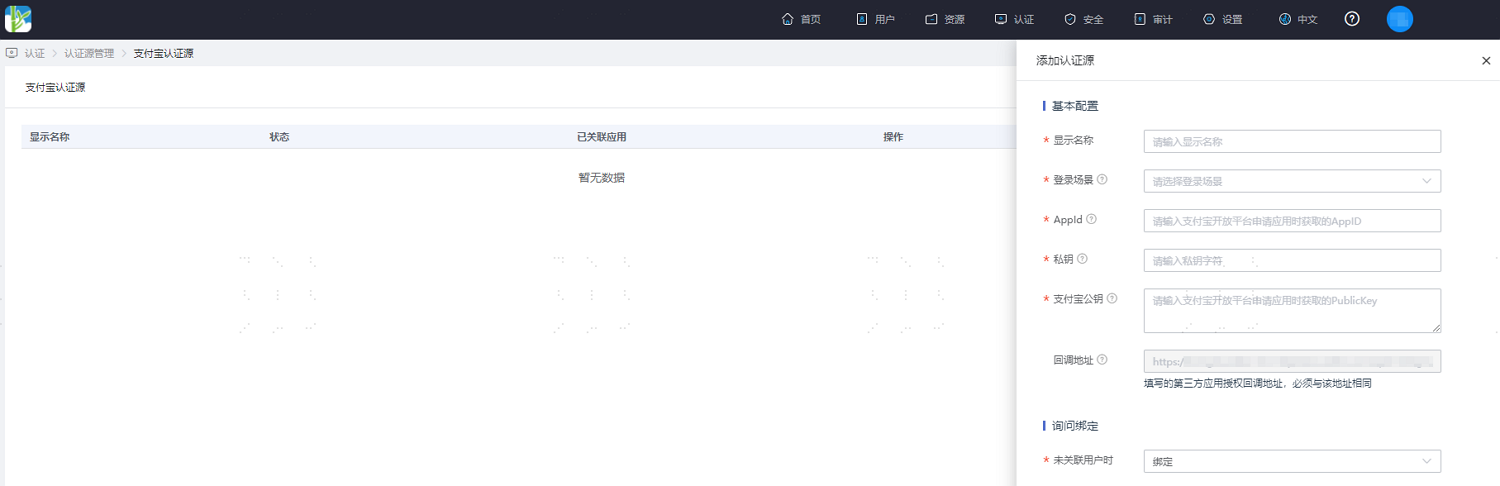
- Login Scenario: Select the login scenario based on the Alipay authentication type, including PC browser scan code login, mobile APP authorization login, and mini program authorization login, corresponding to Alipay scan code login, Alipay mobile authorization login, and Alipay mini program authorization login methods respectively.
- Private Key: The application secret key registered on the Alipay platform.
- When No User is Associated: This refers to when the authentication source attributes of the user information returned by the Alipay platform do not match the associated user attributes in IDaaS, and no system user is associated. The optional configuration items are as follows.
- Bind: Set to "Bind". When no user is associated, it will redirect to the phone number or email verification page. If an existing IDaaS phone number or email is entered and verified successfully, that user passes authentication.
- Bind or Register: Set to "Bind or Register". When no user is associated, it will redirect to the phone number or email verification page. If an existing IDaaS phone number or email is entered and verified successfully, that user passes authentication; if a non-existent IDaaS phone number or email is entered and verified successfully, an IDaaS user is created based on the phone number or email and passes authentication.
# Notes
New applications added to the Alipay Open Platform now use
openidas the unique identifier for user identity. However, IDaaS has not yet adapted to applications that useopenidas the unique identifier. If you need to use the Alipay QR code scanning feature within IDaaS, you must first apply to have the application added to the Alipay Open Platform reverted back to usinguserid, and then proceed with the application configuration.For more information on applying to revert to
userid, please refer to the official documentation (opens new window).