
Configuring Taobao Authentication Source
# Overview
To facilitate authentication and login for enterprise users, the IDaaS platform supports configuring a Taobao authentication source. Users can log in to various application systems through Taobao authentication, providing enterprise users with a simpler and more convenient login method and a better user experience.
This section describes the related operations for configuring the Taobao authentication source.
# Prerequisites
- Possess developer permissions on the Taobao Open Platform. The Taobao Open Platform requires registering as an enterprise to create a Taobao Open Platform application. You can refer to the Taobao Open Platform Developer Registration Guide (opens new window).
- Possess administrator permissions on the IDaaS Enterprise Center platform.
# Steps
# Taobao Open Platform Configuration
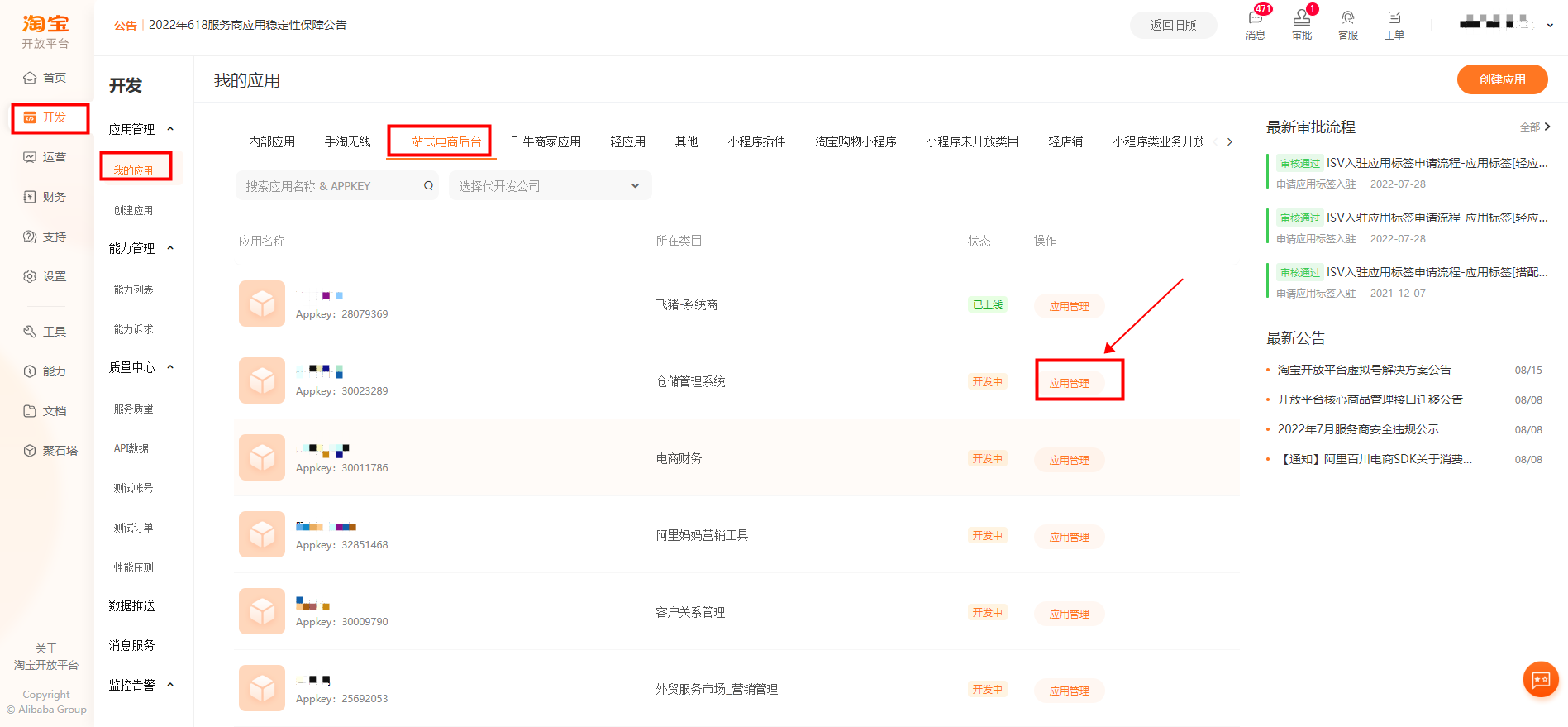
Log in to the Taobao Open Platform (opens new window), complete identity verification, and create an application. Refer to the Taobao Open Platform Developer Registration Guide (opens new window).
After the Taobao application is created, obtain the application AppKey and AppSecret parameters.
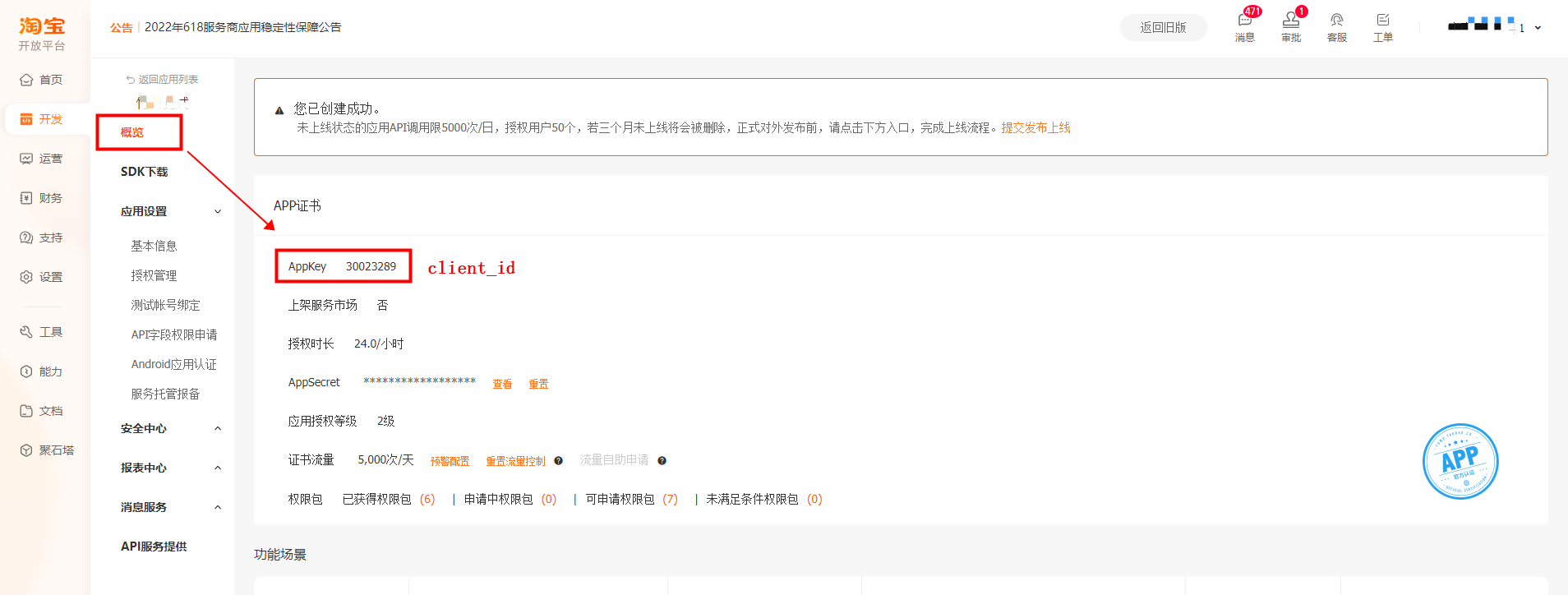
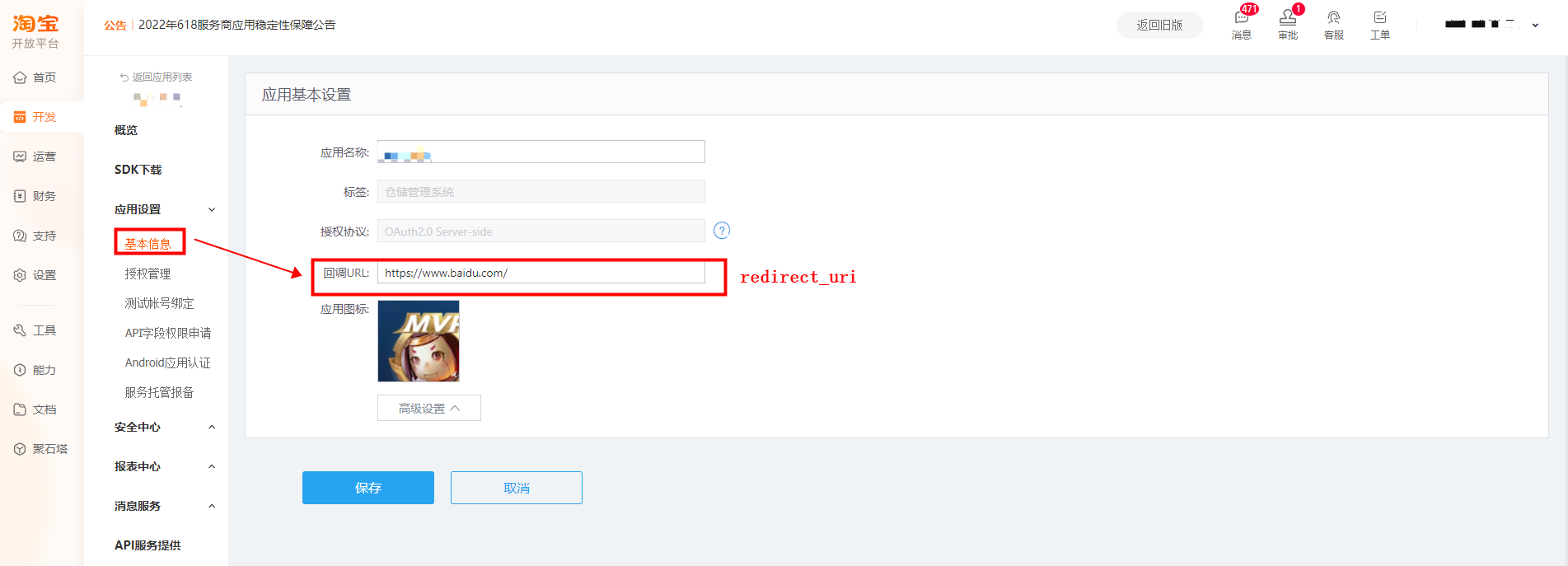
Set the application callback address.
The Taobao application callback address format is https:{domain}/api/v1/login/taobao
The domain parameter is your domain name.
# Configure IDaaS Taobao Authentication Source
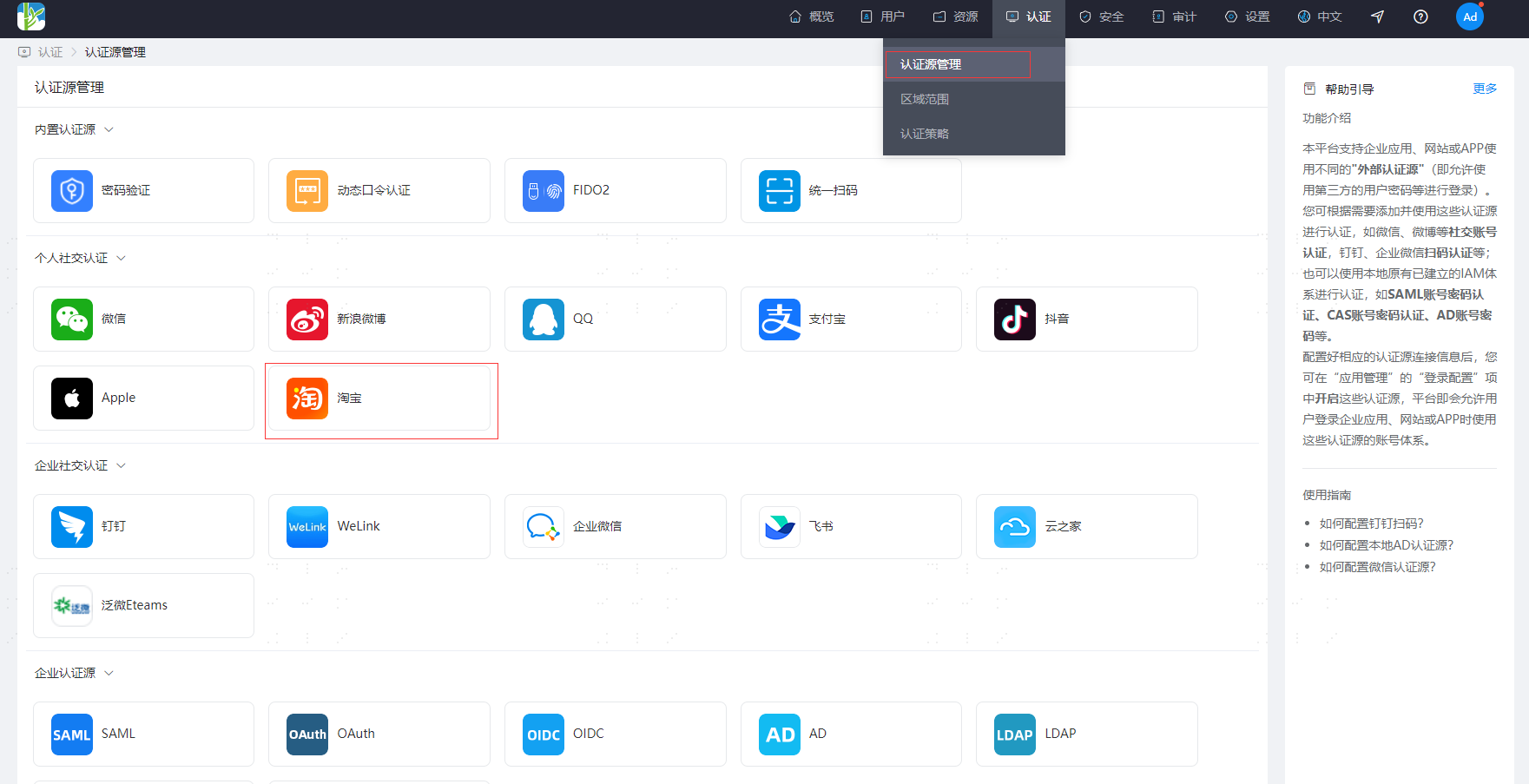
Navigate to the IDaaS Enterprise Center Authentication Source menu, select the Taobao authentication source to enter the Taobao authentication source list page, and click "Add Authentication Source" to add a Taobao authentication source.
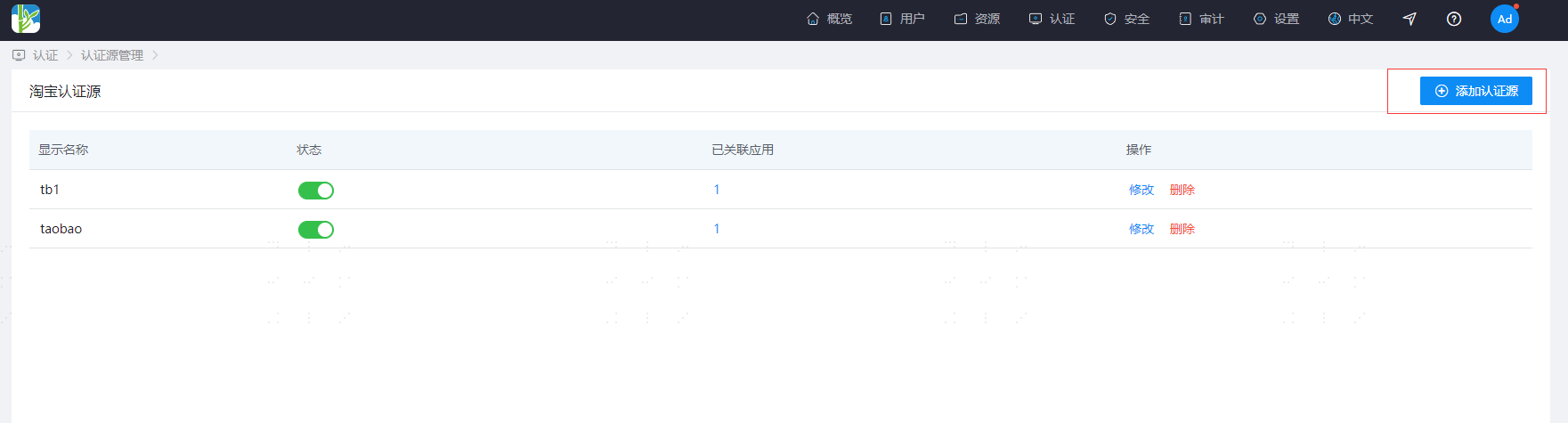
Status: Enable or disable the Taobao authentication source. It cannot be used for login when disabled.
Associated Applications: The number of applications for which the Taobao authentication source is enabled.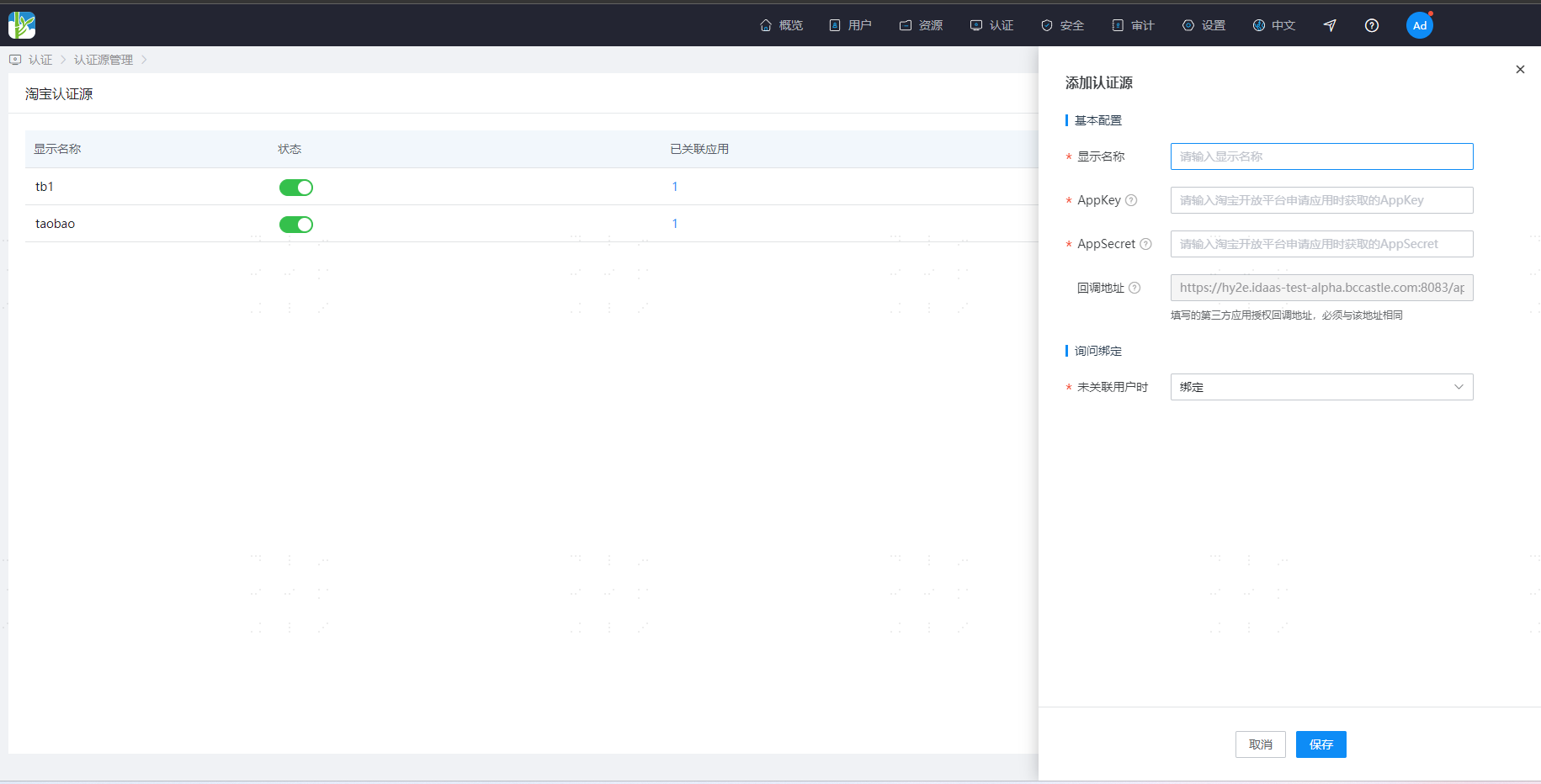
AppKey: The Taobao Open Platform application AppKey.
AppSecret: The Taobao Open Platform application AppSecret.
Callback Address: The callback address provided by IDaaS, which needs to be filled in the Taobao Open Platform application callback address configuration. When No User is Associated: This refers to when the unique identifier for the Taobao user returned by the Taobao Open Platform is not associated with a system user in IDaaS. The optional configuration items are as follows.- Bind: When no user is associated, use the configured binding method to jump to the corresponding verification page. After successfully entering the SMS verification code, you can bind to an existing user.
- Bind or Register: When no user is associated, enter the SMS verification code. If successful and the phone number does not exist, proceed to the registration process. After completing the registration information, log in through authentication.