Add My Application Template
Approval
# Overview
This chapter introduces how to configure and add an application template on the IDaaS platform.
# Prerequisites
- The DingTalk approval engine has already been configured on the IDaaS platform /guide/admin/workflow/dingding/engine.html.
# Configuration Process

# Steps
# Add DingTalk Approval Template in IDaaS Platform
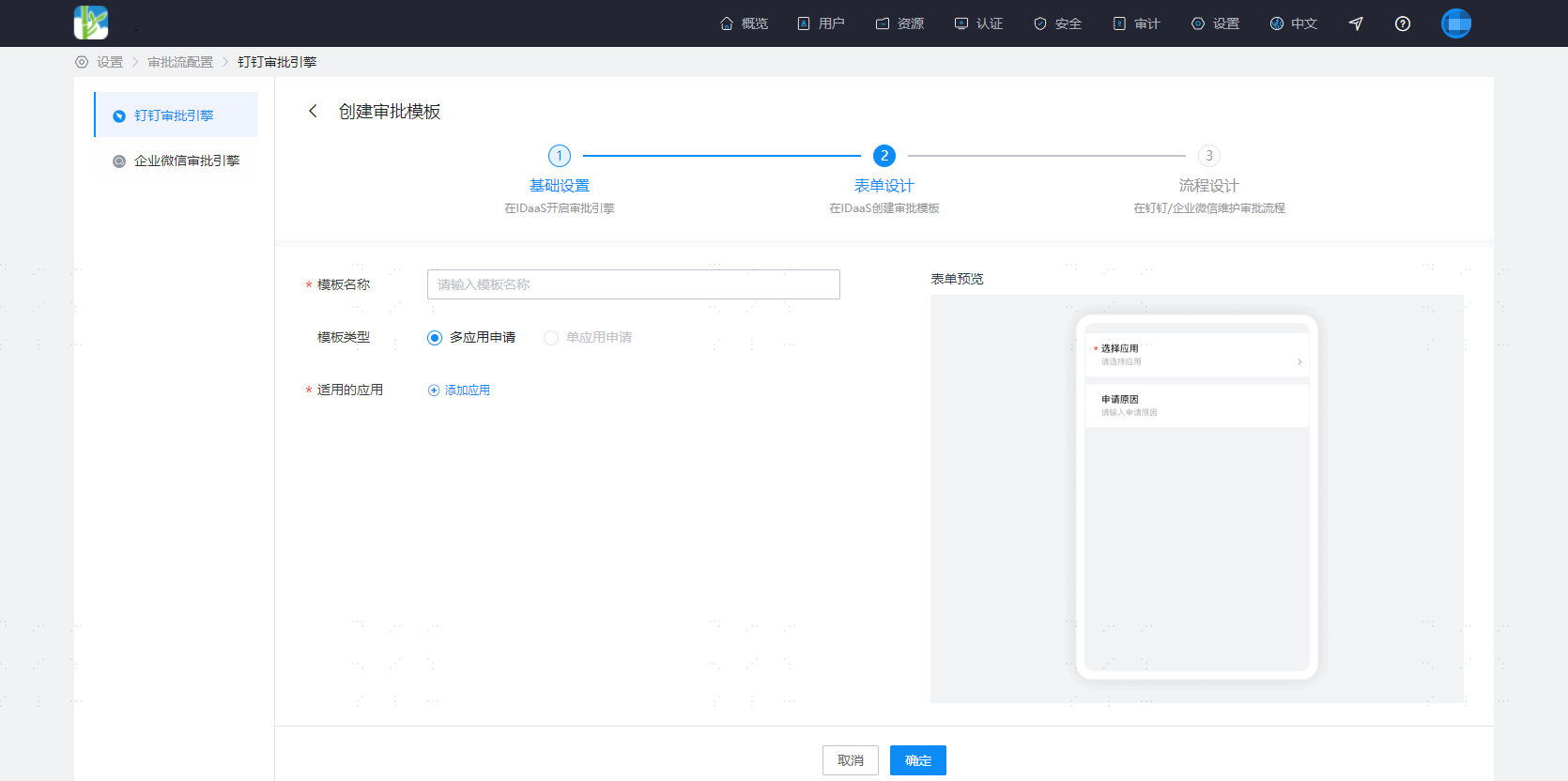
Log in to the IDaaS Enterprise Center platform. In the top navigation bar, select "Settings > Approval Flow Configuration > DingTalk Approval Engine", click on Approval Templates, and create an approval template.
# Configure Template Approval Flow in DingTalk Admin Console
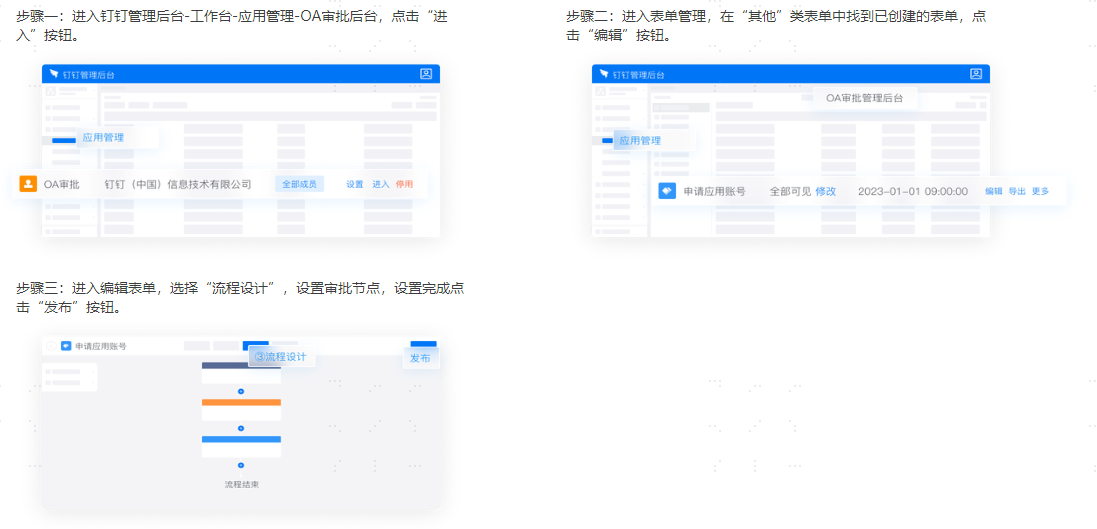
In the DingTalk Admin Console, add process design for your template.