
Configuring DingTalk Approval Engine
# Overview
This chapter introduces the configuration process for the DingTalk engine.
# Prerequisites
Have administrator permissions in the DingTalk Developer Backend.
Have administrator permissions in the IDaaS Enterprise Center platform.
# Procedure
# Create an Application in DingTalk Developer Backend
Log in to the DingTalk Developer Backend (opens new window) using a DingTalk account with developer permissions, and select the correct organization to join.
Click on the developer account in the upper right corner to obtain the DingTalk CropId parameter.
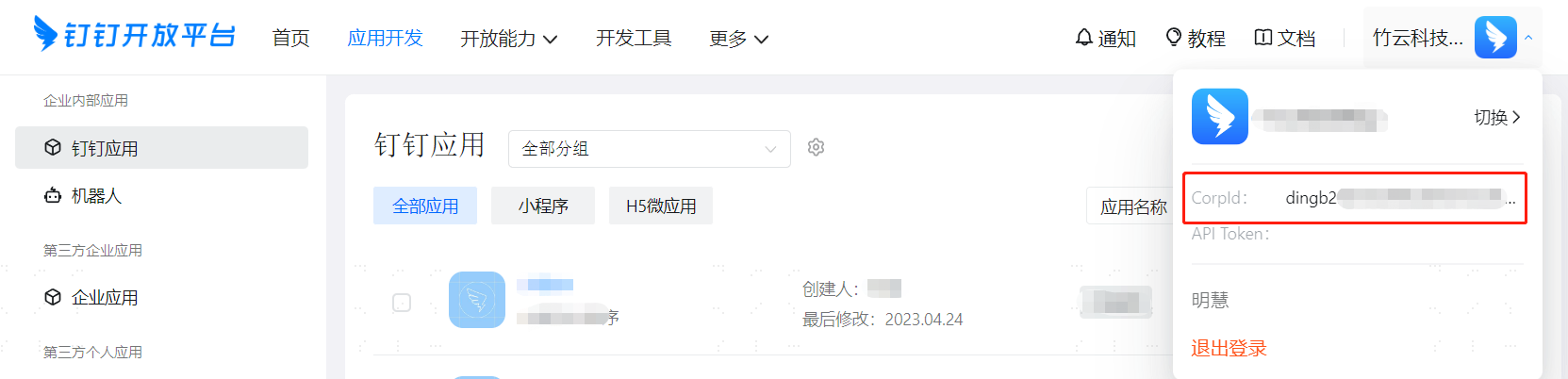
In the top navigation bar, select "Application Development > Internal Enterprise Development > DingTalk Application", and click "Create Application" to create an internal enterprise application.

- For application type, select the default H5 Micro Application.
- Application name and description can be filled with custom names.
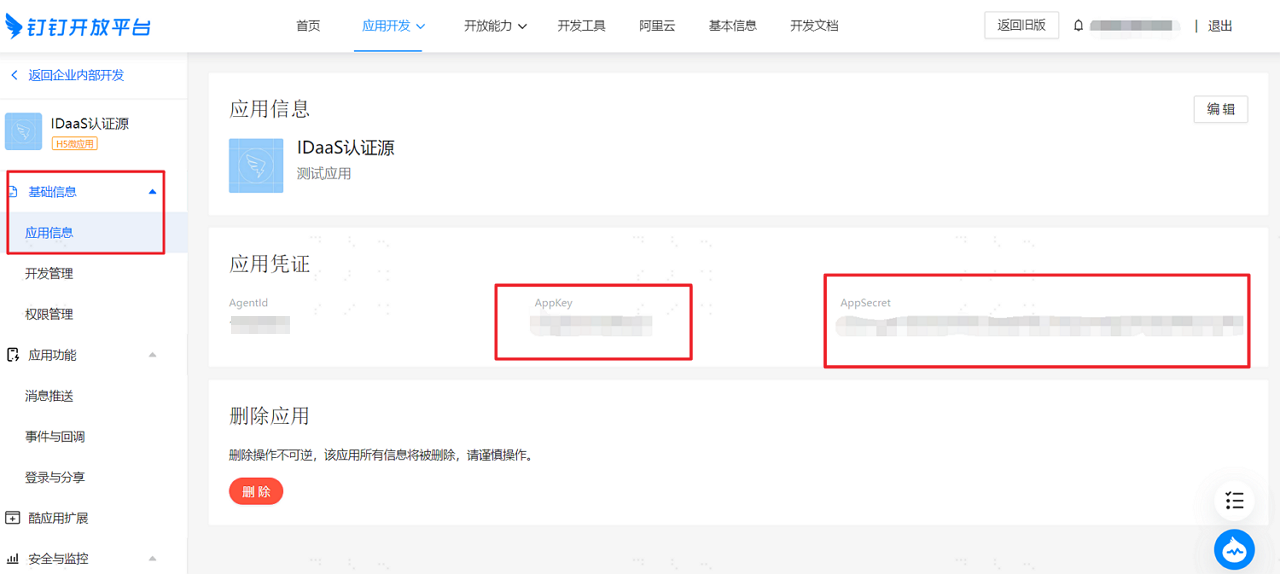
After successfully creating the application, click on the application from the application list to enter the application details page. On the "Basic Information > Application Information" page, obtain the DingTalk application AppKey and AppSecret parameters.
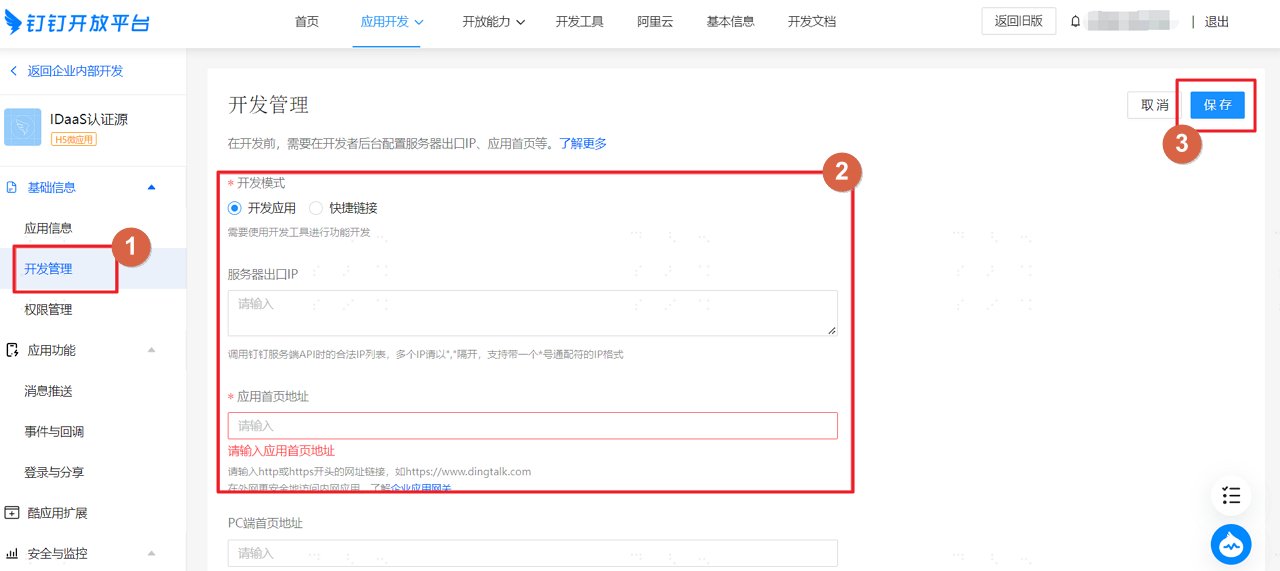
On the "Basic Information > Development Management" page, configure the DingTalk application server egress IP.
- Server Egress IP: IDaaS service egress IP: 47.92.171.137.
- Application Homepage URL: Fill in the IDaaS tenant domain name, which can be obtained from "Settings > Enterprise Information" in the IDaaS Enterprise Center.
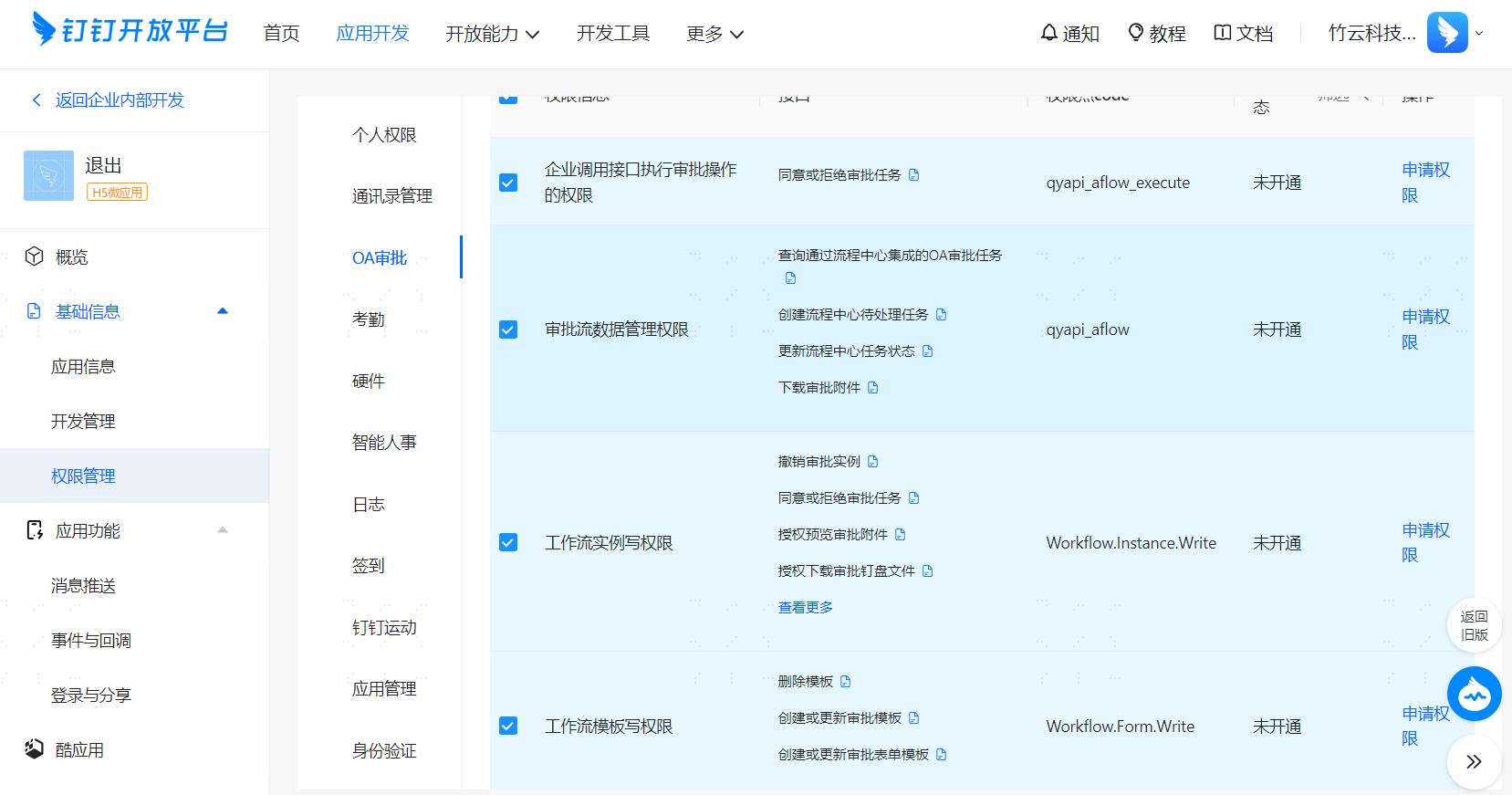
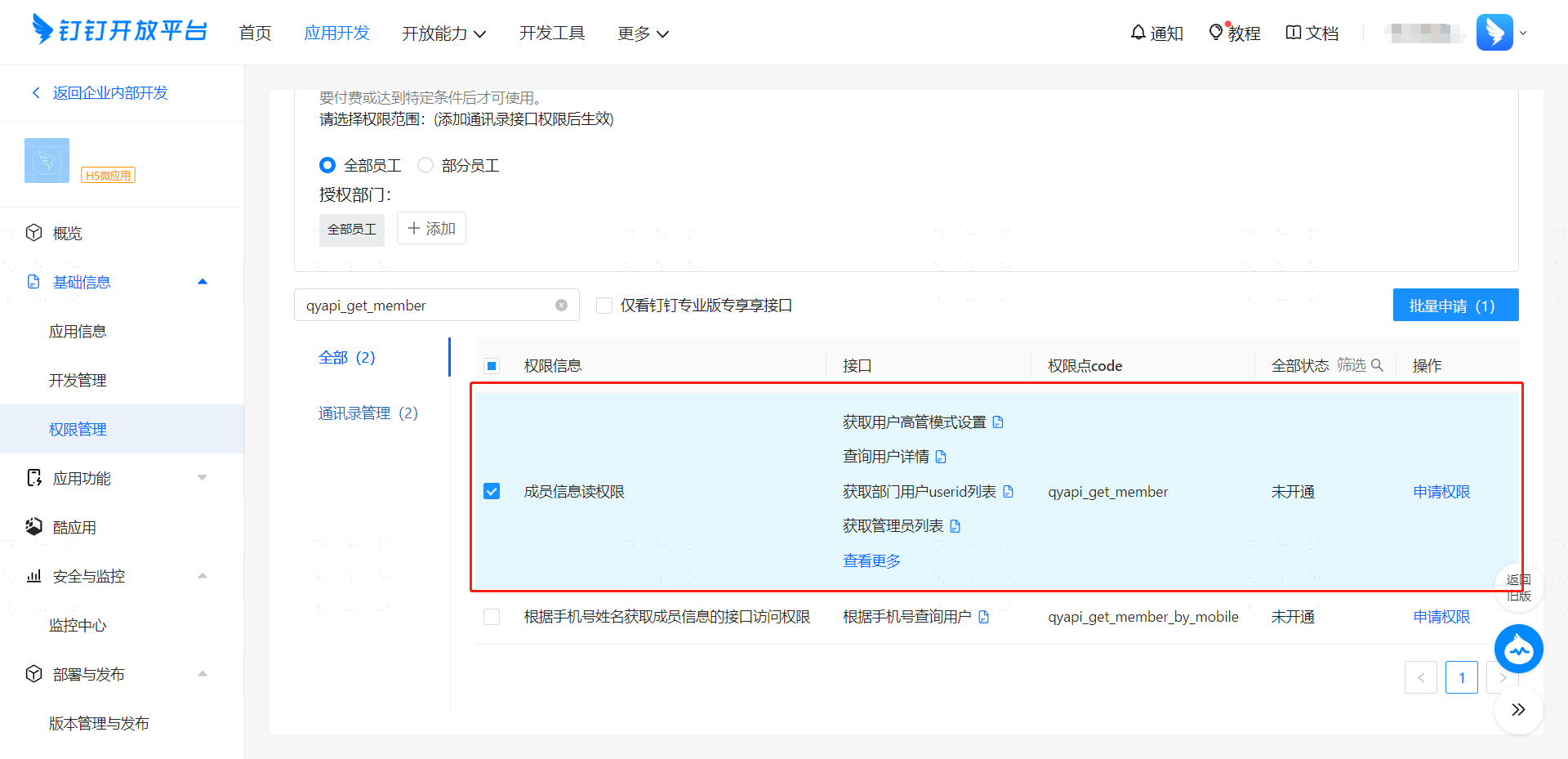
On the "Basic Information > Permission Management" page, apply for "All OA Approval Permissions", "Address Book Management Email and Other Personal Information Permissions", "Address Book Management Enterprise Employee Phone Number Information Permissions", and "Member Information Read Permission".
# Configure DingTalk Approval Engine in IDaaS Platform
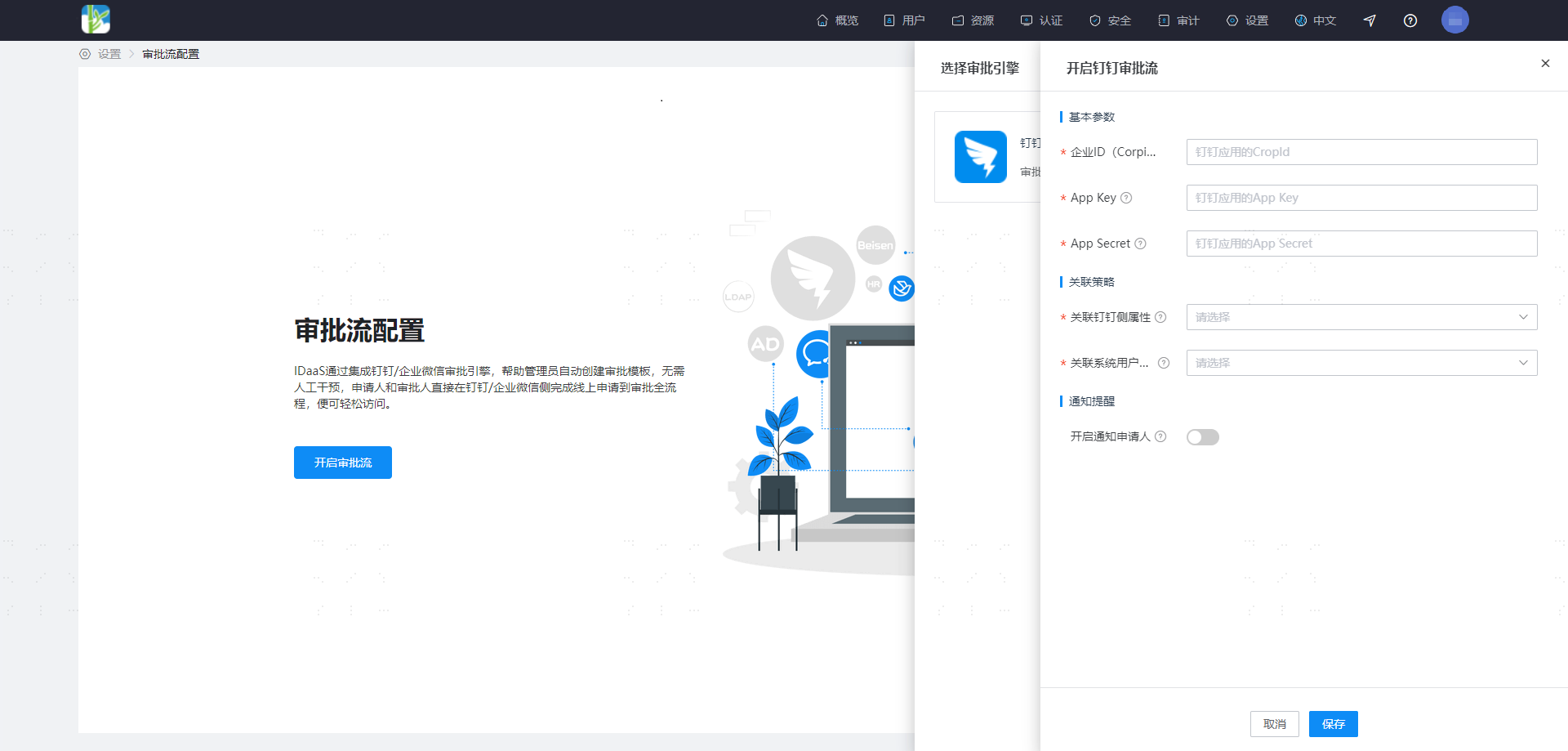
Log in to the IDaaS Enterprise Center platform. In the top navigation bar, select "Settings > Approval Flow Settings > Enable DingTalk Approval Flow".
| Parameter | Description |
|---|---|
| Associated DingTalk Attribute | DingTalk attribute, options include mobile, email, userId |
| Associated System User Attribute | Unique attribute on the system user side. It is recommended that when the DingTalk attribute is mobile, the system user attribute should be phone number; when the DingTalk attribute is email, the system user attribute should be email; when the DingTalk attribute is userId, the system user attribute should be the corresponding attribute in the system to which the DingTalk userId is mapped |
| Enable Notify Applicant | When enabled, the applicant will receive success/failure notification reminders via DingTalk for processing results |