
Selecting an Authorization Model
# Introduction to Authorization Models
Currently, the two widely adopted permission models are: Role-Based Access Control (RBAC) and Access Control List (ACL).
- Role-Based Access Control (RBAC)
RBAC is authorization based on roles. A role can be seen as a collection of multiple permissions. By associating a user with a role, the relevant permissions are granted. This authorization method is simpler and more efficient compared to directly granting permissions to users. A user can be granted one or multiple roles, each role has one or multiple permissions. The user inherits the permissions associated with the roles they are granted.
- Access Control List (ACL)
ACL is direct authorization, directly granting certain permissions to users. This authorization model allows for finer-grained authorization.
# How to Choose an Authorization Model
Granting roles to users is a simpler and more efficient authorization method. If your enterprise has clear divisions of employee responsibilities, it is recommended to define roles based on employee duties and adopt the role-based authorization method to grant permissions to users.
Directly granting permissions to users allows for more granular and precise control over the resources each user can access.
The system also supports using both authorization models simultaneously, enabling efficient and precise control over user permissions.
# Graphical Configuration of Authorization Models
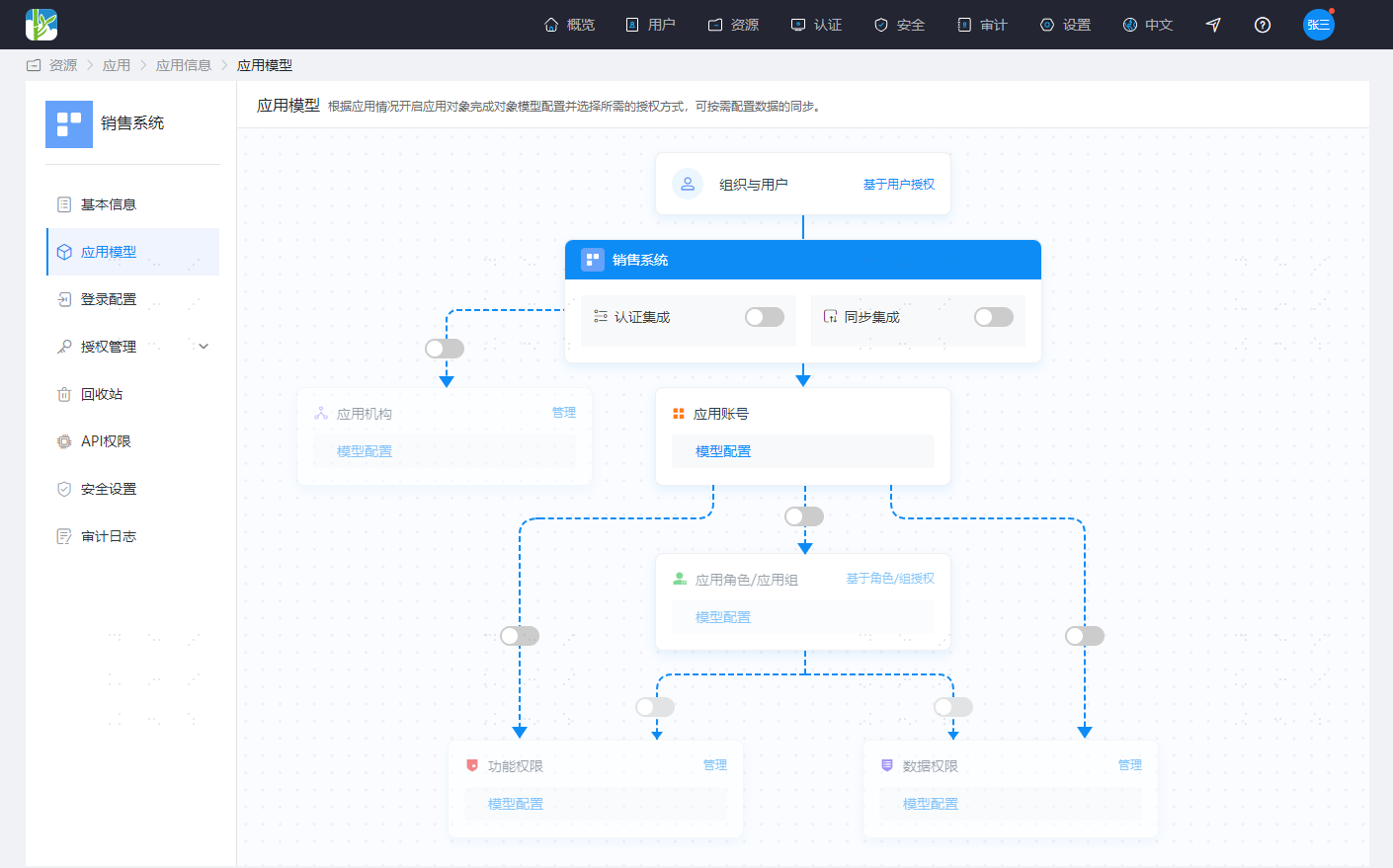
IDaaS uses a graphical method to display the relationships between various objects in the application system and provides basic configuration operations in the graphical interface, allowing you to intuitively and conveniently complete the basic configuration of the application system.
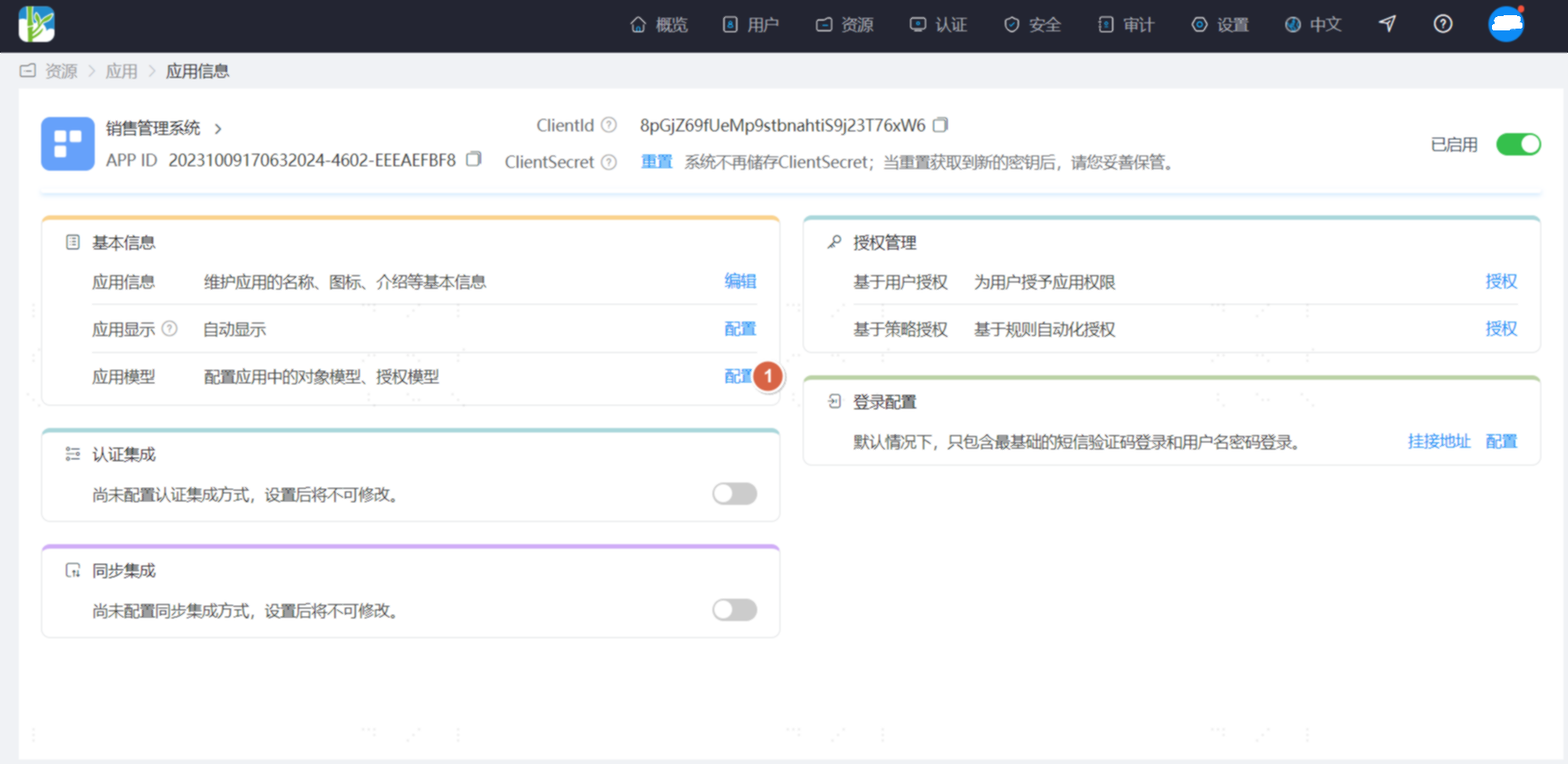
On the Resources - Applications page, select the application you need to configure, click to enter the application information page. In the Basic Information module, click the configuration operation next to the Application Model to enter the application model configuration interface.
The initial state of the authorization model is as follows:
The following describes how to enable the authorization model in IDaaS, explained according to usage scenarios.
# Configuring the RBAC Authorization Model (Roles Not Associated with Permissions)
Click the switch between Application Accounts and Application Roles/Application Groups
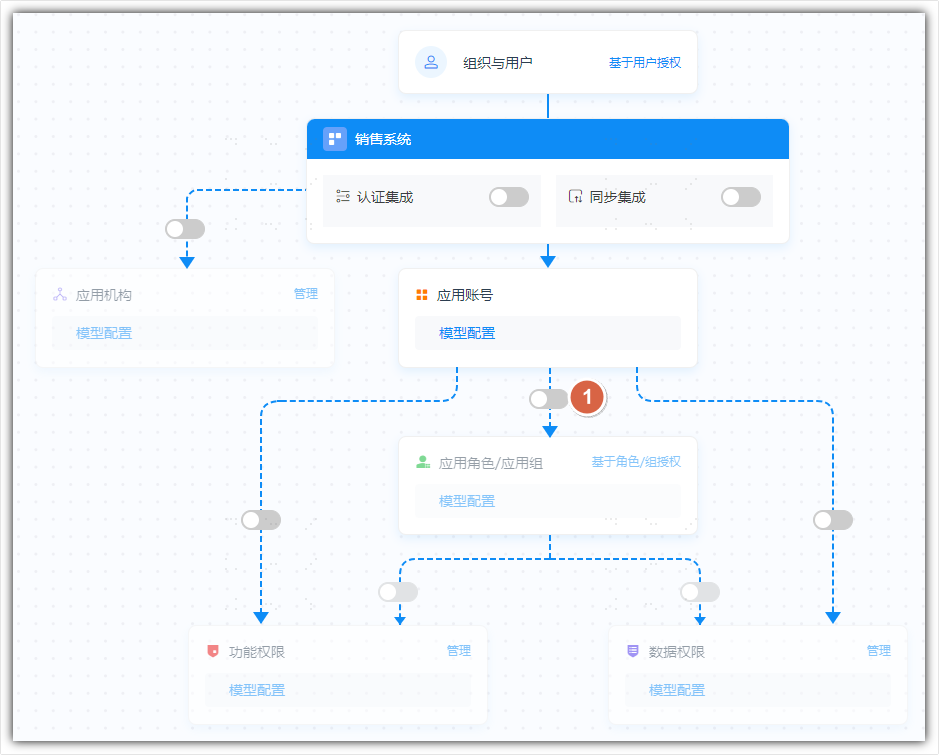
Select the display name for Application Roles/Application Groups
This model is also compatible with groups in AD. For easier identification, you can choose to display using the name of Application Roles or Application Groups.
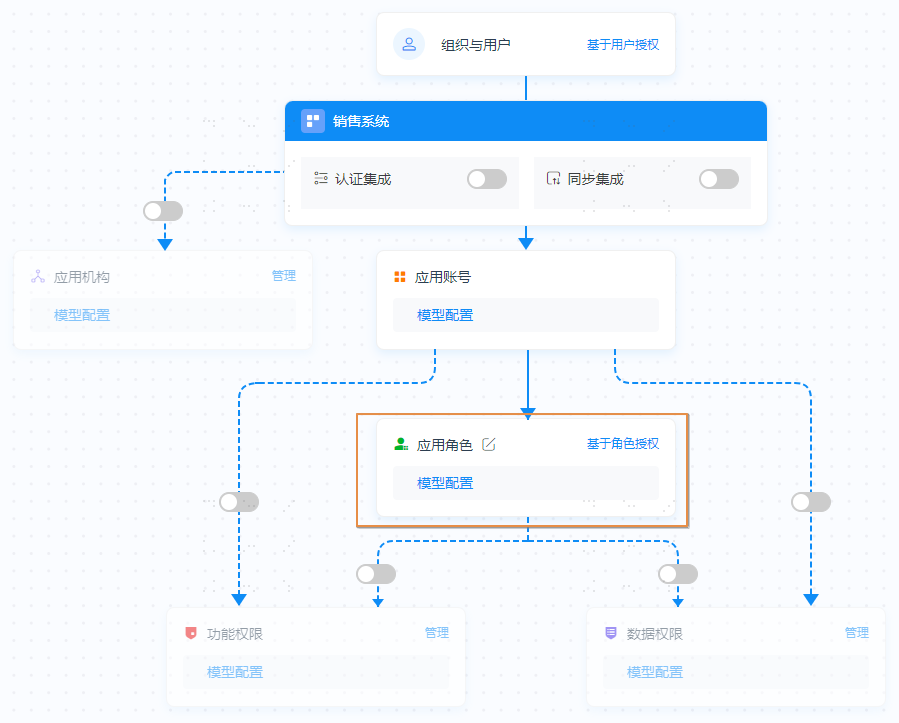
After enabling, it appears as shown below. Application Roles are no longer grayed out. You can click Model Configuration to view role-related attributes, and click Role-Based Authorization to manage application roles.
# Configuring the RBAC Authorization Model (Roles Associated with Permissions)
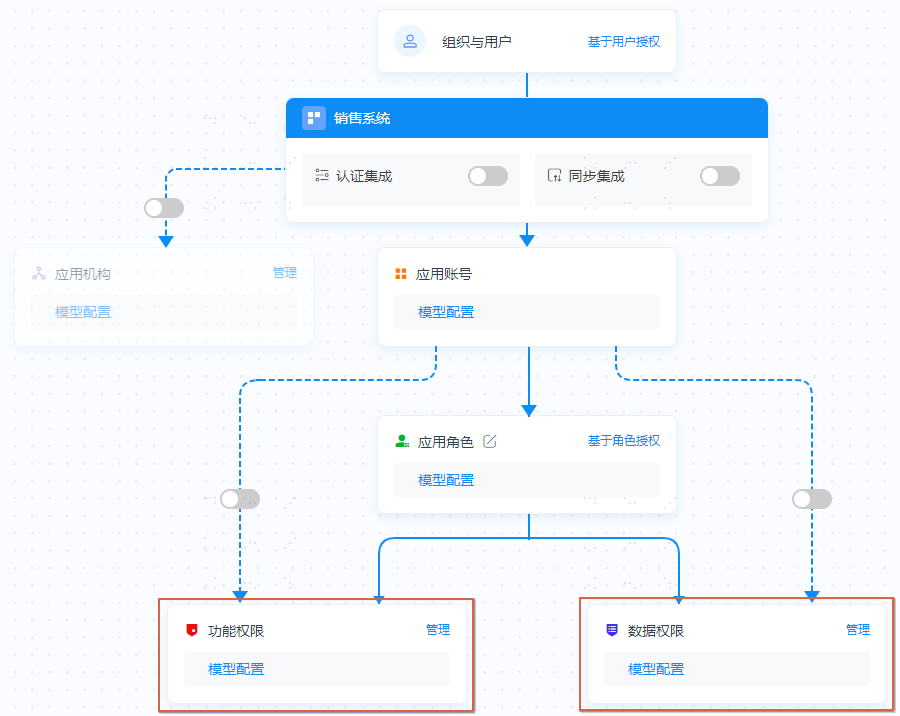
Based on configuring the RBAC Authorization Model (Roles Not Associated with Permissions), continue to enable the switch between Application Roles and Functional Permissions/Data Permissions. Functional Permissions and Data Permissions can be enabled as needed, either one or both.
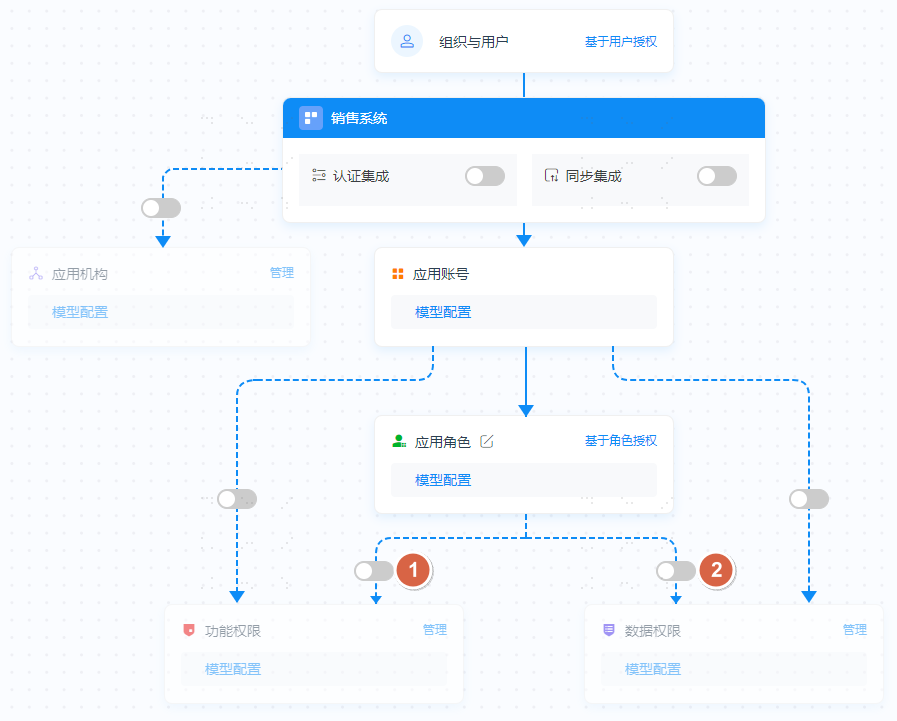
After enabling, it appears as shown below. Functional Permissions and Data Permissions are no longer grayed out. You can click Model Configuration to view the attributes of functional permissions or data permissions, and click Manage to manage functional permissions or data permissions.
# Configuring the ACL Authorization Model
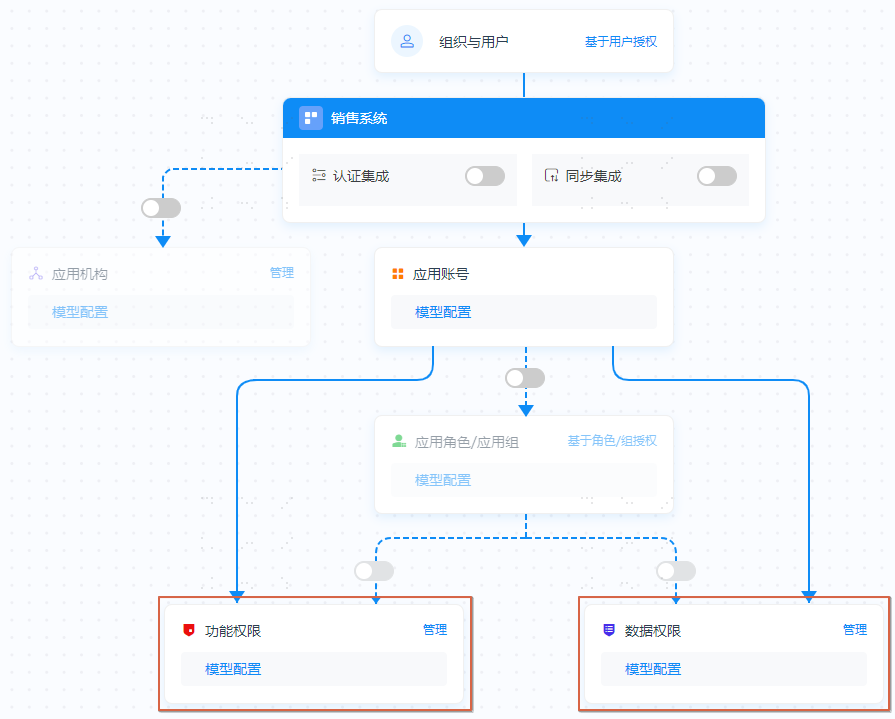
Enable the switch between Application Accounts and Functional Permissions or Data Permissions.
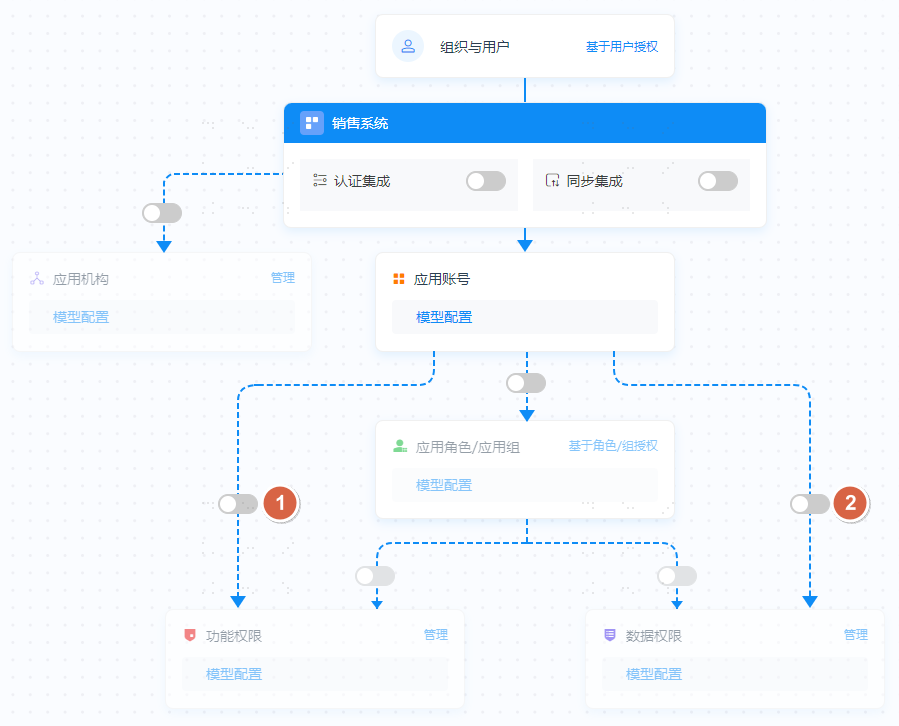
After enabling, it appears as shown below. Functional Permissions and Data Permissions are no longer grayed out. You can click Model Configuration to view the attributes of functional permissions or data permissions, and click Manage to manage functional permissions or data permissions.
After enabling the authorization model, please proceed to start using it by following the guides for Resource Management, Role Management, and Authorization Management.