
Configuring Password-Free Login via External Browser for WeChat Work
# Overview
This section describes the configuration process for users to achieve password-free login to IDaaS integrated applications via external browsers from the WeChat Work PC client. After configuring the integrated WeChat Work authentication source on the IDaaS platform, refer to this module to configure password-free login via external browsers for various application systems with WeChat Work.
# Prerequisites
- Have access management permissions for the IDaaS Enterprise Center.
- Have administrator permissions for an account on the WeChat Work Open Platform and have already created an application.
- The application has been integrated on the IDaaS platform.
- The WeChat Work authentication source has been configured on the IDaaS platform.
# Configuration Flow

# Steps
The example application in this document is an OAuth protocol application created in IDaaS: OAUTH_1. Applicable application scope: all self-built and pre-integrated applications that perform authentication integration with IDaaS through protocols.
# Configuring WeChat Work Authentication for the Application
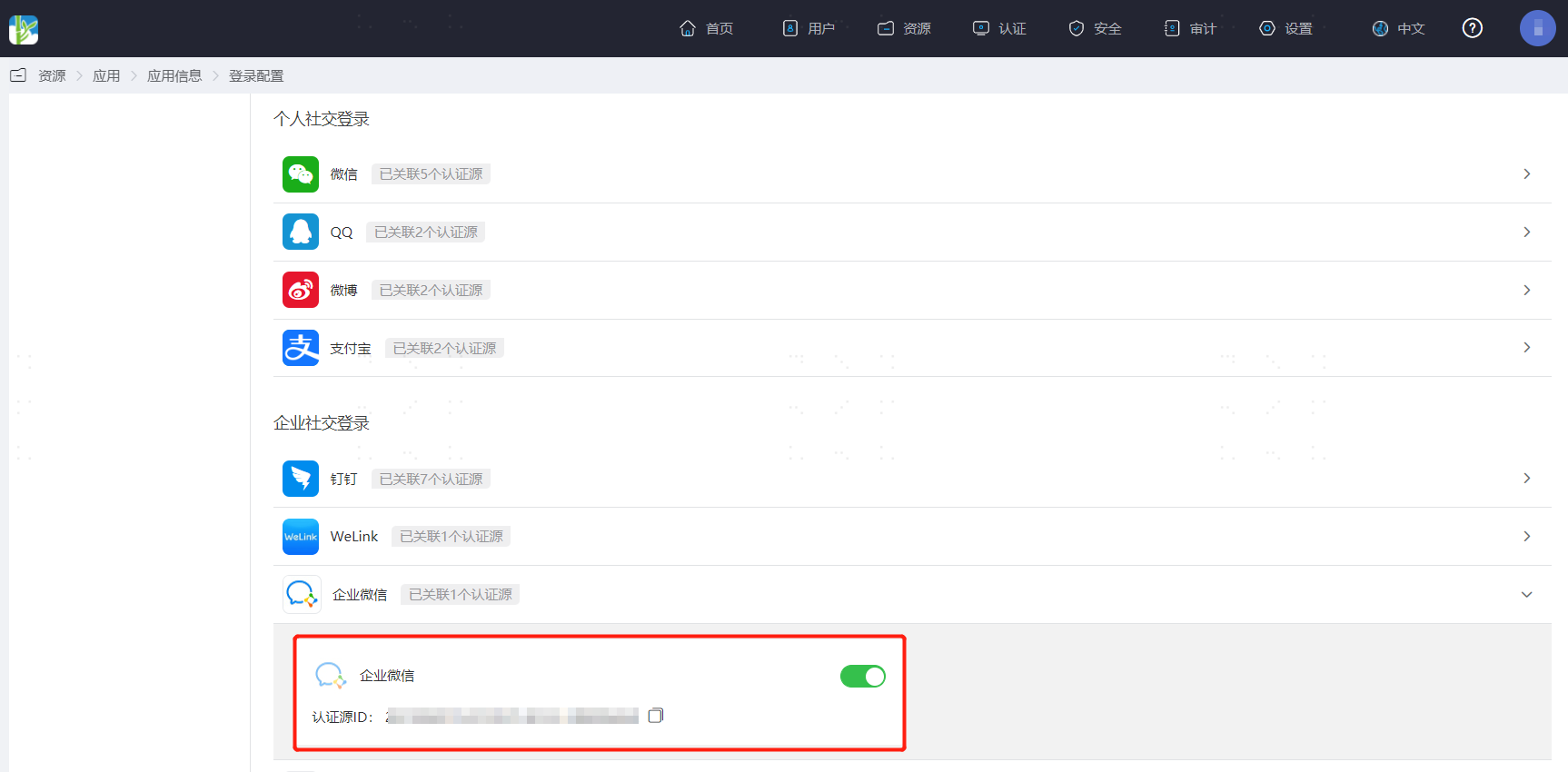
Log in to the IDaaS Enterprise Center platform, select "Resources > Applications" from the top navigation bar, taking an OAuth protocol application as an example, select "OAUTH_1", switch to the "Login Configuration" tab, scroll down to WeChat Work, and enable the previously added WeChat Work authentication source.
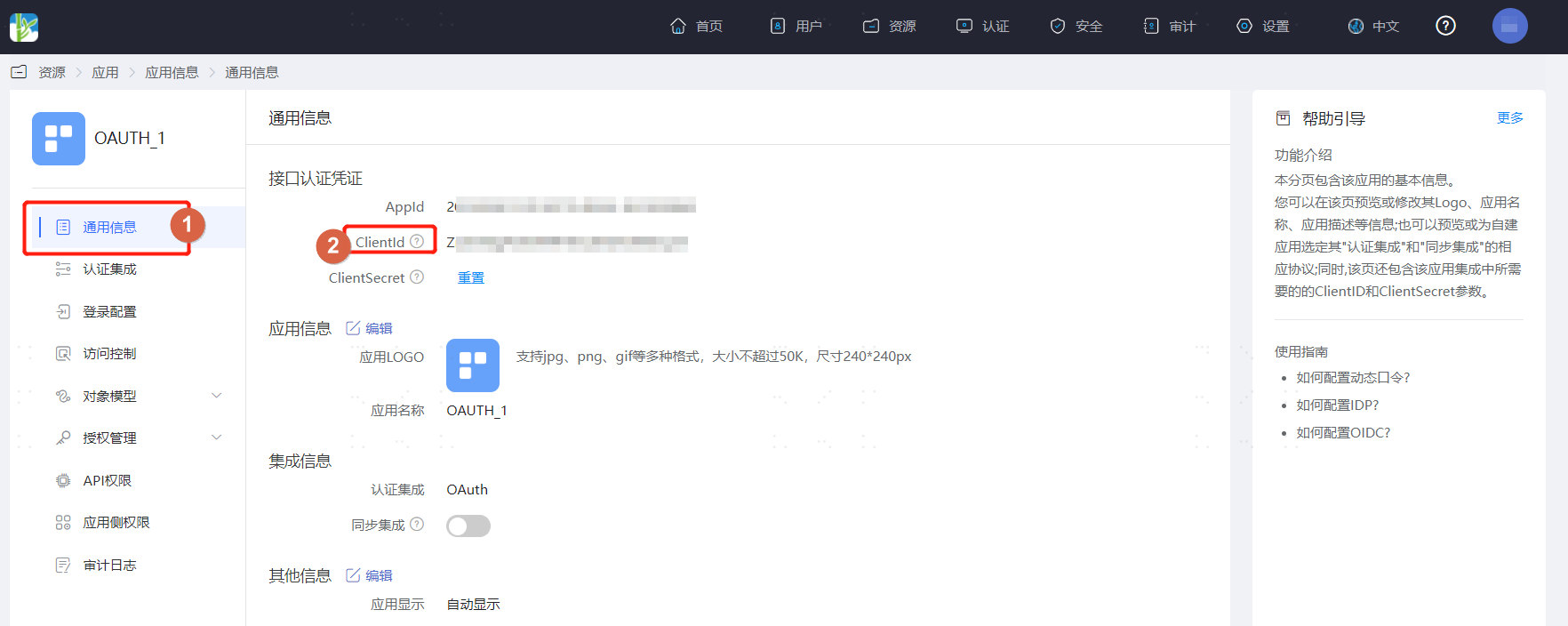
Switch to the "General Information" tab to obtain the application ClientId.
# Configuration in WeChat Work Management Console
Log in to the WeChat Work Open Platform (opens new window), select "Application Management", find the previously created application and enter it. Click the settings icon next to "Application Homepage" to set the application homepage.

Application homepage URL composition: https://xxx.bccastle.com/api/v1/login/wechatworkqr?open_in_browser=true&client_id=vg0wJEDxdSE4yYFXXXXX7bENUx36EIeEQ
xxx.bccastle.com is the IDaaS tenant domain, obtained from "Settings > Enterprise Information" in the IDaaS Enterprise Center.
The client_id parameter is the application ClientId obtained from IDaaS.
open_in_browser is fixed as true.
# Verifying Password-Free Login via External Browser from WeChat Work Client
The actual process for password-free login via external browsers from the WeChat Work client is related to the two options "Account Auto-Binding" and "When User is Not Associated" in Configuring WeChat Work Authentication Source. Please refer to the interface prompts for login.
The user logs into the WeChat Work client, finds the application created in WeChat Work, and clicks on that application to open the computer's default browser for password-free login to OAUTH_1.
