
Configure Feishu Authentication Source
# Overview
Feishu authentication login allows users to securely log in to third-party applications or websites using Feishu as the authentication source. To facilitate authentication login for enterprise users, the IDaaS platform supports configuring Feishu as an authentication source. Users can log in to various application systems through Feishu authentication, providing enterprise users with a simpler and more convenient login method and a better user experience.
This section describes the related operations for configuring the Feishu authentication source.
# Prerequisites
Have administrator permissions for the Feishu Open Platform.
Have administrator permissions for the IDaaS Enterprise Center platform.
# Steps
# Create an Application on the Feishu Open Platform
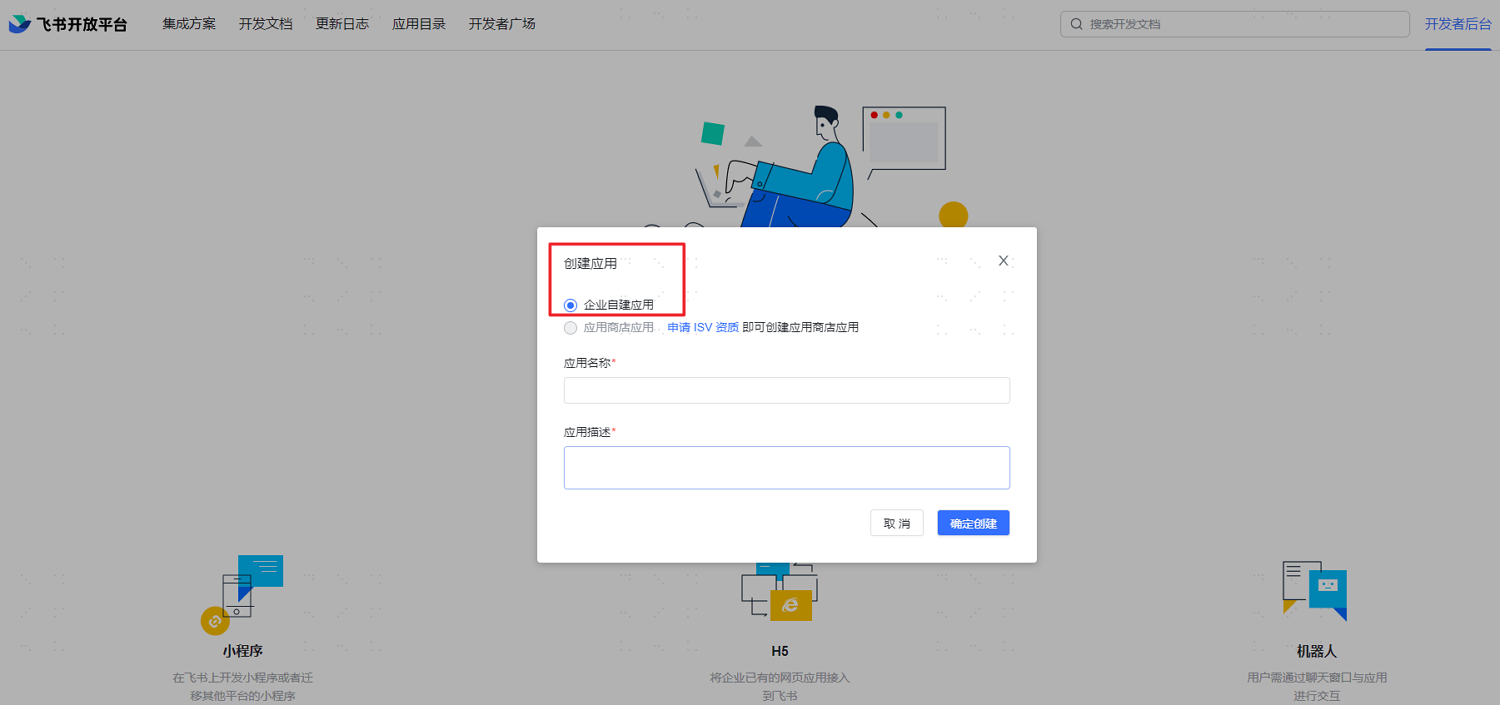
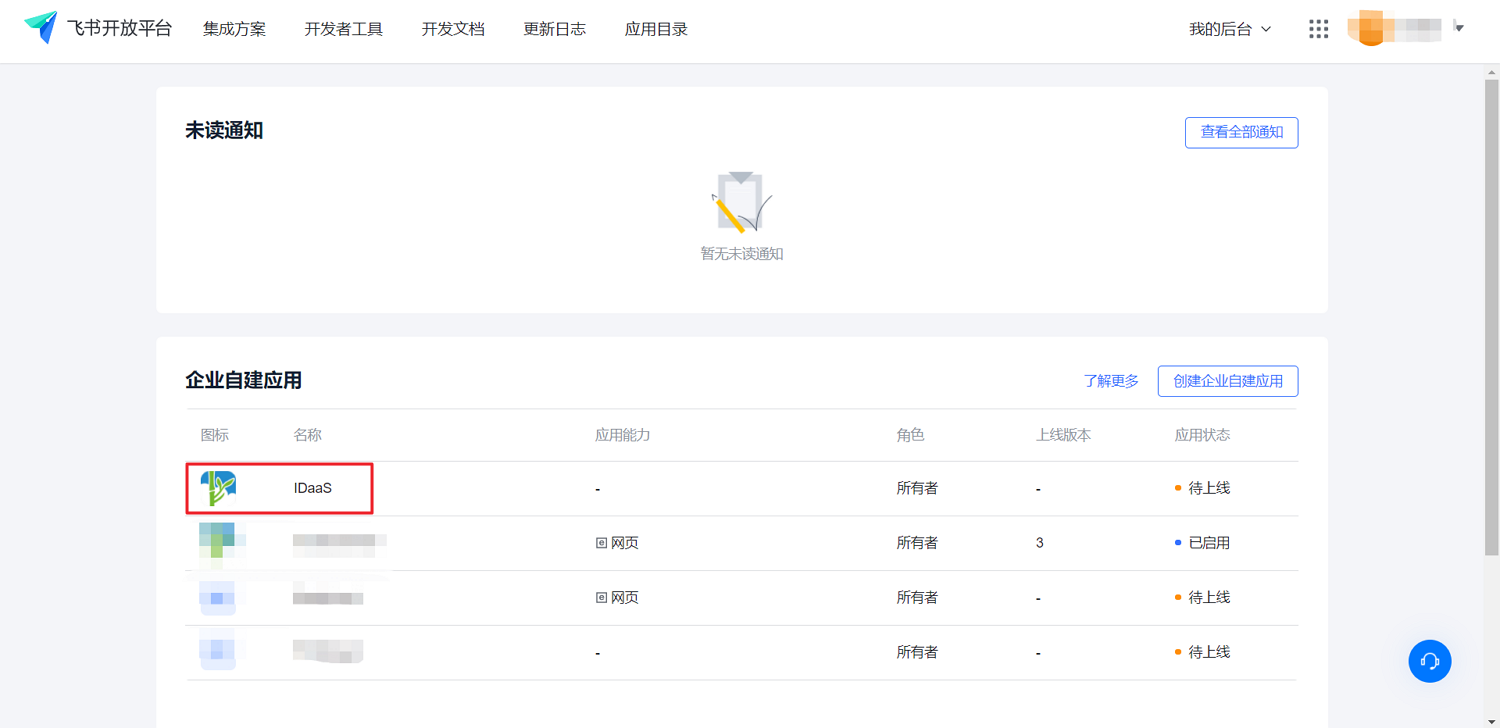
Log in to the Feishu Open Platform (opens new window), select "Developer Console", click "Create Application", and enter the basic application information.
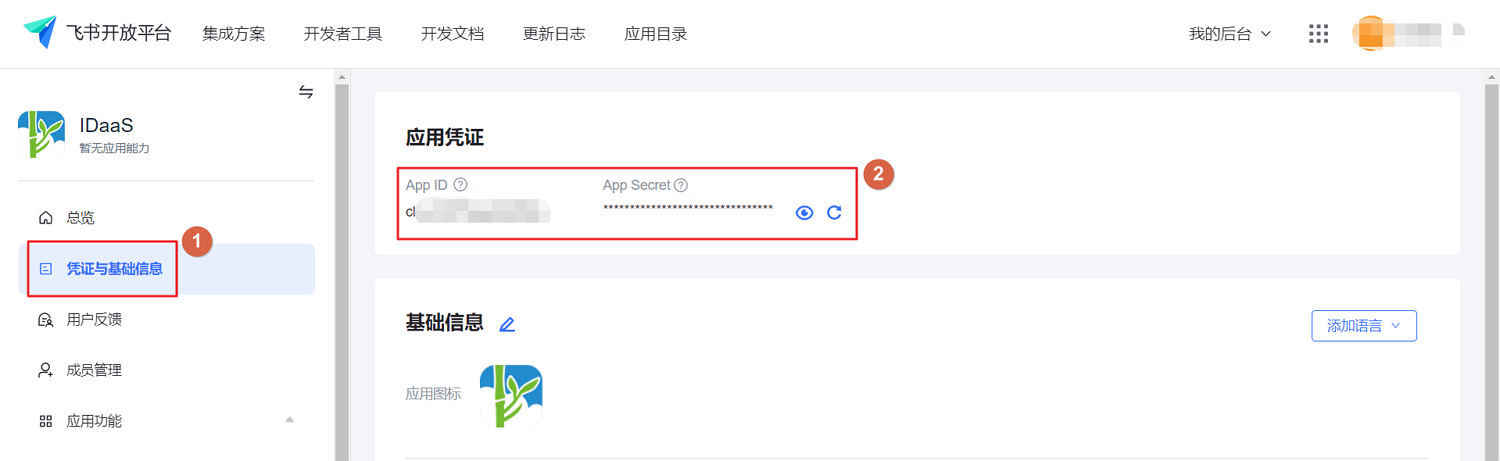
After creation, click the application name to enter the application details page. Switch to the "Credentials & Basic Info" tab to obtain the AppID and AppSecret parameters.
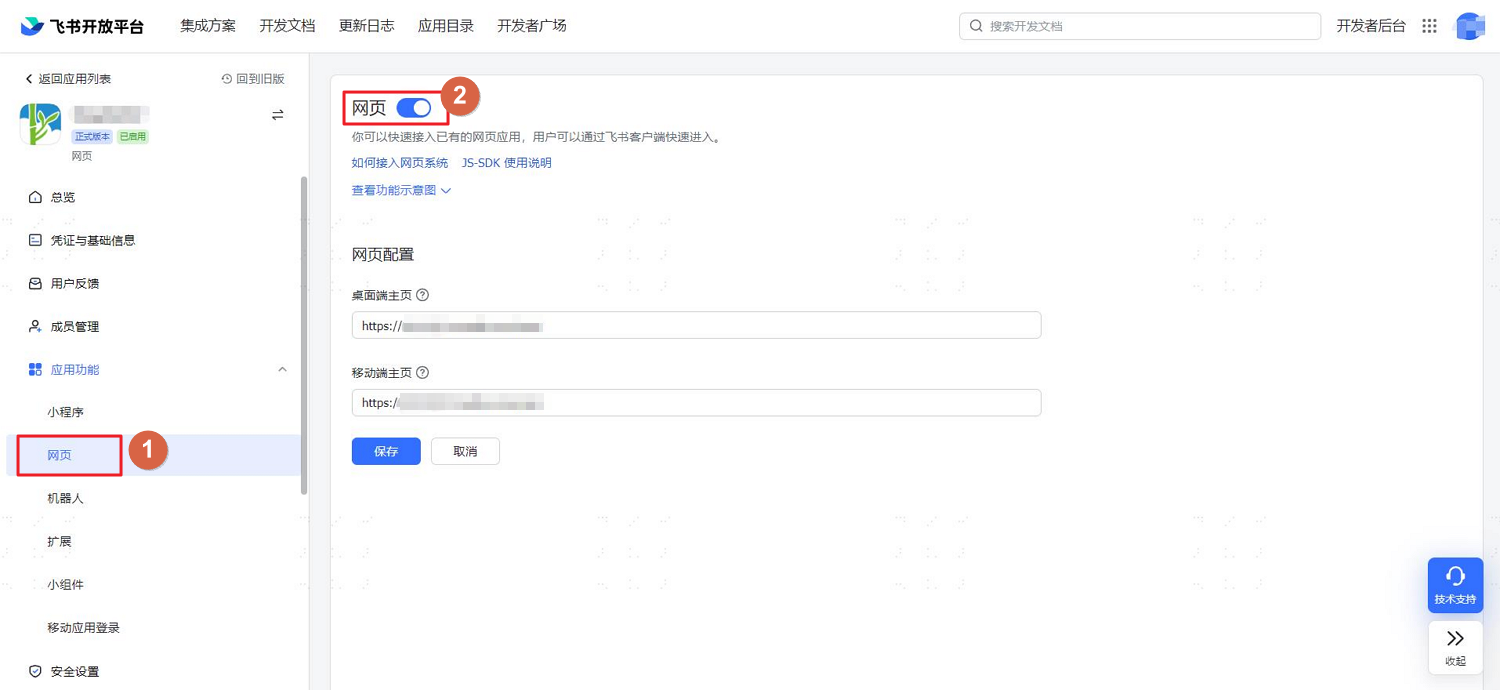
Switch to the "Application Features > Web" tab and enable the web feature.
Switch to the "Security Settings" tab to configure the Redirect URL, callback address after successful Feishu authentication, and IP whitelist.
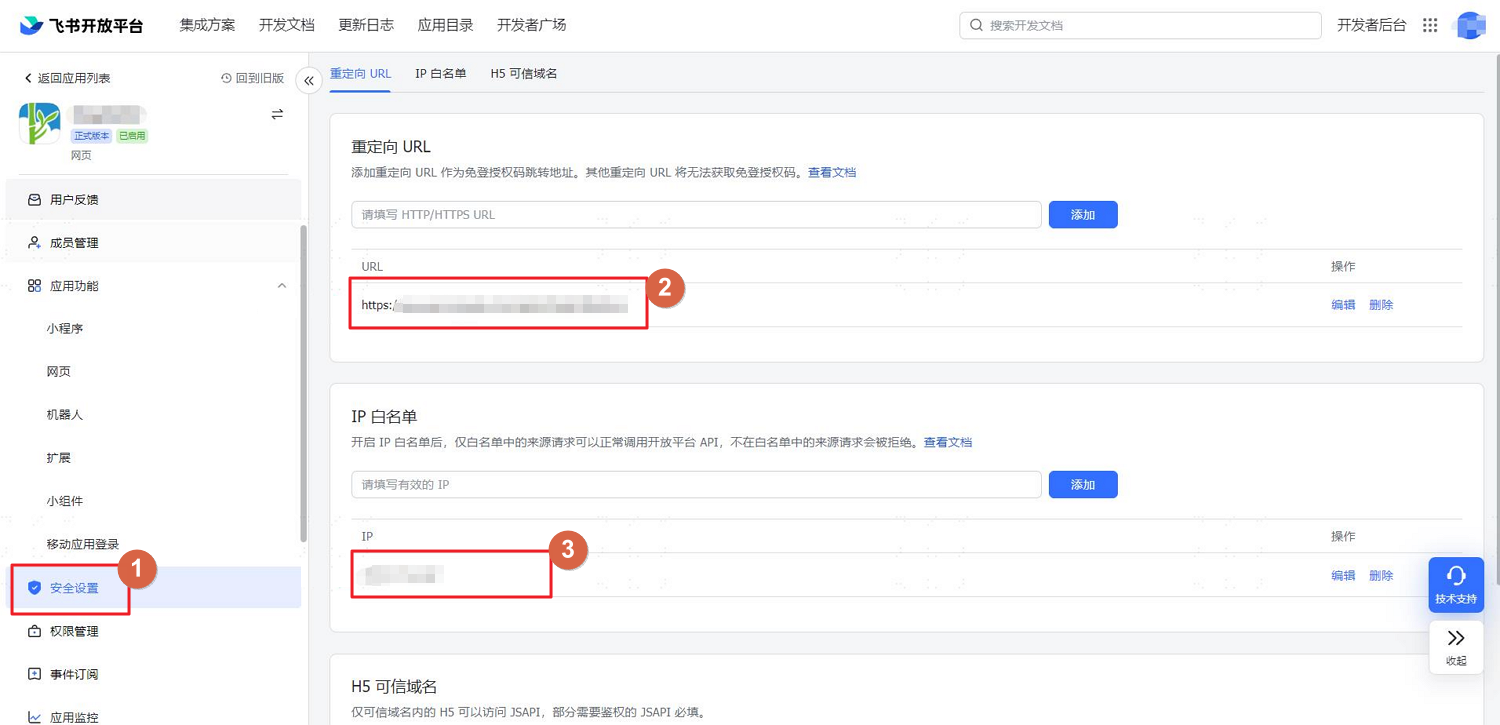
- In the Redirect URL, replace xxx with your enterprise's IDaaS tenant domain. Example: https://xxx.bccastle.com/api/v1/login/feishuqr. Obtain the tenant domain from "Settings > Enterprise Information" in the IDaaS Enterprise Center.
- The IP whitelist is the enterprise's trusted IP: 47.92.171.137.
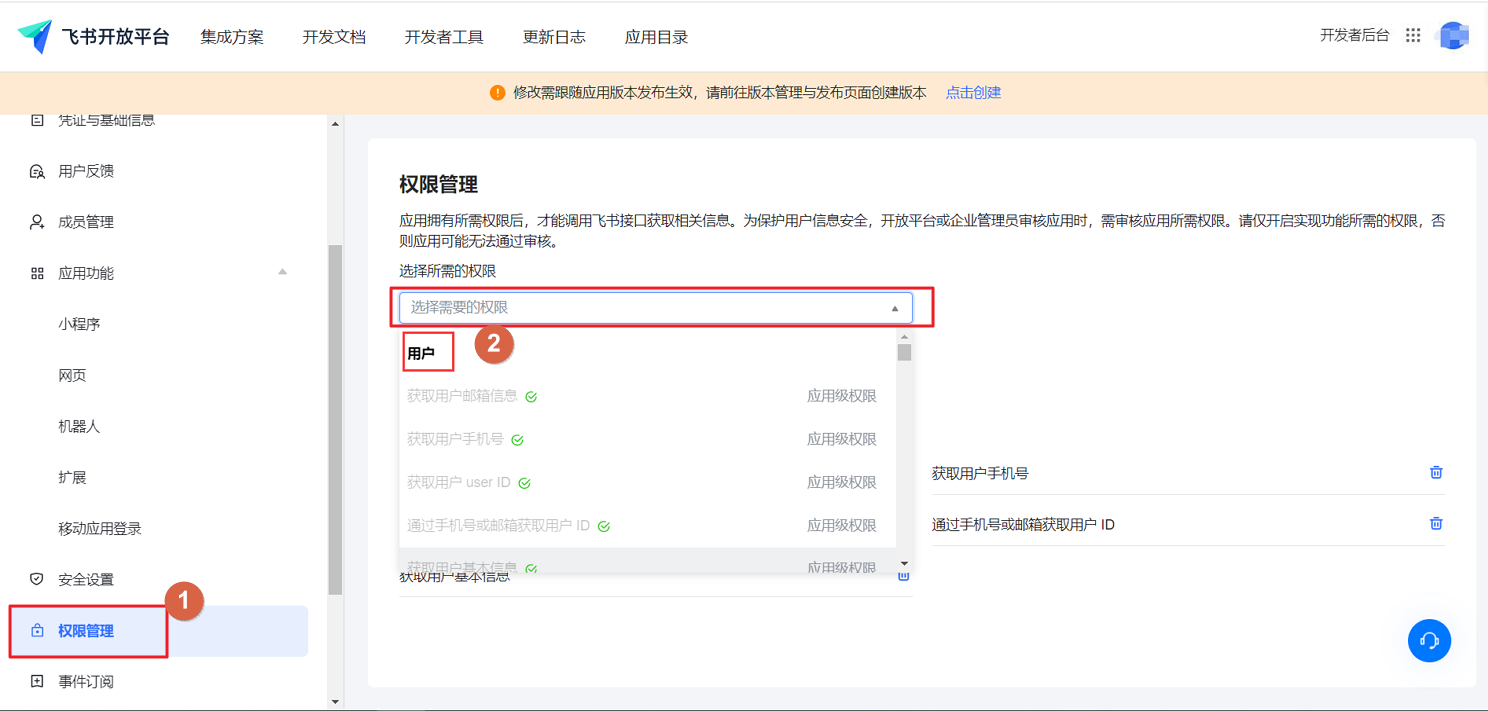
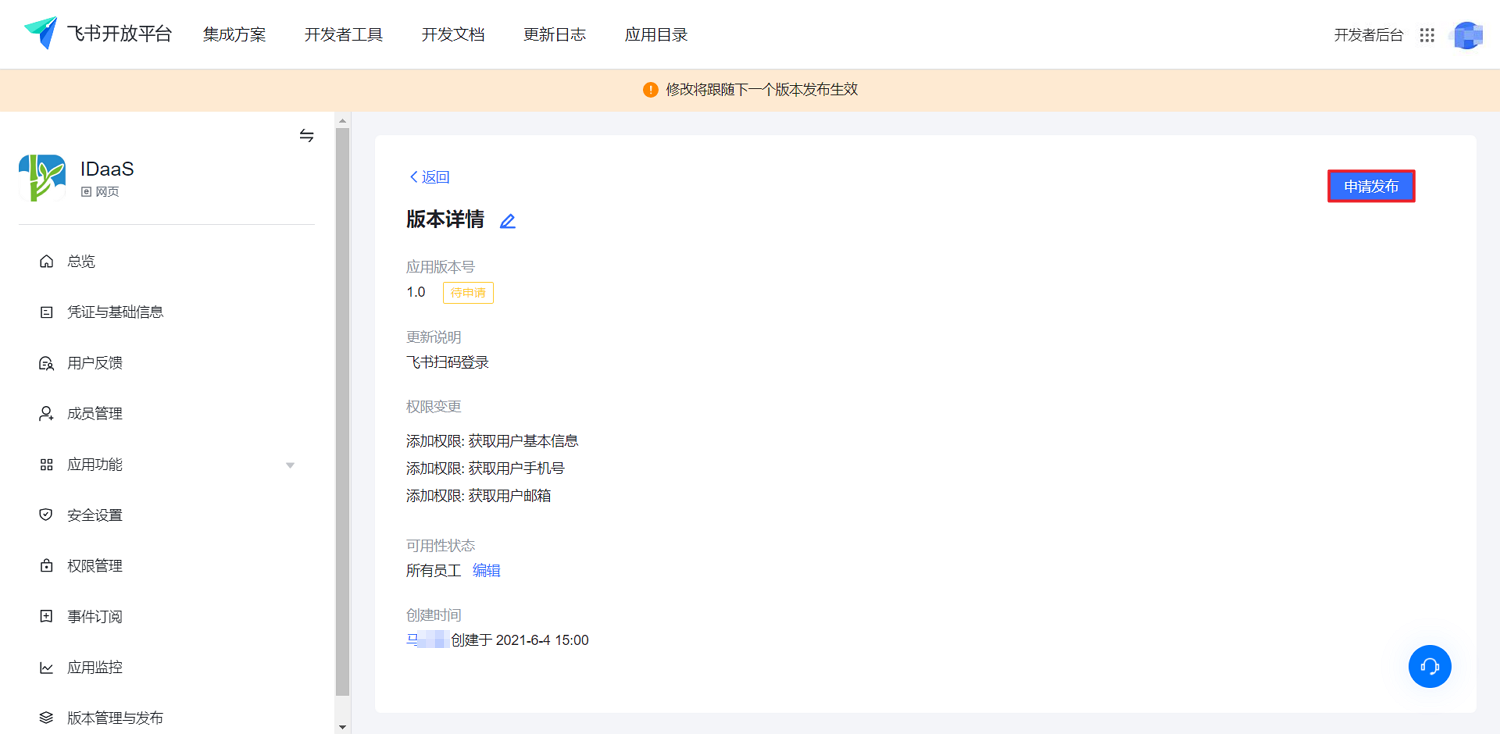
Switch to the "Permission Management" tab to configure the required application permissions: obtaining user email, obtaining user phone number, and obtaining basic user information permissions.
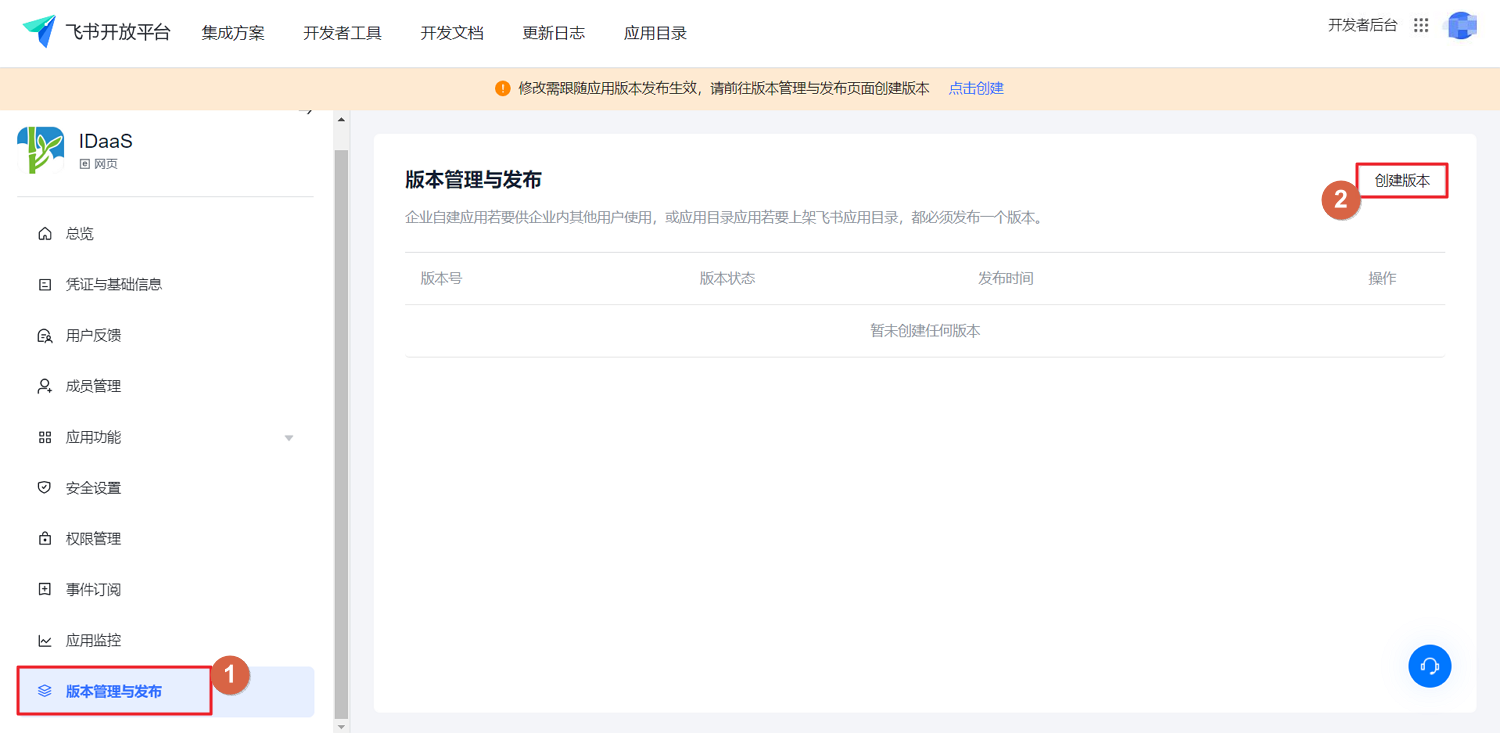
After configuration, switch to the "Version Management & Release" tab, click "Create Version" to set the application version number, availability status, etc.
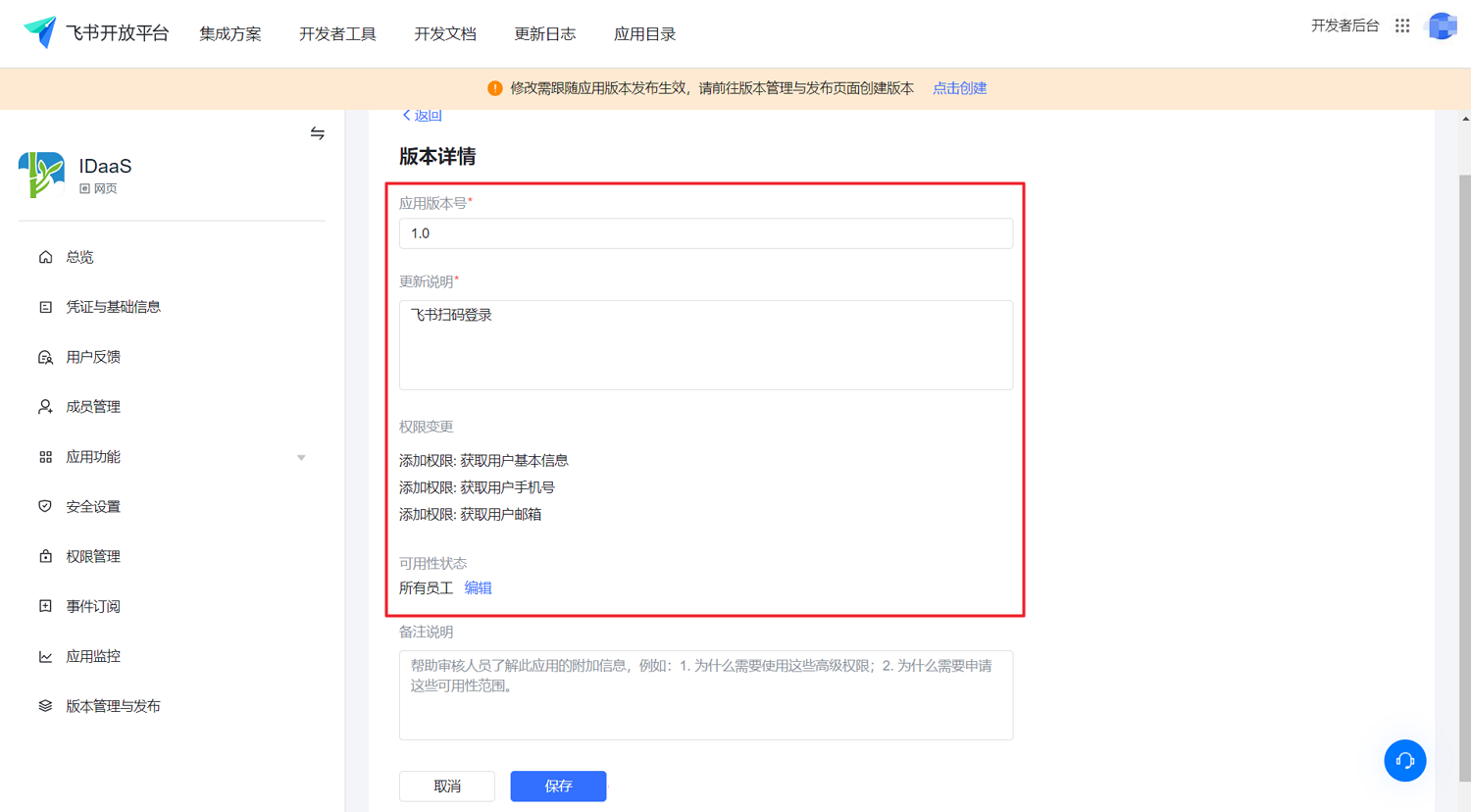
After configuration, submit the application. Log in to your Feishu Admin Console (opens new window) and review it on the "Workbench > Application Review" page.
# Configure Feishu Authentication Source on the IDaaS Platform
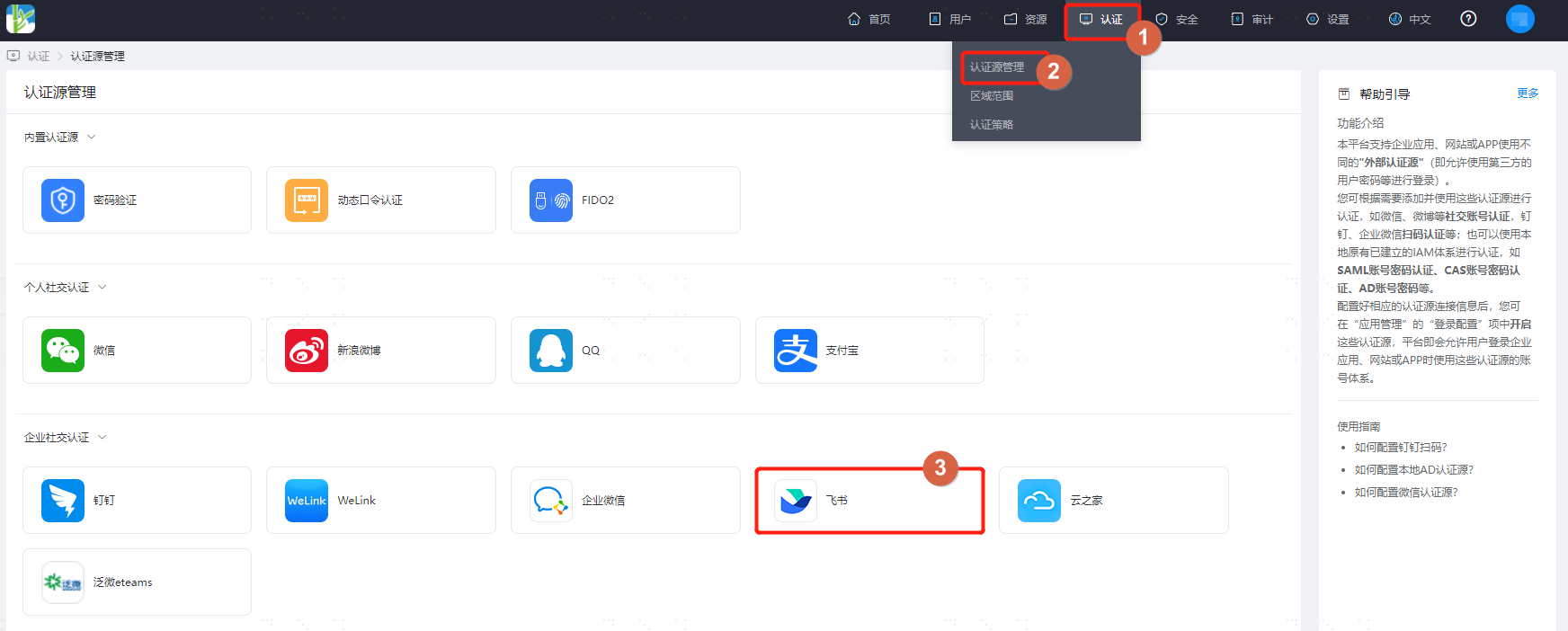
Log in to the IDaaS Enterprise Center platform. In the top navigation bar, select "Authentication > Authentication Source Management", go to the Feishu authentication source page, and click "Add Authentication Source".
Configure the Feishu authentication source parameters according to the interface prompts. Key parameter descriptions are as follows.
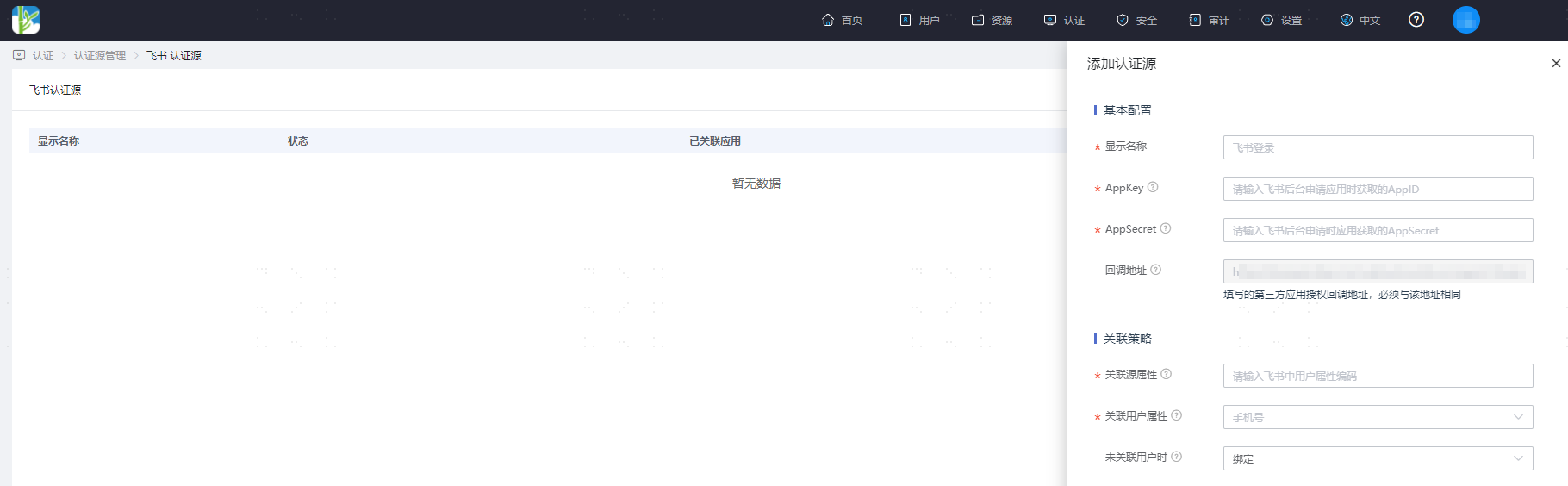
Purpose of Associated Source Attribute and Associated User Attribute: Map a user attribute from Feishu to a user attribute in IDaaS. If this attribute in the user information returned by Feishu matches the associated attribute in IDaaS, authentication passes.
When No User is Associated: This means the source attribute in the user information returned by Feishu does not match the associated attribute in IDaaS, and no system user is associated. The configuration options are as follows.
Fail: Set to "Fail", meaning this user is not allowed to pass authentication.
Bind: Set to "Bind". When no user is associated, it will redirect to a phone number or email verification page. If an existing IDaaS phone number or email is entered and verified successfully, the user passes authentication.
Bind or Register: Set to "Bind or Register". When no user is associated, it will redirect to a phone number or email verification page. If an existing IDaaS phone number or email is entered and verified successfully, the user passes authentication. If a phone number or email not existing in IDaaS is entered and verified successfully, an IDaaS user is created based on the phone number and authentication passes.
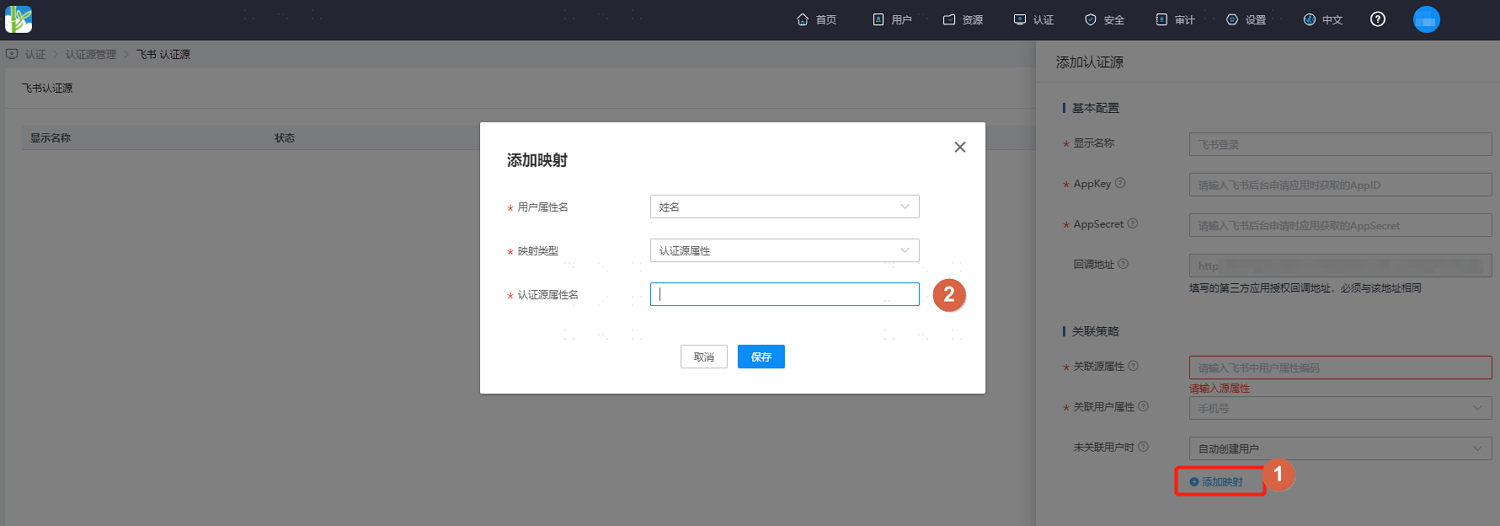
Automatically Create User: Set to "Automatically Create User". Click "Add Mapping" to map user attributes from Feishu to IDaaS user attributes based on mapping rules and associated attributes, create the user, and allow the user to pass authentication.
The attribute descriptions are as follows:
User attribute name: Drop-down to select the user attribute in IDaaS.
Mapping type: Select the authentication source attribute.
Authentication source attribute name: Feishu user attribute. For details, please refer to Feishu Open Platform - Get User Information (opens new window).
:::