Configure Feishu Password-Free Login
# Overview
This section describes the configuration process for users to achieve password-free login to IDaaS-integrated applications within the Feishu PC client and mobile APP. After configuring the Feishu authentication source on the IDaaS platform, refer to this module to configure password-free login for each application system with Feishu.
# Prerequisites
- Possess access management permissions for the IDaaS Enterprise Center.
- Possess administrator permissions for the Feishu Open Platform account and have already created an application.
- The application has been integrated on the IDaaS platform.
- The Feishu authentication source has been configured on the IDaaS platform /guide/admin/auth_source/feishusource.html.
# Configuration Process

# Steps
The example application in this document is an OAuth authentication protocol application created in IDaaS: OAUTH_1. Applicable scope: All self-built applications and pre-integrated applications that perform authentication integration with IDaaS via protocol.
# Configure Feishu Authentication for the Application
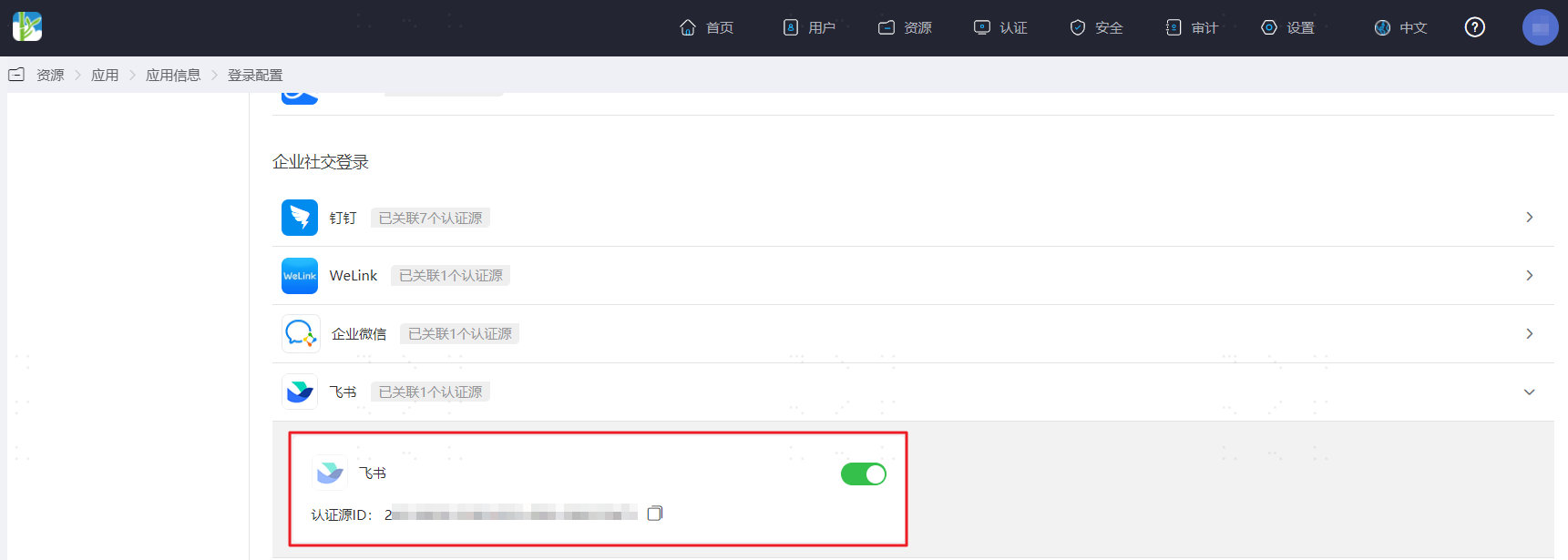
Log in to the IDaaS Enterprise Center platform, select "Resources > Applications" in the top navigation bar, taking an OAuth authentication protocol application as an example, select "OAUTH_1", switch to the "Login Configuration" tab, scroll down to Feishu, and enable the previously added Feishu authentication source.
Switch to the "Authentication Integration" tab, select "Mounting Address", and copy the application mounting URL.
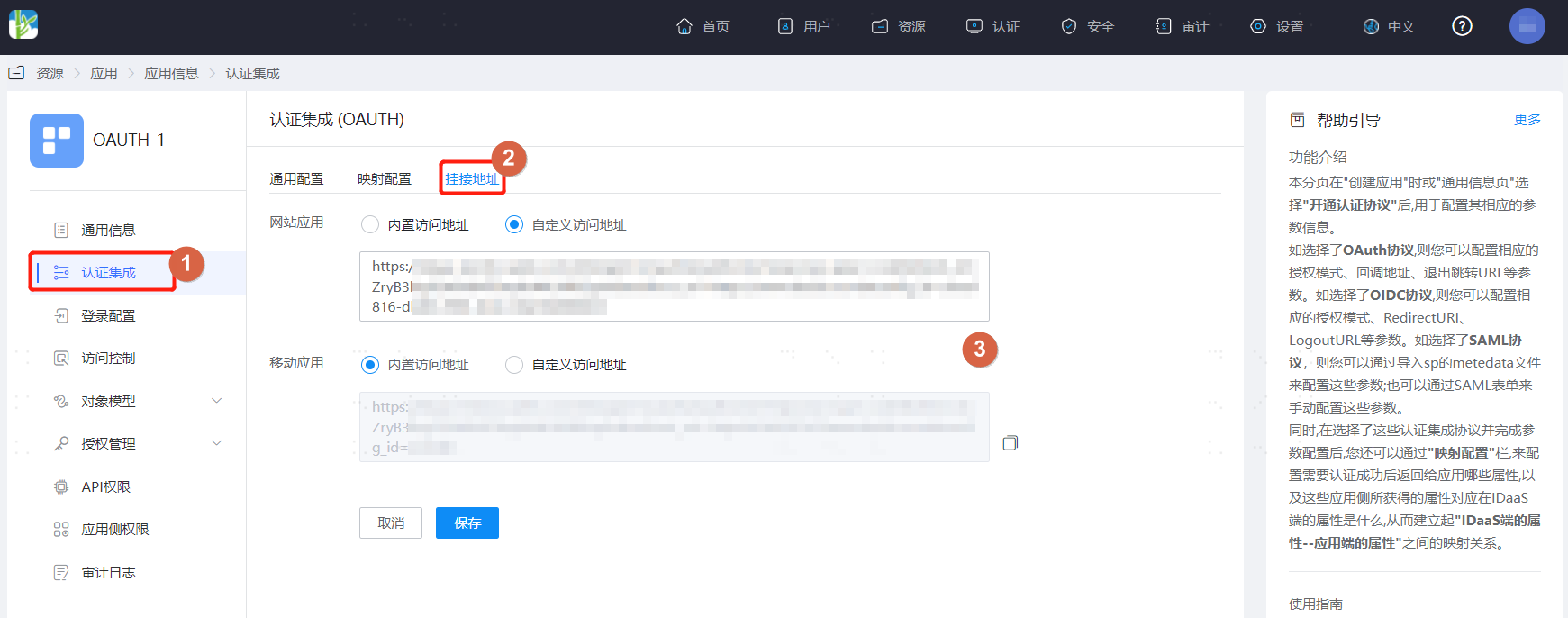
- Mounting Address: Typically, if accessing the application via a PC browser or PC client, it is recommended to use the website application mounting address here; if accessing via mobile H5 or mobile APP, it is recommended to use the mobile application mounting address here.
- Website Application: Corresponds to the Feishu desktop homepage.
- Mobile Application: Corresponds to the Feishu mobile homepage.
- Some pre-integrated applications do not support IDP-initiated single sign-on. Please ignore this step for those, e.g., Huawei Cloud, Tencent Cloud.
- Mounting Address: Typically, if accessing the application via a PC browser or PC client, it is recommended to use the website application mounting address here; if accessing via mobile H5 or mobile APP, it is recommended to use the mobile application mounting address here.
# Feishu Management Console Configuration
Log in to the Feishu Open Platform (opens new window), find and enter the previously created application, select "Application Features > Webpage", and change the "Desktop Homepage" and "Mobile Homepage" to the mounting address of the application in IDaaS.
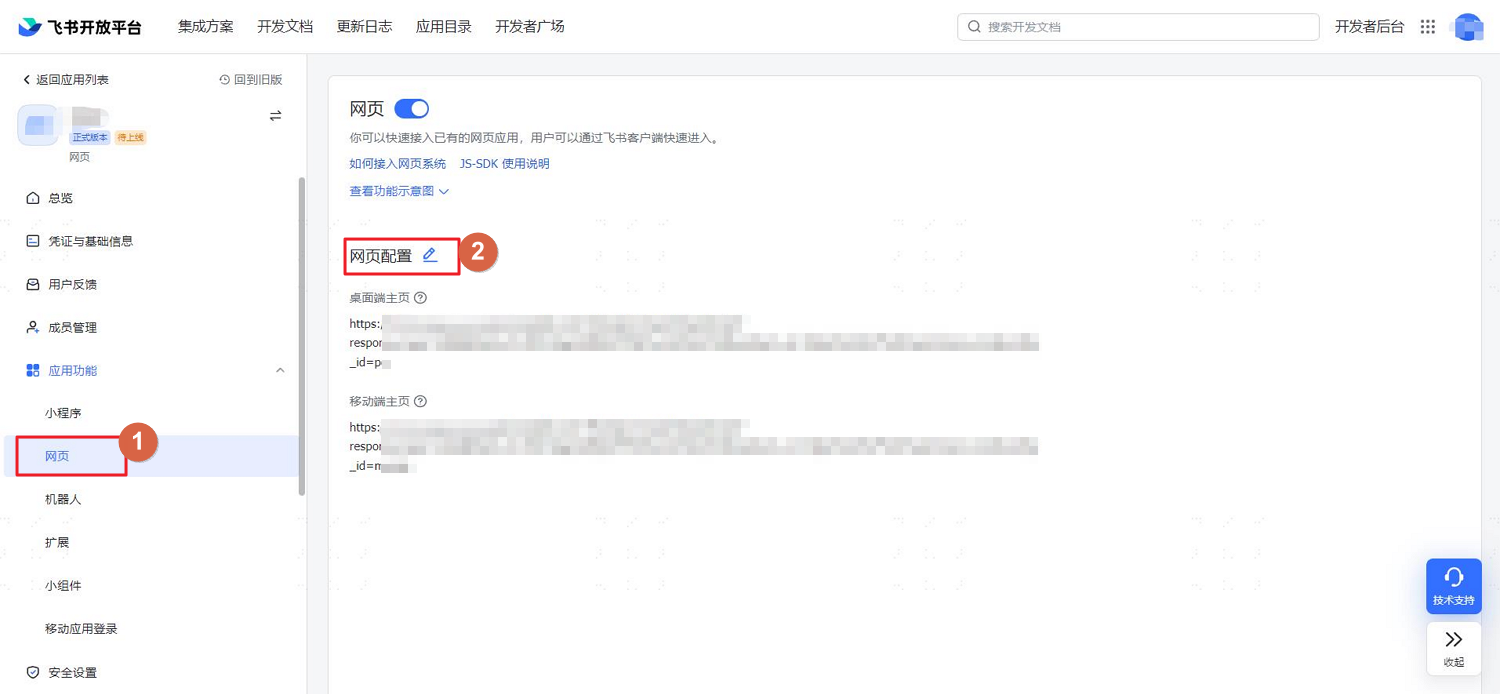
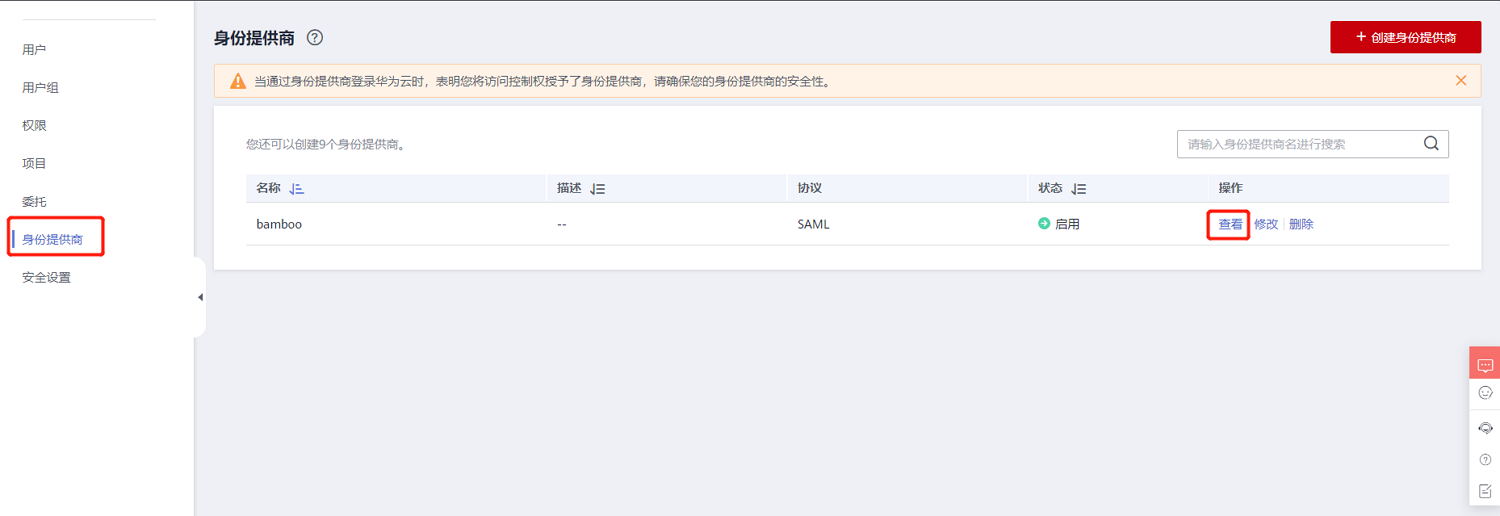
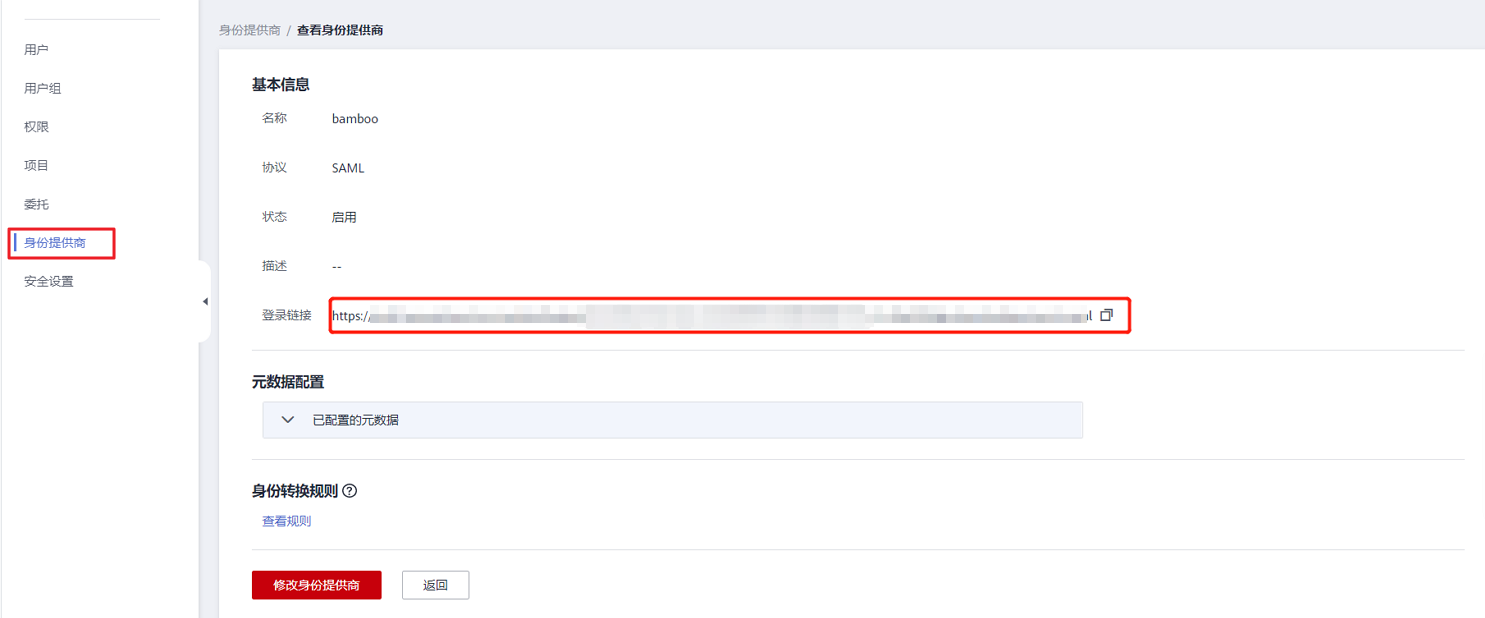
For password-free login to applications like Huawei Cloud or Tencent Cloud, the application homepage address should be the login link of the identity provider created in the Huawei Cloud or Tencent Cloud console.
# Verify Password-Free Login on Feishu Client
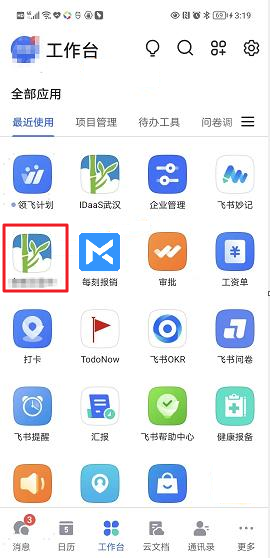
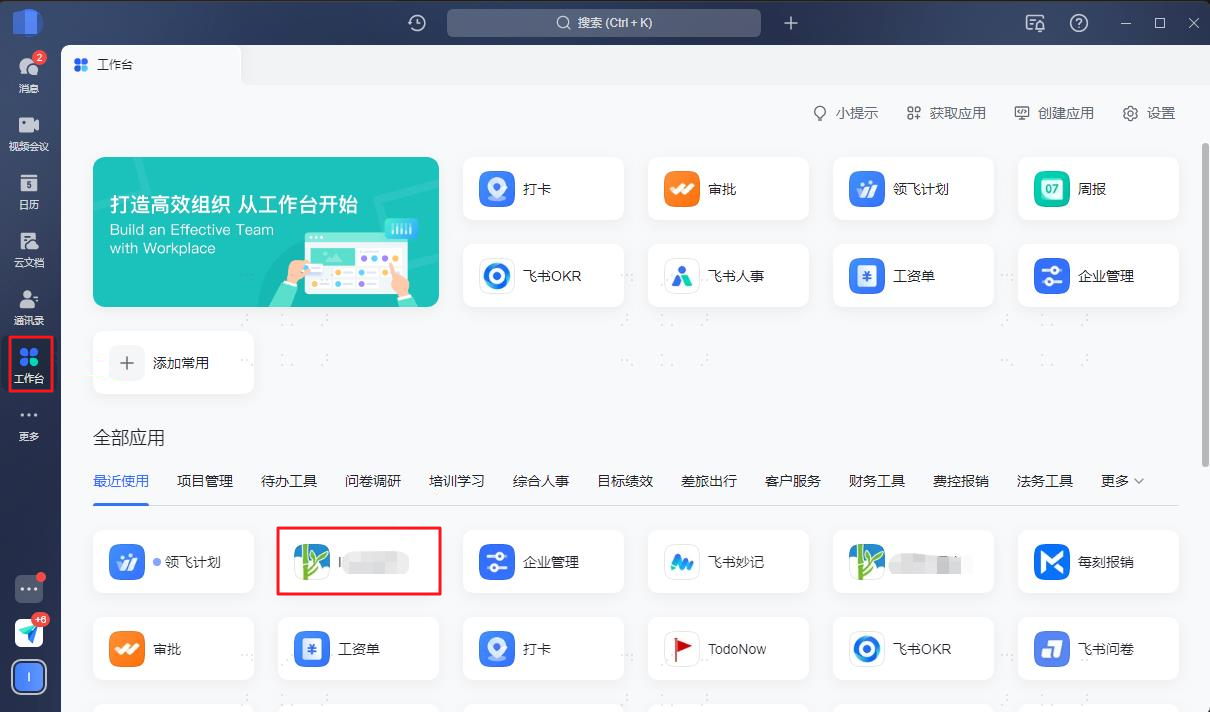
The user logs into the Feishu PC client, finds the application created in Feishu, and clicks on that application to achieve password-free login to OAUTH_1.
The user logs into the Feishu mobile APP, finds the application created in Feishu, and clicks on that application to achieve password-free login to OAUTH_1.