Configuring Weibo Scan Code Login
Authentication Source
# Overview
This section describes the configuration process for the Weibo scan code login function. After configuring and integrating the Weibo authentication source on the IDaaS platform, refer to this module to configure Weibo scan code authentication for logging into various application systems.
# Prerequisites
- Possess administrator privileges for the IDaaS Enterprise Center platform.
- Have already created a website application on the Weibo Open Platform.
- The application has been integrated on the IDaaS platform.
- A Weibo authentication source with the login scenario set to PC Browser Scan Code Login has already been configured on the IDaaS platform.
# Configuration Flow

# Steps
# Configuring Weibo Scan Code Authentication for an Application
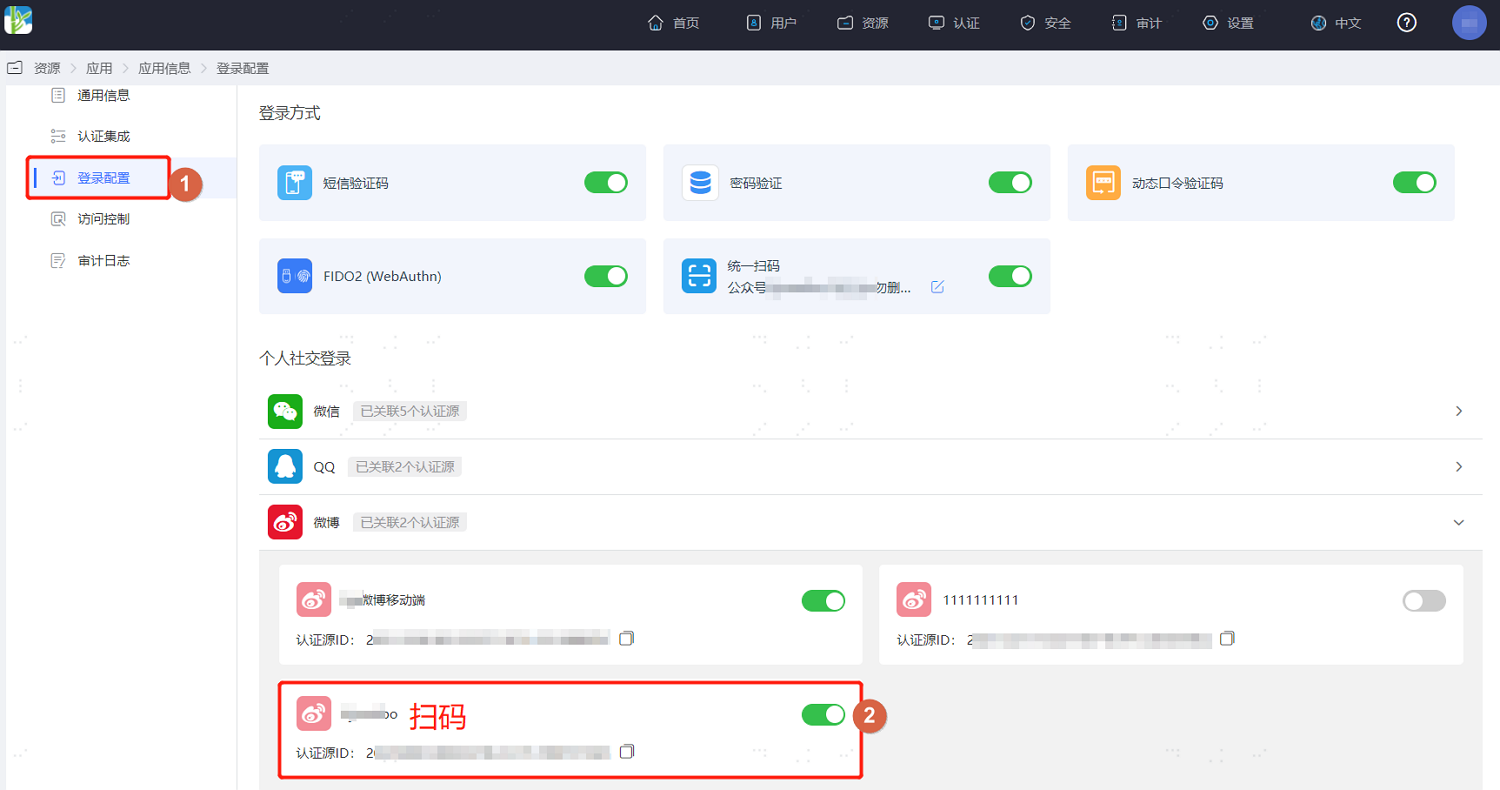
- Log in to the IDaaS Enterprise Center platform. In the top navigation bar, select "Resources > Applications". Taking the User Center application as an example, select "User Center" and switch to the "Login Configuration" tab. Scroll down to Weibo and enable the previously added Weibo authentication source whose login scenario is PC Browser Scan Code Login.
# Verifying Weibo Scan Code Login
The actual flow of Weibo authentication login is related to the "When user is not linked" option in Configuring Weibo Authentication Source. Please refer to the on-screen prompts for login.
- On the application system's login page, the user selects Weibo login.
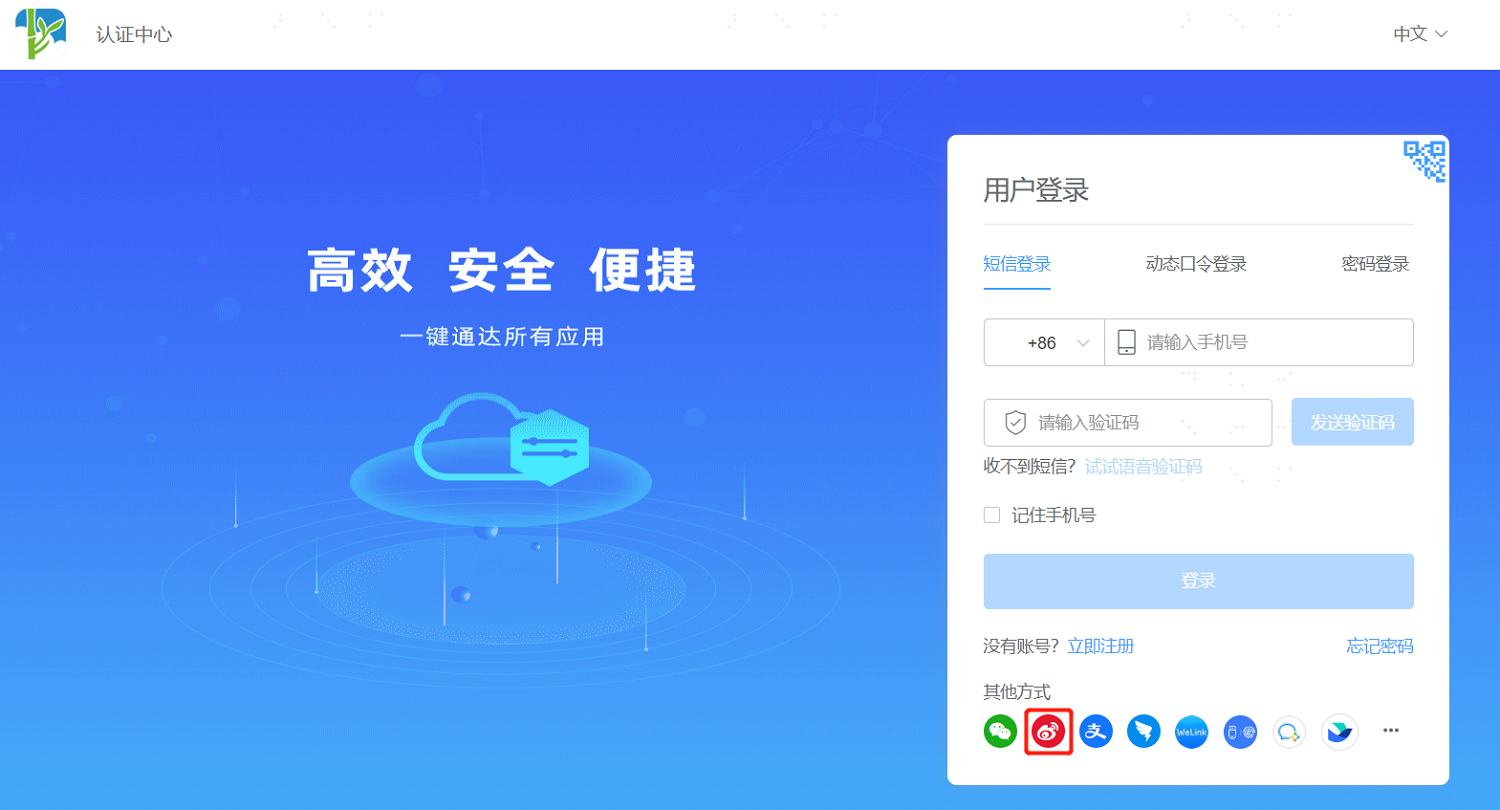
- Use Weibo to scan the QR code on the page to log in to the application system.