
Configuring WeChat Authentication Source
# Overview
WeChat authentication login allows users to securely log in to third-party applications or websites using WeChat as the authentication source. To facilitate authentication login for enterprise users, the IDaaS platform supports configuring WeChat as an authentication source. Users can log in to various application systems through WeChat authentication and achieve single sign-on effects between application systems, providing enterprise users with simpler and more convenient login methods and a better user experience.
This section introduces the related operations for configuring a WeChat authentication source.
# Prerequisites
- Have administrator permissions for the WeChat Open Platform.
- Have administrator permissions for the WeChat Official Accounts Platform.
- Have administrator permissions for the IDaaS Enterprise Center platform.
# Procedure
# Creating an Application and Obtaining Parameters on the WeChat Open Platform or Official Accounts Platform
Select and create the corresponding application based on the actual required WeChat authentication method:
Configuring WeChat Scan Login: Log in to the WeChat Open Platform (opens new window) and follow the interface prompts to create a website application to obtain the AppID and AppSecret parameters.
The authorized callback domain should be filled with the IDaaS tenant domain name, which can be obtained from "Settings > Enterprise Information" in the IDaaS Enterprise Center.
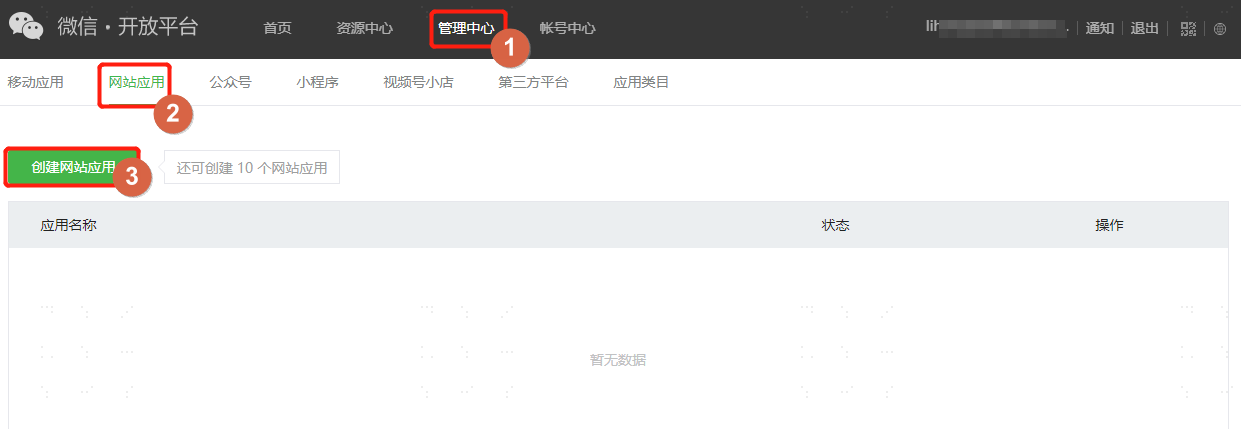
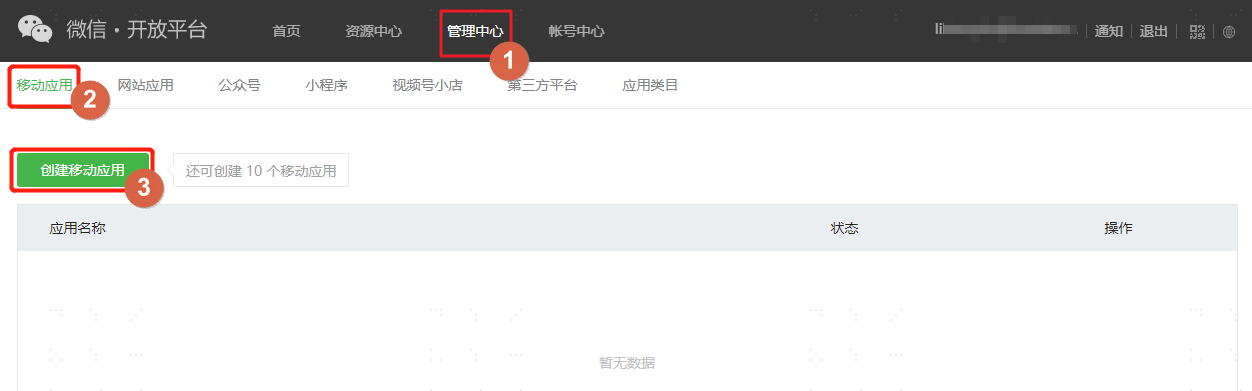
Configuring WeChat Mobile Authorization Login: Log in to the WeChat Open Platform (opens new window) and follow the interface prompts to create a mobile application to obtain the AppID and AppSecret parameters.
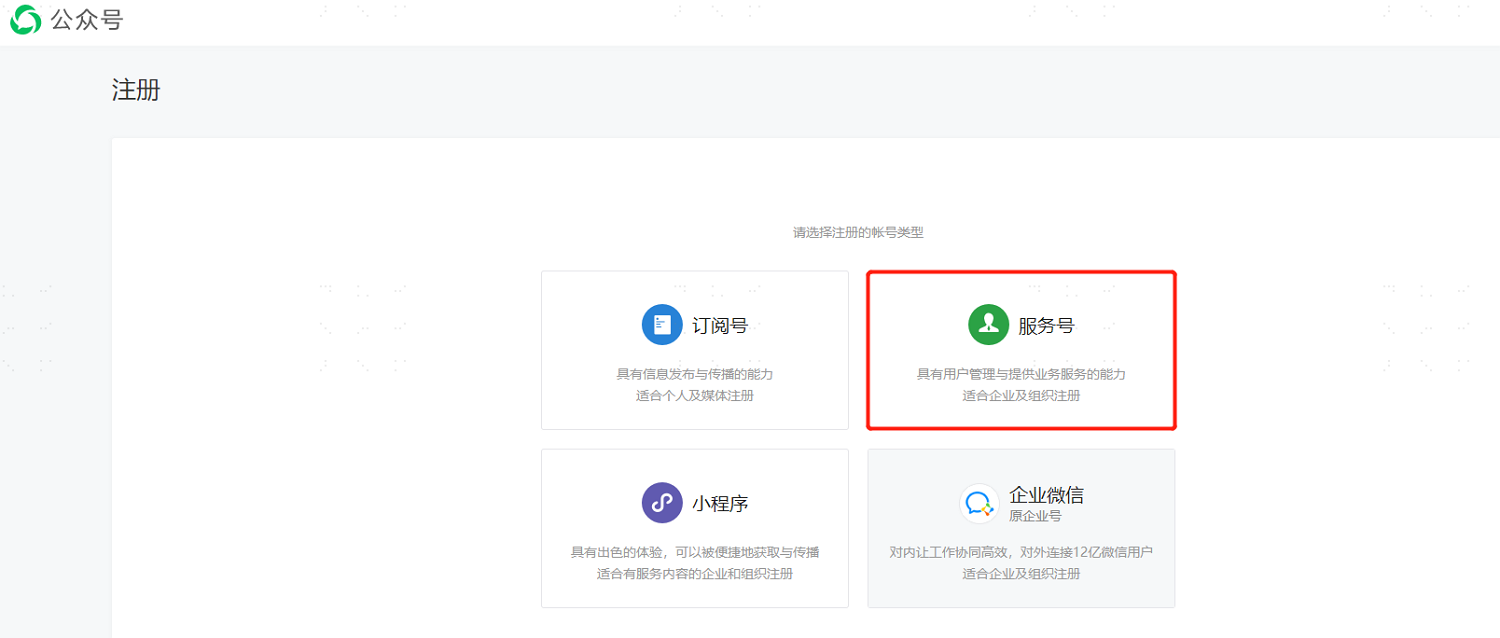
Configuring WeChat Official Account Authorization Login or Unified Scan (WeChat Scan): Log in to the WeChat Official Accounts Platform (opens new window), and refer to the Official Account related documentation (opens new window) to register an official account (usually a service account) to obtain the AppID and AppSecret parameters.
Configuring WeChat Mini Program Authorization Login: Log in to the WeChat Official Accounts Platform (opens new window), and refer to the Official Account related documentation (opens new window) to register a Mini Program to obtain the AppID and AppSecret parameters.
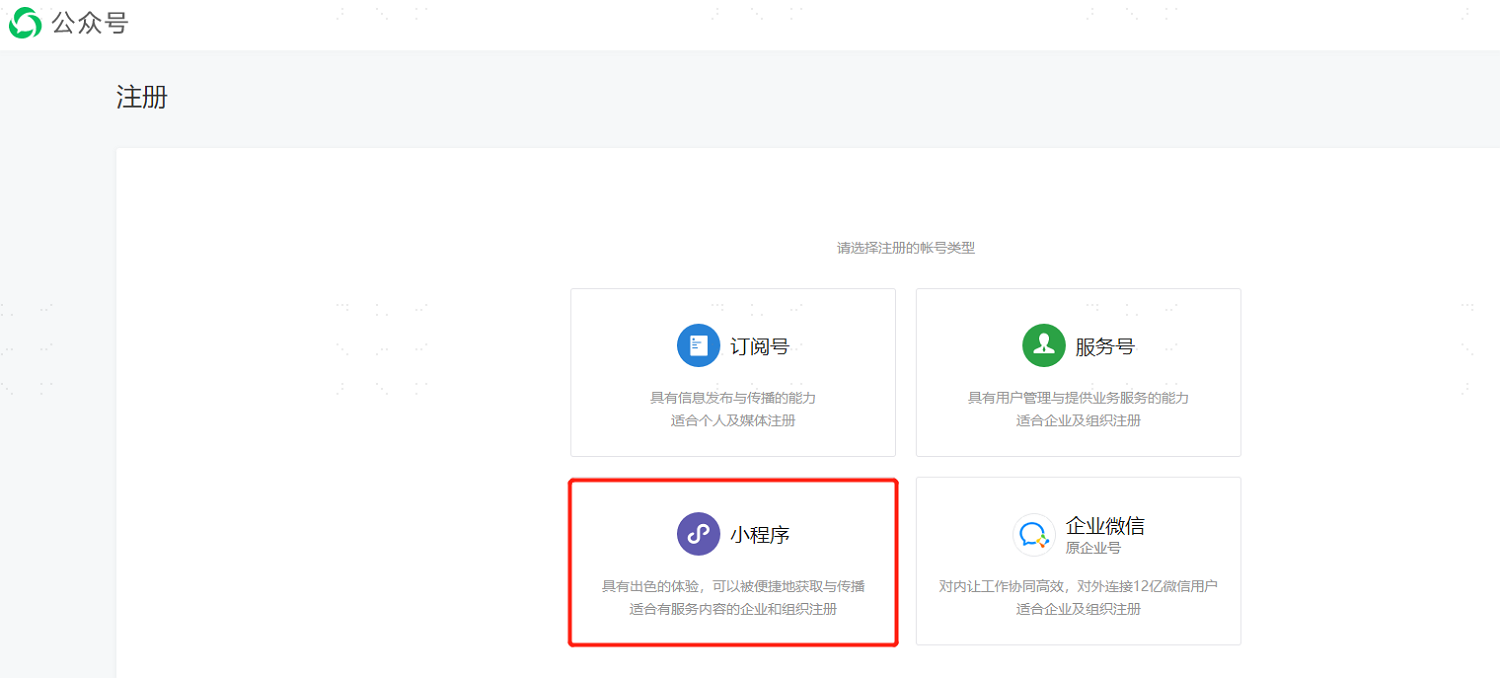
When registering a Mini Program, you need to fill in the subject information. Because the ability to obtain the user's phone number in the Mini Program is required, and this ability is not open to individual developers, please do not use personal subject information. For specific information, please refer to the official WeChat documentation: https://developers.weixin.qq.com/miniprogram/dev/framework/open-ability/getPhoneNumber.html.
# Configuring the WeChat Authentication Source on the IDaaS Platform
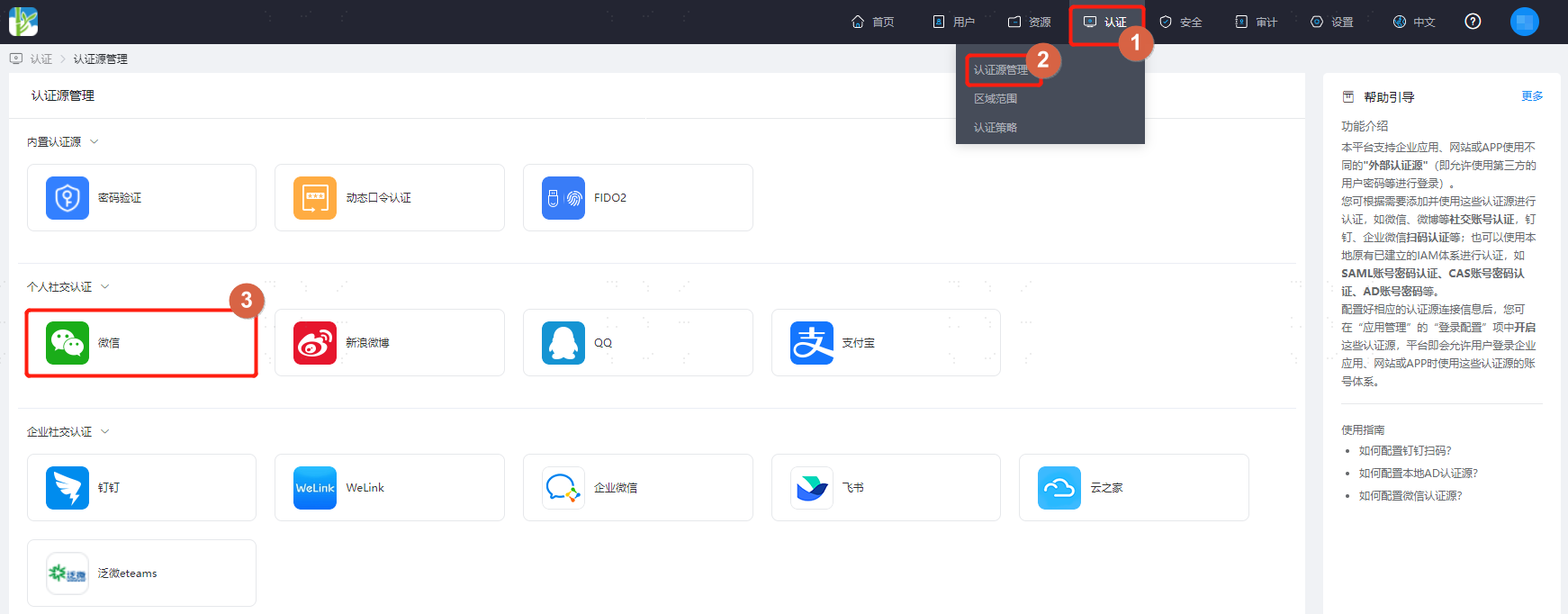
Log in to the IDaaS Enterprise Center platform, select "Authentication > Authentication Source Management" in the top navigation bar, go to the WeChat authentication source page, and click "Add Authentication Source".
Configure the WeChat authentication source parameters according to the interface prompts. Key parameter descriptions are as follows.
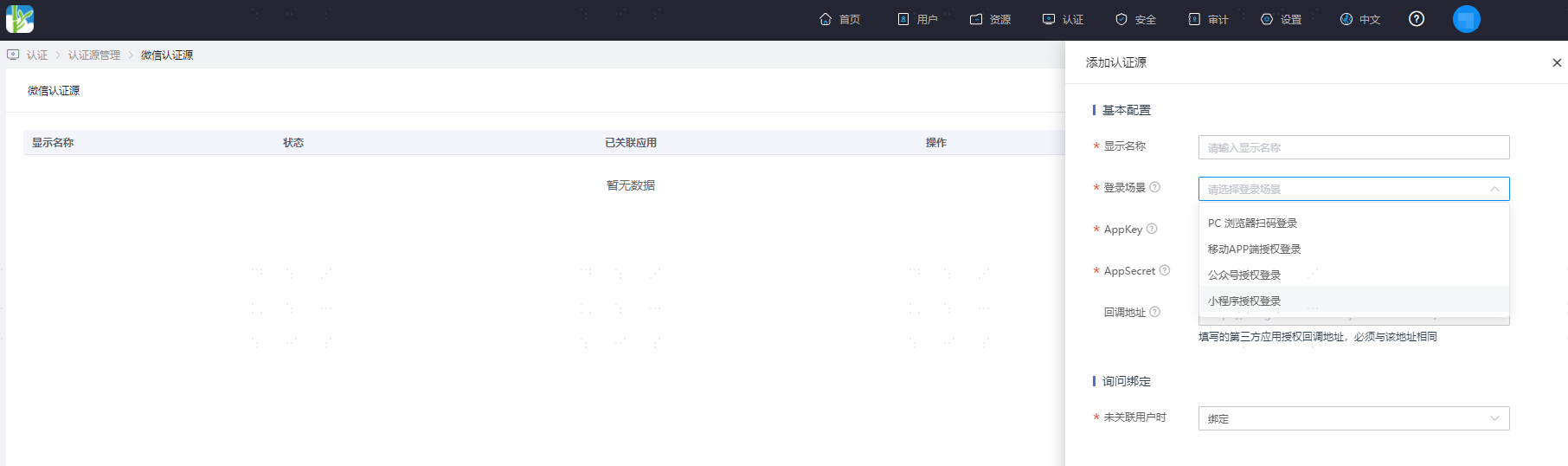
- Login Scenario: Select the login scenario based on the WeChat authentication type, including PC browser scan login, mobile APP authorization login, official account authorization login, and Mini Program authorization login, corresponding to WeChat scan login, WeChat mobile authorization login, official account authorization login, and Mini Program authorization login methods respectively.
- When configuring unified scan authentication, if you need to configure WeChat scan, you need to configure an authentication source for the official account authorization login scenario here.
- Follow Login: Appears after selecting the official account authorization login scenario. It refers to the process of generating a WeChat official account QR code on a PC website. Users scan the code with the WeChat APP, and after following the official account, they achieve automatic login. Enabling Follow Login requires configuring the WeChat event callback token and message encryption/decryption key.
- When No User is Associated: This refers to when the authentication source attribute of the user information returned by the WeChat platform does not match the associated user attribute in IDaaS, and no system user is associated. The optional configuration items are as follows.
- Bind: Set to "Bind". When no user is associated, it will jump to a phone number or email verification page. If an existing phone number or email in IDaaS is entered and verified successfully, the user passes authentication.
- Bind or Register: Set to "Bind or Register". When no user is associated, it will jump to a phone number or email verification page. If an existing phone number or email in IDaaS is entered and verified successfully, the user passes authentication; if a phone number or email not existing in IDaaS is entered and verified successfully, an IDaaS user is created based on the phone number or email and passes authentication.
- Auto-create User: Only when the login scenario is "Official Account Authorization Login", it can be set to "Auto-create User". IDaaS checks if the WeChat openId does not exist in the system and automatically creates a user. Currently, this feature is only supported in 2C scenarios.
Understood. I am ready. Please provide the Markdown content you need translated.