Configuring Douyin Authentication Source
# Overview
Douyin authentication login allows users to securely log into third-party applications or websites using Douyin as the authentication source. To facilitate enterprise users' authentication login, the IDaaS platform supports configuring Douyin as an authentication source. Users can log into various application systems through Douyin authentication, providing enterprise users with a simpler, more convenient login method and a better user experience.
This chapter introduces the relevant operations for configuring the Douyin authentication source.
# Prerequisites
- Possess administrator permissions for the Douyin Developer Platform. [Enterprise credentials must be bound on the Douyin Open Platform before creating an application.]
- Possess administrator permissions for the IDaaS Enterprise Center platform.
# Steps
# Creating an Application on Douyin Developer Platform
- Complete the onboarding process according to the enterprise credential verification process provided by the Douyin Open Platform.
Onboard to Douyin Open Platform (opens new window)
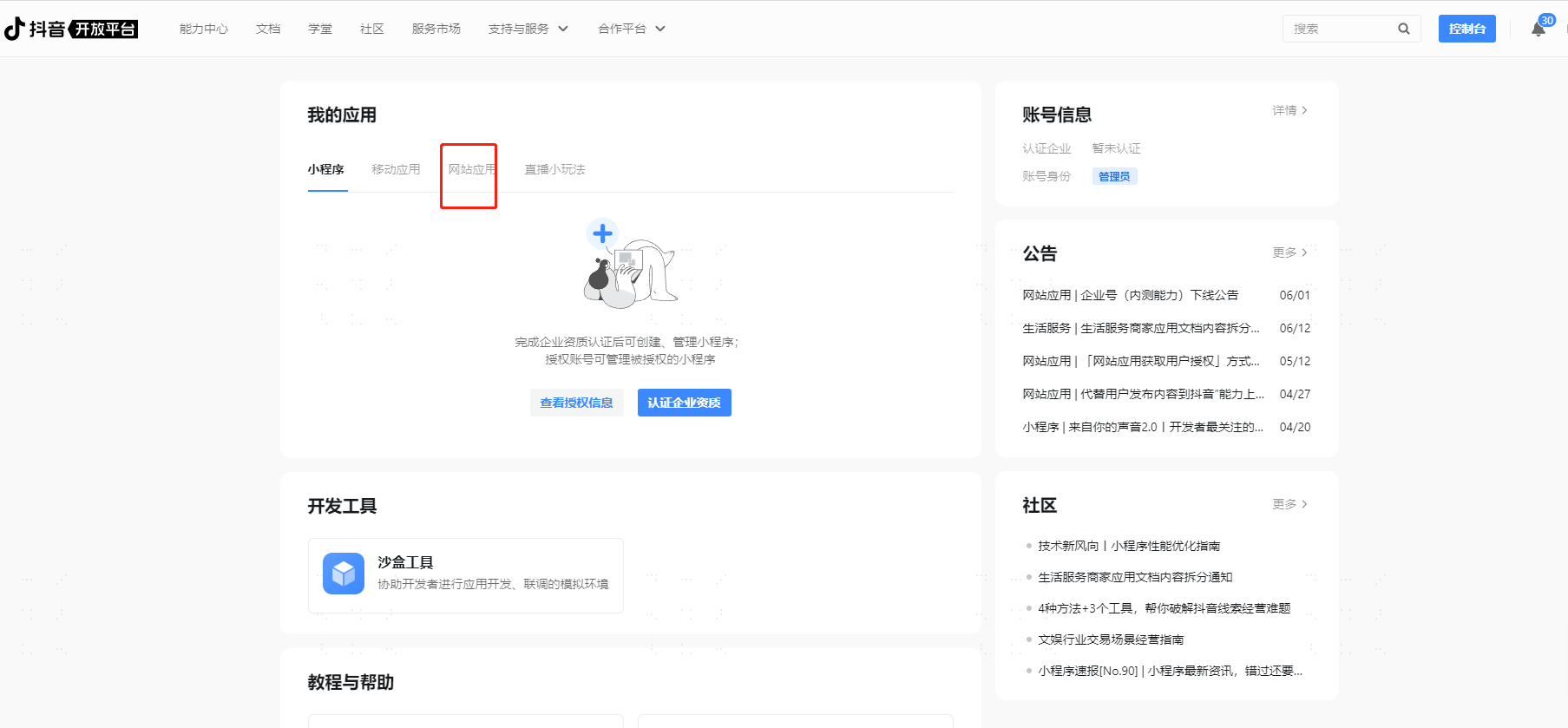
- Log in to the Douyin Developer Platform (opens new window) with your Douyin account, create an application, select Website Application, and configure the basic application information.
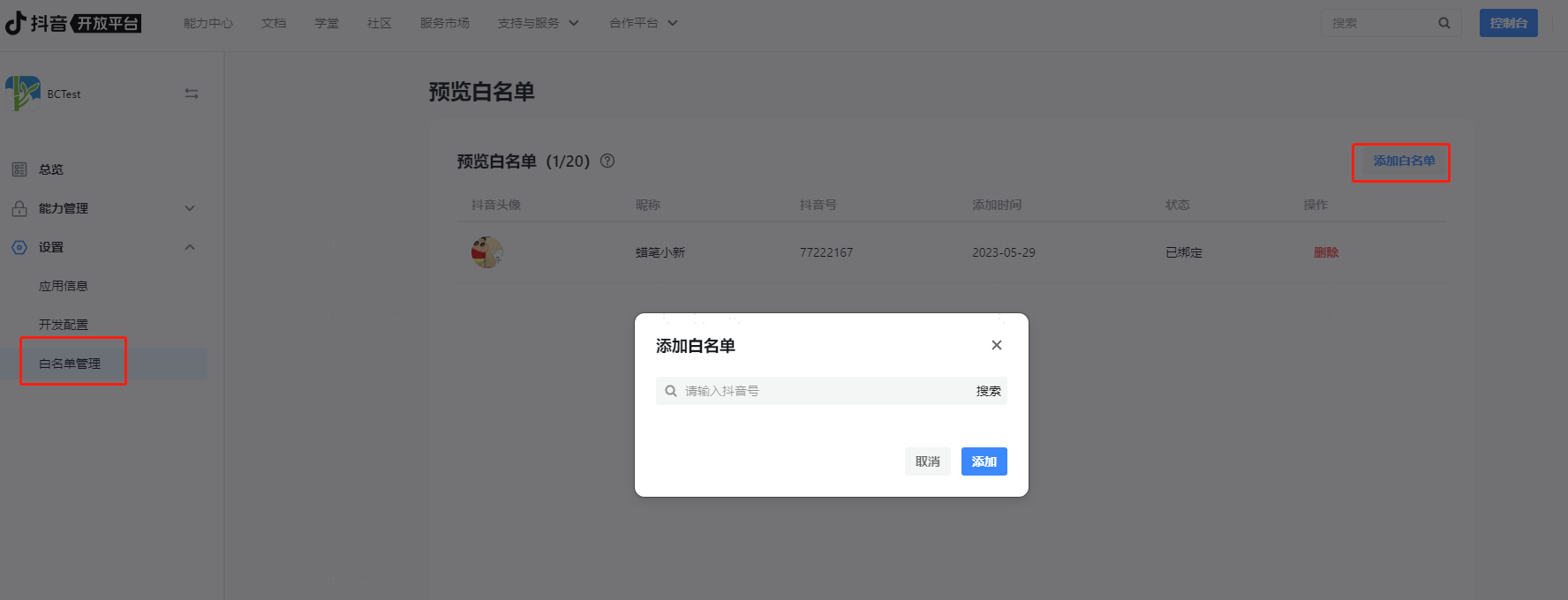
Add test users to the whitelist for the newly created application.
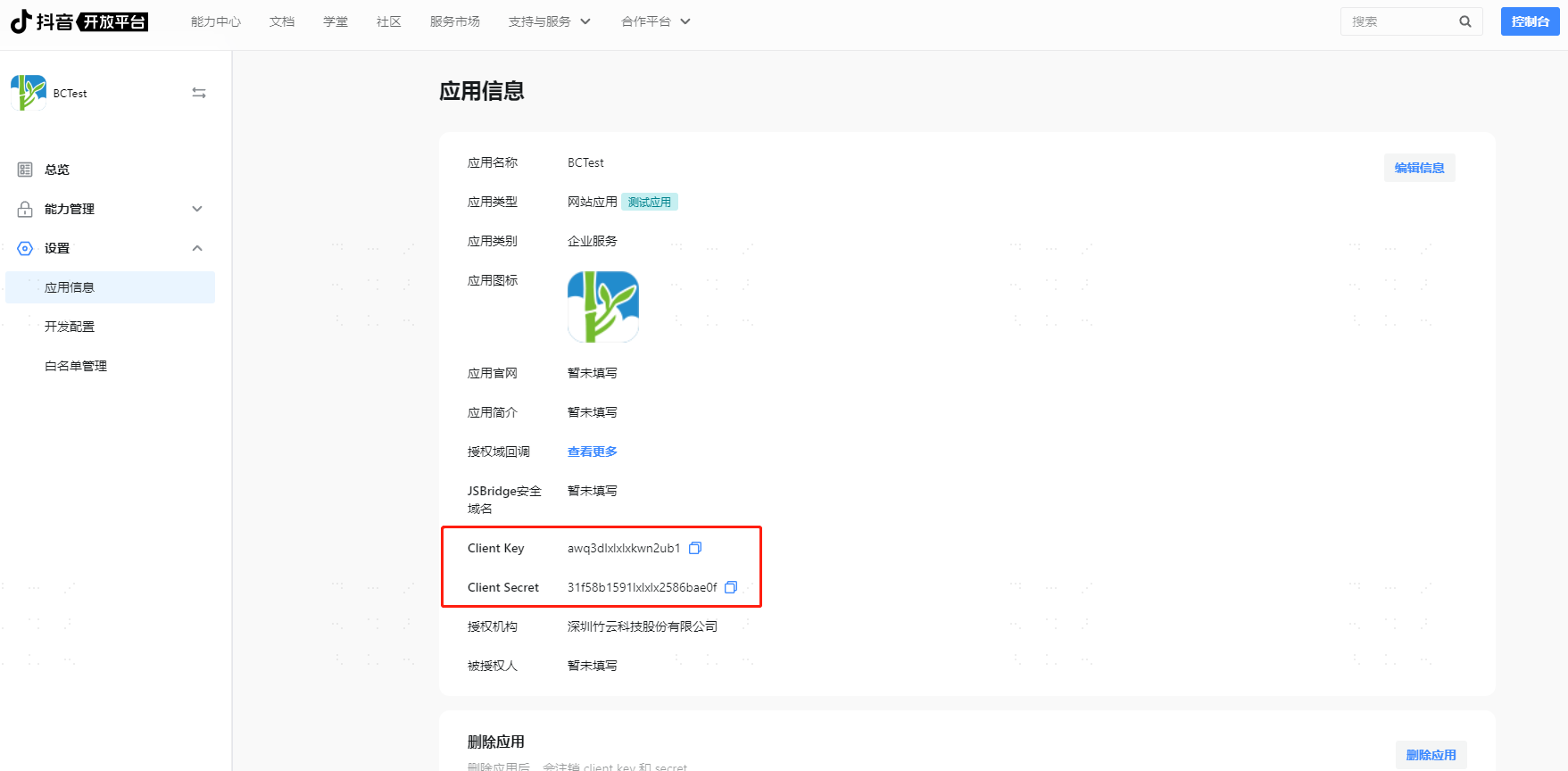
Obtain the application's Client Key and Client Secret.
# Configuring Douyin Authentication Source on IDaaS Platform
Log in to the IDaaS Enterprise Center platform, select "Authentication > Authentication Source Management" in the top navigation bar, go to the Douyin authentication source page, and click "Add Authentication Source".
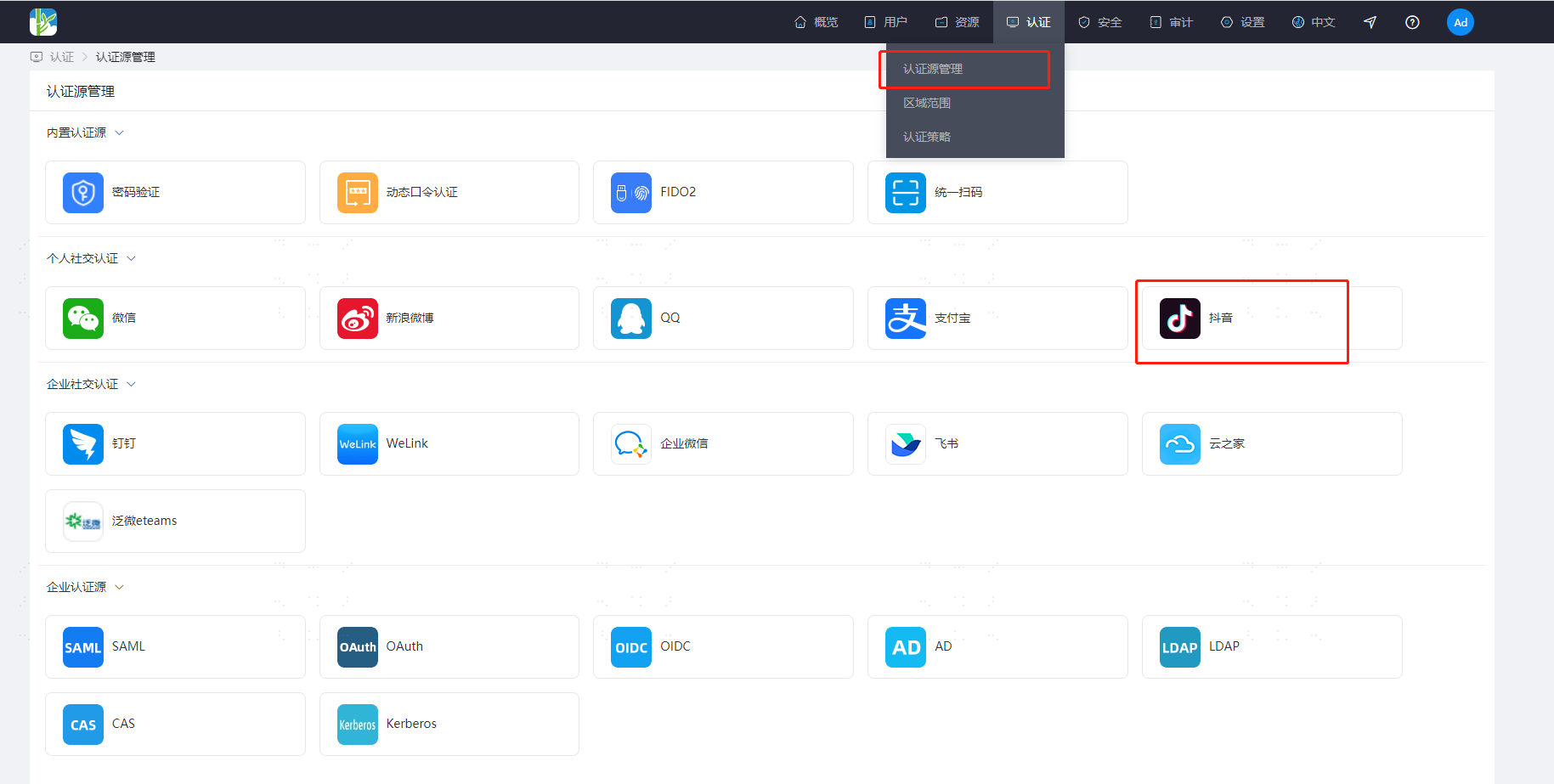
Configure the Douyin authentication source parameters by referring to the interface prompts. Key parameter descriptions are as follows.
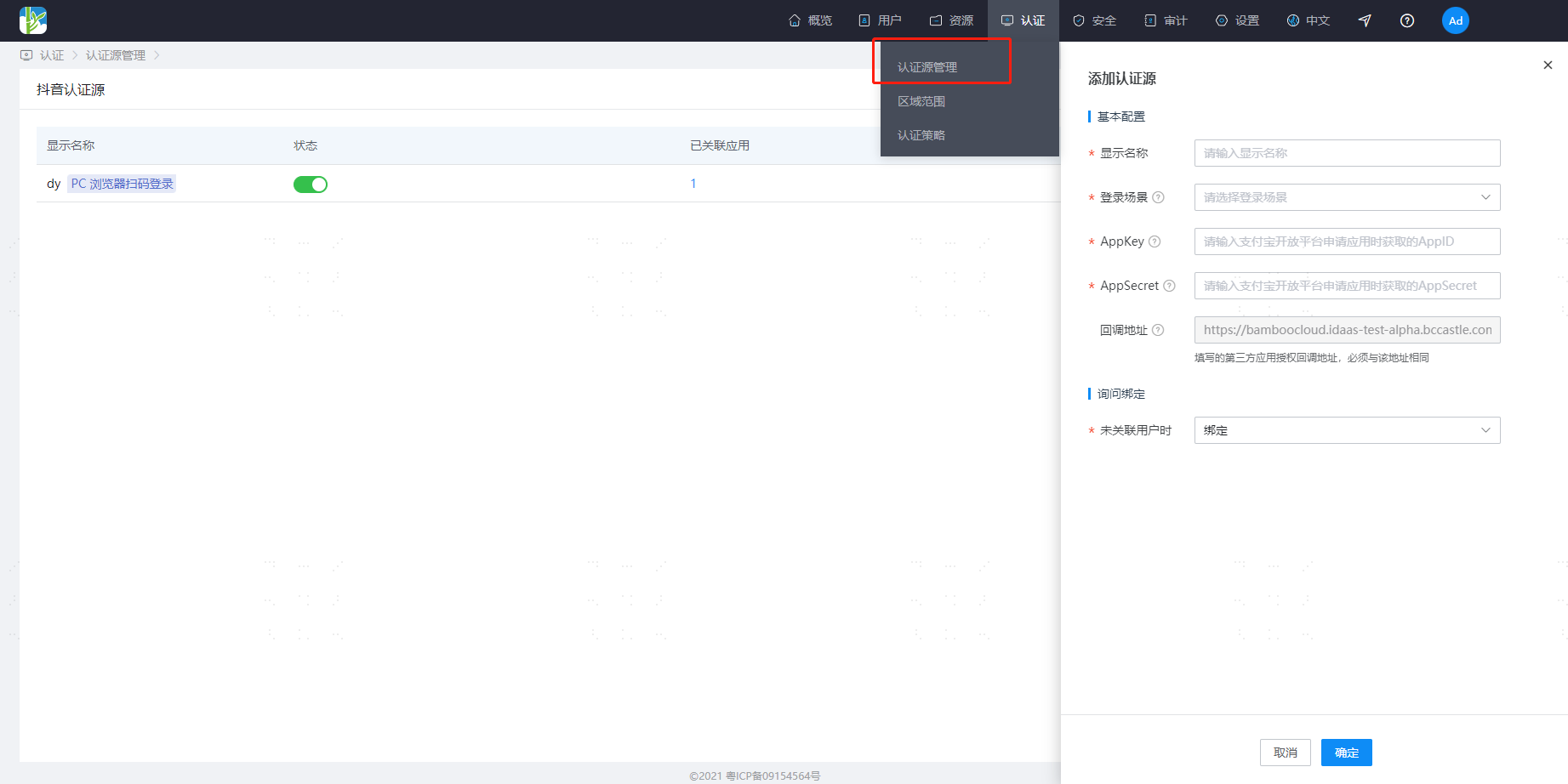
When no user is associated: This refers to when the openId in the user information returned by the Douyin Open Platform is not associated with a system user in IDaaS. The optional configuration items are as follows.
- Bind: When no user is associated, through the set binding method, it redirects to the corresponding verification page. After successfully entering the SMS verification code, it can bind to the corresponding existing user.
- Bind or Register: When no user is associated, after successfully entering the SMS verification code, if the phone number does not exist, it proceeds to the registration process. After completing the registration information, login is achieved through authentication.
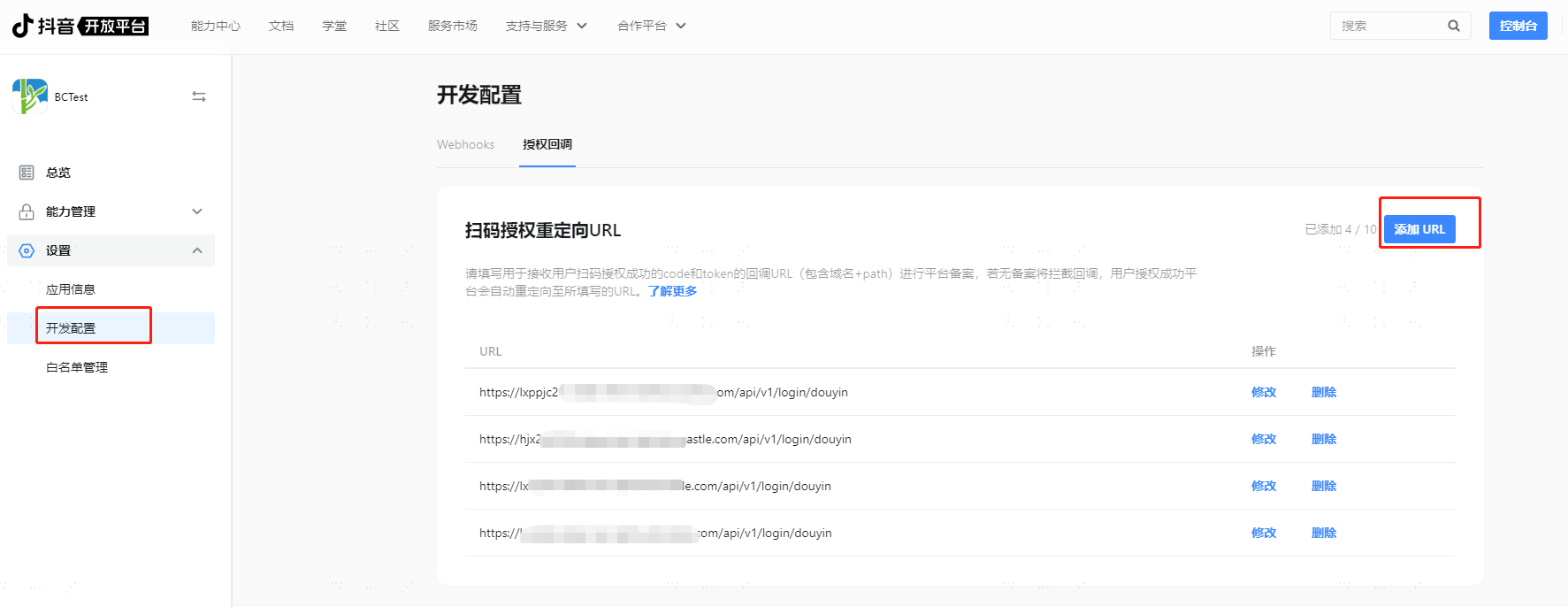
Obtain the callback address generated by the Douyin authentication source (Example: https://xxx.bccastle.com/api/v1/login/douyin), return to the Douyin Open Platform (opens new window), and select "XX Application > Settings". Fill in the callback address in "Development Configuration - Authorization Callback".