
Configuring Alipay Mini Program Authorization Login
Authentication Source
# Overview
This section describes the configuration process for Alipay QR code scan or account password login functionality. Use this module as a reference to configure Alipay Mini Program authorization login for various application systems. This feature is currently only supported in 2C scenarios.
# Prerequisites
- Have administrator permissions for the IDaaS Enterprise Center platform.
- Have already created a mini program on the Alipay Open Platform.
- The application has been integrated into the IDaaS platform.
- Have already configured an Alipay authentication source on the IDaaS platform with the login scenario set to Mini Program Authorization Login.
# Configuration Flow

# Steps
# Configure Alipay Mobile Authorization Authentication for the Application
- Log in to the IDaaS Enterprise Center platform. In the top navigation bar, select "Resources > Applications". After creating a self-built application, enter the application details page. Under the "Authentication Integration" configuration, you must select "SDK/API". After configuration is complete, save and enable the application.
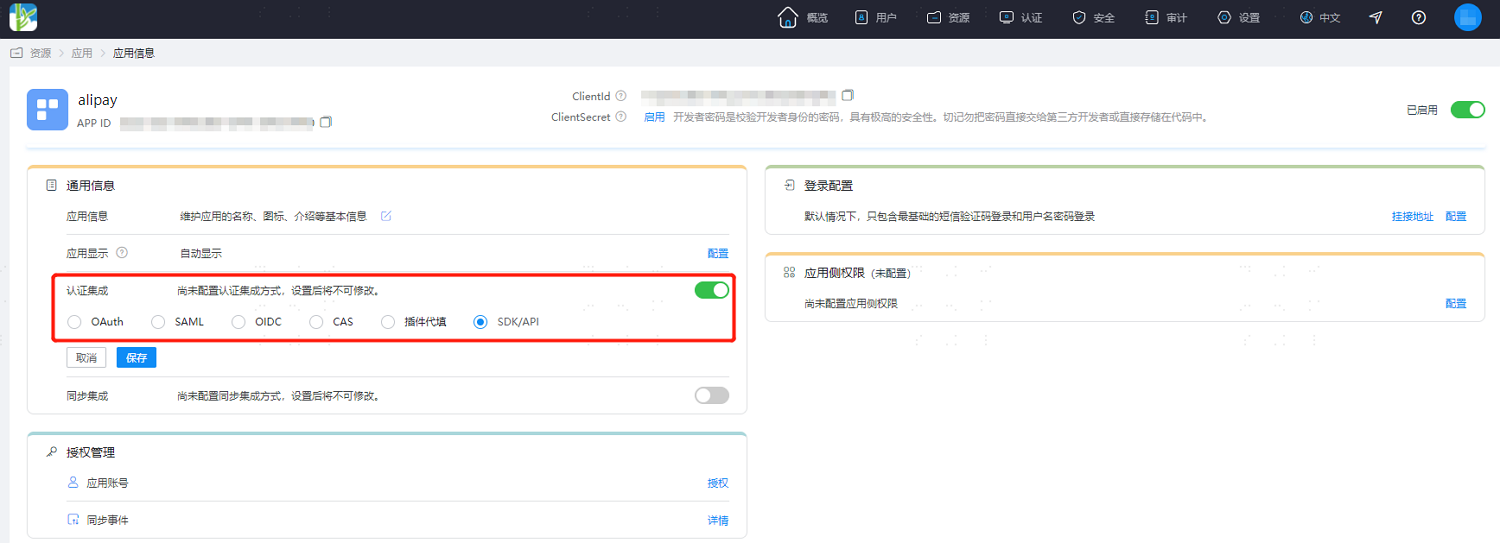
Authentication Integration can only be configured once and cannot be changed later.
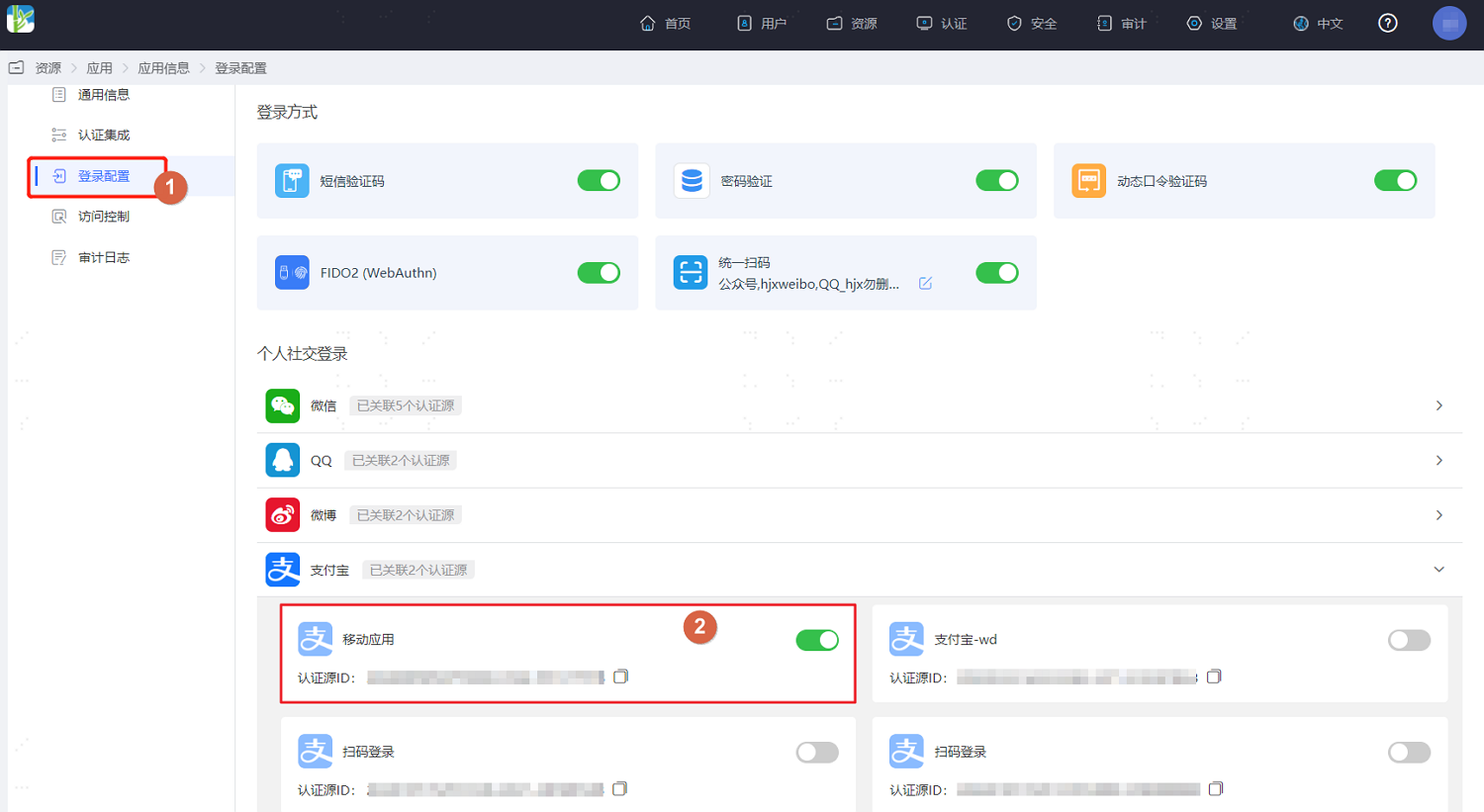
- Switch to the "Login Configuration" tab. In the Alipay dropdown, enable the previously added Alipay authentication source whose login scenario is Mini Program Authorization Login.
# Development Integration
After configuration on the IDaaS platform is complete, development integration configuration for the client-side is also required. Please refer to Alipay Mini Program to complete the subsequent client-side development integration. Only after development is complete can users use Alipay Mini Program authorization to log in to the application.