
Configuring Anomaly Message Notifications
# Overview
During the execution of system background tasks, anomalies may occur. If not discovered and resolved promptly, this can easily lead to issues with customer data.
The IDaaS platform provides anomaly message notification functionality for various task scenarios. It supports enterprises in selecting multiple notification methods and recipients based on their specific needs, enabling proactive alerts when anomalies occur during system task execution. This helps reduce the daily management burden on enterprise administrators.
# Prerequisites
Possess administrator permissions for the IDaaS Enterprise Center platform.
# Procedure
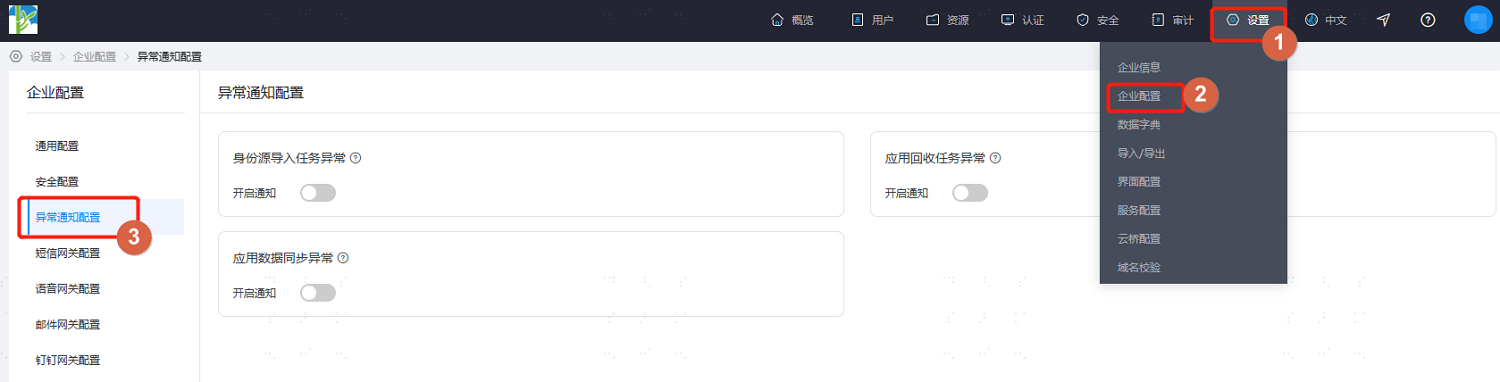
Log in to the IDaaS Enterprise Center platform. In the top navigation bar, select Settings > Enterprise Configuration, then choose Anomaly Notification Configuration.
Based on the actual project requirements, enable the corresponding notification switches, and configure the notification methods and message recipients.
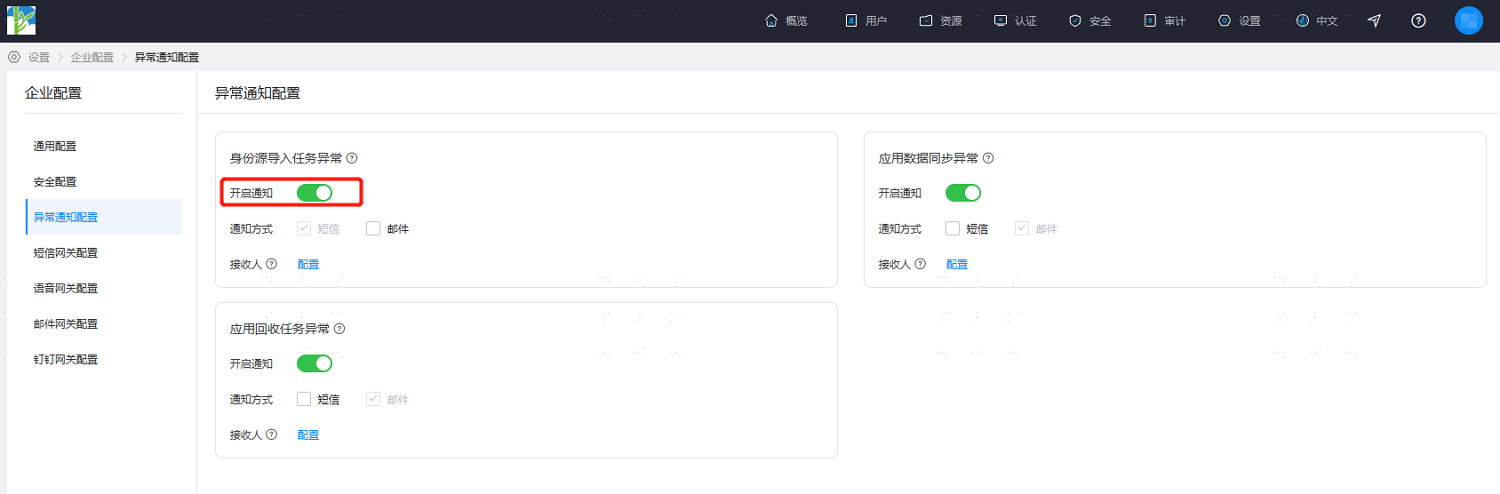
If no recipient is set, the system will notify all super administrators by default.