
Plugin Auto-fill - Google Chrome Extension Installation or Update
Single Sign-On SSO
# Plugin Download
Please first click the link below to download the plugin package.
Download Chrome Browser Plugin Link (opens new window)
# (1) Extract the Plugin Package
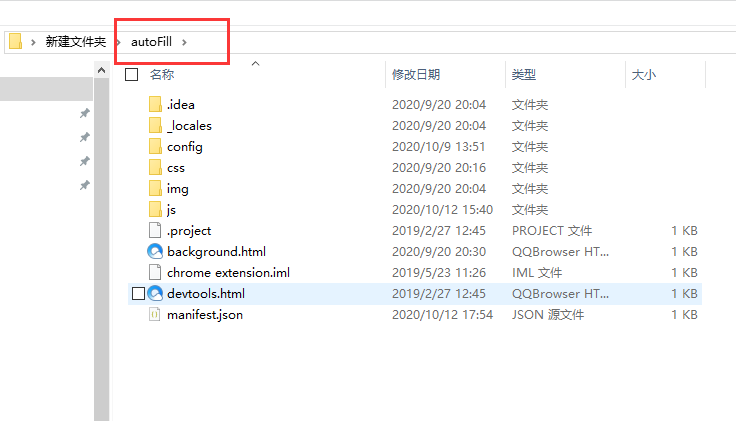
Extract the downloaded compressed package into a new folder. Open the autoFill directory to see the included files as shown in the image below:
# (2) Enable Developer Mode
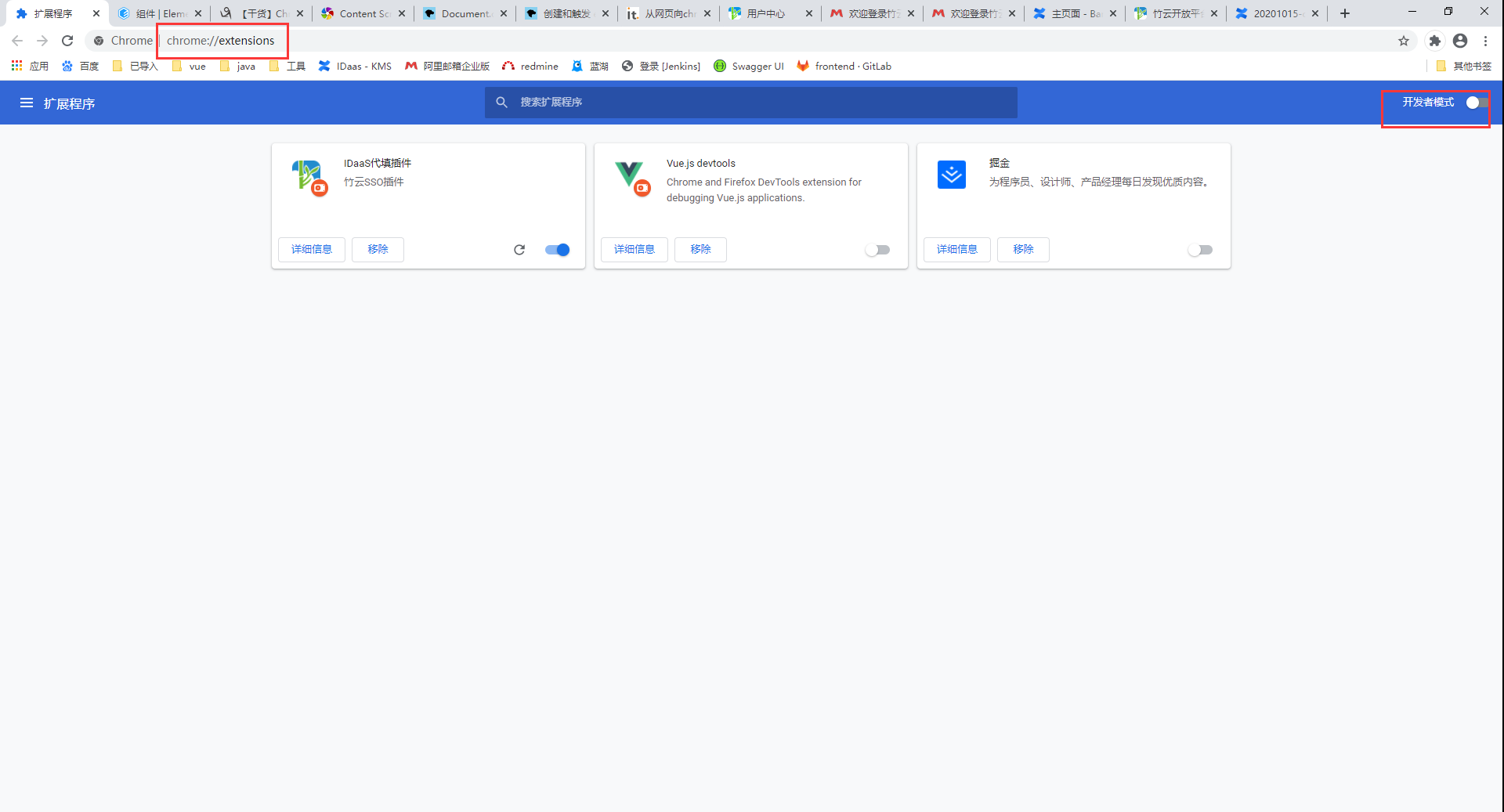
Use the Chrome browser to visit chrome://extensions/ and enable Developer Mode.
# (3) Import/Update the Plugin
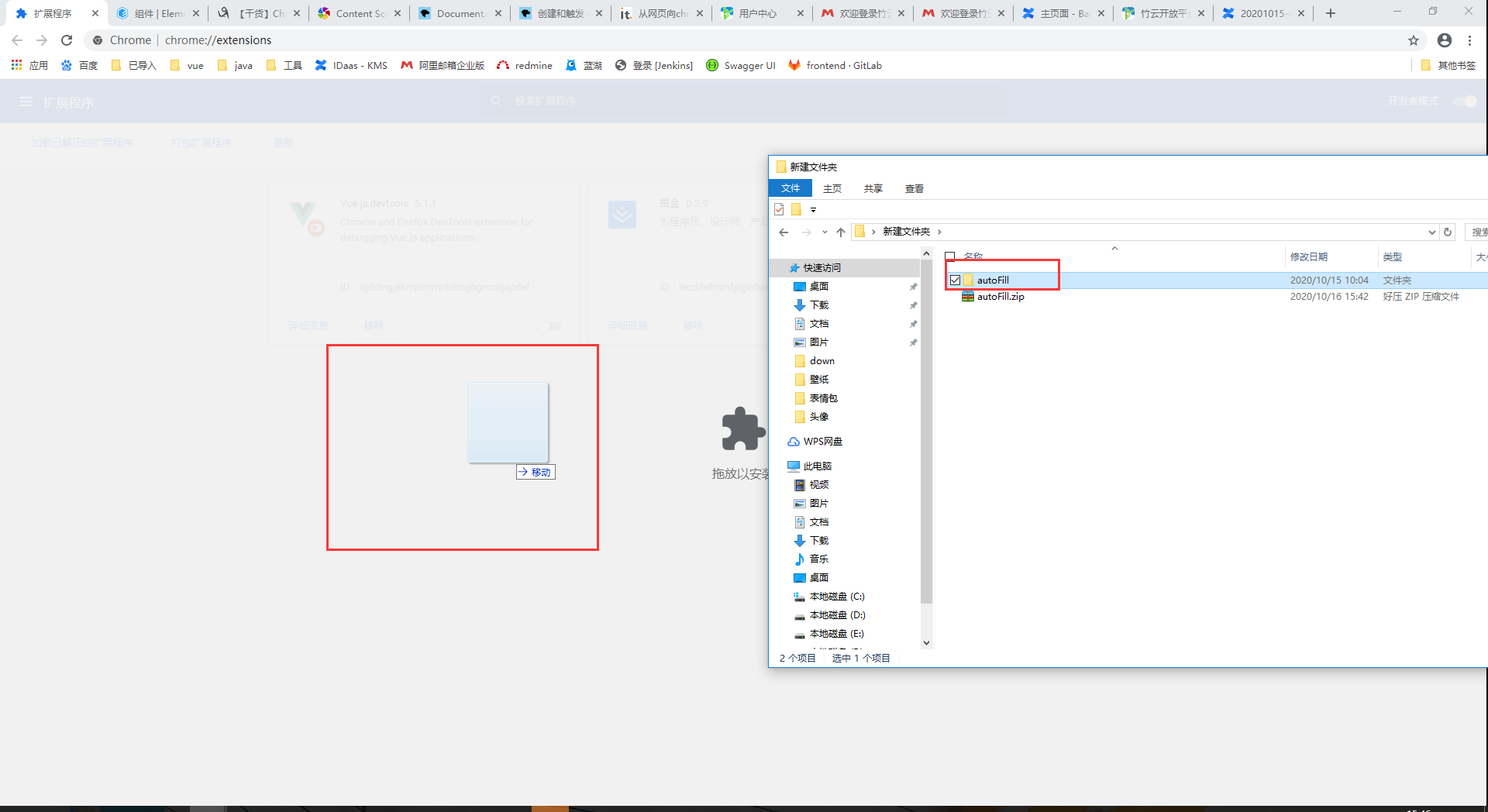
Drag and drop the autoFill folder onto the blank area and release.
# (4) Complete
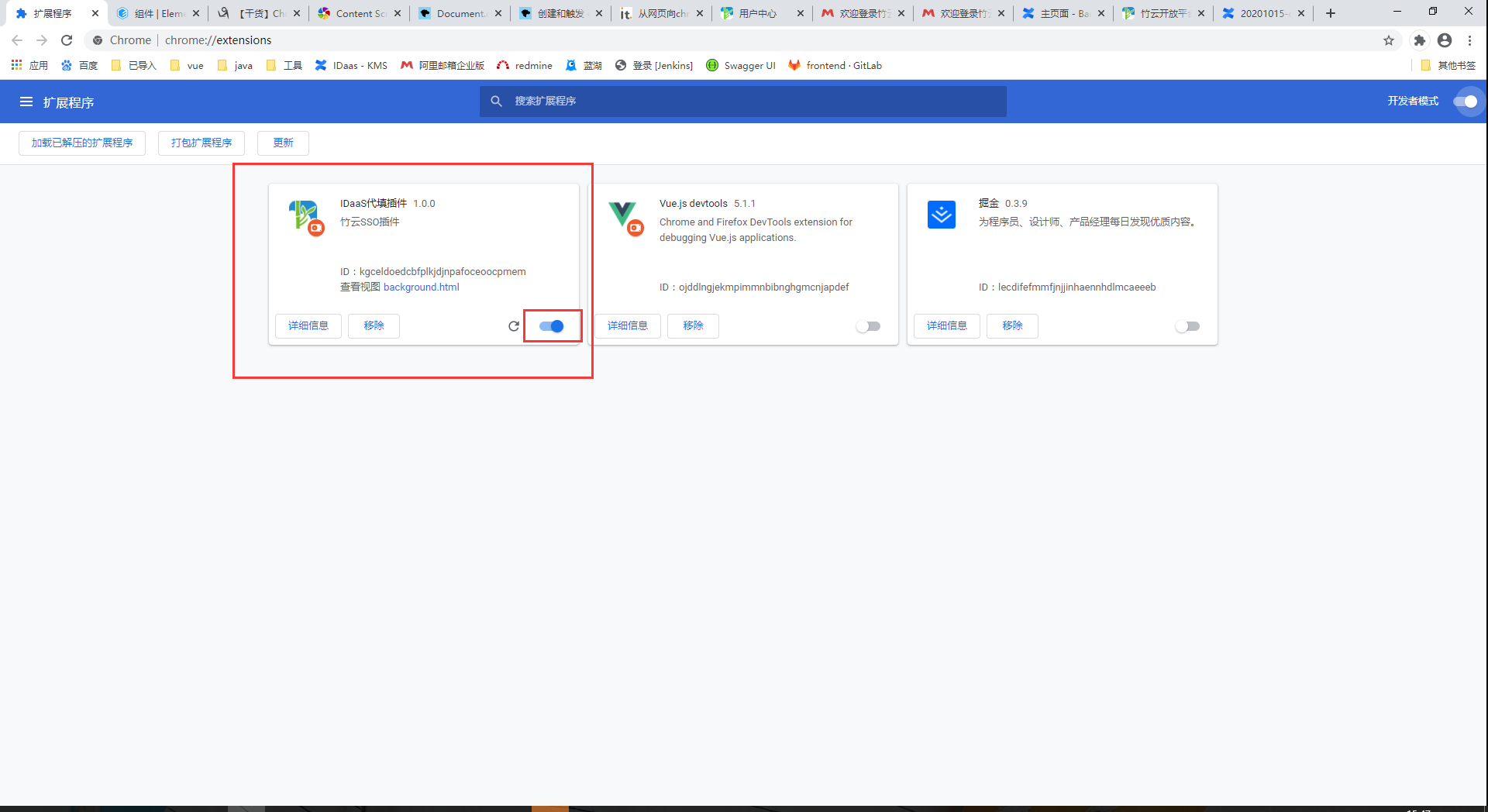 After completing all operations, return to the User Center homepage and refresh the page.