
Using Webhook to Monitor User Events
# Overview
Webhook allows you to monitor user events such as registration, login, and profile updates, enabling subsequent custom processing.
When adding a Webhook, you configure a callback address in the IDaaS platform and specify the user events to monitor. When a relevant user event is triggered, a POST request will be sent to the remote HTTP URL. Currently, this feature is only supported in 2C scenarios.
# Prerequisites
Have administrator permissions for the IDaaS Enterprise Center platform.
# Steps
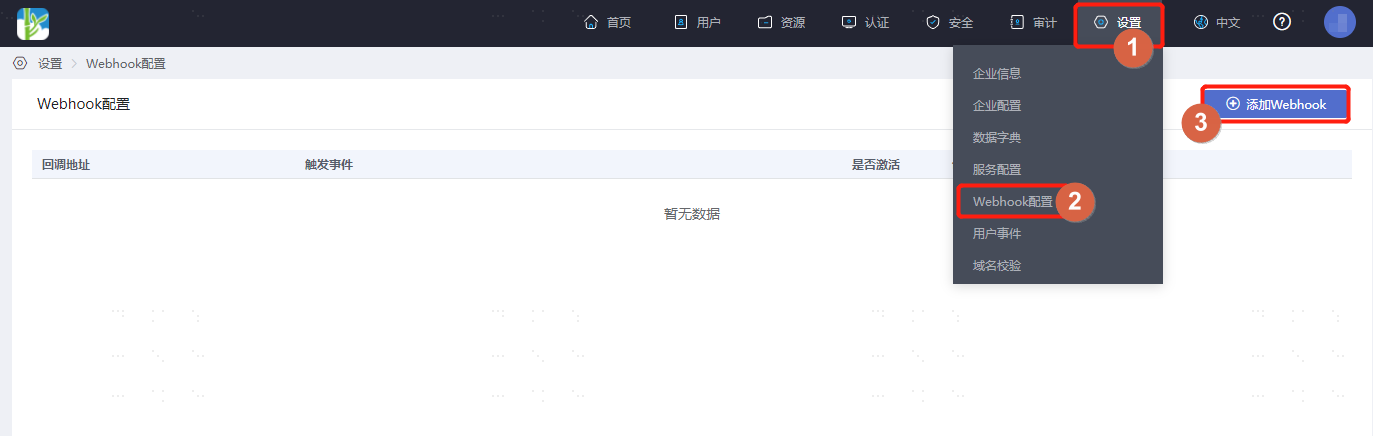
Log in to the IDaaS Enterprise Center platform. In the top navigation bar, select "Settings > Webhook Configuration," then click "Add Webhook."
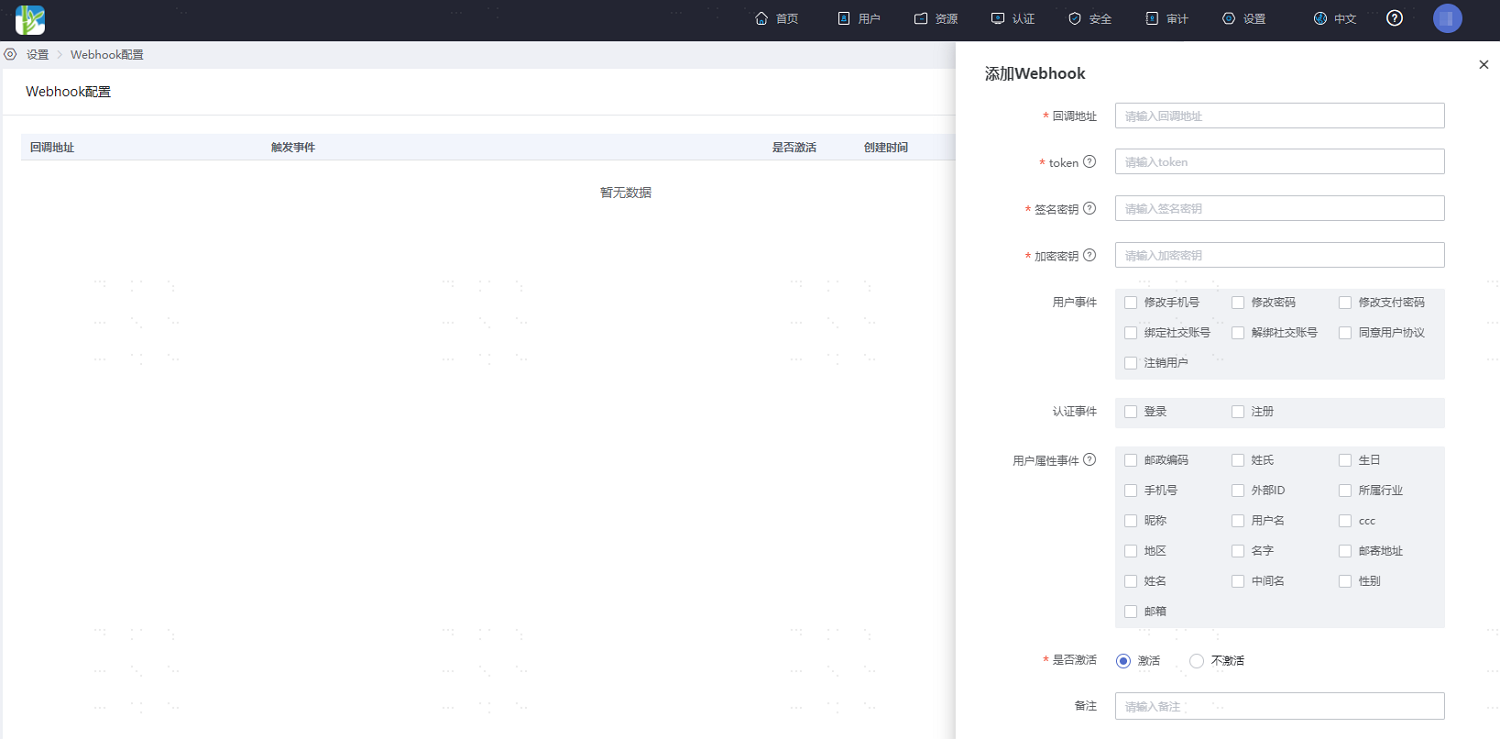
Fill in the relevant parameters for the custom Webhook as prompted on the interface, and check the user behavior events you wish to monitor.
After configuration is complete, return to the Webhook Configuration page. Click "Test" under the operations column of an existing Webhook to verify if the Webhook is functioning. Upon a successful test, you will see detailed request and response information.