
Add Enterprise Device
Device Authentication
# Overview
This section guides you through adding an enterprise device on the IDaaS platform.
# Prerequisites
- Basic information about the enterprise device has been collected, including device name, device IP, shared secret, etc.
- Please verify that the network device can connect to the IDaaS Radius service address. The Radius service address can be obtained from the enterprise center platform under "Settings > Service Configuration > RADIUS Configuration".
- Possess administrator privileges for the IDaaS Enterprise Center platform.
# Procedure
Log in to the IDaaS Enterprise Center platform, select "Resources > Enterprise Devices" from the top navigation bar, and click "Add Enterprise Device".
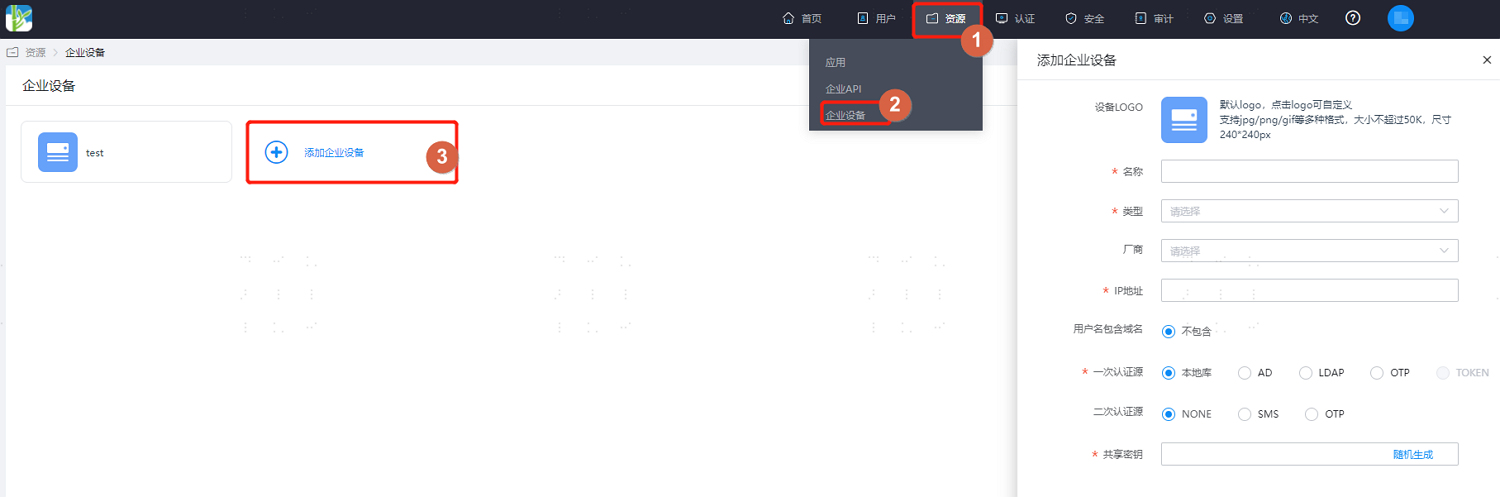
Key parameter descriptions are as follows:
Parameter Description Device LOGO Optional configuration. Set the LOGO for the enterprise device. The uploaded image file size should not exceed 50K. Name Set the display name of the enterprise device on the platform. Type Select the device type: VPN, NAS, OTHERS. Choose according to the type of enterprise device you need to add. Vendor Optional configuration. Select the device vendor: Huawei, Sangfor, H3C, Topsec, Fortinet, Cisco, Mikrotik, etc. Choose according to the vendor of the enterprise device you need to add. IP Address Set the egress IP that provides the VPN service. Primary Authentication Source Set the primary authentication method: Local Library, AD, LDAP, OTP.
Local Library: IDaaS's built-in authentication, e.g., username/password.
AD: Full name Active Directory. After selection, users will use the enterprise AD's user/password system for primary authentication.
LDAP: Lightweight Directory Access Protocol. After selection, users will use the enterprise LDAP's account/password system for authentication.
OTP: One-Time Password. After selection, users will use dynamic passwords for authentication.Secondary Authentication Source Optional configuration. Set the secondary authentication method. Once enabled, users need to perform secondary authentication when logging into the device: NONE, SMS, OTP.
NONE: Do not enable secondary authentication.
SMS: Full name Short Message Service. After selection, users will require SMS for secondary authentication.
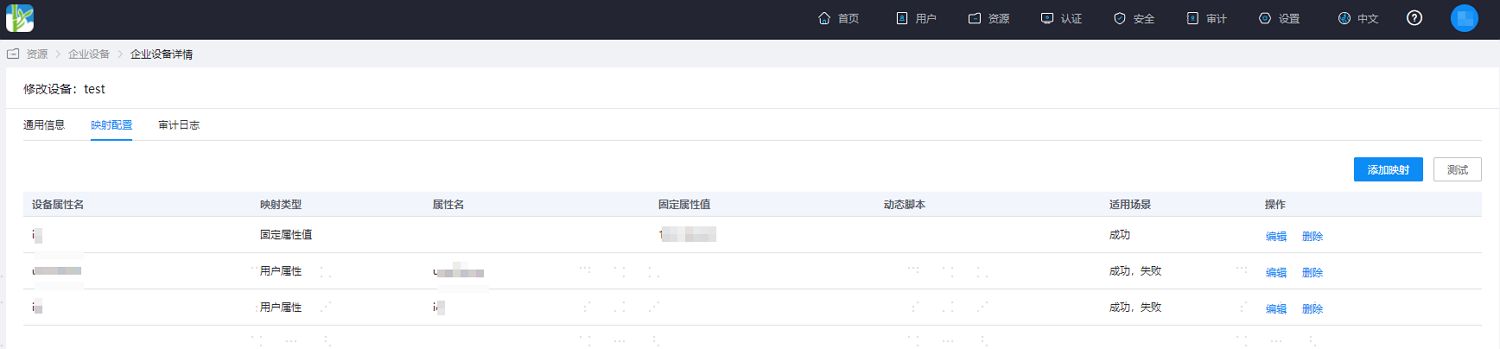
OTP: One-Time Password. After selection, users will use dynamic passwords for secondary authentication.Shared Secret The secret key used for mutual authentication between the VPN service and the IDaaS service. It must contain at least 2 of the following: digits, uppercase letters, lowercase letters, and special characters. Length: 16-32 characters. After configuration is complete, enter the device general information page, switch to the "Mapping Configuration" tab, and create vendor device attribute mappings.
In the top navigation bar, select "Users > Organization & Users", and add a test user, such as zhangsan, for subsequent use in logging into the device with this test user.