
Gateway Management
# Add Gateway
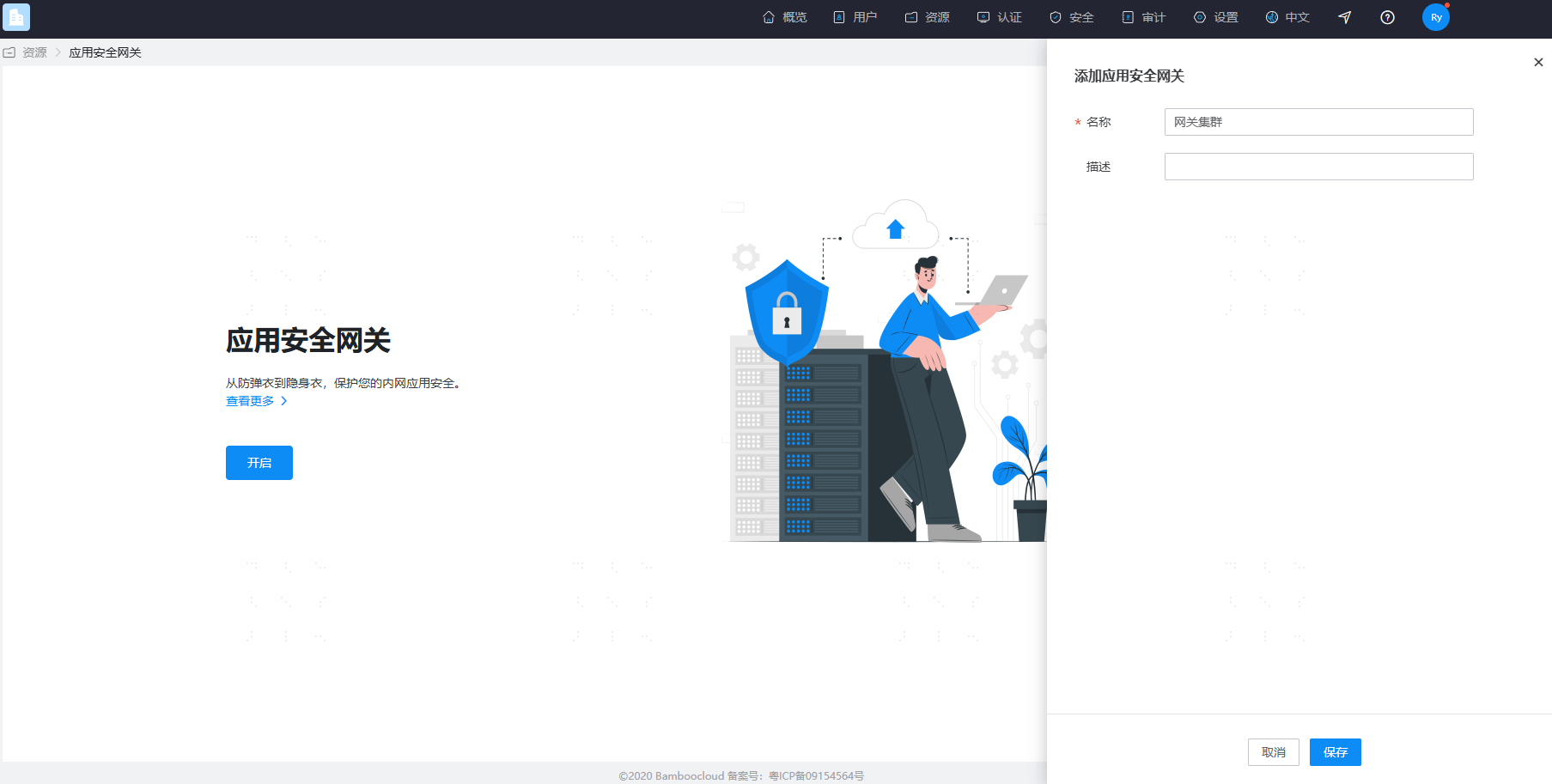
- Under 【Resources】-【Application Security Gateway】-【Gateway Management】, multiple Application Security Gateways can be managed. An Application Security Gateway is a cluster concept. That is, multiple gateway Servers form a gateway cluster.
- Typically, the gateway Servers under a cluster are considered to have consistent functionality and identical configurations. These identical configurations can be uniformly set in the advanced configuration of the gateway cluster.
- However, different Servers within the cluster may have different listening service ports. Therefore, we have set up configuration items for listening ports in the Server settings.
- The added gateway has the port hiding capability enabled by default.
# Add Gateway Server
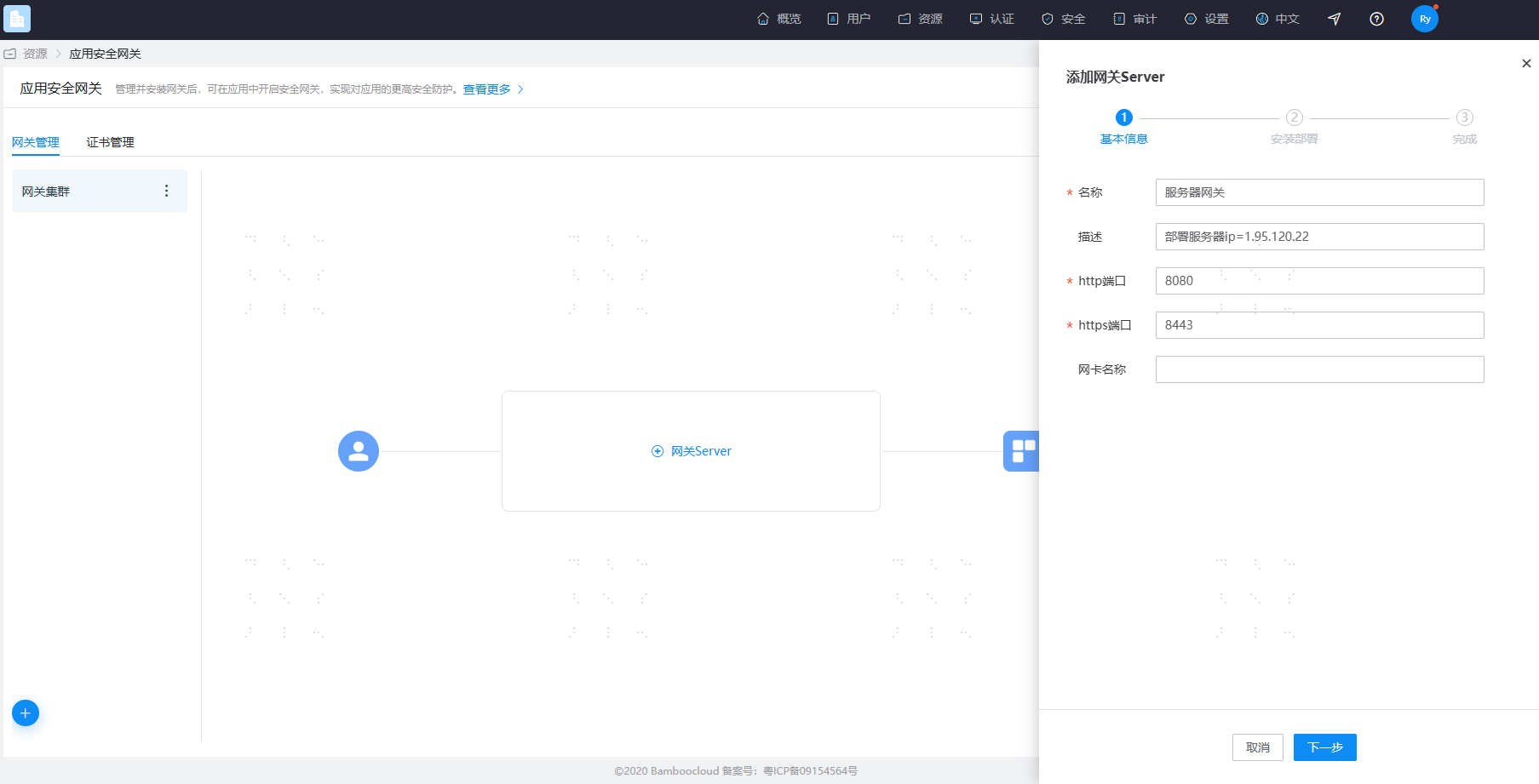
- Each Server corresponds to a gateway instance, meaning the deployed gateway instance connects to a Server. Multiple Servers form a gateway cluster.
- The gateway Server must have both an HTTP listening port and an HTTPS listening port set. These two ports listen for all proxy application access. The two ports must not be the same and must not conflict with other ports on the server. Ports are hidden by default to enhance the security of resource access. When an application has a certificate configured, access to that application goes through the gateway's HTTPS port; otherwise, it goes through the HTTP port.
- Please follow the page guide to complete the installation and deployment of the gateway Server. For more guidance, please refer to Gateway Installation.
- When deploying each gateway instance, the
gateway_idin the configuration parameters must not be duplicated. For example, if multiple proxy servers are needed in a production environment deployment, multiple gateway Servers need to be created and deployed on different servers.
# Configure Gateway Certificate
- Under 【Resources】-【Application Security Gateway】-【Certificate Management】, HTTPS certificates can be managed.
- The certificate requires uploading a private key file (.key format) and a certificate file (.crt format).
- In the Application Security Gateway, if a certificate is selected, the current application will be added to the HTTPS port listened by the gateway Server for proxying; otherwise, it will use the HTTP port.
# Enable Security Gateway for Application
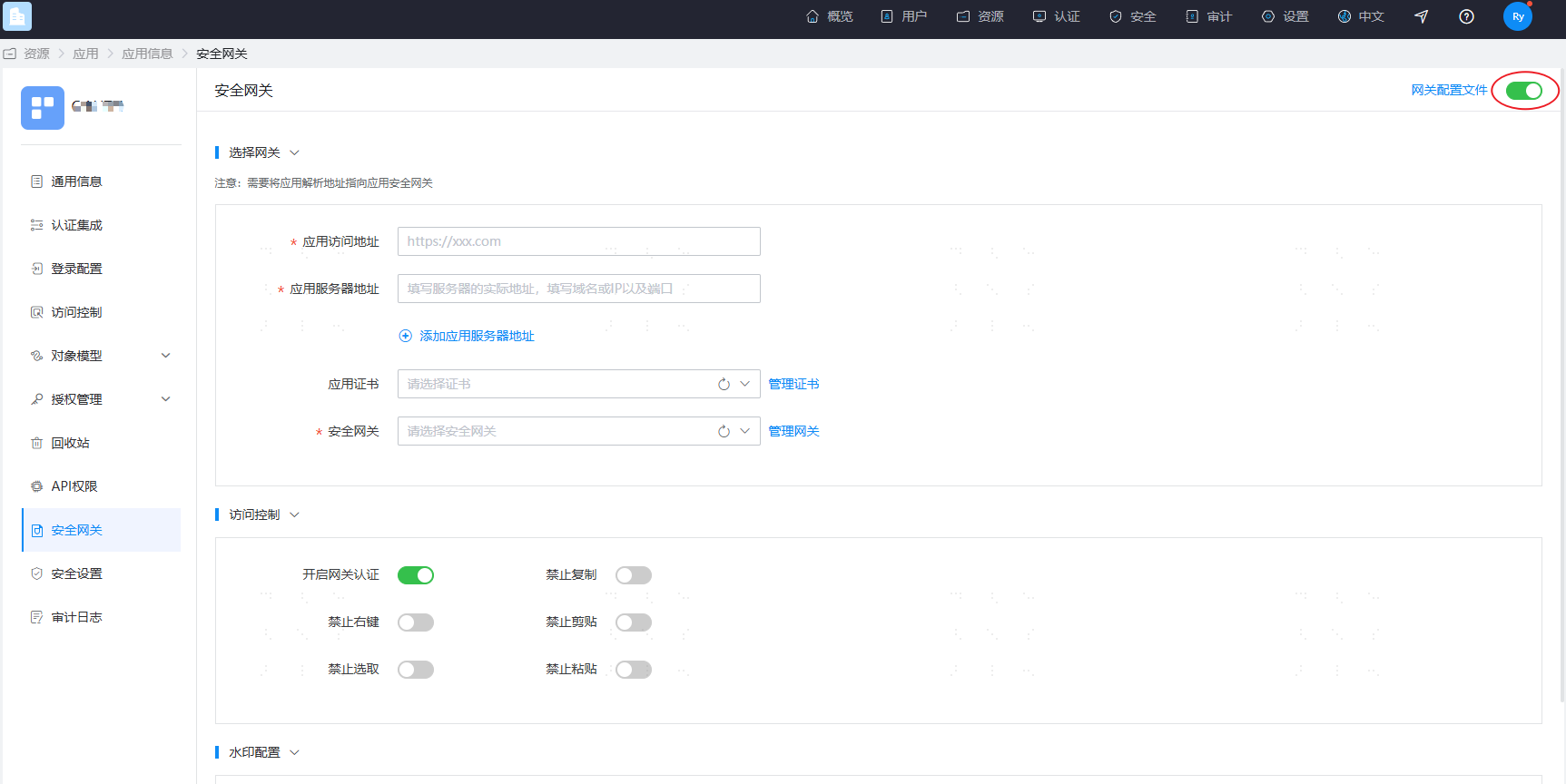
Go to the Resources - Applications page, select the application for which you want to enable the Application Security Gateway, and enter the application details page. Find 【Security Gateway】 in the left navigation of the details page. After enabling it, you can configure the application to access the gateway.
# Single Gateway Proxy Configuration
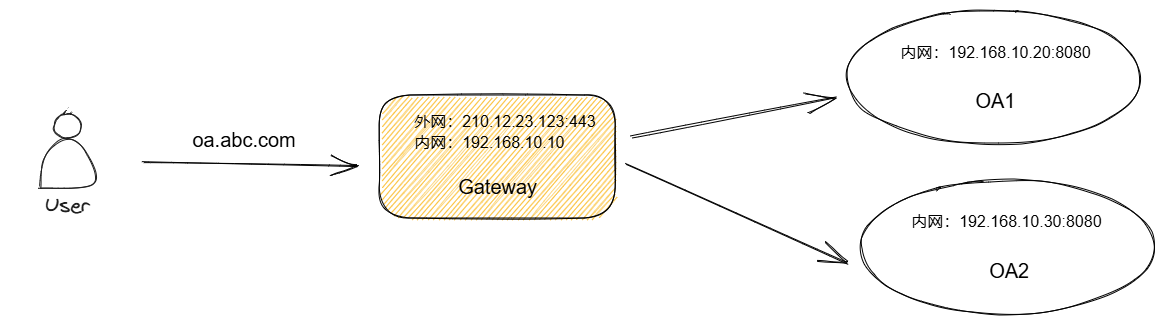
In this scenario, users originally accessed the application directly, and the certificate was on the application. After adding the gateway, users access the HTTPS port listened by the gateway server, the certificate is configured on the gateway, and the gateway accesses the application server's HTTP address via reverse proxy.
- Application Access Address: https://oa.abc.com
- Application Server Addresses: 192.168.10.20:8080, 192.168.10.30:8080
- Select the corresponding certificate
- Select the security gateway. This gateway has a single Server added, deployed on the 192.168.10.10 server. Add an A record for the domain name oa.abc.com pointing to the gateway deployment server's IP.
# Gateway Cluster Proxy Configuration
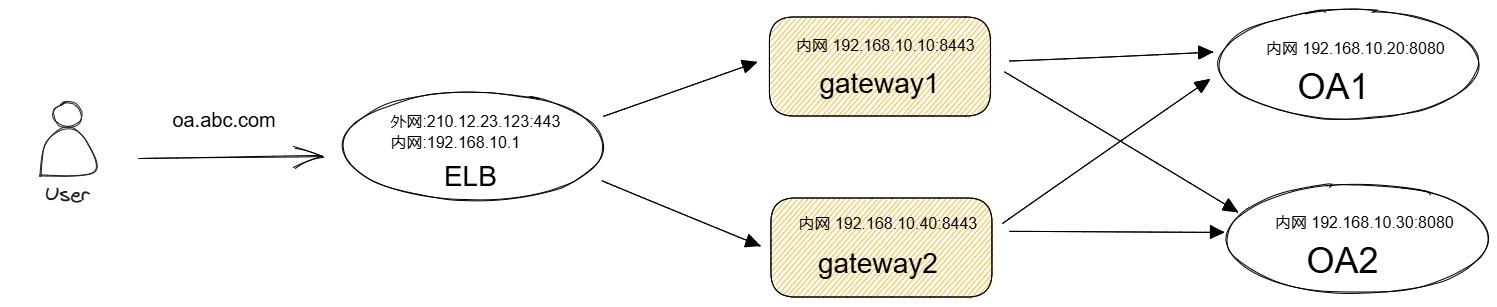
In this scenario, an ELB or other Layer 4 proxy server is typically used for load balancing of the gateway cluster.
- Application Access Address: https://oa.abc.com
- Application Server Addresses: 192.168.10.20:8080, 192.168.10.30:8080
- Select the corresponding certificate
- Select the security gateway. This gateway contains two Servers, deployed on 192.168.10.10 and 192.168.10.40 respectively, both with the HTTPS port set to 8443.
- The application access address https://oa.abc.com is configured via DNS to access the ELB port 443. This must be a Layer 4 load balancer.
- It accesses the specified HTTPS port on the gateway Server (can be a non-443 port).
- The TLS certificate is configured on the gateway. The gateway will automatically read the certificate configuration and proxy access to the application server.
For more configuration, please refer to Gateway Configuration