
Alibaba Cloud Console and Zhuyun IDaaS Authentication Integration (Role-Based)
# Description
This document describes how to implement IDaaS login to the Alibaba Cloud Console (based on Alibaba Cloud Console roles).
Reference document: SAML Configuration for Alibaba Cloud SP during Role SSO (opens new window)
# Operation Process

# Prerequisites
The administrator has an Alibaba Cloud account.
The administrator has access to the IDaaS Enterprise Center.
# Authentication Configuration
# Alibaba Cloud System Configuration
- Log in to the Alibaba Cloud 【Console】--》【RAM Access Control】--》【SSO Management】 as an administrator, and create an Identity Provider.
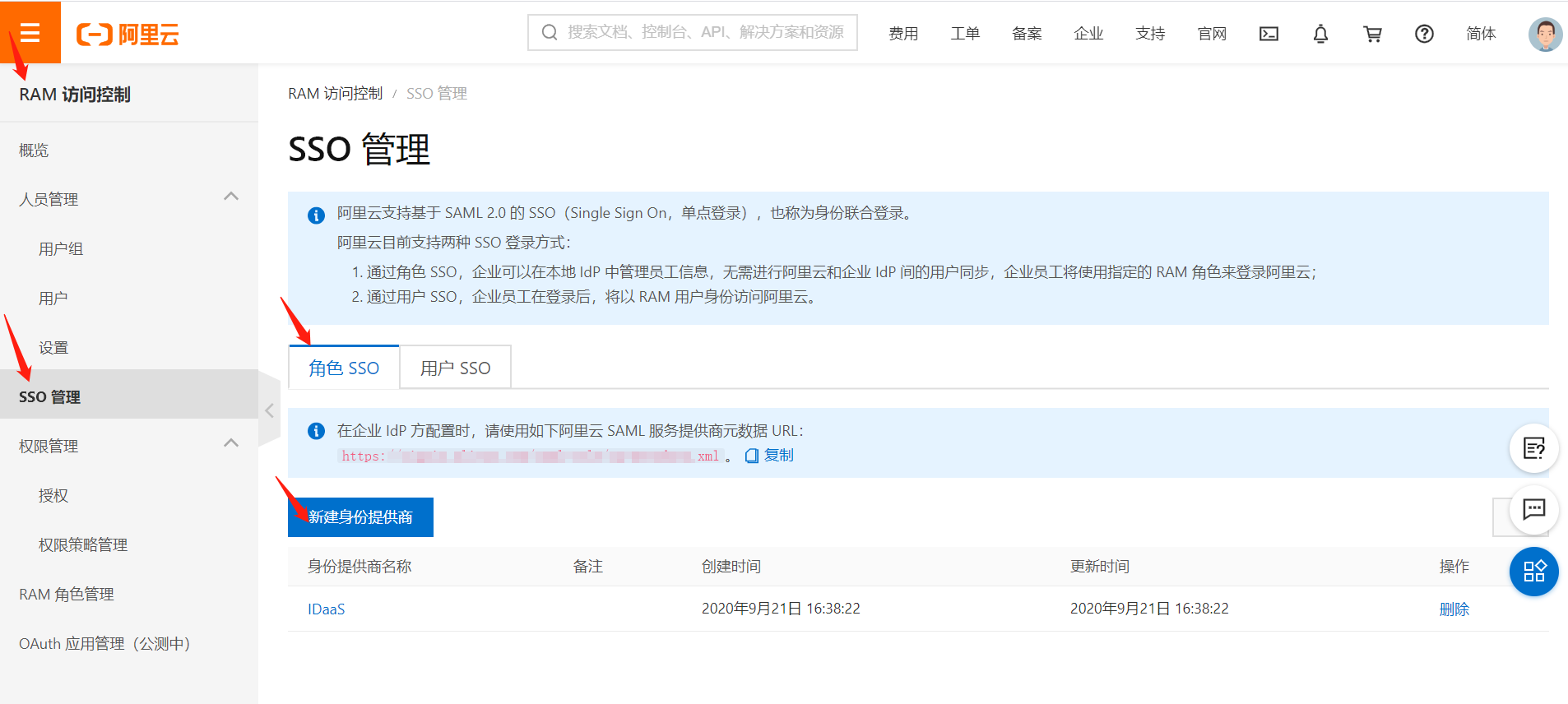
- Edit the provider name, upload the metadata document, upload the IDP metadata provided by IDaaS (saved as an XML format file). To download IDaaS IDP metadata, please visit https://{your_domain}/api/v1/saml2/idp/metadata.
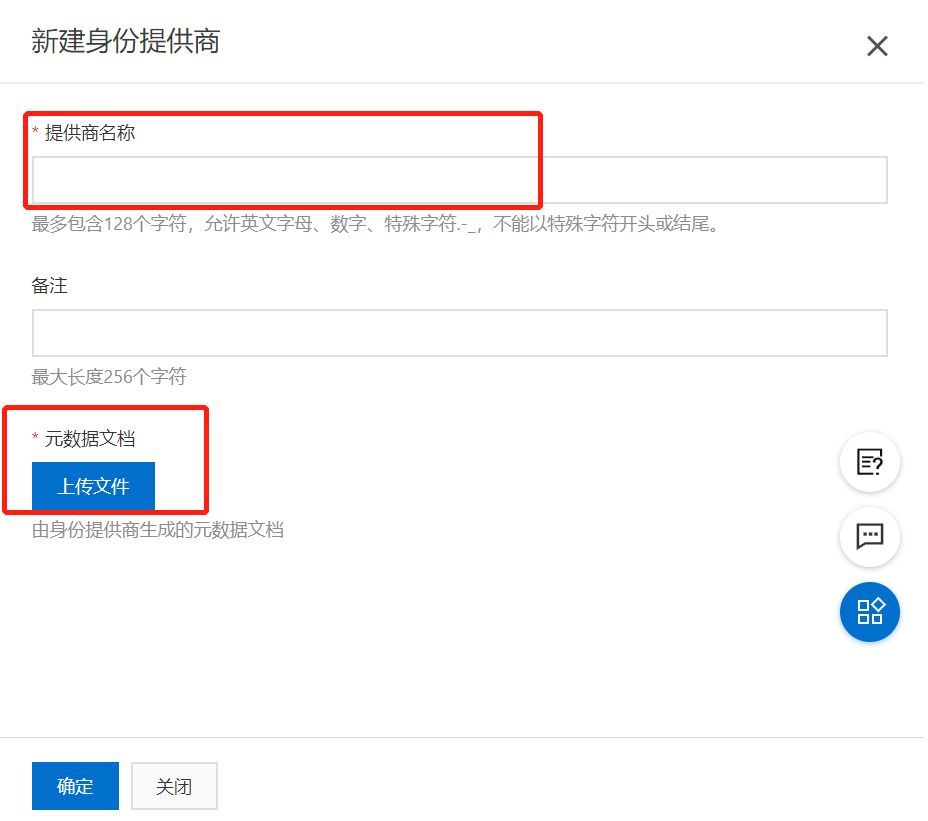
- After configuration is complete, open the SAML Service Provider Metadata URL to view Alibaba Cloud's metadata.

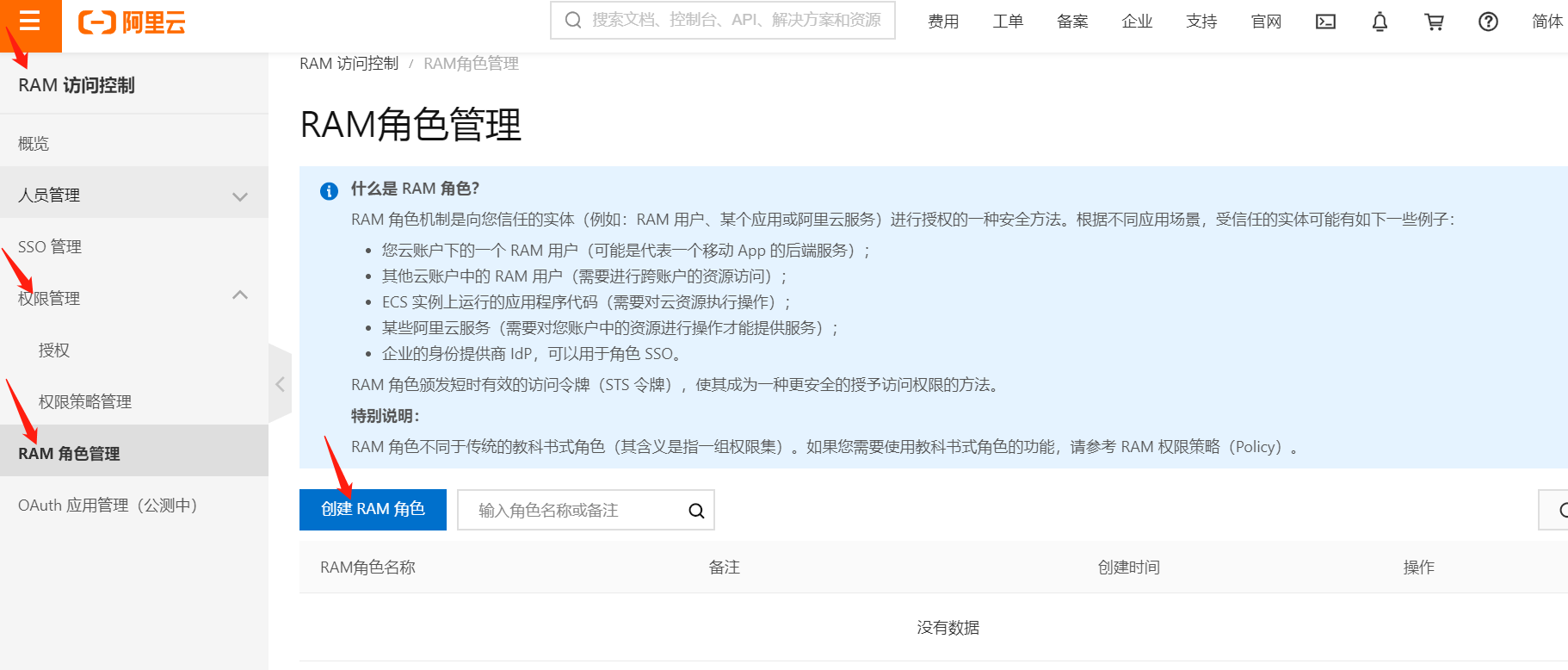
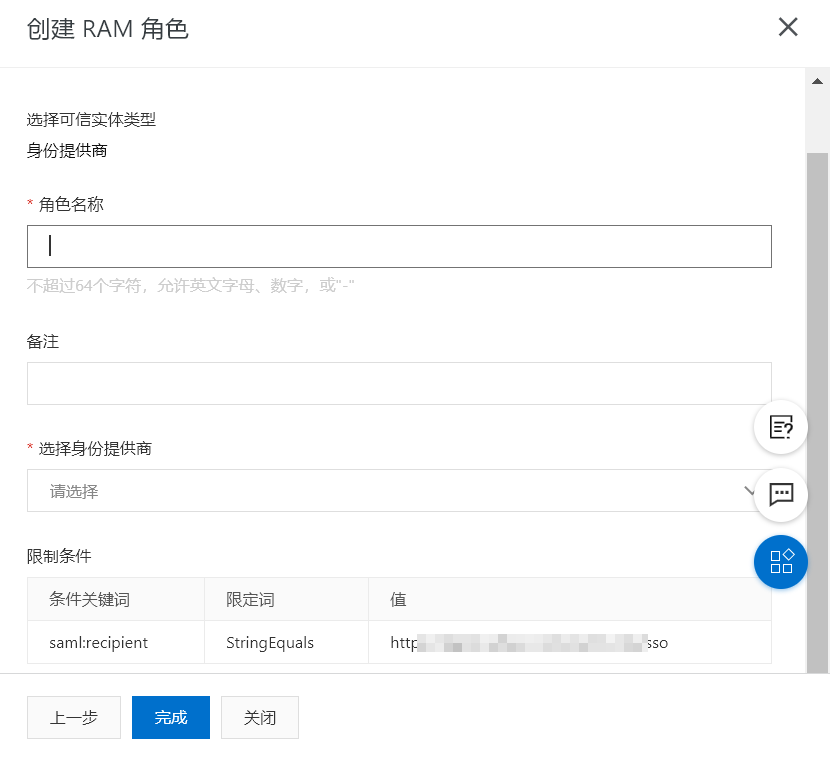
- Create a new RAM role.

# IDaaS Configuration
Log in to the IDaaS Enterprise Center 【Resources】--》【Applications】--》【Pre-integrated Applications】--》search for Alibaba Cloud.
Configure authentication parameters based on Alibaba Cloud Metadata (opens new window).


Click the application icon 【Authentication Configuration】--》【Mapping Configuration】--》add mapping.
The following Attribute elements required by Alibaba Cloud must be included in the AttributeStatement element of the SAML assertion:
An Attribute element with the Name attribute value of https://www.aliyun.com/SAML-Role/Attributes/Role
- It is composed of the role ARN and the identity provider ARN, separated by an English comma (,). You can obtain these two ARNs from the Alibaba Cloud Console: Role ARN: On the RAM role management page, click the RAM role name, and the corresponding ARN can be viewed on the basic information page. Identity Provider ARN: On the Role SSO tab of the SSO Management page, click the identity provider name, and the corresponding ARN can be viewed on the identity provider information page.
An Attribute element with the Name attribute value of https://www.aliyun.com/SAML-Role/Attributes/RoleSessionName
- This element is mandatory and there can only be one. The AttributeValue element it contains will be used as part of the login user information displayed on the console and in operation audit logs. If multiple users use the same role, please ensure a RoleSessionName value that can uniquely identify the user is used to distinguish between different users, such as employee ID, email address, etc. The requirement for its AttributeValue element value: length should be no less than 2 characters and no more than 32 characters, and can only be English letters, numbers, and the following special characters: -_.@=,+.


Switch to the "Authorization Management - Application Accounts" tab, and add an account.
# Login Verification
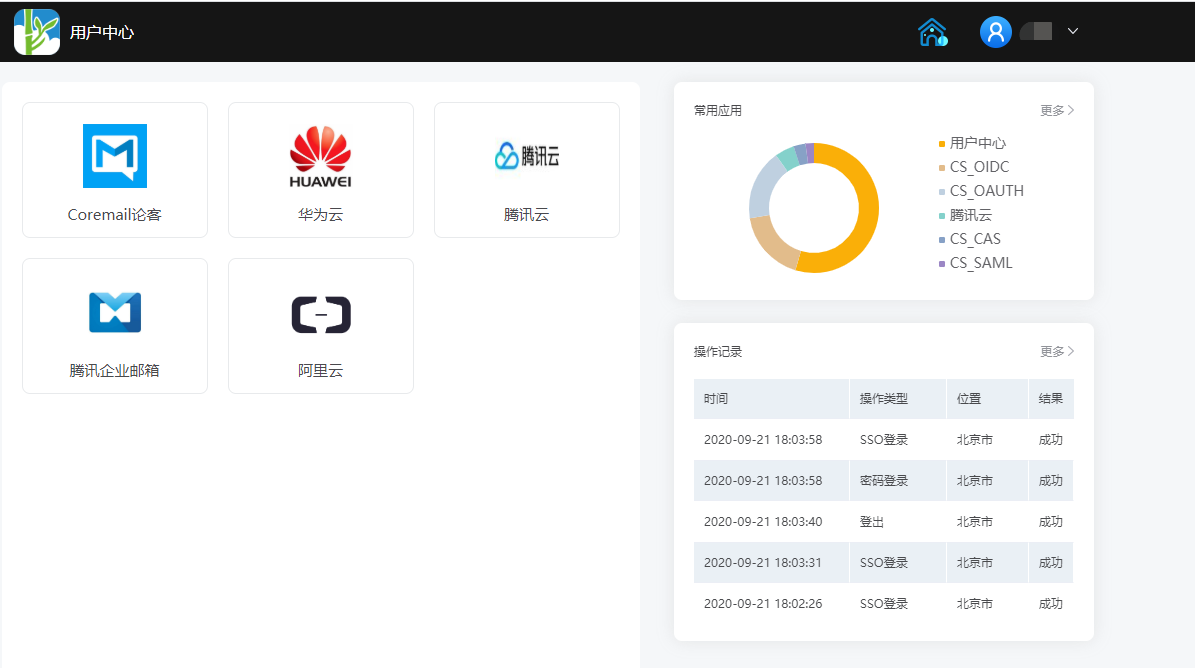
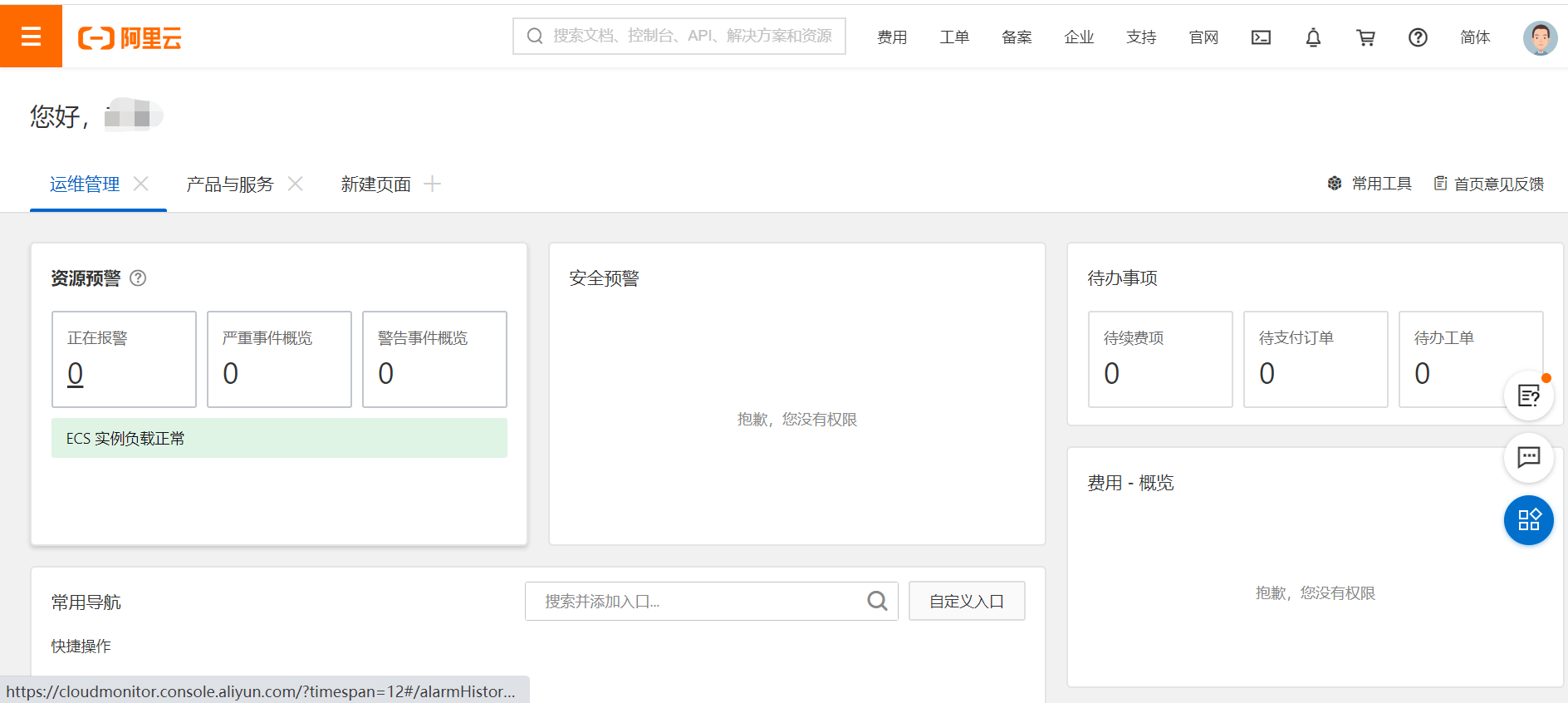
Authorized users log in to the IDaaS User Center, click the Alibaba Cloud logo, and perform single sign-on to the Alibaba Cloud system.
I am ready. Please provide the Markdown content for translation.