
Alibaba Cloud RAM Access Control Platform Data Synchronization
# Description
This article explains how to synchronize personnel data from IDaaS to the Alibaba Cloud RAM Access Control platform, enabling data flow from IDaaS to Alibaba Cloud RAM.
# Prerequisites
Administrator permissions for the IDaaS Enterprise Center platform. Administrator permissions for the Alibaba Cloud RAM Access Control platform.
# Synchronization Configuration
# Alibaba Cloud RAM Access Control Platform
Log in to the Alibaba Cloud RAM Access Control platform using an administrator account.
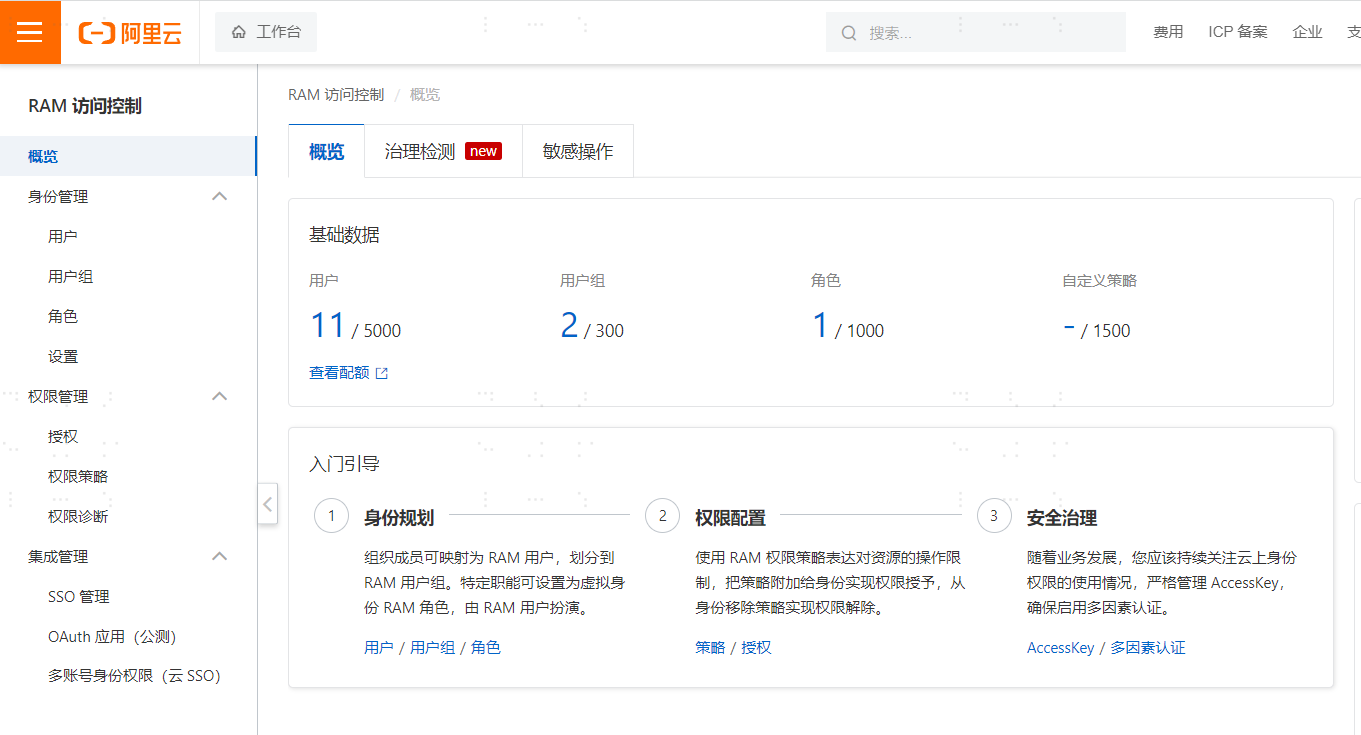
Navigate to 【RAM Access Control】 -> 【Users】 -> 【Create User】 -> Check 【Console Access】 and 【OpenAPI Call Access】.
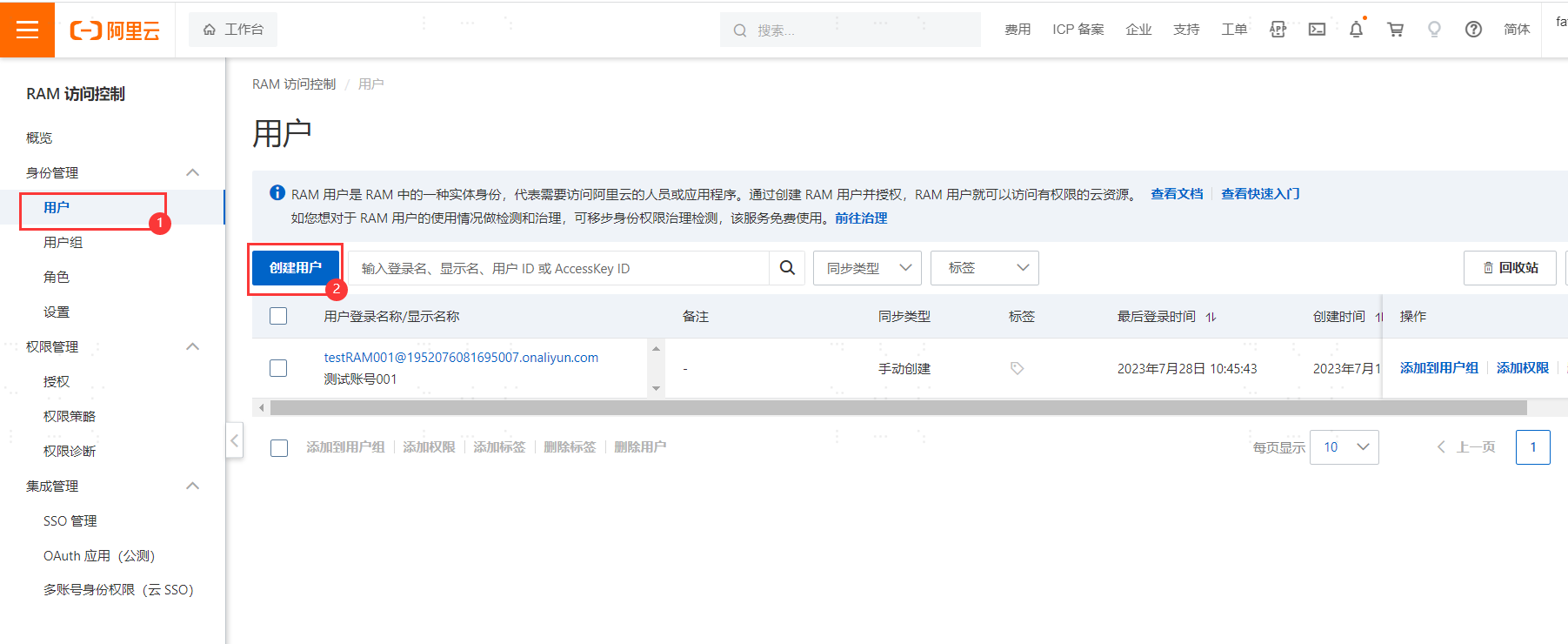
Save the user -> Obtain the user's 【AccessKeyId】 and 【AccessKeySecret】.

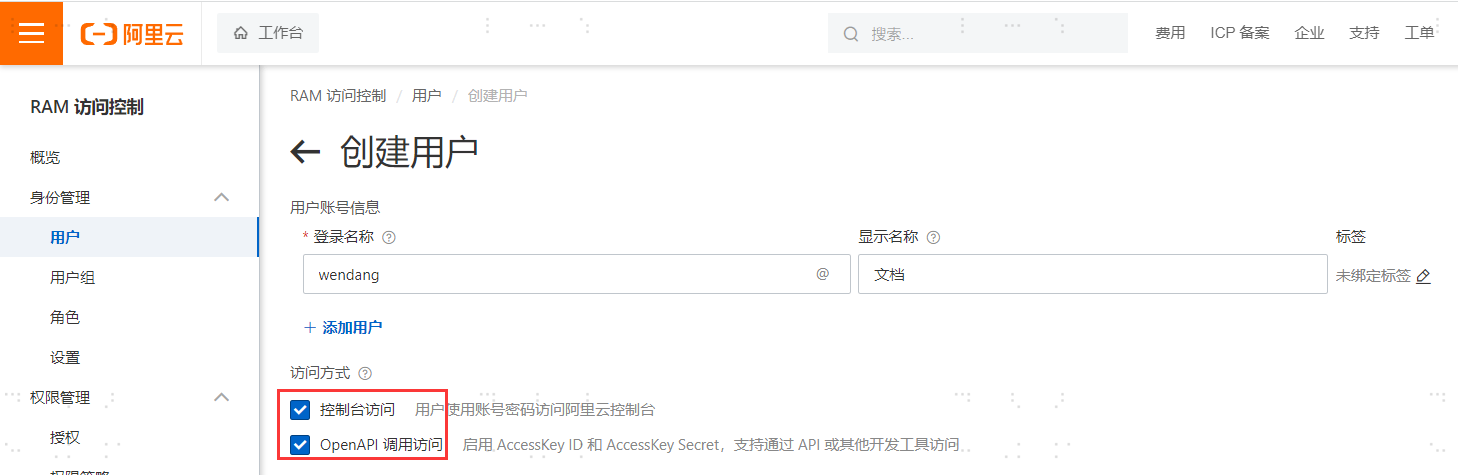
Click on the created account -> Select 【Permission Management】 -> 【Add Authorization】 -> Select 【AliyunRAMFullAccess】 and 【AliyunRAMReadOnlyAccess】 to enable permissions.
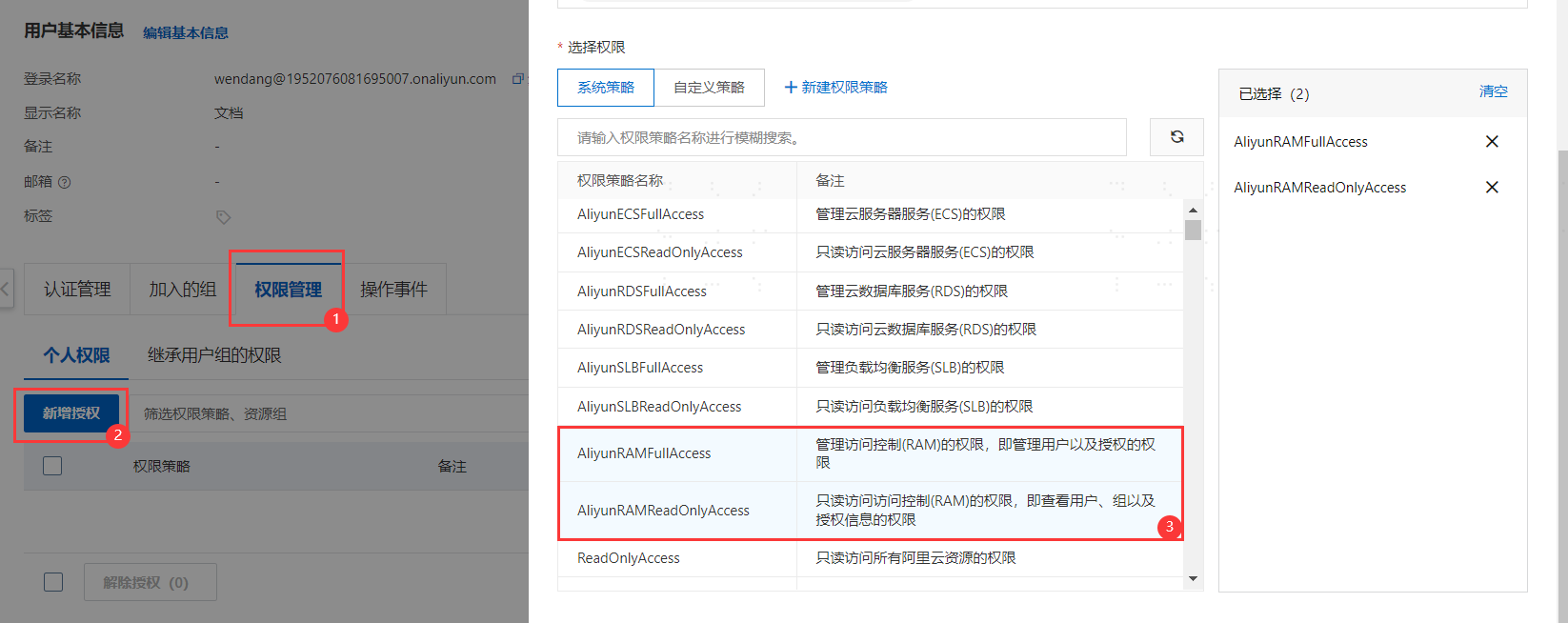
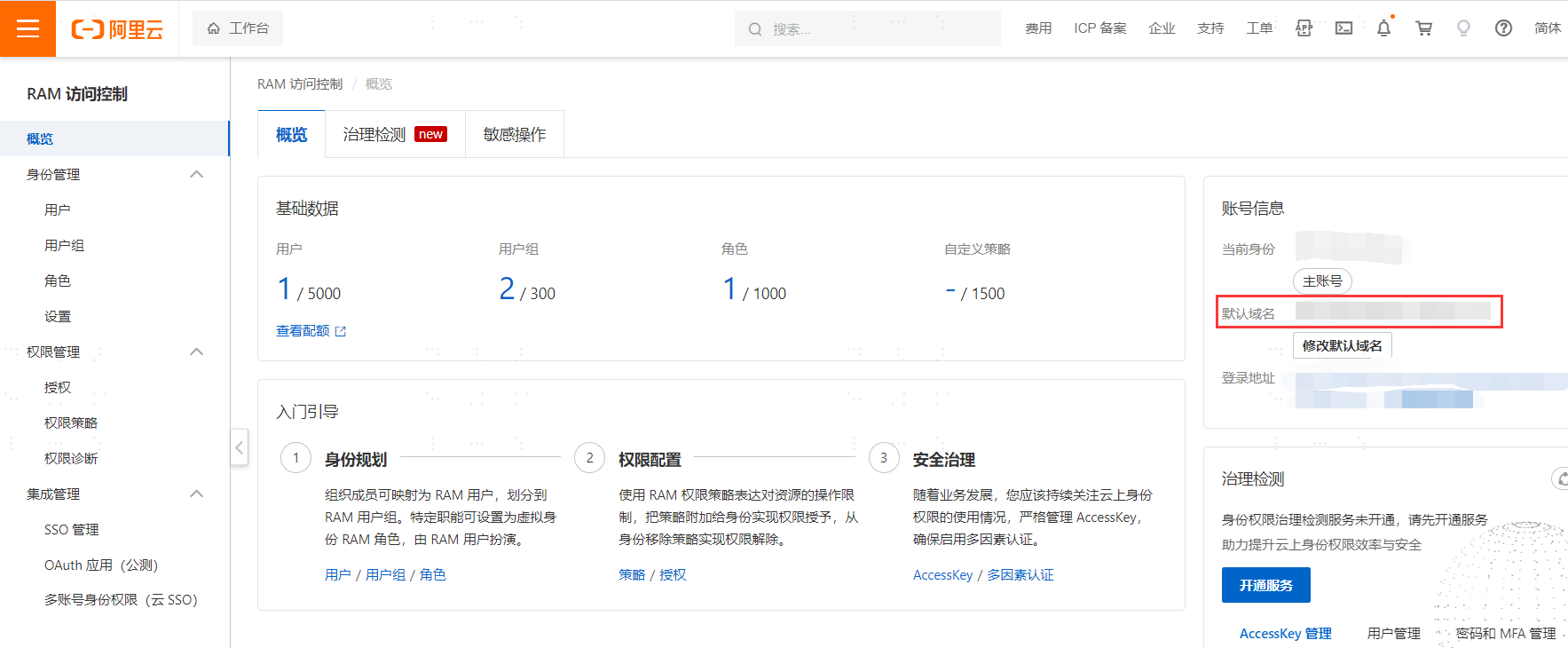
Click 【Overview】 -> Copy the 【Default Domain】 parameter.
# IDaaS Configuration
Log in to the IDaaS Enterprise Center platform, select "Resources > Applications", add the pre-integrated application Alibaba Cloud RAM, and configure the application parameters. Key parameters are as follows.
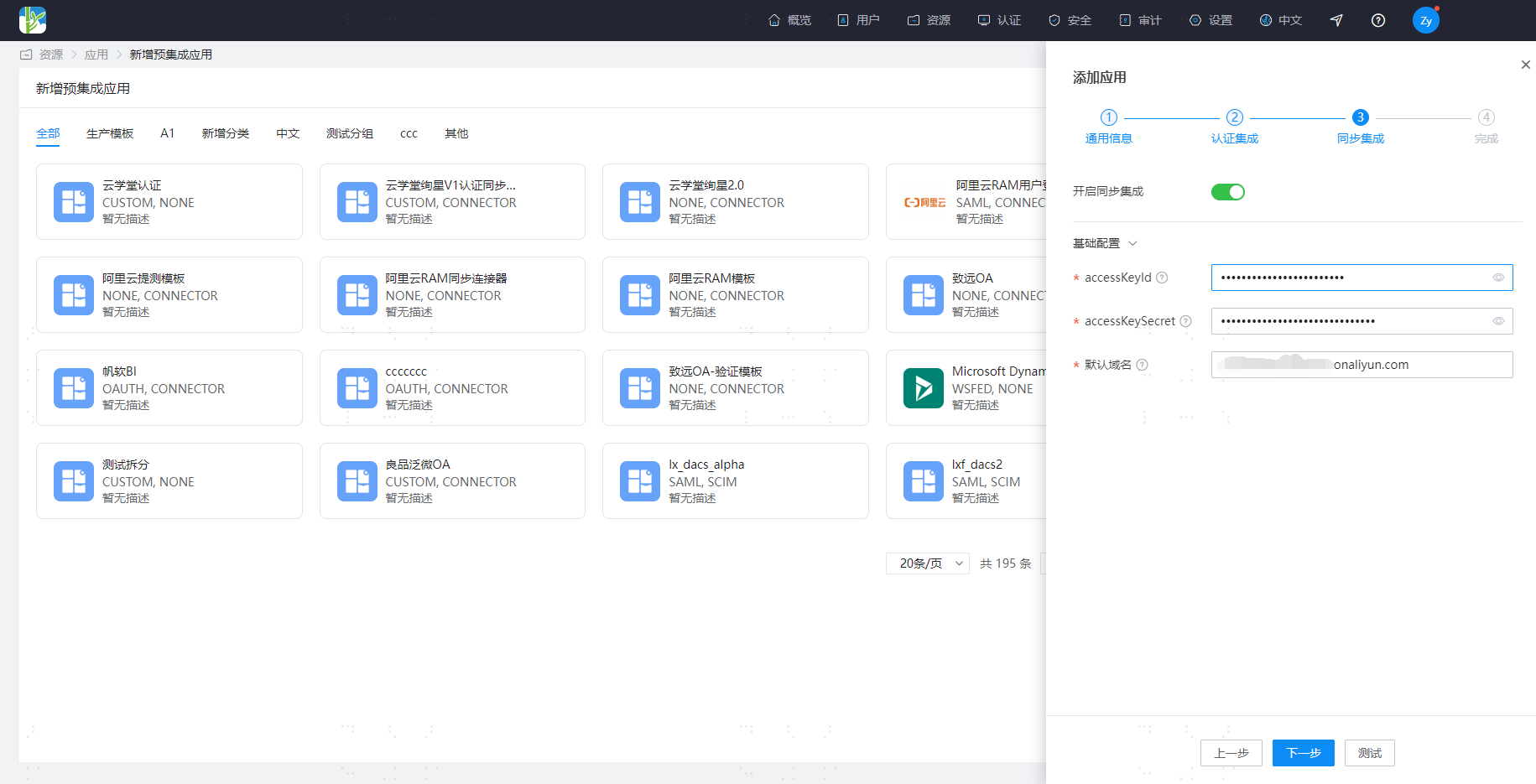
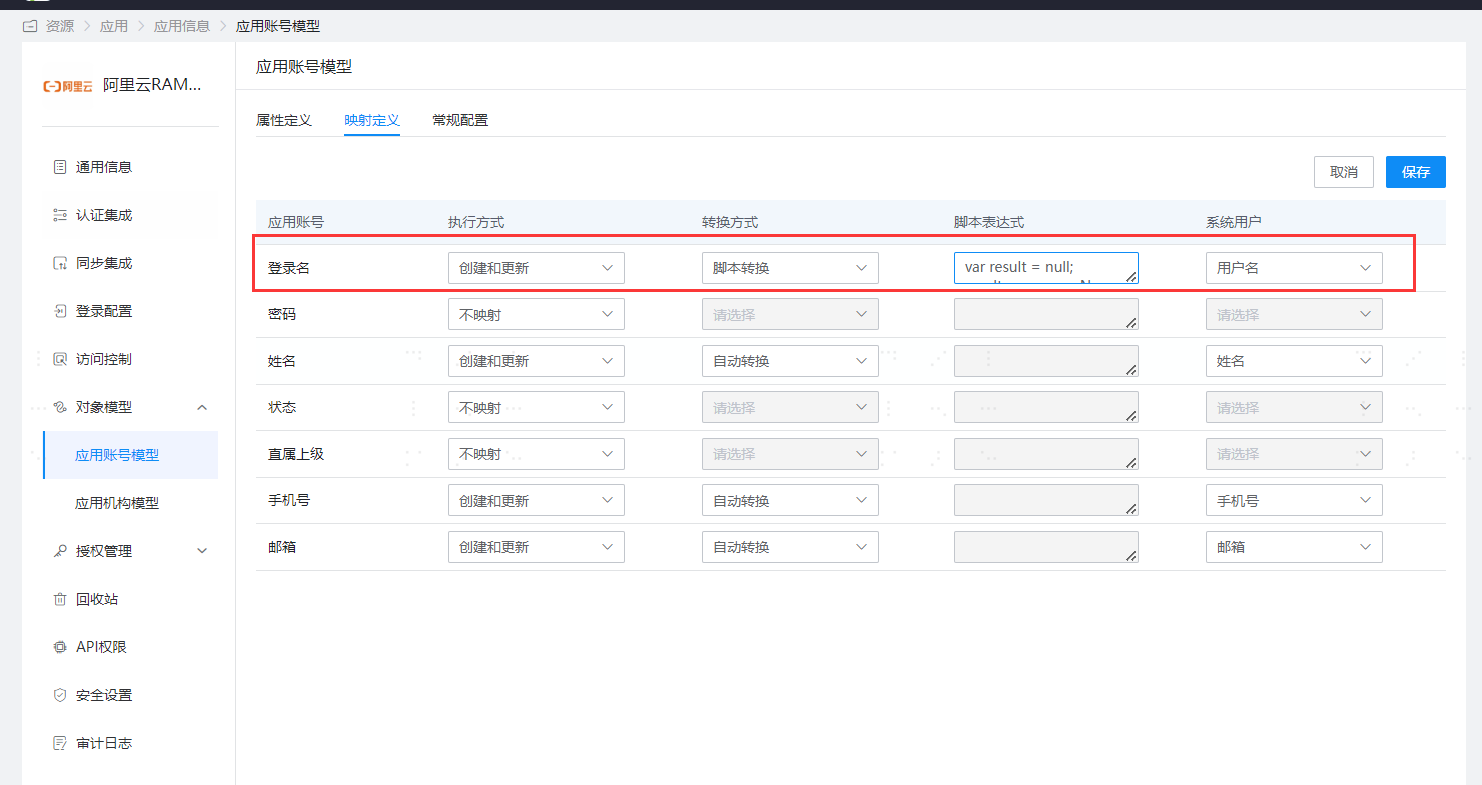
Parameter Description accessKeyId The key ID used to identify the user. You can choose an Alibaba Cloud account or a RAM account. For resource security, it is recommended to use the RAM account's accessKeyId. Go to the RAM console, select Identity Management -> Users. Click on the target RAM user's name, create an AccessKey in the User AccessKey section. And add the AliyunRAMFullAccess system policy permission to this RAM account in Permission Management -> Authorization. accessKeySecret The key used to verify the user. You can choose an Alibaba Cloud account or a RAM account. For resource security, it is recommended to use the RAM account's accessKeySecret. Go to the RAM console, select Identity Management -> Users. Click on the target RAM user's name, create an AccessKey in the User AccessKey section. And add the AliyunRAMFullAccess system policy permission to this RAM account in Permission Management -> Authorization. In "Application Account Model > Mapping Definition", change the conversion method to Script Expression and configure the following script. The Alibaba Cloud default address needs to be replaced.
var result = null; result = user.userName + "@Alibaba Cloud Default Address"; result;
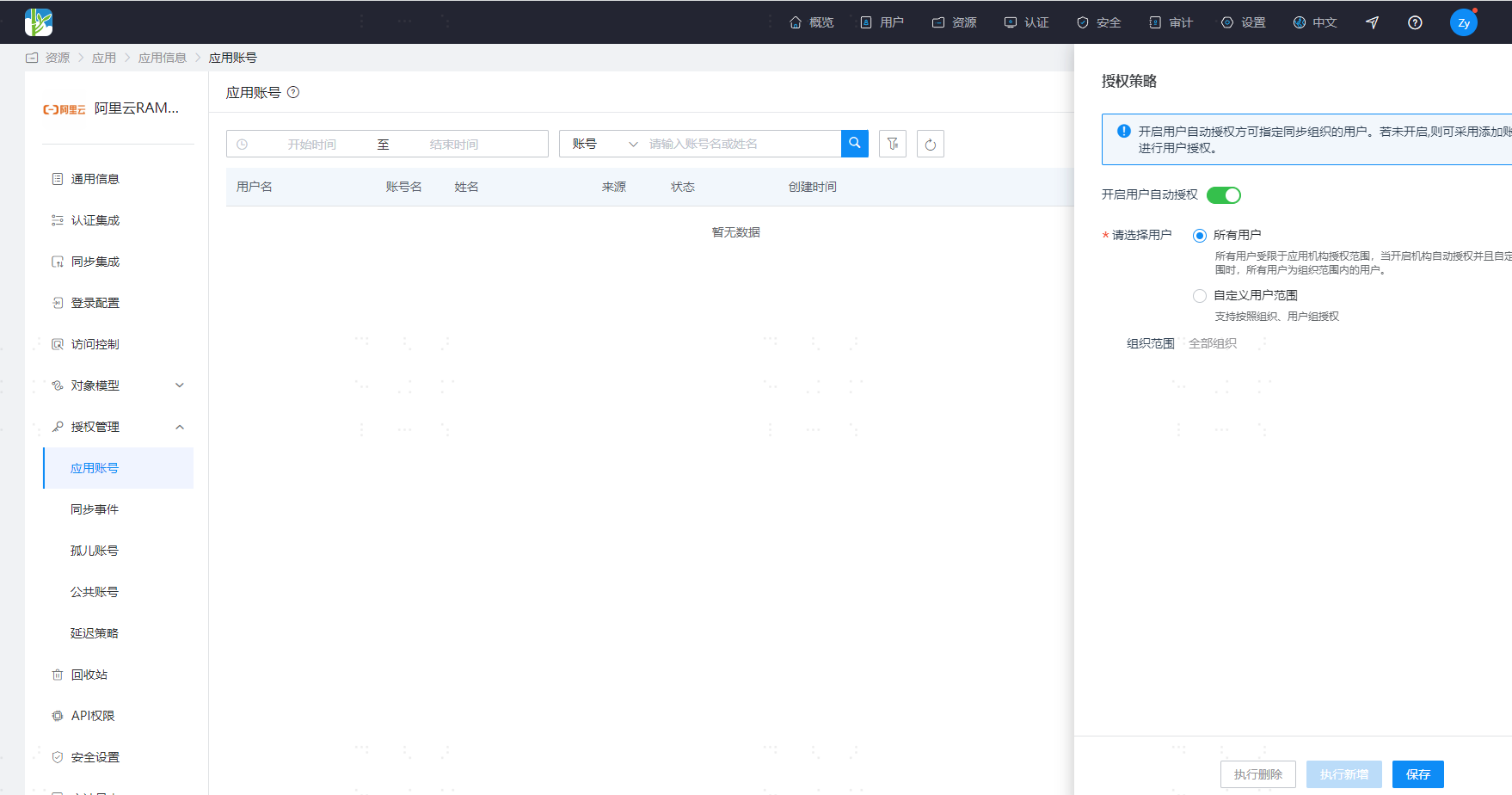
After configuration is complete, go to the application details, switch to the "Authorization Management > Application Accounts" page, click "Authorization Policy" to enable automatic user authorization, select the user scope, click the save button, and then click Execute Add.
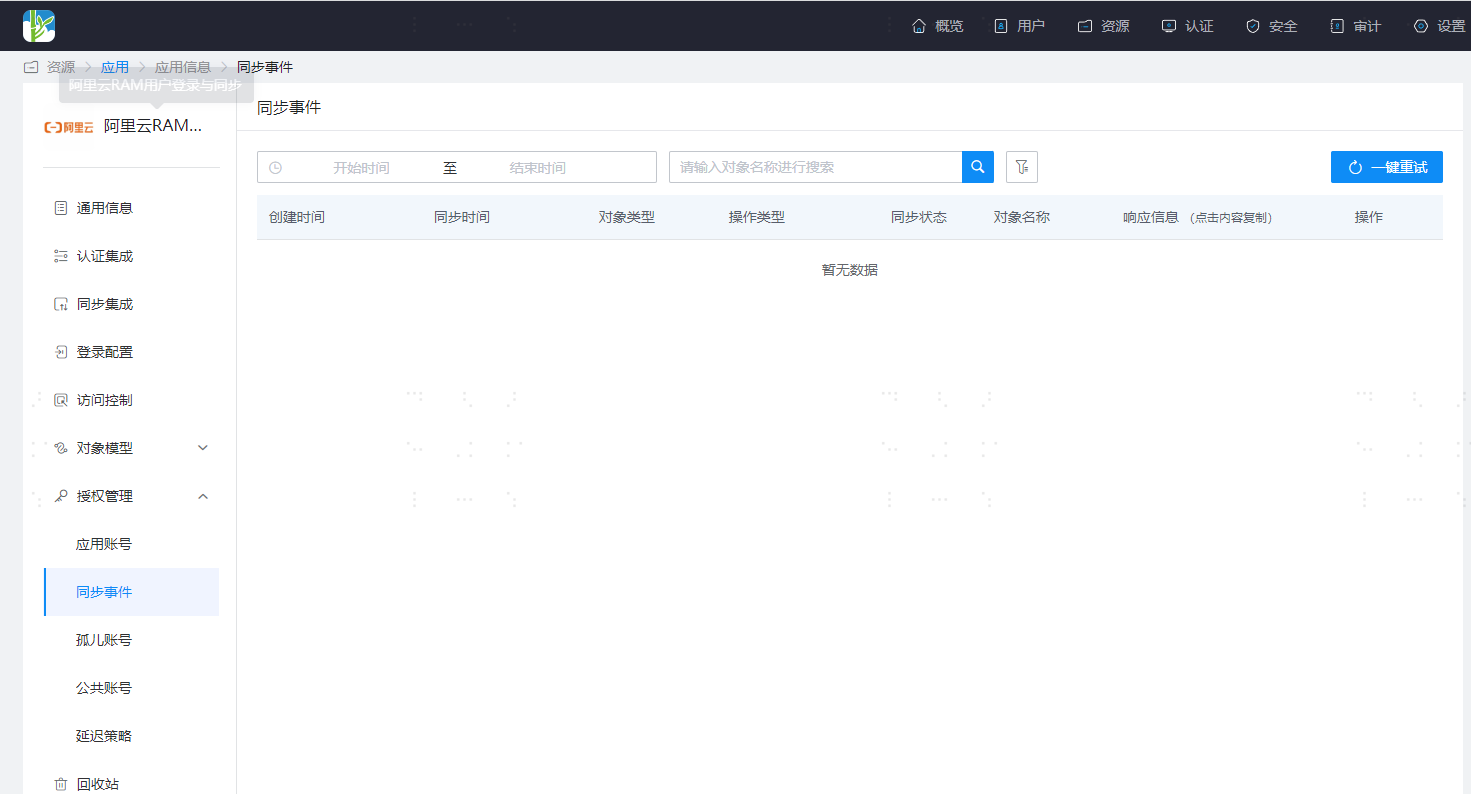
After successful execution, switch to the "Authorization Management > Synchronization Events" page to view the corresponding synchronization event results.
- Currently, only user synchronization is supported.