
Alibaba Mail Data Synchronization
# Description
This document explains the configuration process for data synchronization between Alibaba Mail and IDaaS.
# Preparation
Contact Alibaba Mail customer service in advance to purchase or activate the API interfaces for single sign-on and data synchronization.
Send the following application email to alimailservice@alibaba-inc.com.
Company Email Domain: http://xxx.xxx.xxxx/
Company Name: xxxxxx
Application Environment Domain: http://xxx.xxx.xxxx/
Egress IP: 47.92.171.137 (This IP is the IDaaS service egress IP, required.)
APIs to be accessed: Account and organizational structure synchronization
Single Sign-On: Requires appCode, appSecret
Synchronization Interface: Requires accessCode, accessTarget, accessPassword
1
2
3
4
5
6
7Obtain the API keys and single sign-on keys.
# Synchronization Configuration
For questions regarding parameters during configuration, which mailbox attributes to synchronize to Alibaba Mail, the mapping between IDaaS user attributes and Alibaba Mail user attributes, etc., please consult IDaaS delivery personnel.
The administrator logs into the IDaaS Enterprise Center, navigates to 【Resources】-【Applications】-Add Pre-integrated Application, and adds the Alibaba Mail pre-integrated application.
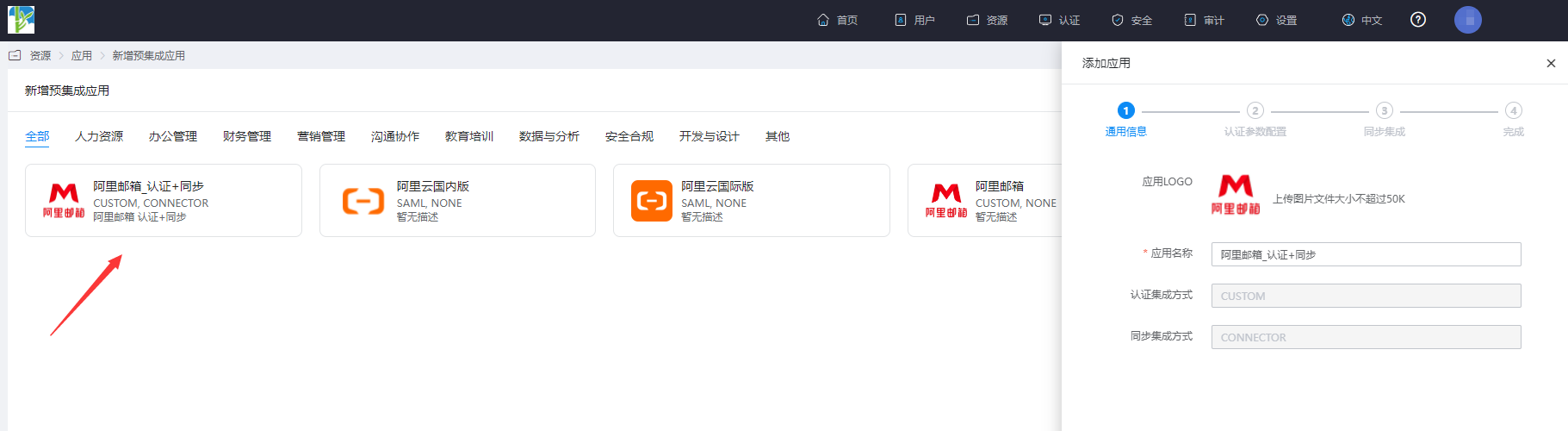
Configure synchronization parameters.

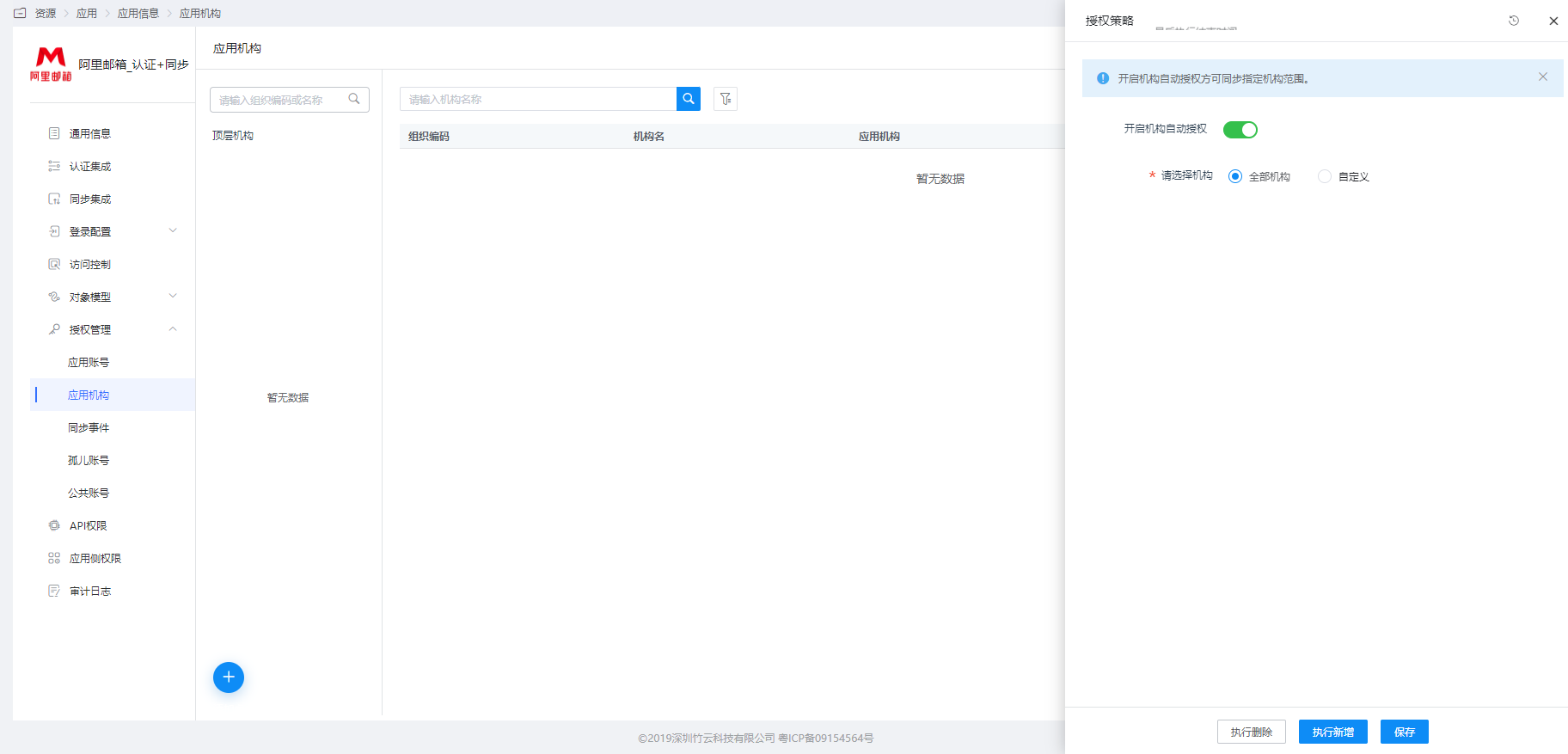
Parameter Description accessCode Alibaba Mail API accessCode accessPassword Alibaba Mail API accessPassword rootDeptId The department ID within Alibaba Mail. The administrator can obtain it by logging into the Alibaba Mail backend and using the browser developer tools. IDaaS delivery can assist. accessTarget Email domain, e.g., bamboocloud.com Go to Application Details - Application Organization - Authorization Policy, enable automatic organization authorization, select the organization scope, click the Save button, and then click Execute Add.
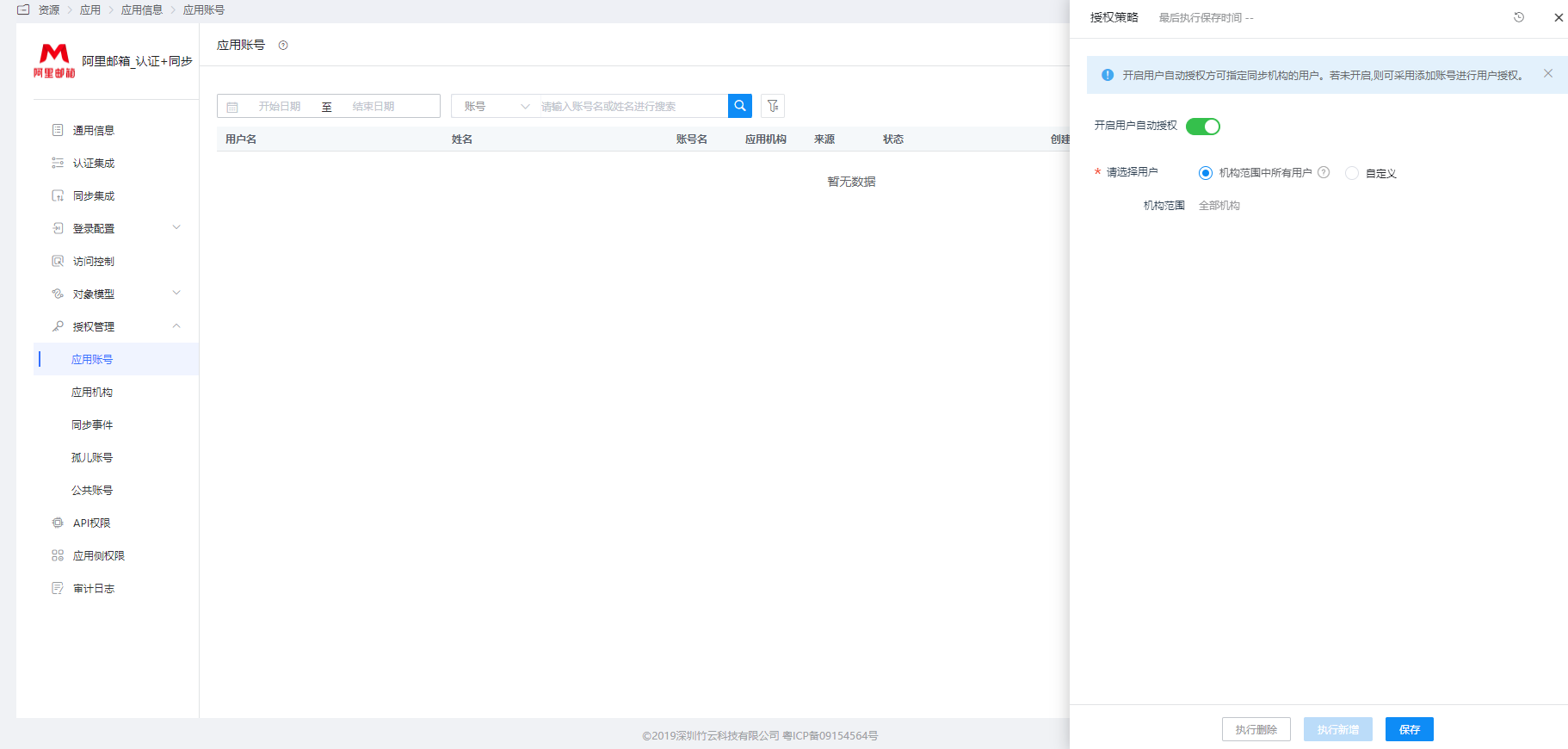
Go to Application Details - Application Account Structure - Authorization Policy, enable automatic organization authorization, select the user scope, click the Save button, and then click Execute Add.
Go to Application Details - Synchronization Events to view the synchronization events.

# Synchronization Result Verification
The Alibaba Mail administrator logs into the mailbox backend to check the synchronization results.