
Configuring WS-Federation Protocol Application SSO
# Overview
IDaaS supports integrating applications via the WS-Federation (abbreviated as WS-Fed) protocol to achieve single sign-on (SSO) for applications. Using IDaaS as the authentication platform, after logging in at the IDaaS User Center, users can directly jump to log into the application without needing to log in a second time.
# Prerequisites
Have administrator permissions on the IDaaS Enterprise Center platform.
# Procedure
# Configuring an Application with the WS-Federation Protocol
Log in to the IDaaS Enterprise Center platform. In the top navigation bar, select Resources > Applications, click Add Self-built Application, set the application name and save. Then, enter the application details page.
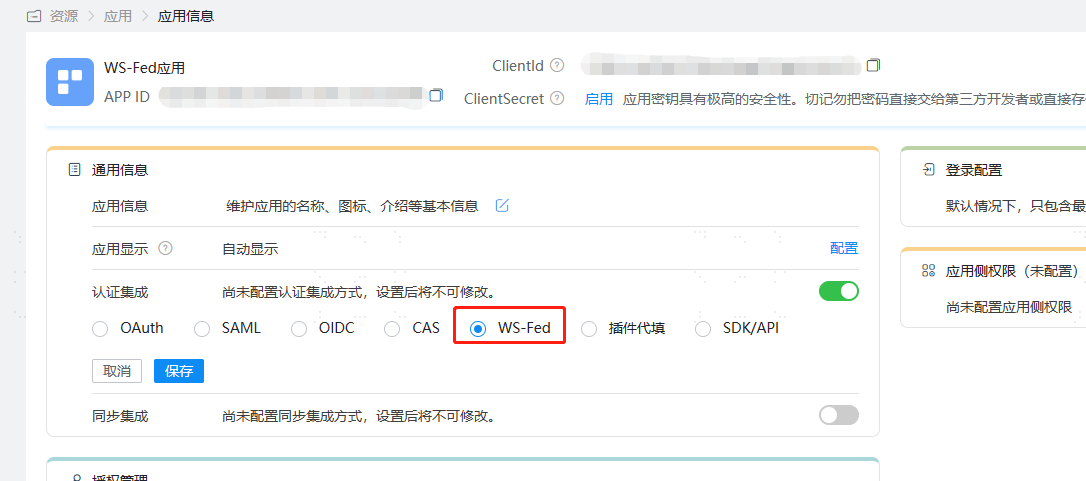
On the Application Information page, enable Authentication Integration, set it to WS-Fed, and save.
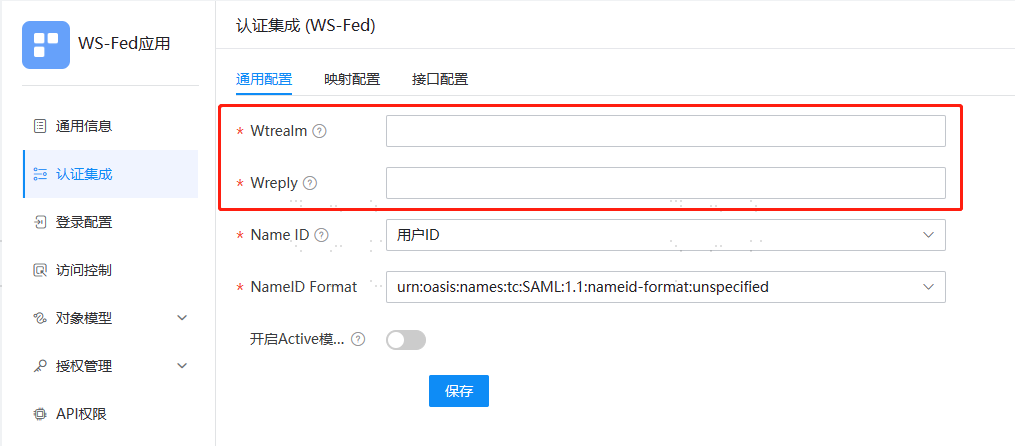
Click Configure next to Authentication Integration to enter the Authentication Integration details page and set the general authentication configuration for the application.
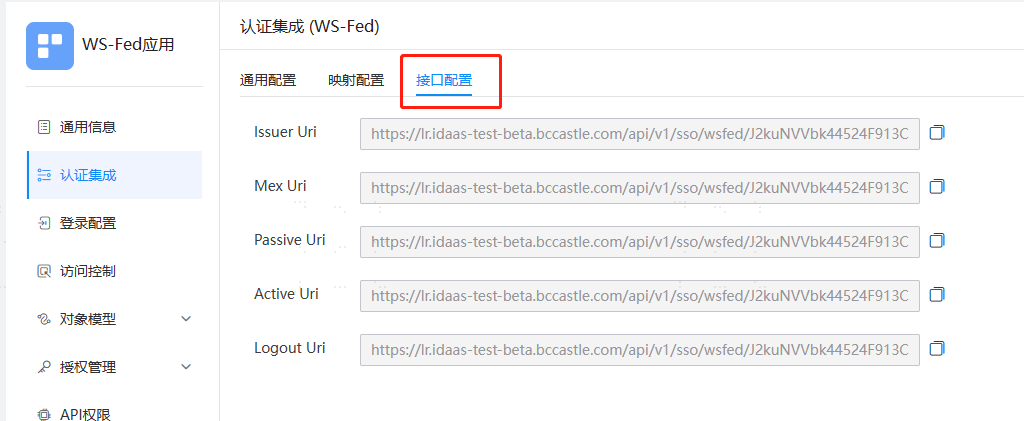
Switch to the Interface Configuration page to obtain the relevant interface addresses for the current application.
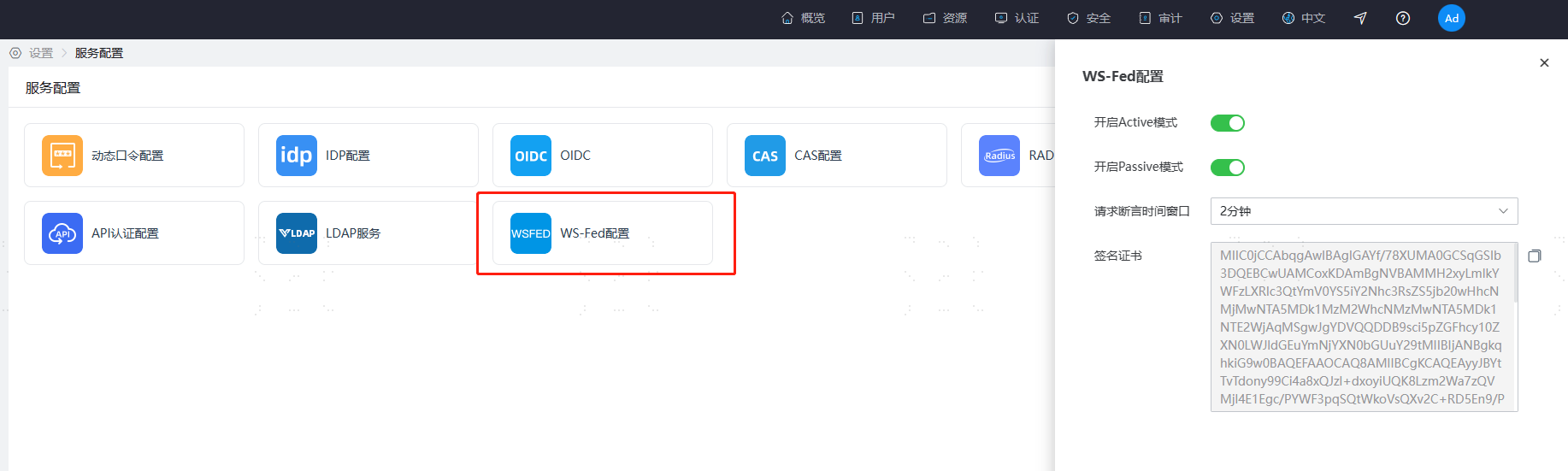
In the top navigation bar, select Settings > Service Configuration, and click WS-Fed Configuration to obtain the corresponding parameters.
Supports globally enabling the WS-Federation authentication mode.
- Enable Active Mode: Enabled by default. WS-Federation protocol applications can achieve single sign-on through browser authentication.
- Enable Passive Mode: Enabled by default. WS-Federation protocol applications can achieve single sign-on through Web Service interface authentication.
- Request Assertion Time Window: Default is 2 minutes. The time window range in the SAML 1.0 content returned by the WS-Federation authentication assertion.
- Signing Certificate: The content of the assertion signature verification certificate that needs to be configured for the integrated application.
# Development Integration
After completing the configuration on the IDaaS platform, please refer to the WS-Federation Protocol to complete the subsequent integration configuration. Once configured, users can single sign-on to the application from the User Center.