
OAuth Authentication Source Integration Guide
# Overview
This document describes how a third-party platform serves as an authentication source. Users can log in to the Zhuyun IDaaS Enterprise Center or User Center via single sign-on using the OAuth protocol after logging into the third-party platform. This document provides reference guidance for application developers.
# Prerequisites
- Possess administrator permissions for the IDaaS Enterprise Center platform.
- The third-party platform supports the standard OAuth protocol.
# Steps
# Create an OAuth Application on the Third-Party Platform
Obtain the client_id and client_secret parameters for the OAuth application.
# IDaaS Platform Configuration
Create an OAuth Authentication Source
For the specific process, refer to Configuring an OAuth Authentication Source
If SSO to the Enterprise Center is required
Bind the OAuth authentication source to the "Enterprise Center" application and obtain the IDaaS integration address.
Go to the IDaaS Enterprise Center, navigate to Resources -> Applications -> Pre-integrated Applications, find and click on the "Enterprise Center" application. In the application configuration, click "Login Configuration" and enable the OAuth authentication source.
Copy the Authentication Source ID.
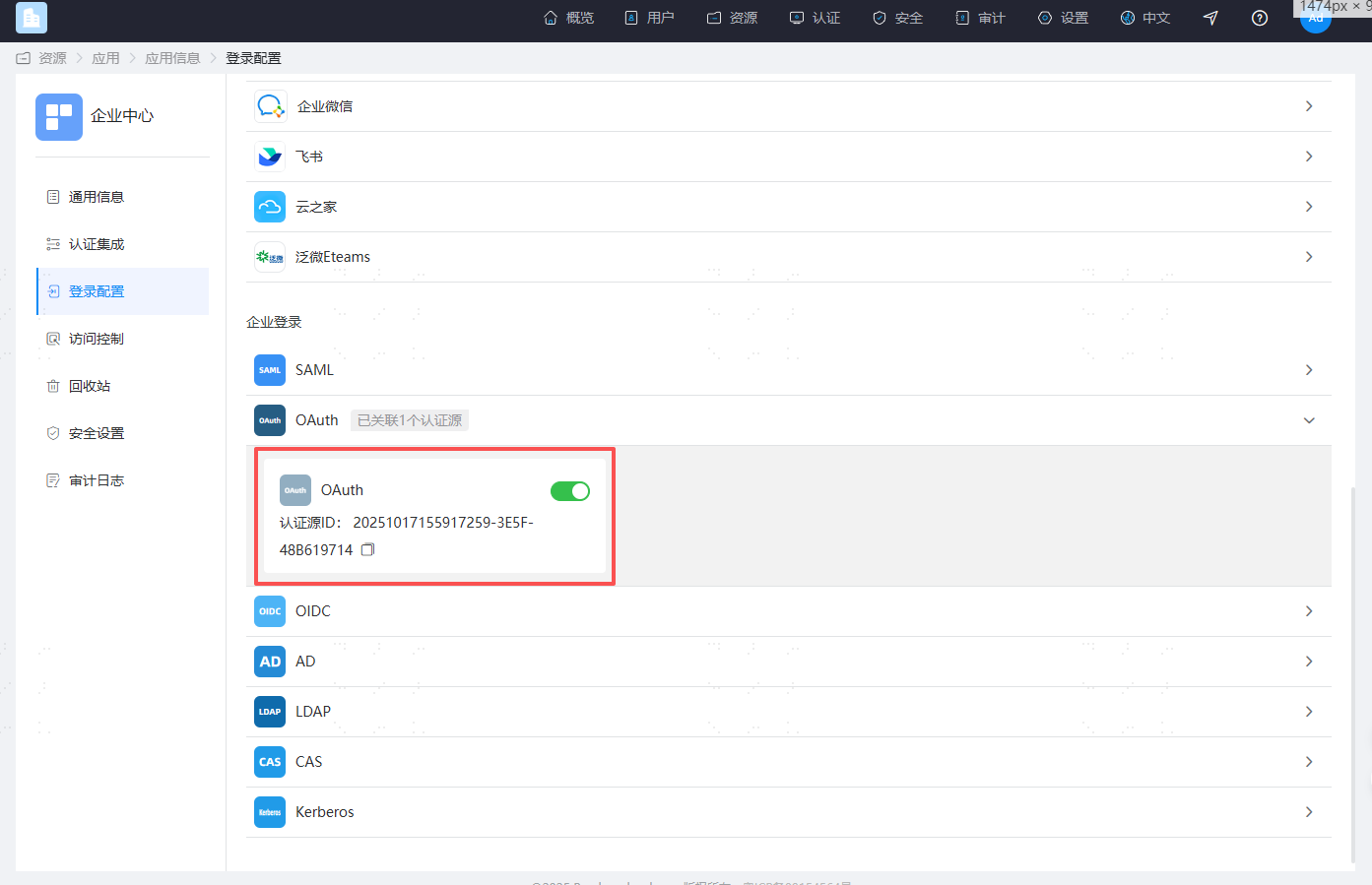
And assemble the IDaaS integration address in the following format:
https://{your_domain}/api/v1/saml2/idp/sso?sp=https://{your_domain}/api/ecb/saml2/sp&config_id={Authentication Source ID}
If SSO to the User Center is required
Bind the OAuth authentication source to the "User Center" application and obtain the IDaaS integration address.
Go to the IDaaS Enterprise Center, navigate to Resources -> Applications -> Pre-integrated Applications, find and click on the "User Center" application. In the application configuration, click "Login Configuration" and enable the OAuth authentication source.
Copy the User Center's
client_id.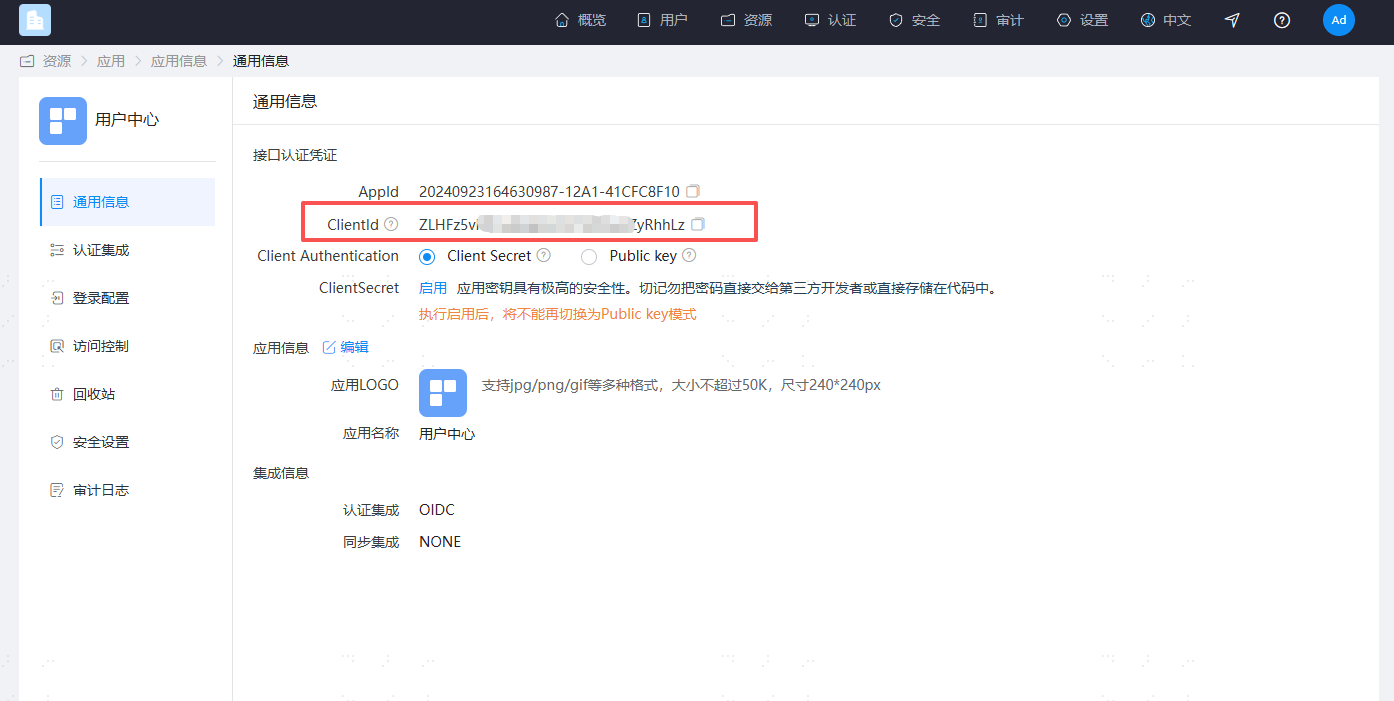
Copy the Authentication Source ID.
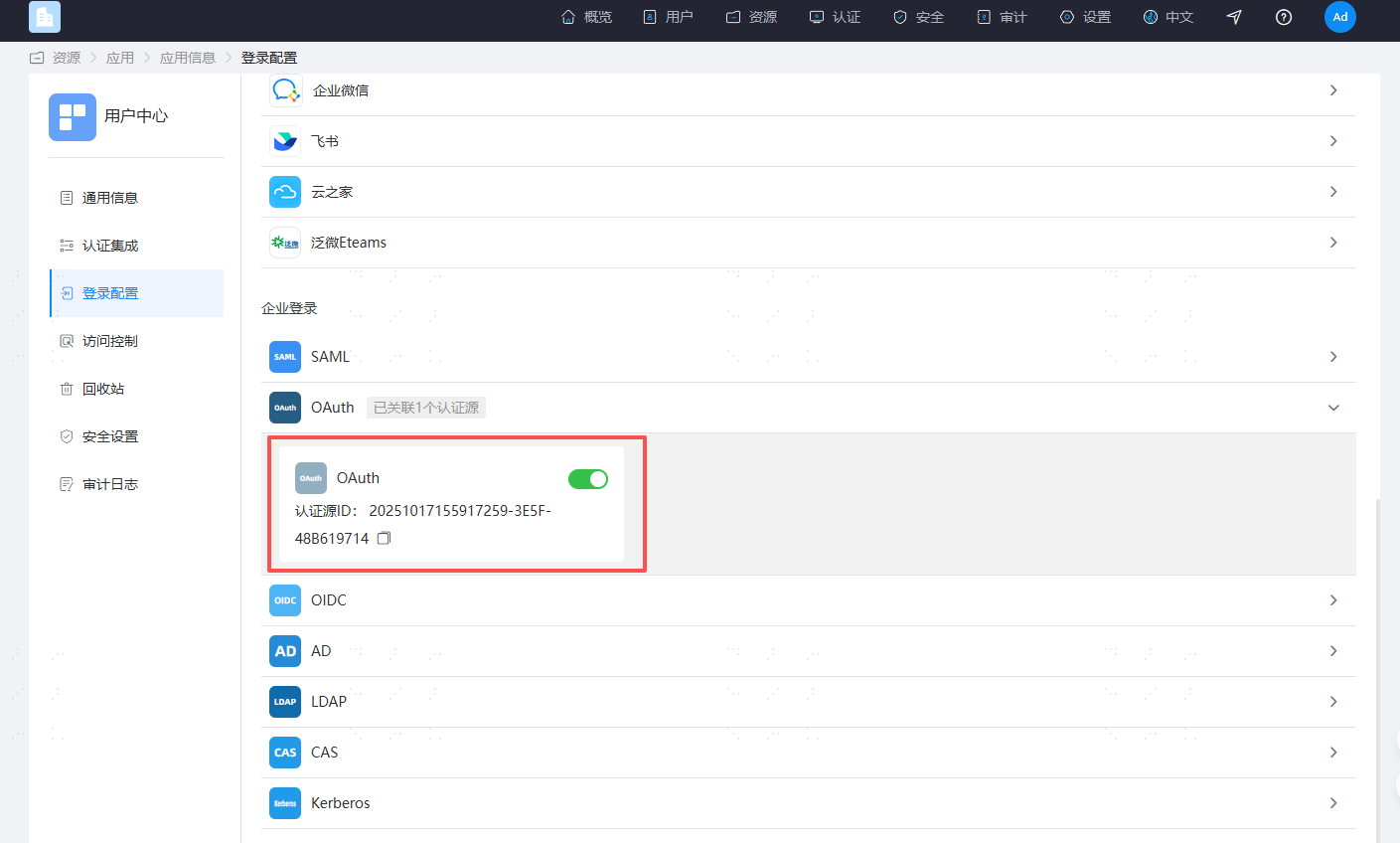
And assemble the IDaaS integration address in the following format:
https://{your_domain}/api/v1/oauth2/authorize?response_type=code&scope=openid&client_id={User Center's client_id}&redirect_uri=https%3A%2F%2F{your_domain}%2Fuser&config_id={Authentication Source ID}
# User Access Flow Description
After the user logs into the third-party platform, they access the IDaaS integration address.
IDaaS assembles parameters such as
client_id,client_secret, andstate, and forwards the request to the third-party platform's authentication authorization URL.After the third-party platform verifies successfully, it generates a temporary authorization code and calls the IDaaS callback address, passing the code to IDaaS. The
stateparameter must be passed back unchanged.Example: https://{your_domain}/api/v1/oauth2/code?code=xxxx&state=xxxx
Note: Missing the
stateparameter will cause the request to fail with aninvalid_requesterror.IDaaS carries the
codeparameter and calls the third-party platform's authentication authorization Token interface. The third-party platform returns token information to IDaaS.IDaaS carries the
tokenparameter and calls the third-party platform's UserInfo URL. The third-party platform returns the current user information to IDaaS.IDaaS parses and obtains the current user's identifier based on the "Associated Source Attribute" and matches it with the "Associated Source Attribute" in the IDaaS system. If the match is successful, a session is generated, and the user enters the IDaaS Enterprise Center/User Center.
# Third-Party Platform Development
Please refer to relevant materials.