E-ZKEco Pro Time & Security Refined Management Platform Data Synchronization
Identity Synchronization
# Description
This document explains how to synchronize organization and personnel data from IDaaS to the ZKTeco E-ZKEco Pro Time & Security Refined Management Platform.
# Synchronization Configuration
# E-ZKEco Pro Platform Configuration
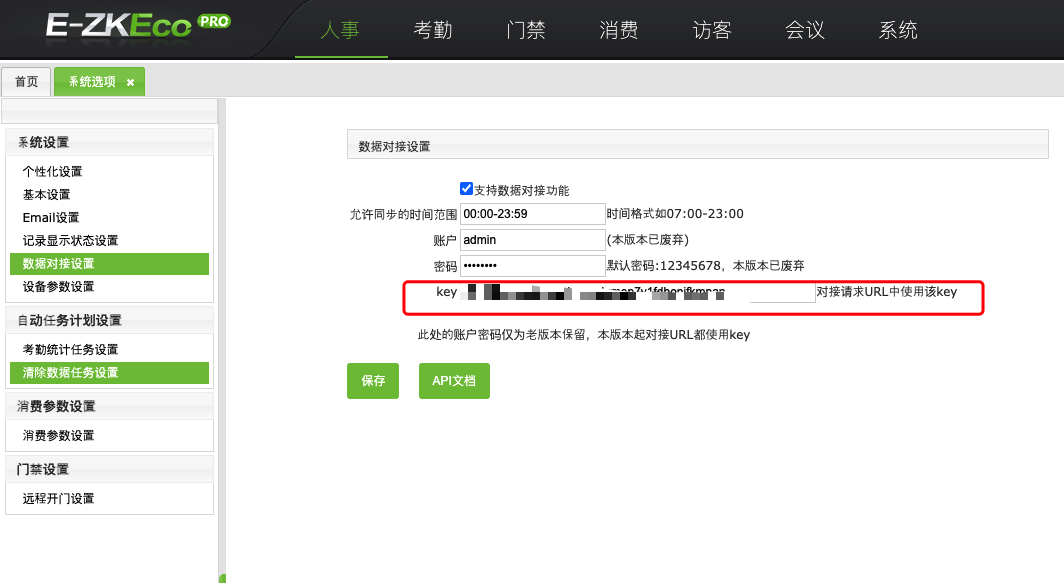
The administrator logs into the backend, navigates to 【System Options】-【System Settings】-【Data Interface Settings】, and obtains the synchronization key.
# IDaaS Configuration
- The administrator logs into the IDaaS Enterprise Center, navigates to 【Resources】-【Applications】- Add Pre-integrated Application, and adds the E-ZKEco Pro pre-integrated application.
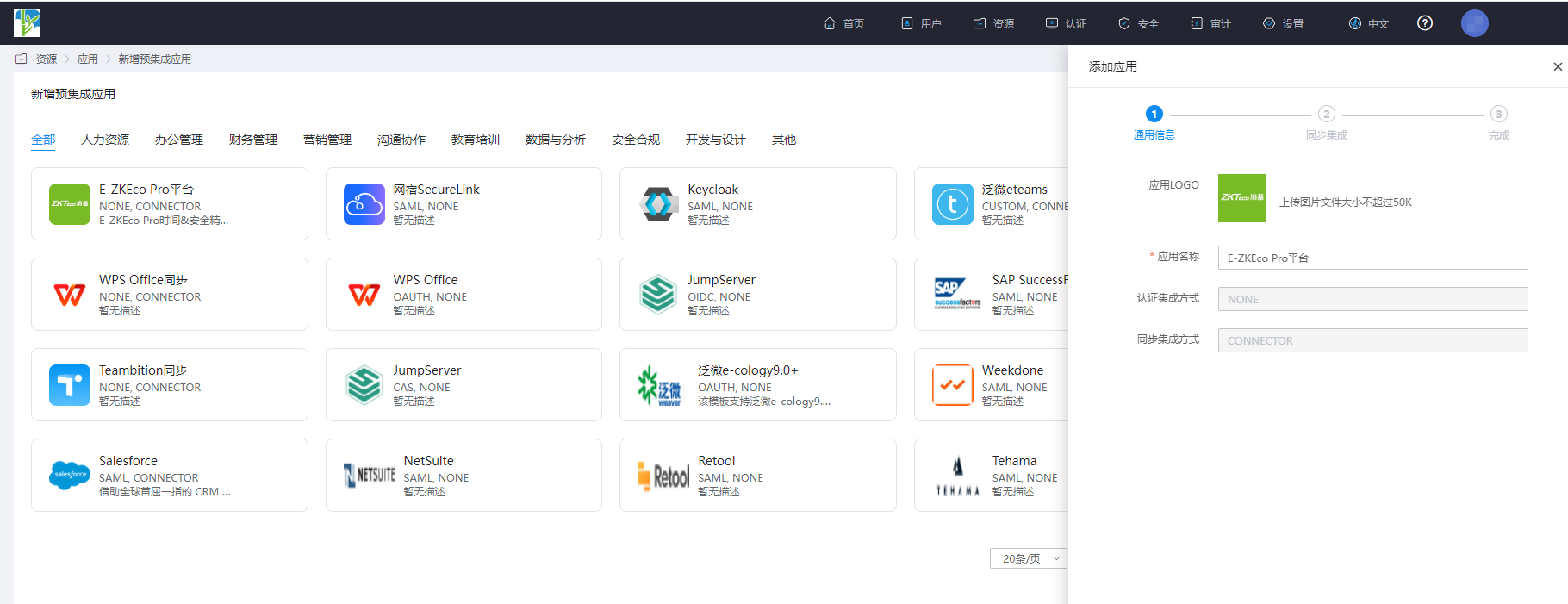
- Configure the application parameters and save the application.
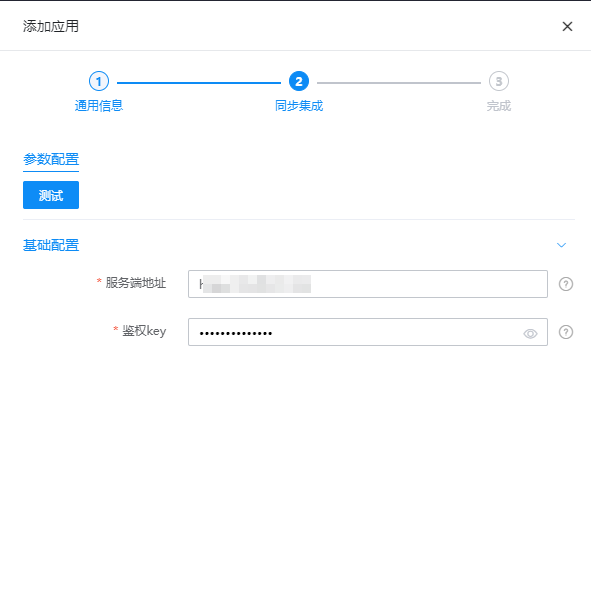
| Parameter | Description |
|---|---|
| Server Address | The external IP address or domain of the E-ZKEco Pro platform |
| Authentication Key | The data interface synchronization key from the E-ZKEco Pro platform |
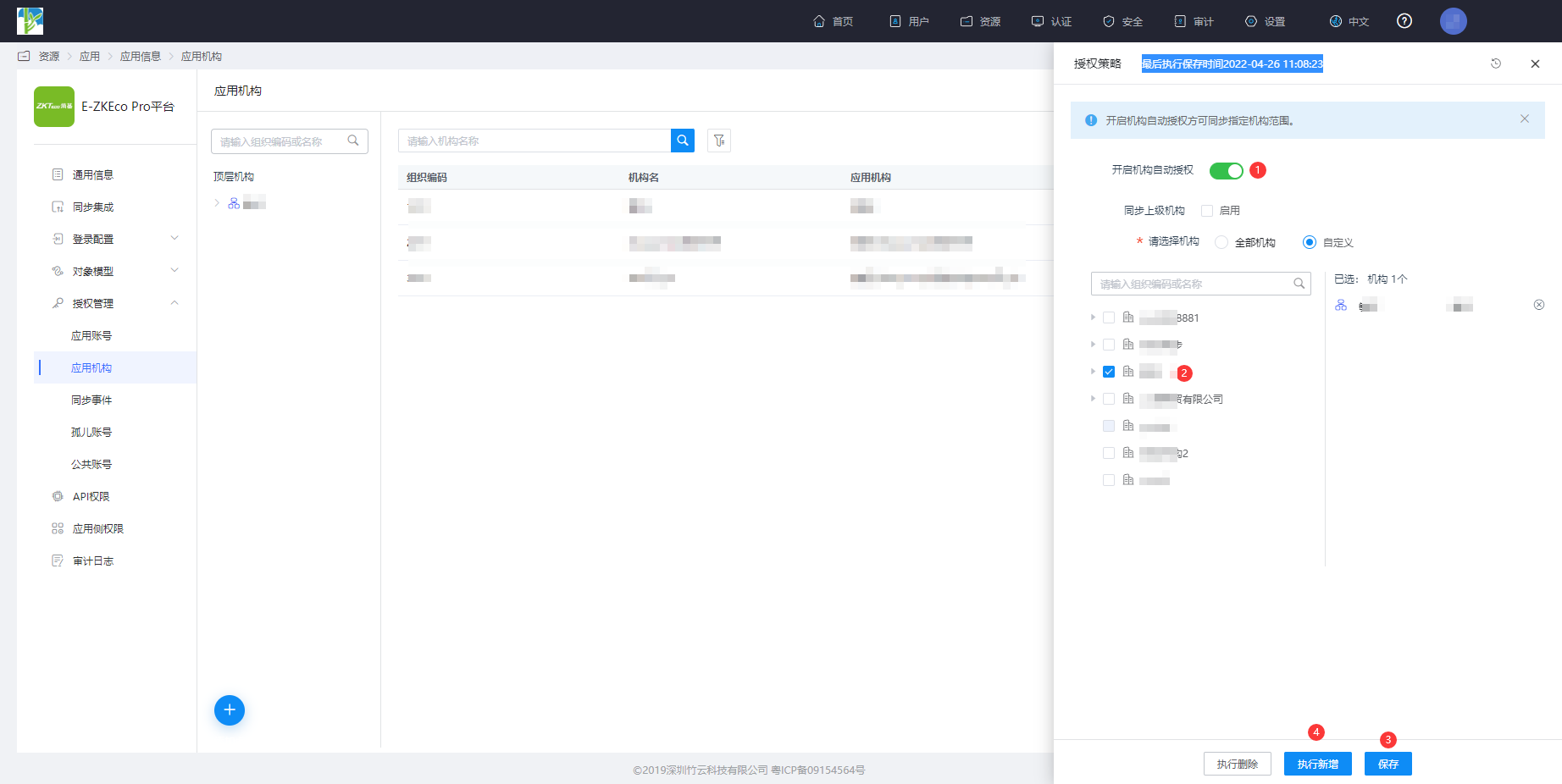
- Navigate to Application Details - Application Organization - Authorization Policy, enable automatic organization authorization, select the organization scope, click the Save button, and then click Execute Add.
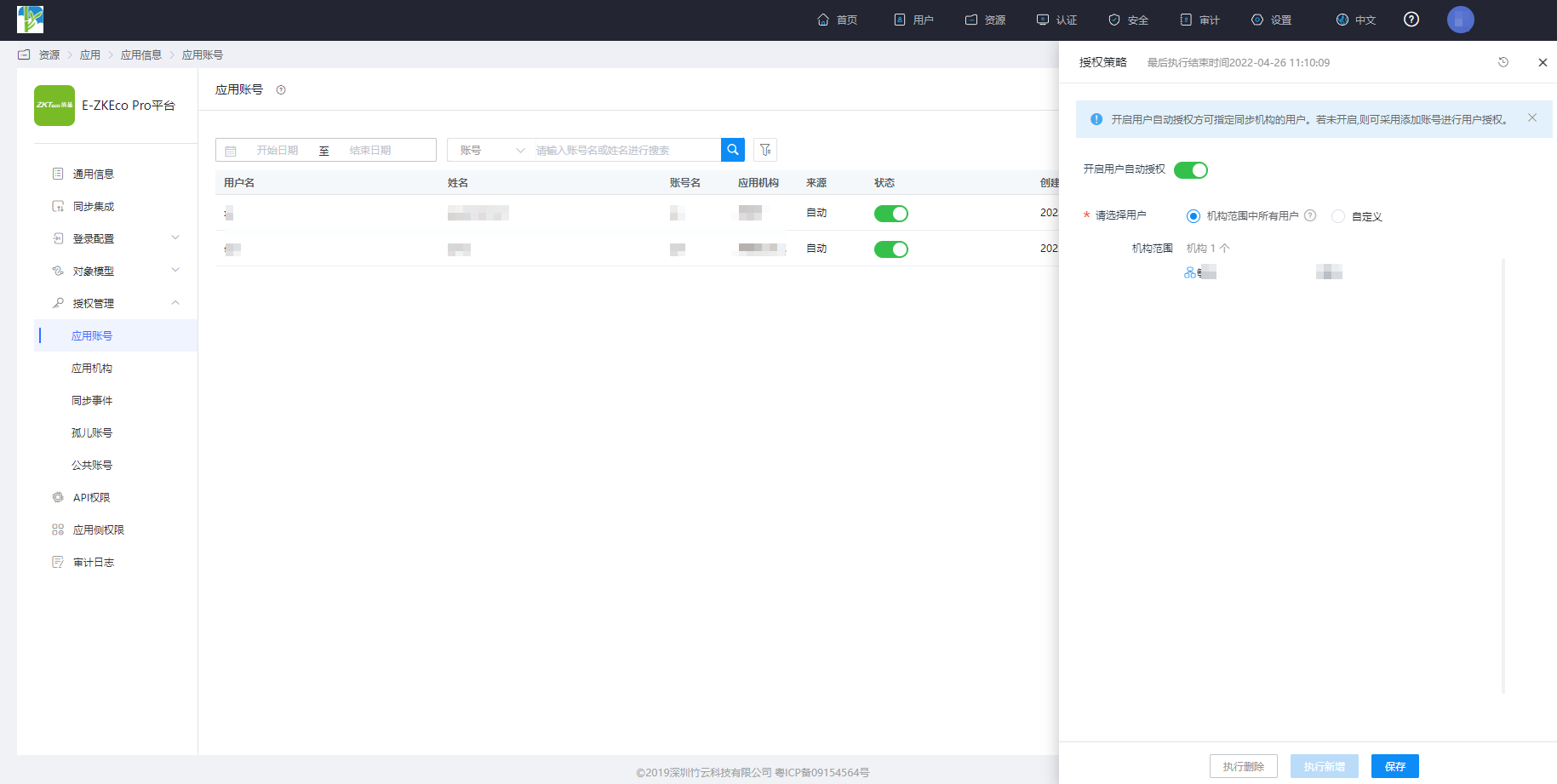
- Navigate to Application Details - Application Account - Authorization Policy, enable automatic user authorization, select the user scope, click the Save button, and then click Execute Add.
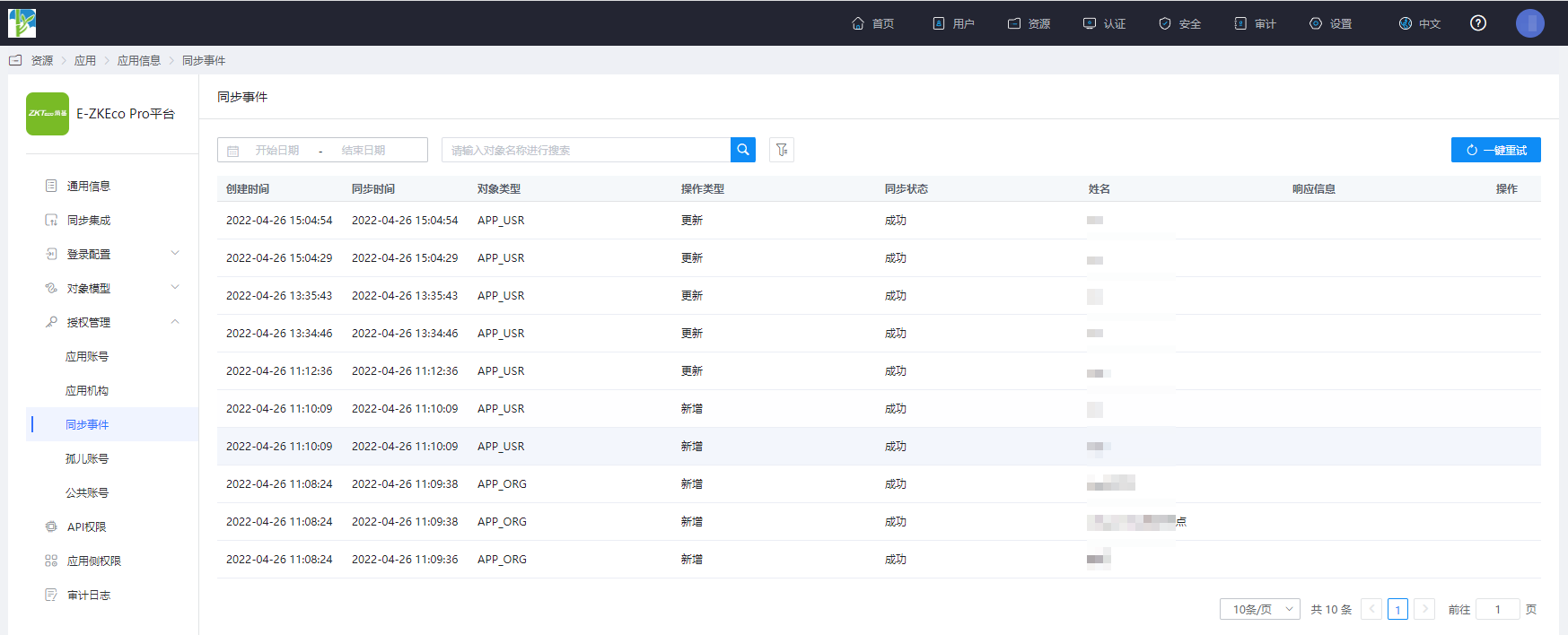
- Navigate to Application Details - Synchronization Events, and view the synchronization events.
# Viewing Results
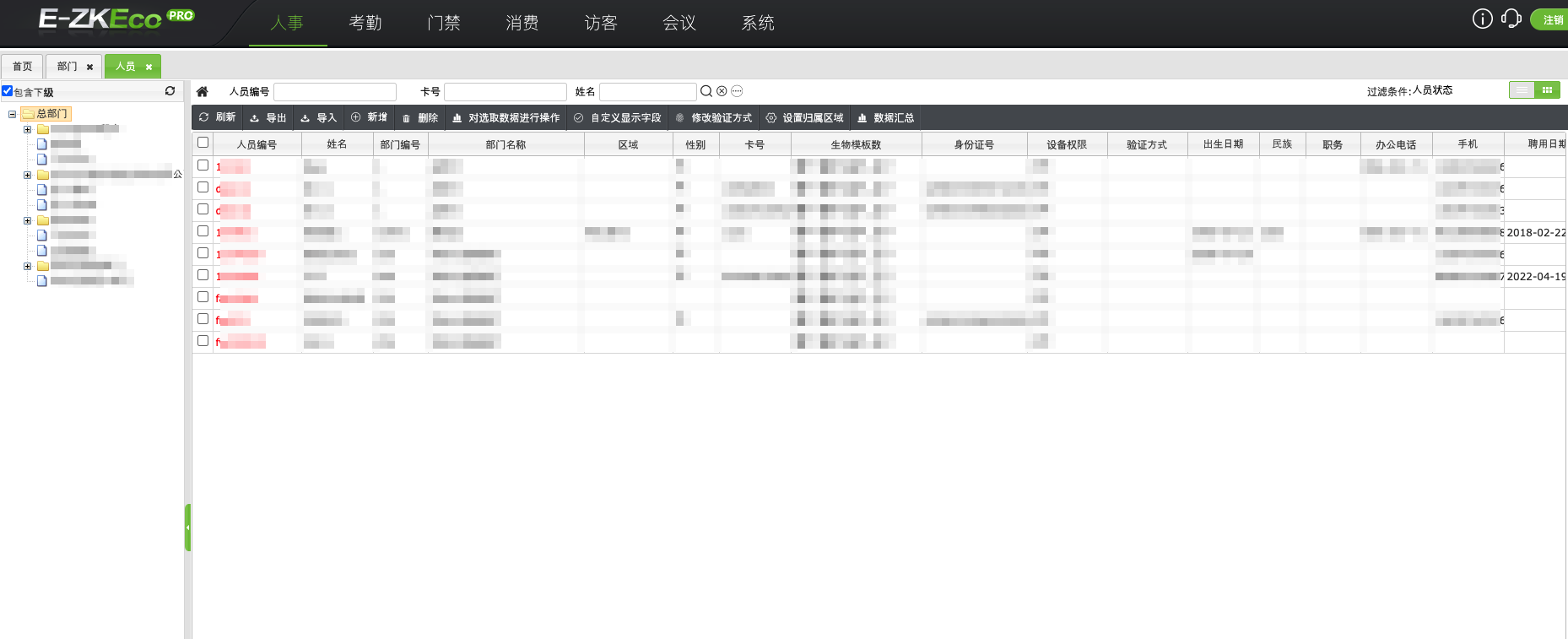
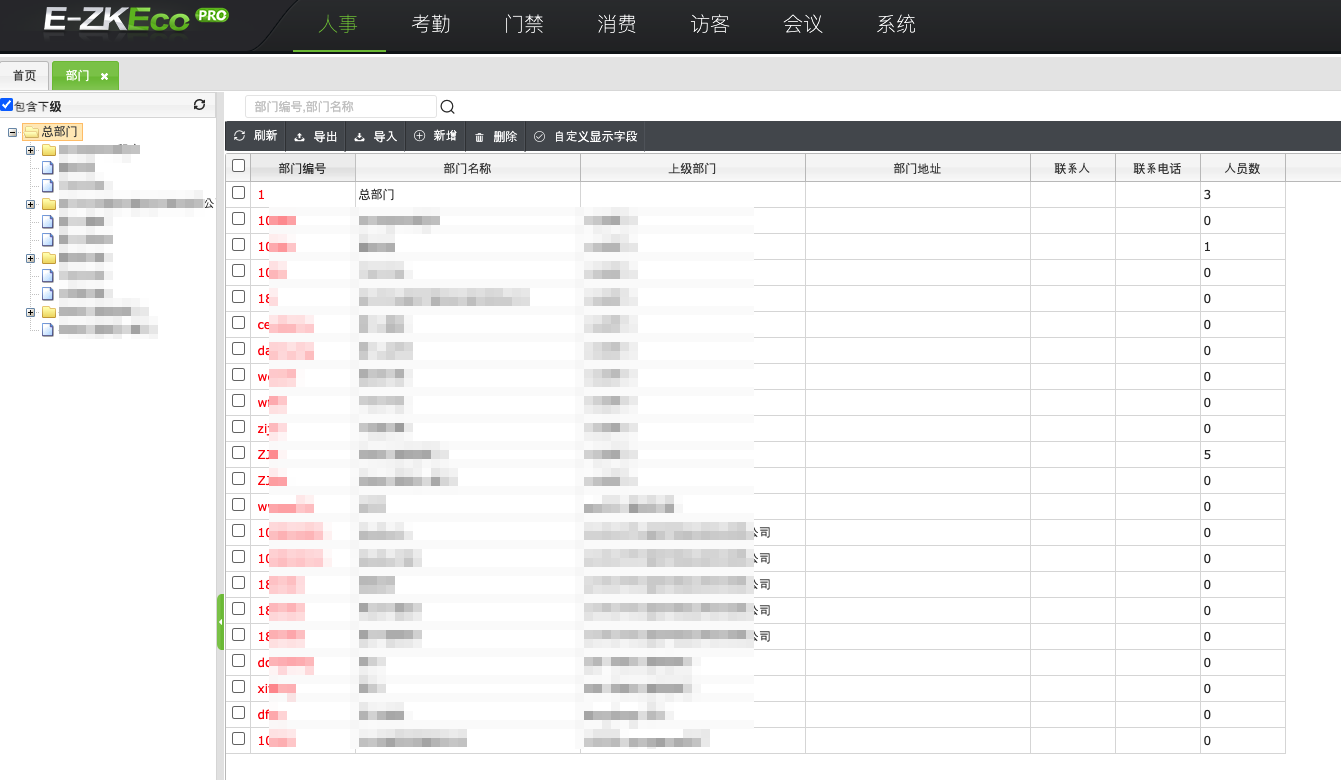
- The administrator logs into the E-ZKEco Pro backend, navigates to 【Personnel】-【Department】 to view the department synchronization results.
- Navigate to 【Personnel】-【Employee】 to view the user synchronization results.