
Single Sign-On for Yunxuetang Learning Platform
Single Sign-On SSO
# Description
This document describes the authentication configuration between the Yunxuetang Xuanxing Learning Platform and IDaaS.
# Prerequisites
- Contact Yunxuetang operations personnel to obtain the Yunxuetang client_id and client_secret.
- Possess administrator permissions within the IDaaS enterprise.
# Authentication Configuration
# IDaaS Configuration
In the Enterprise Center, add the pre-integrated application "Yunxuetang SaaS", and fill in the Yunxuetang client_id and client_secret.
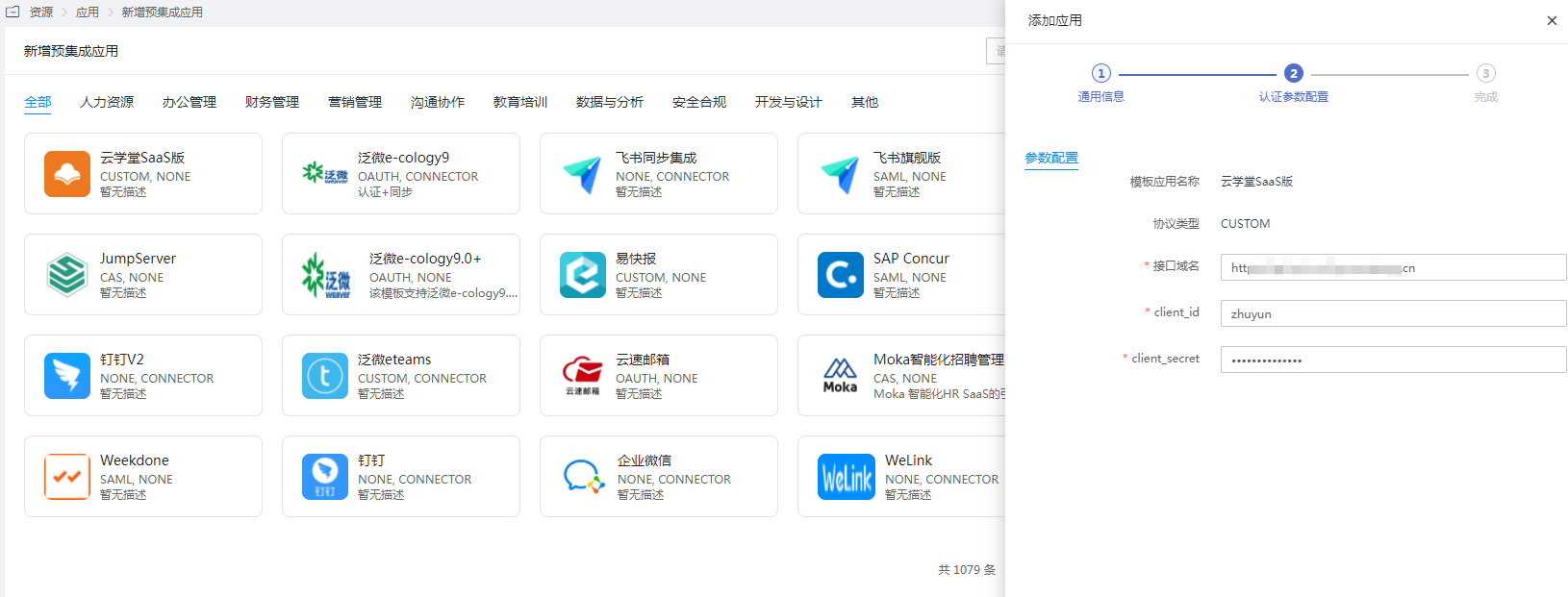
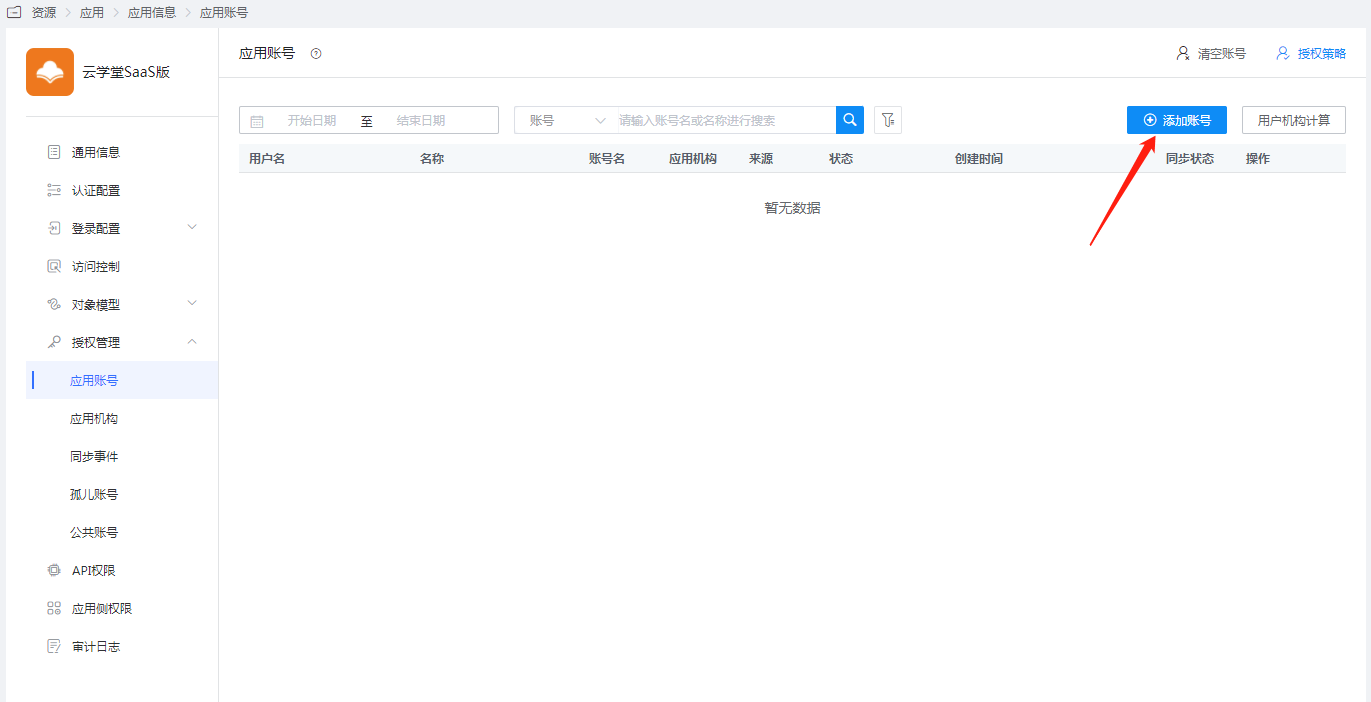
Save the application, enter the application details, authorize the application account, and set the account name to the account name used for the Yunxuetang Learning Platform.
# Login Verification
Log in to the IDaaS user center, click on the Yunxuetang application logo to enter the Yunxuetang Learning Platform.