
Yonyou NC6.5 Data Synchronization
# Description
This document describes the synchronization configuration between Yonyou NC6.5 and IDaaS, enabling the synchronization of IDaaS user data to Yonyou NC6.5.
# Synchronization Configuration
# IDaaS Configuration
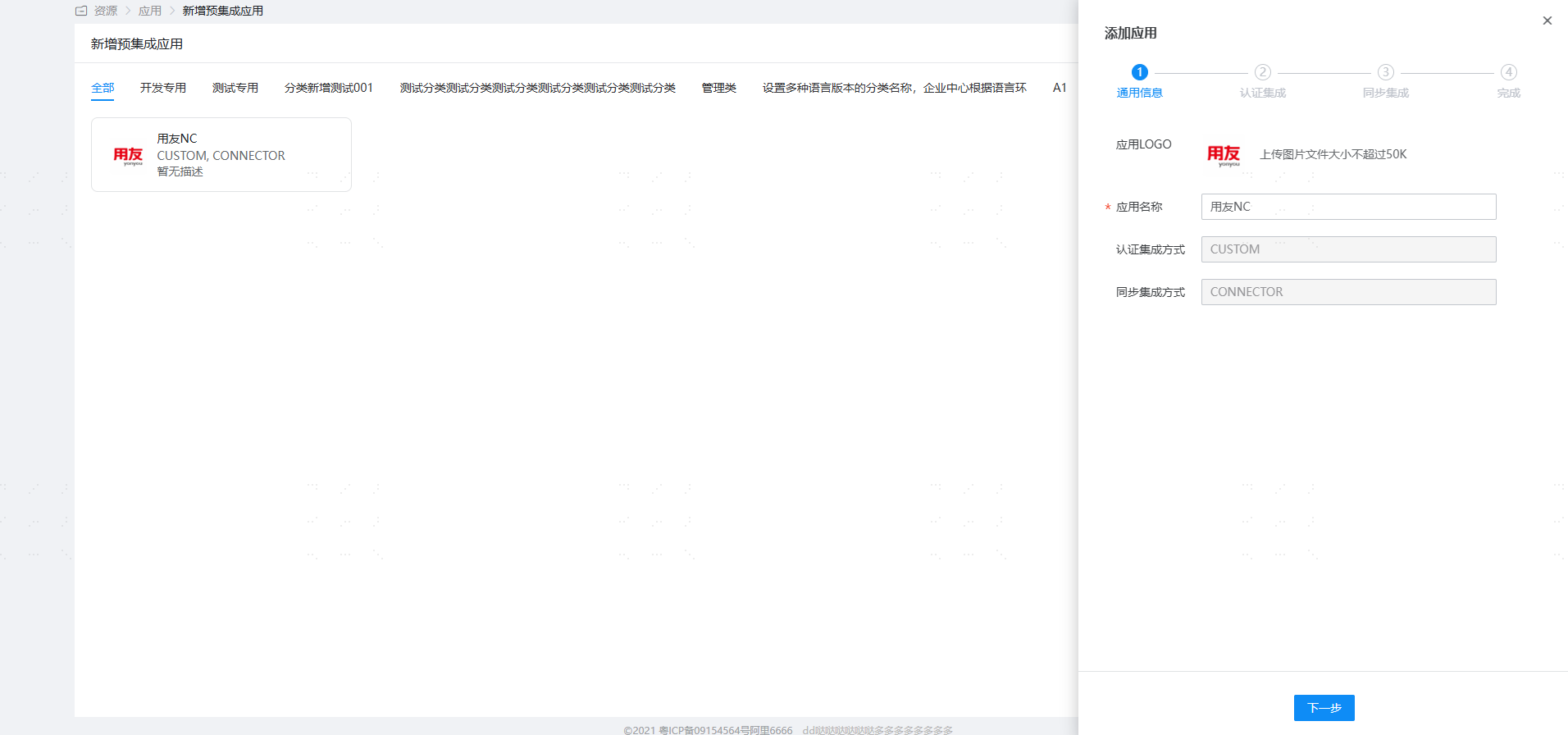
Log in to the IDaaS Enterprise Center and add the pre-integrated application 【Yonyou NC】.
Configure synchronization parameters.
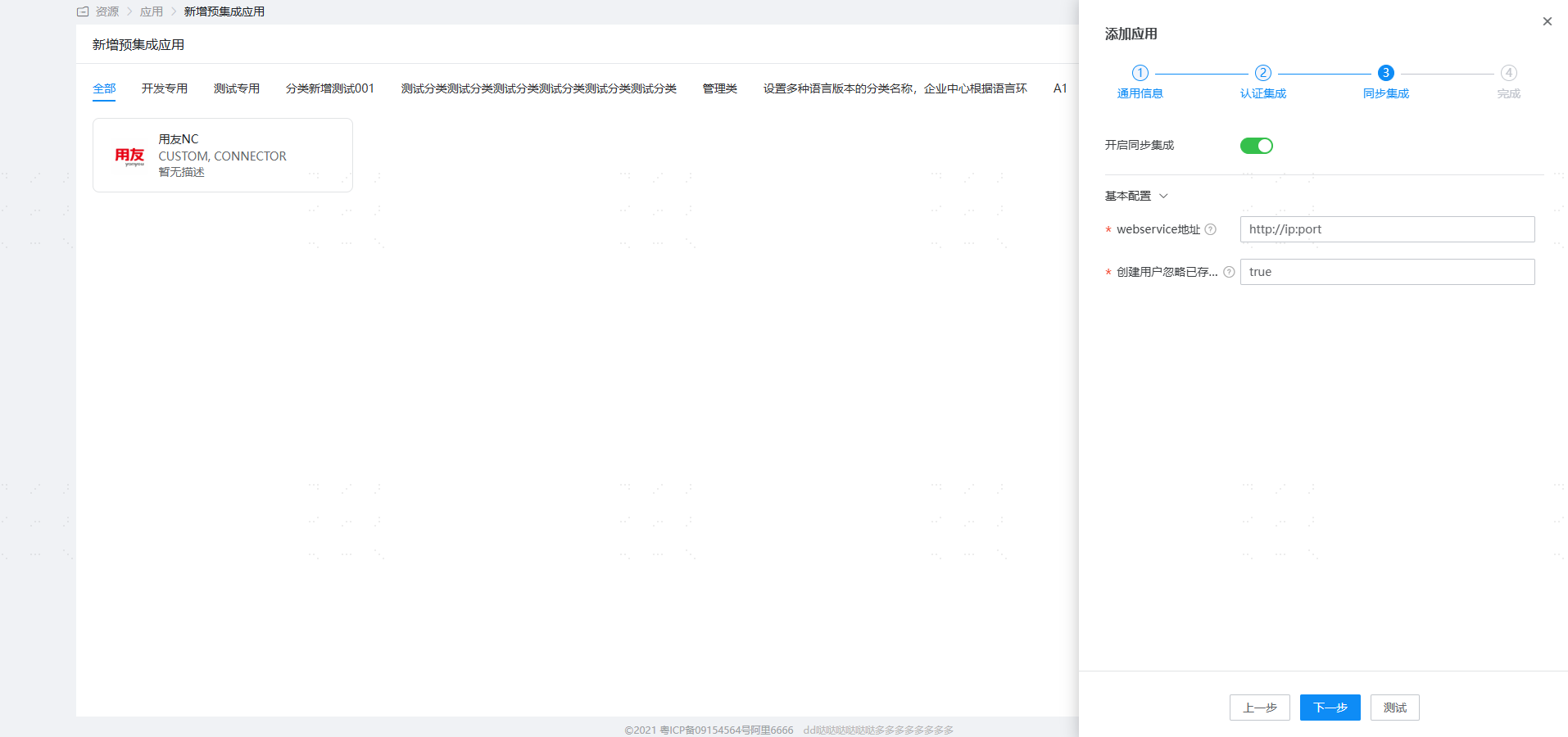
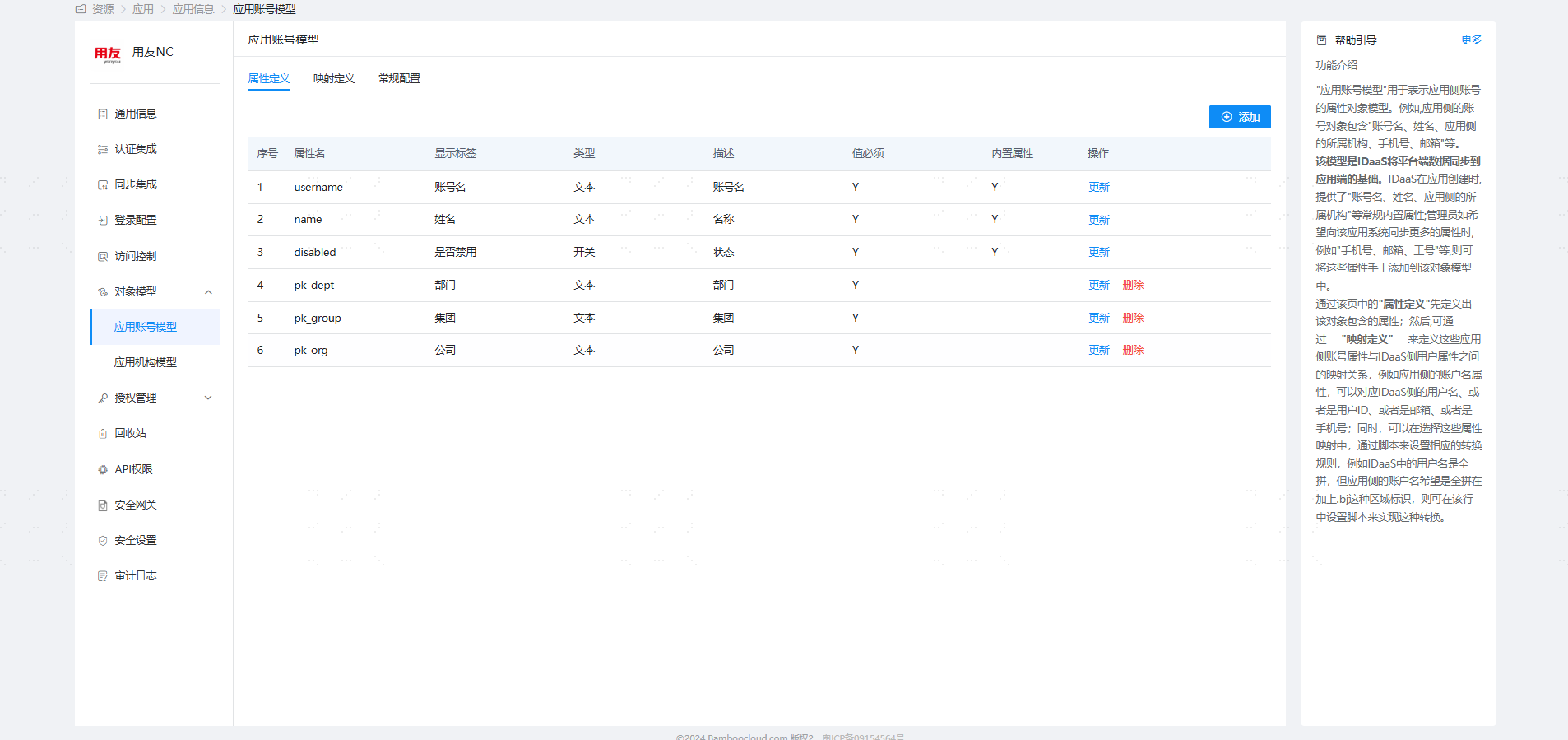
Parameter Description webservice address http://host:port Ignore existing users during creation true/false, When creating a user, if the client interface indicates the user already exists, enabling this option allows IDaaS to still report the creation as successful. Configure the object model. Navigate to Application Details -> Application Account Model. The model stores the system's default attribute parameters. To synchronize other user attributes, select "Object Model — Application Account Model — Attribute Definition" on the left, click "Add" to add an attribute.
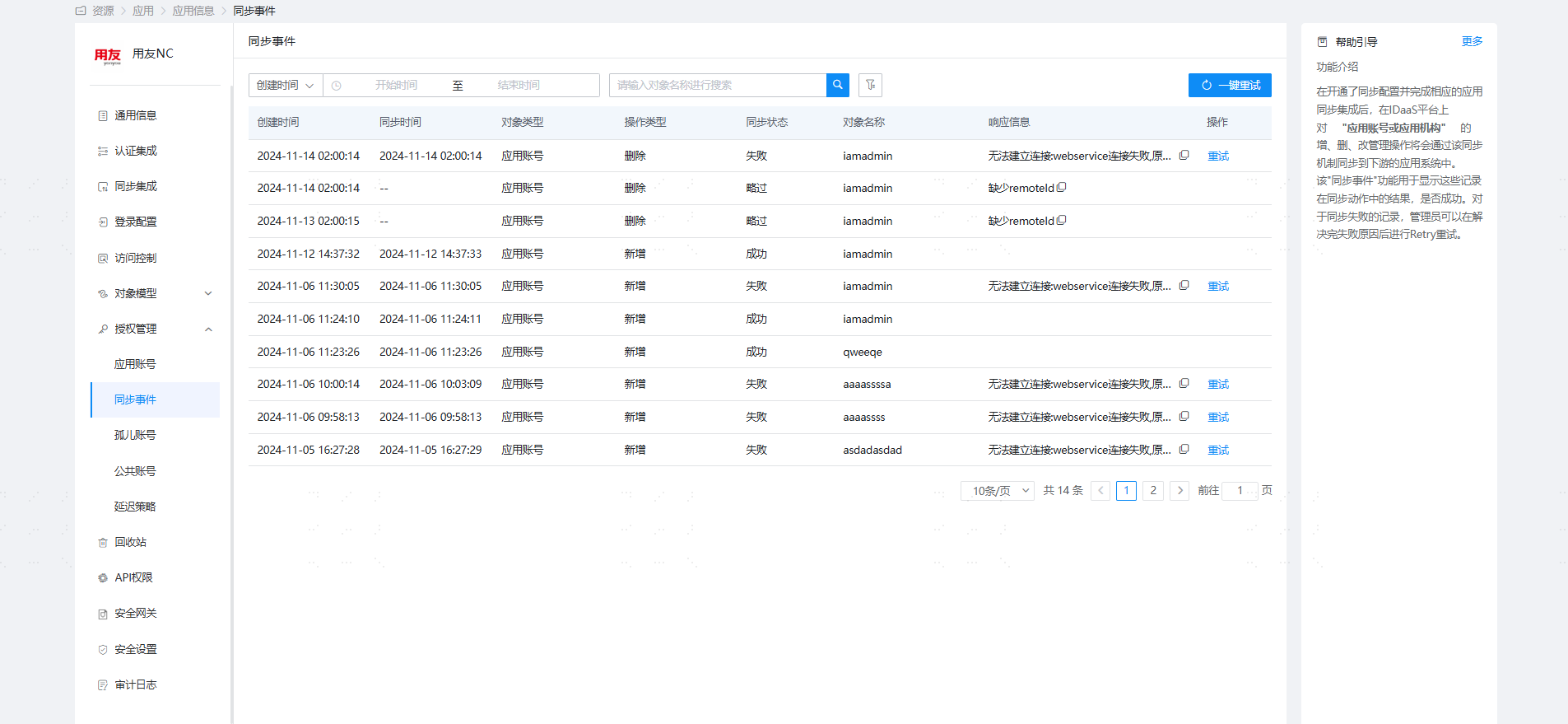
Go to Application Details -> Synchronization Events to view the synchronization events.
# View Synchronization Results
Log in to the Yonyou NC6.5 management console to view the synchronized users.