
Salesforce OAuth Integration
# Application Introduction
【Neocrm Salesforce】An enterprise-level CRM service provider that integrates new internet technologies. Based on new internet technologies such as AI, big data, and IoT, it builds an enterprise-level integrated marketing, sales, and service CRM. It digitizes and intelligently transforms the entire process of enterprise-customer interaction, helping enterprises transform into truly customer-centric digital operating organizations and achieve sustainable business growth. Salesforce has been selected for the Gartner SFA Magic Quadrant for 6 consecutive years.
# Documentation Description
This document primarily explains how Salesforce (client) integrates with Zhuyun IDaaS (server) via the OAuth2 protocol.
In addition to OAuth integration, Salesforce currently also supports SAML 2.0 integration for single sign-on. If Salesforce manages both CRM and PRM users internally, after integration via the OAuth protocol, PRM logout can redirect to the server's login interface. If there is no such requirement, it is recommended to use SAML integration, which is relatively simpler to configure.
# Prerequisites
- Possess a Salesforce tenant environment
- Possess a Zhuyun IDaaS tenant environment
- Possess super administrator accounts for both of the above environments
# Integration Steps Overview
- Register the application in Zhuyun IDaaS (Authentication protocol selection: OAuth)
- Add an authentication connector in Salesforce. Type: oauth authentication connector
- Configure Salesforce based on the relevant parameters provided by the Zhuyun IDaaS registered application
- Match and associate accounts
- Test login verification
# Detailed Integration Steps
# IDaaS Application Registration
Enter the Zhuyun IDaaS Enterprise Center and add the Salesforce application
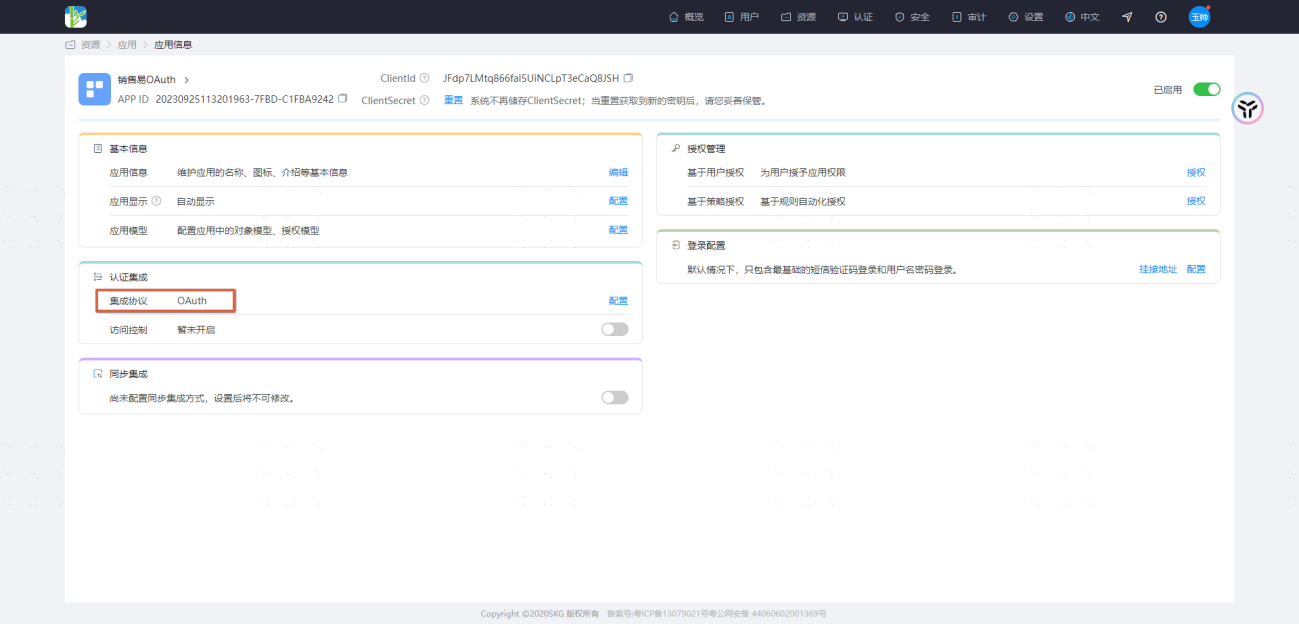
Obtain the 【ClientId】and 【ClientSecret】parameters and record them for later use.
# Create Salesforce Authentication Connector
Enter the Salesforce backend settings interface

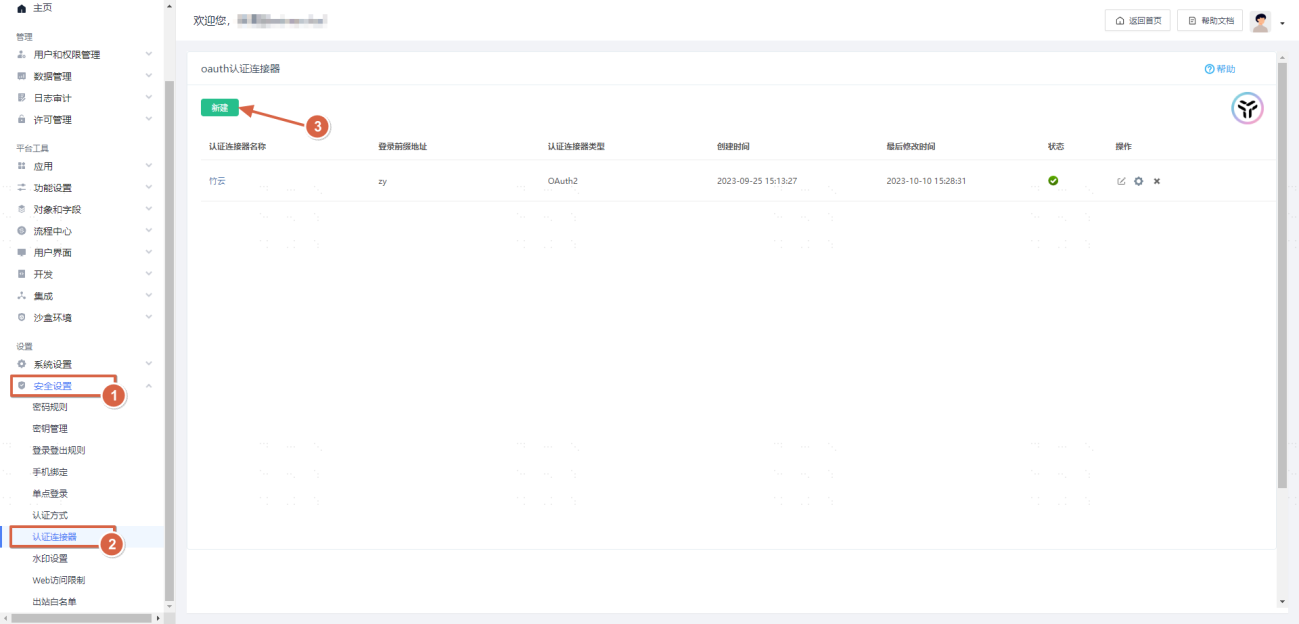
Fill in based on the 【ClientId】and 【ClientSecret】parameters obtained from Zhuyun IDaaS
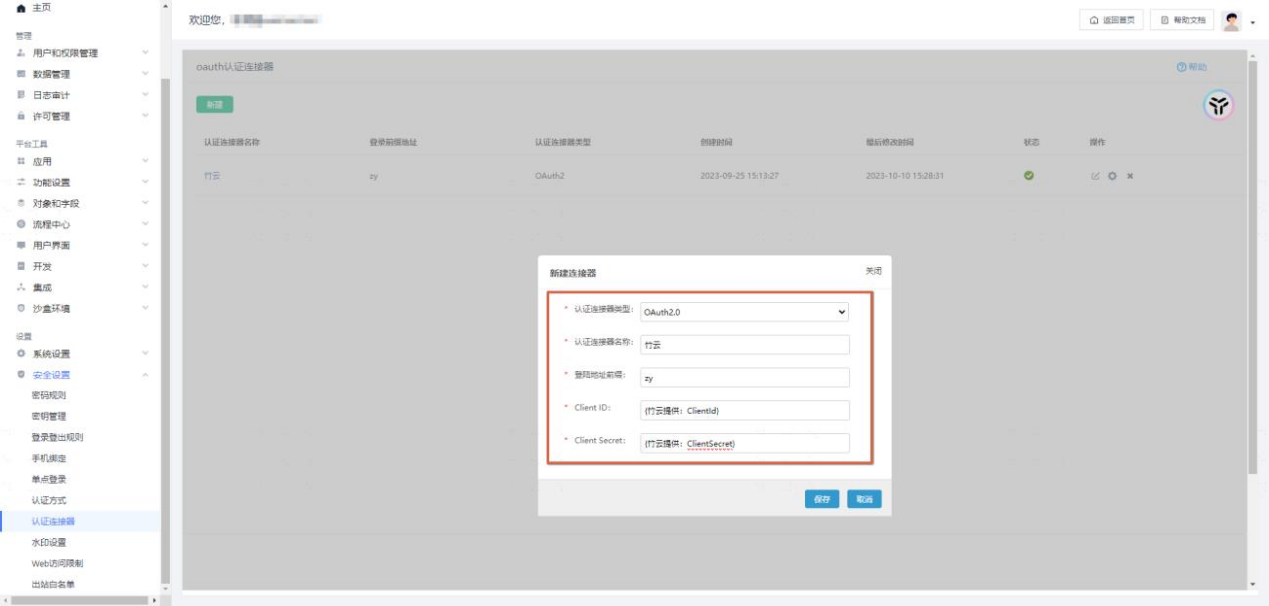
# Salesforce Authentication Connector Configuration
Enter the Salesforce authentication connector configuration interface
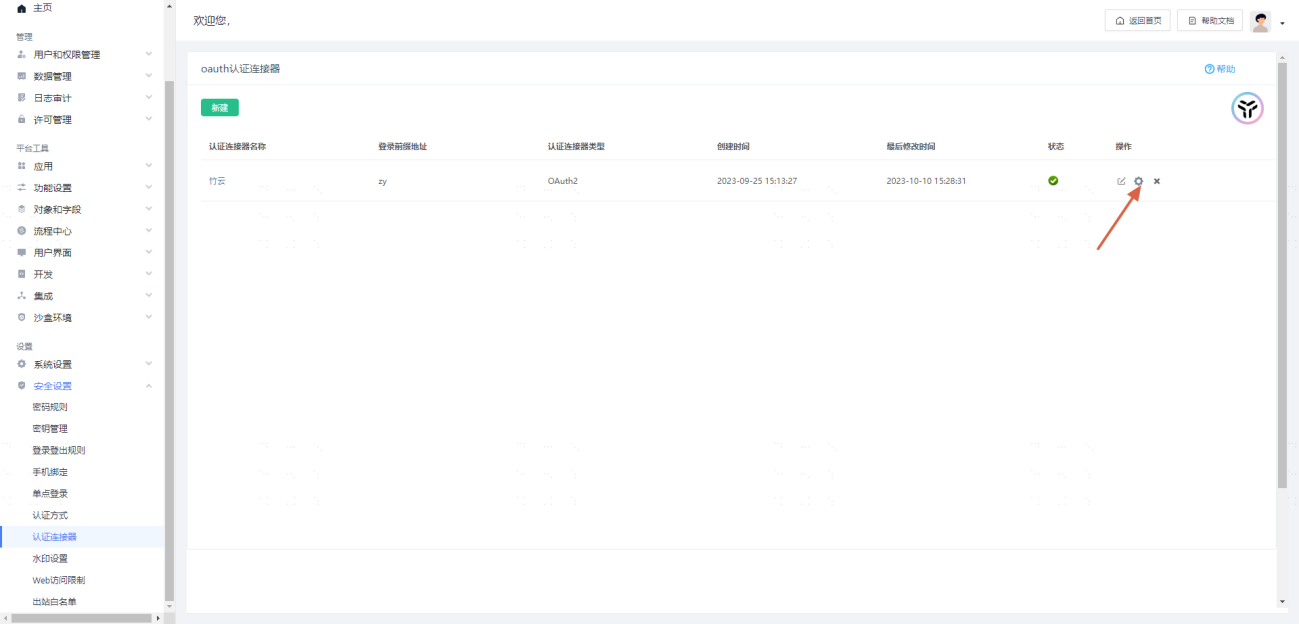
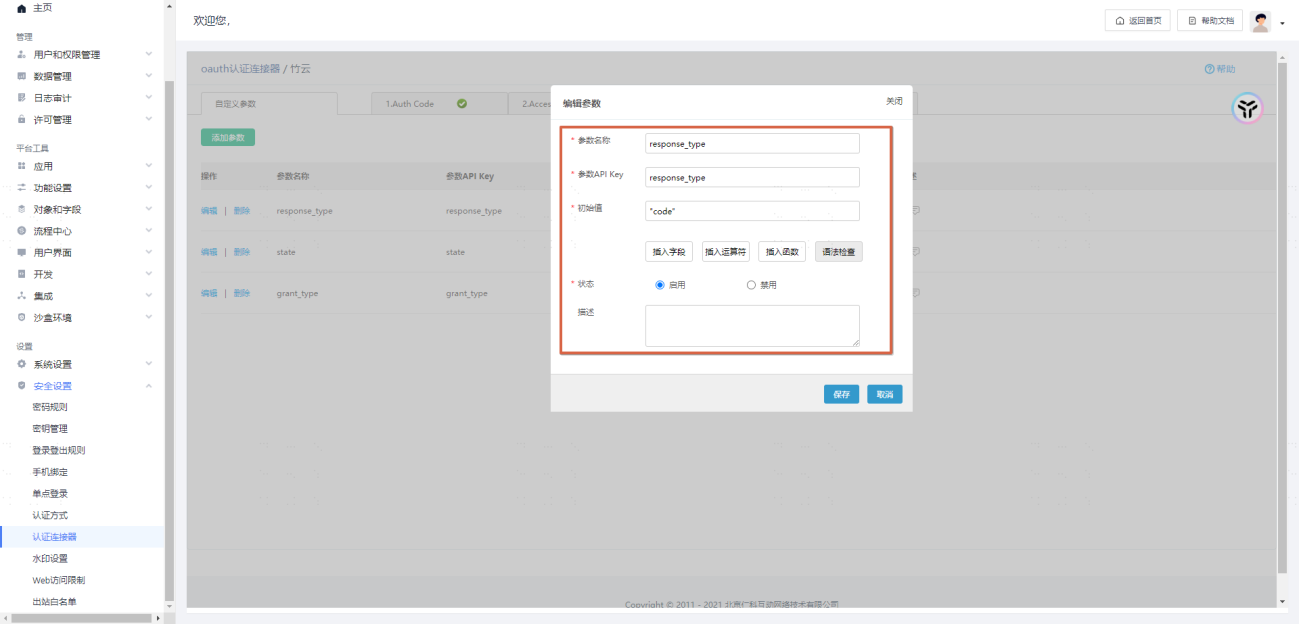
# Custom Parameter Configuration

Configure the following parameters:
| Parameter Name | Parameter API Key | Initial Value |
|---|---|---|
| response_type | response_type | "code" |
| state | state | "state" |
| grant_type | grant_type | "authorization_code" |
Example as follows:
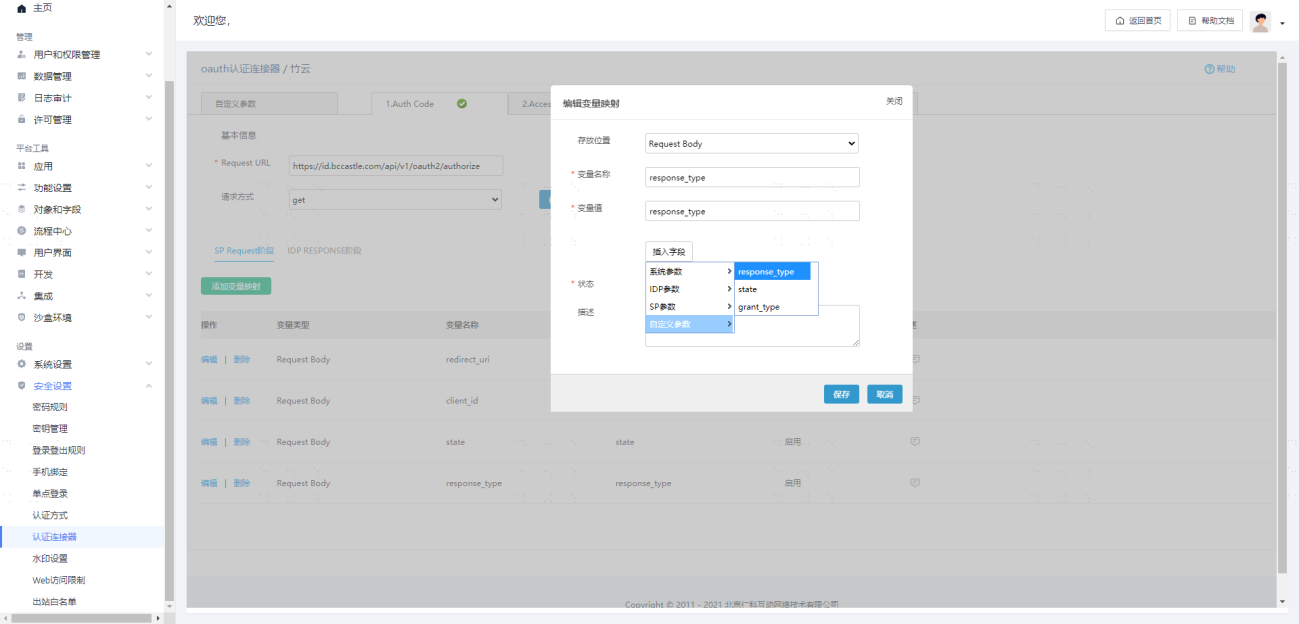
# Auth Code Configuration
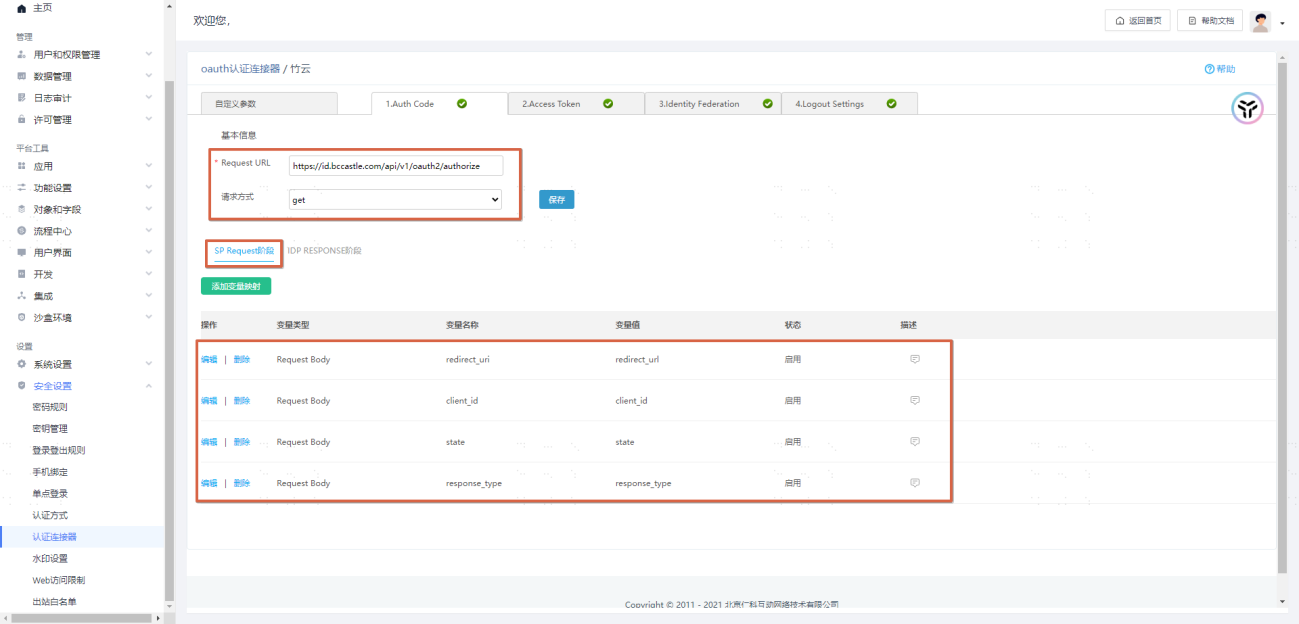
Basic Information
Request URL:https://{Tenant domain address, example: domain: xx.xxx.com}/api/v1/oauth2/authorize
Request method:get
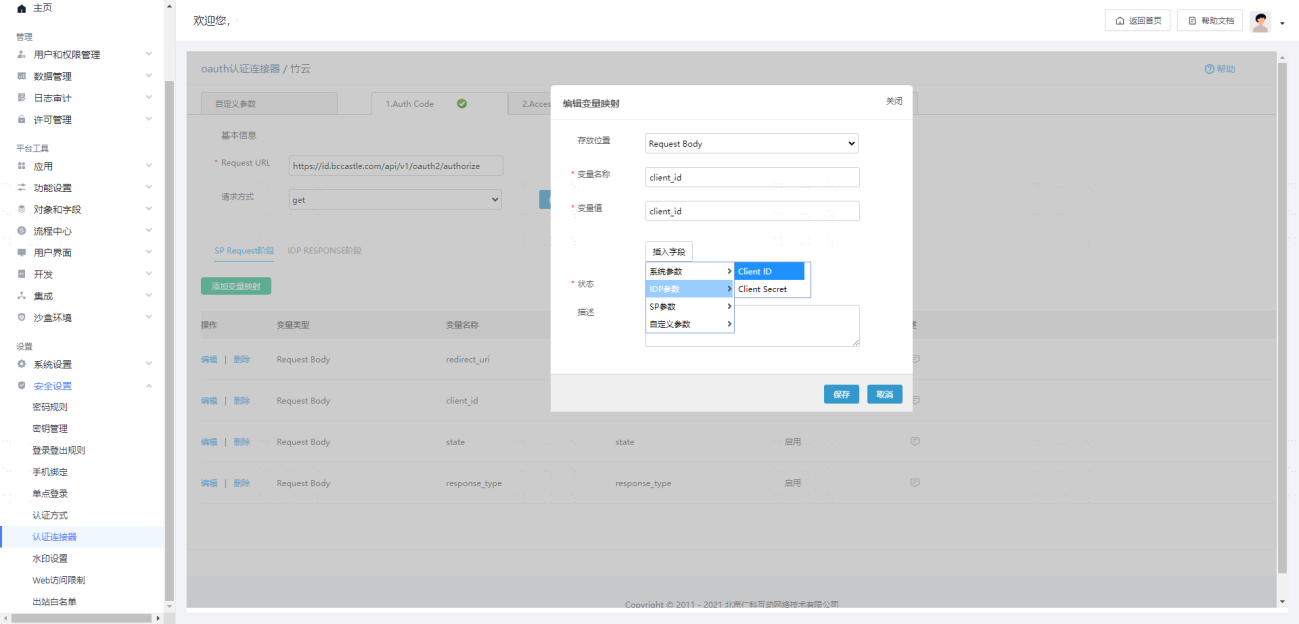
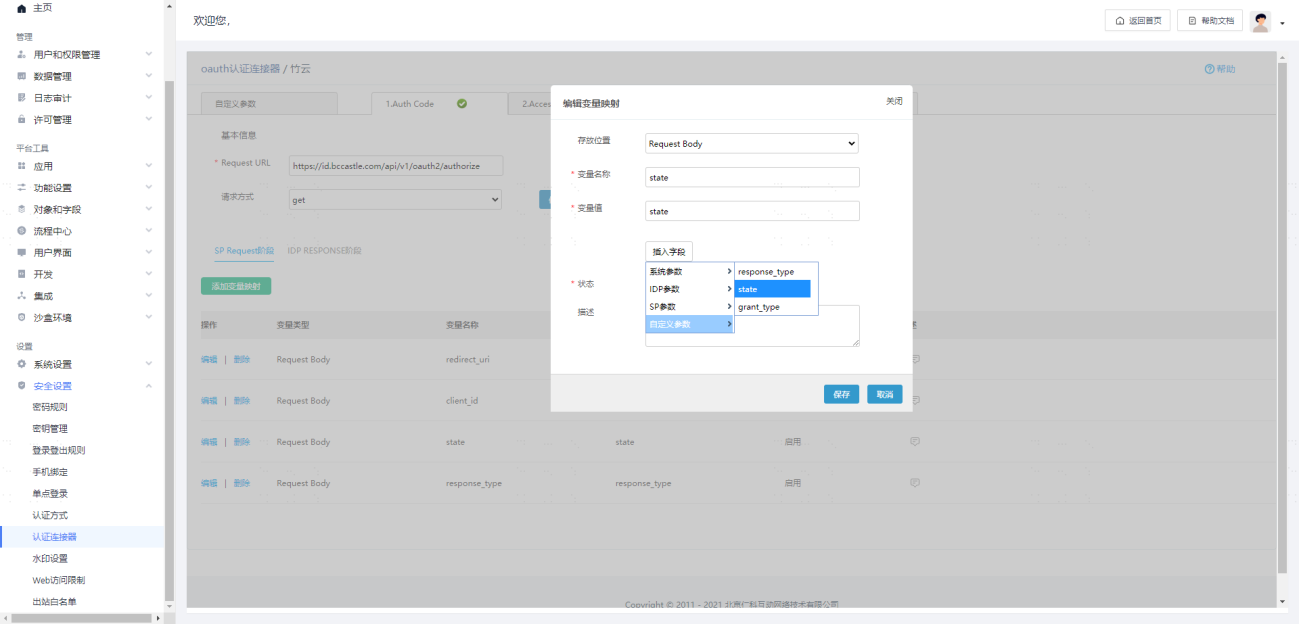
SP Request Phase Parameter Configuration
| Storage Location | Variable Name | Variable Value (Select only) | Variable Value Type |
|---|---|---|---|
| Request Body | redirect_uri | redirect_uri | SP Parameter |
| Request Body | client_id | client_id | IDP Parameter |
| Request Body | state | state | Custom Parameter |
| Request Body | response_type | response_type | Custom Parameter |
Examples are as follows:

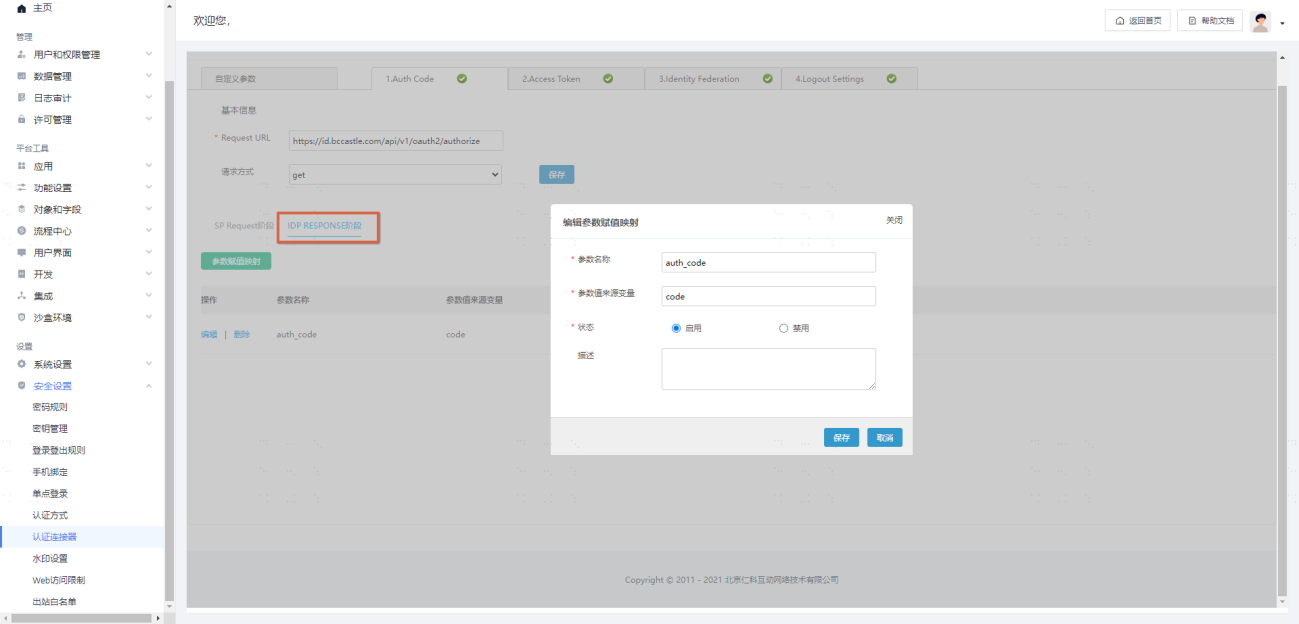
IDP RESPONSE Phase Parameter Configuration
| Parameter Name | Parameter Value Source Variable |
|---|---|
| auth_code | code |
Examples are as follows:
# Access Token Configuration
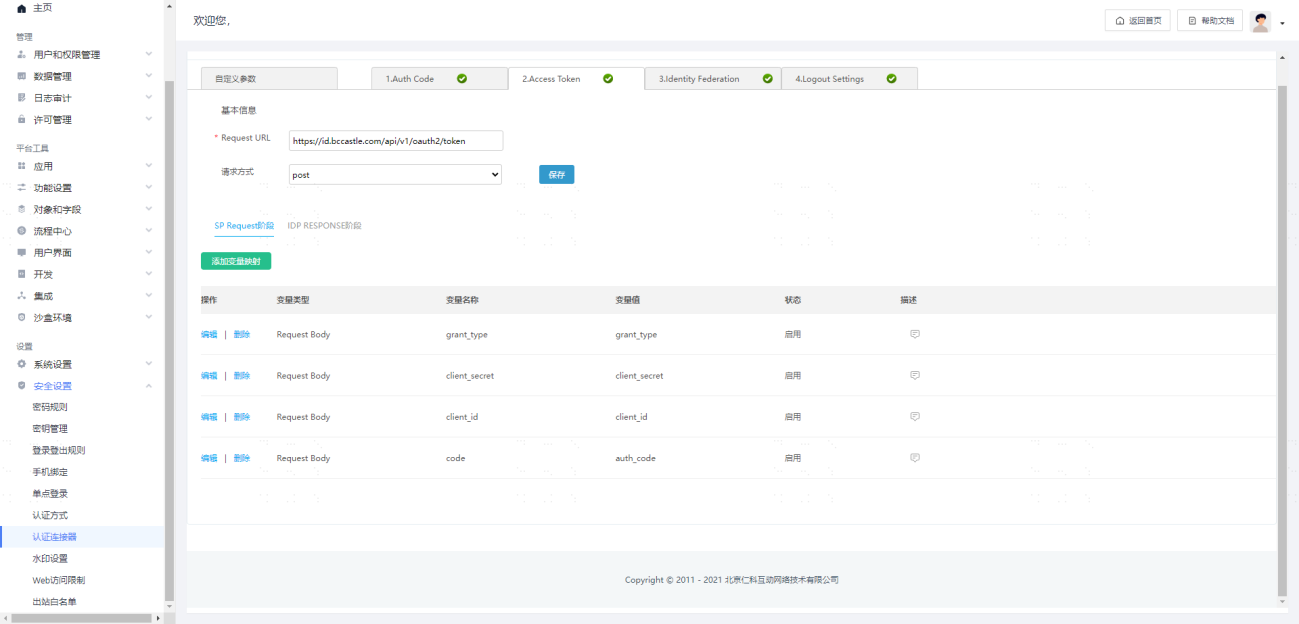
Basic Information
Request URL: https://{Tenant Domain Address, Example: Domain: xx.xxx.com}/api/v1/oauth2/token
Request Method: post
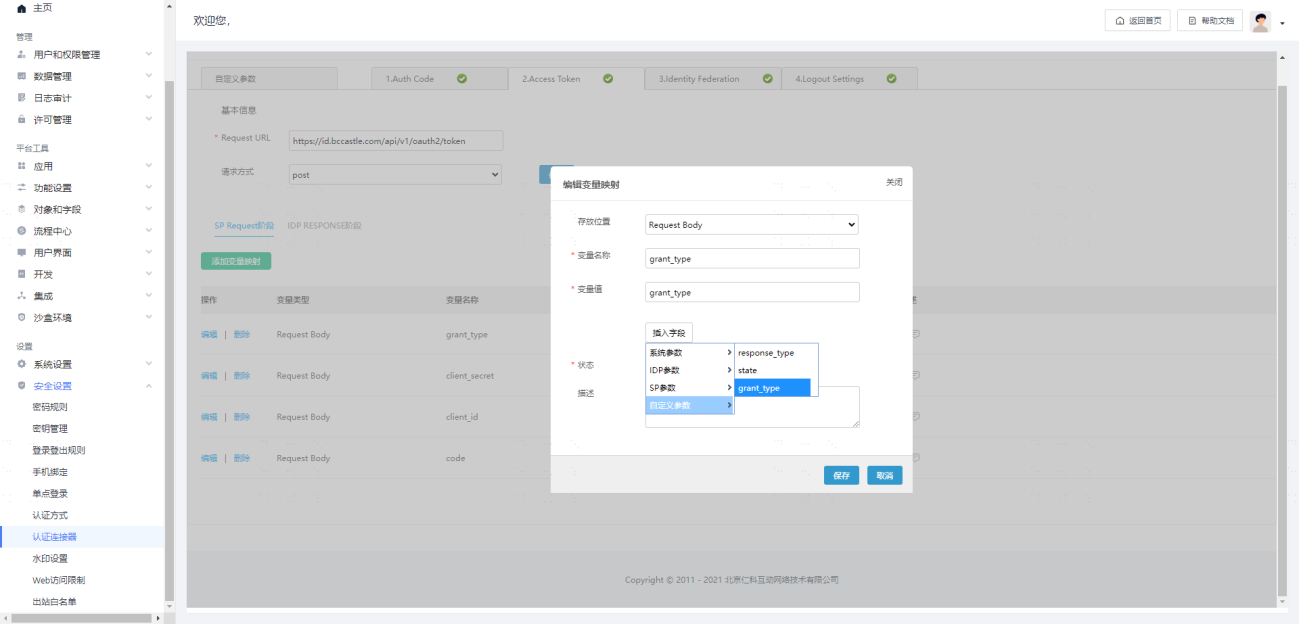
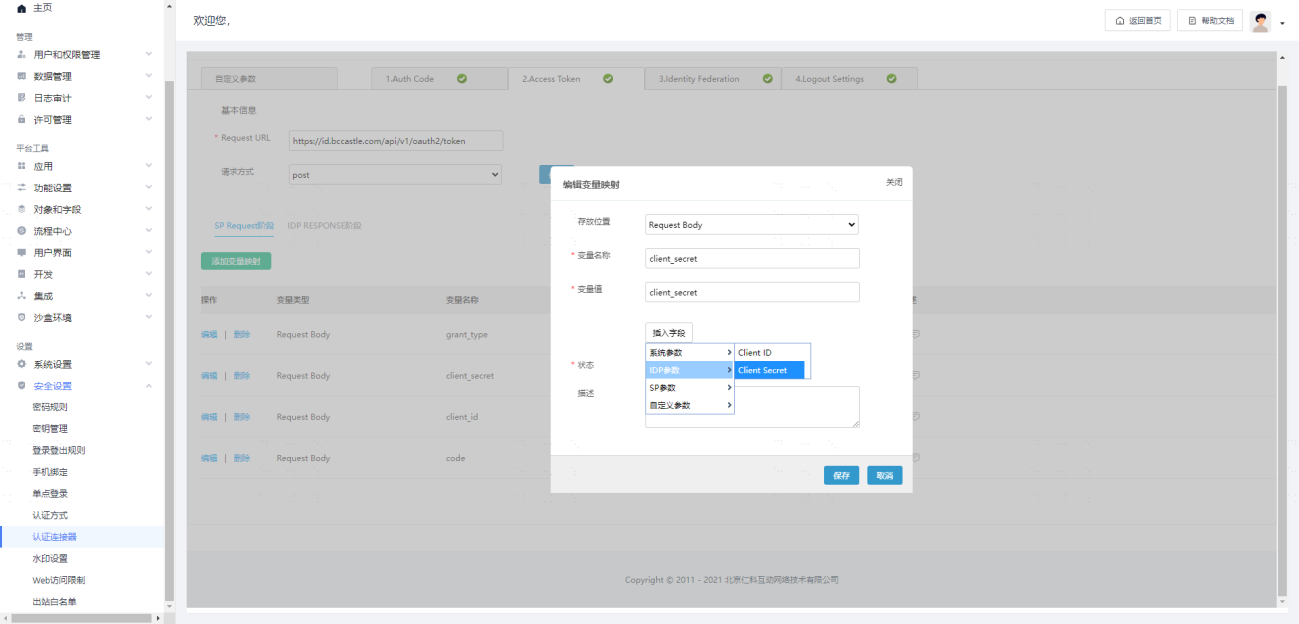
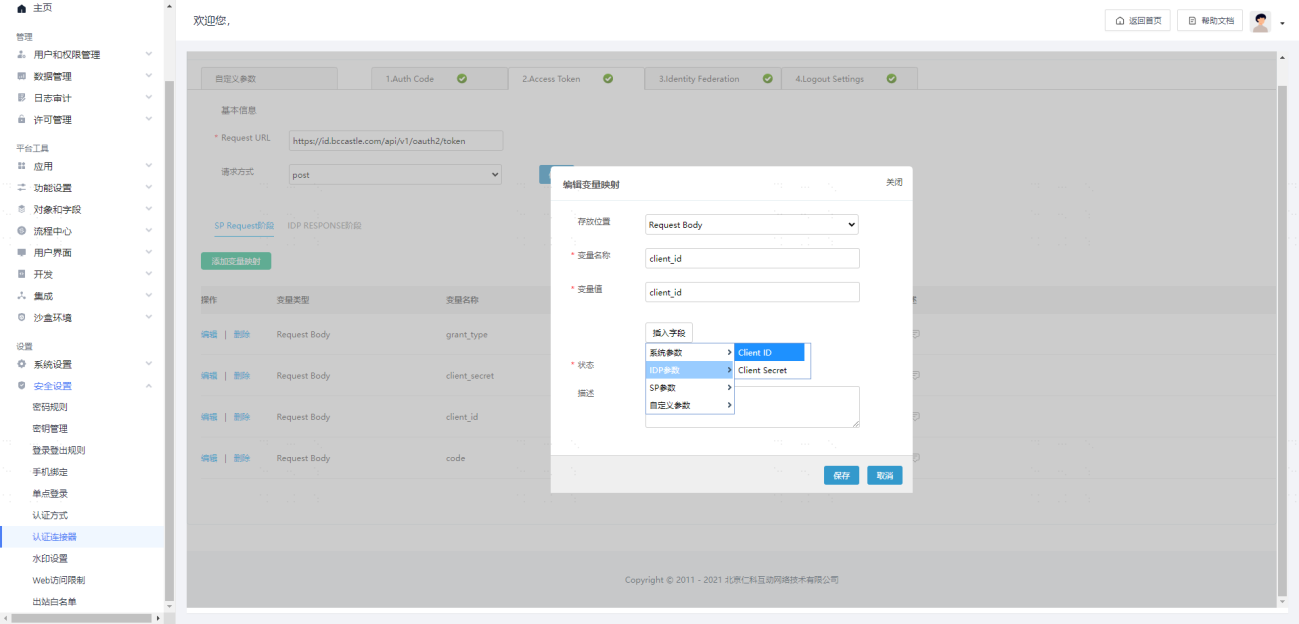
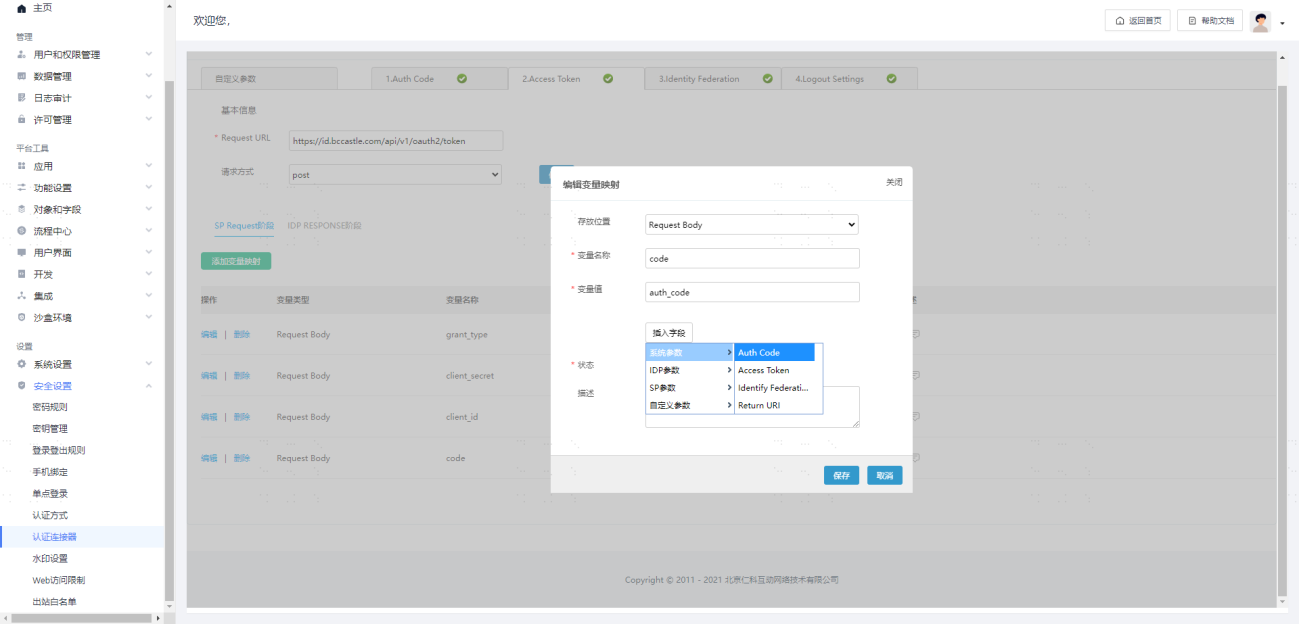
SP Request Phase Parameter Configuration
| Storage Location | Variable Name | Variable Value (Select Only) | Variable Value Type |
|---|---|---|---|
| Request Body | grant_type | grant_type | Custom Parameter |
| Request Body | client_secret | client_secret | IDP Parameter |
| Request Body | client_id | client_id | IDP Parameter |
| Request Body | code | auth_code | System Parameter |
Examples are as follows:
IDP RESPONSE Phase Parameter Configuration
| Parameter Name | Parameter Value Source Variable |
|---|---|
| access_token | access_token |
Examples are as follows:

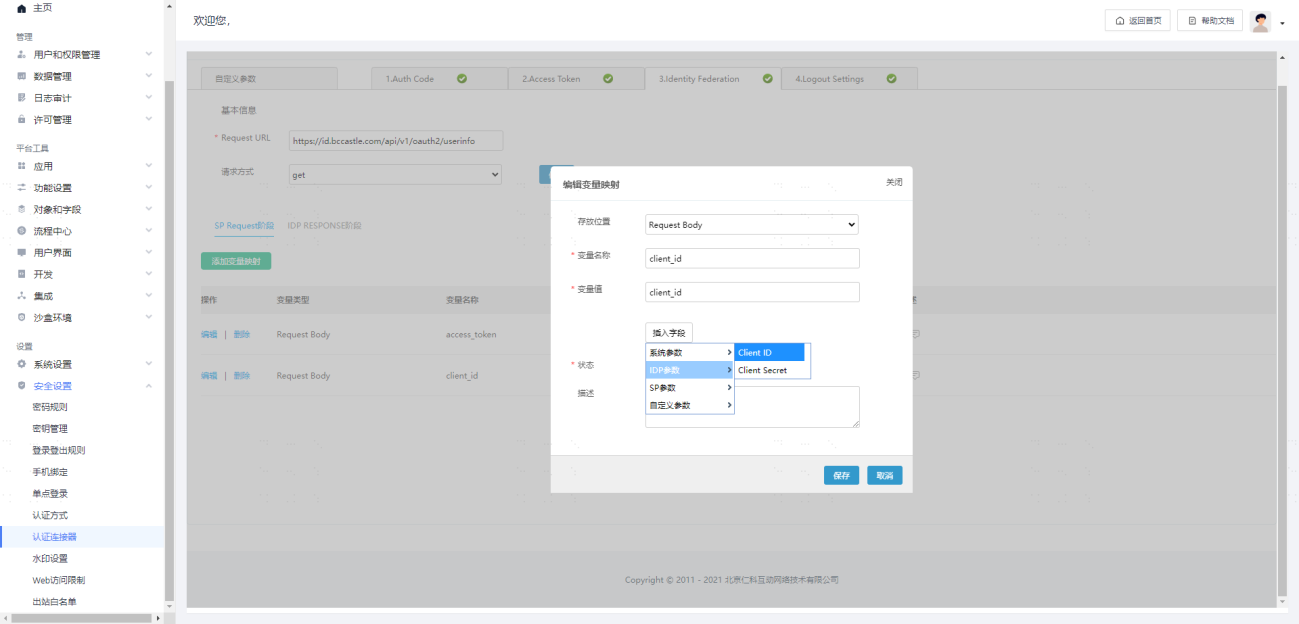
# Identity Federation Configuration
Basic Information
Request URL: https://{Tenant Domain Address, Example: Domain: xx.xxx.com}/api/v1/oauth2/userinfo
Request Method: get
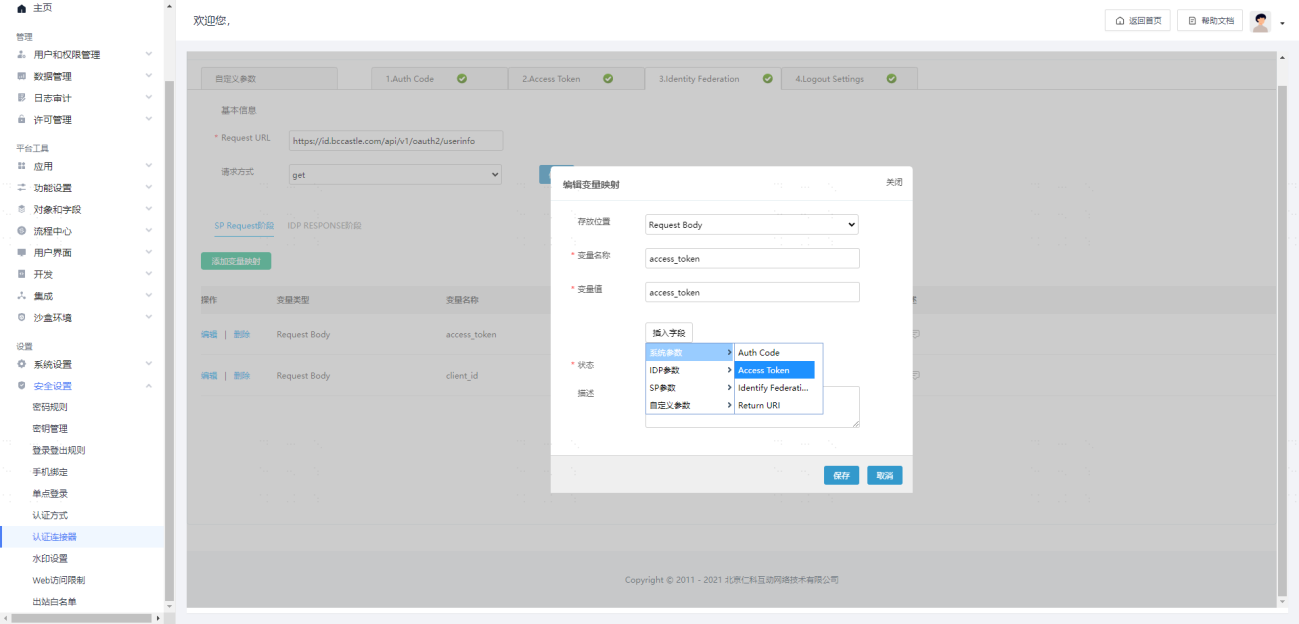
SP Request Phase Parameter Configuration
| Storage Location | Variable Name | Variable Value (Select Only) | Variable Value Type |
|---|---|---|---|
| Request Body | access_token | access_token | System Parameter |
| Request Body | client_id | client_id | IDP Parameter |
Examples are as follows:
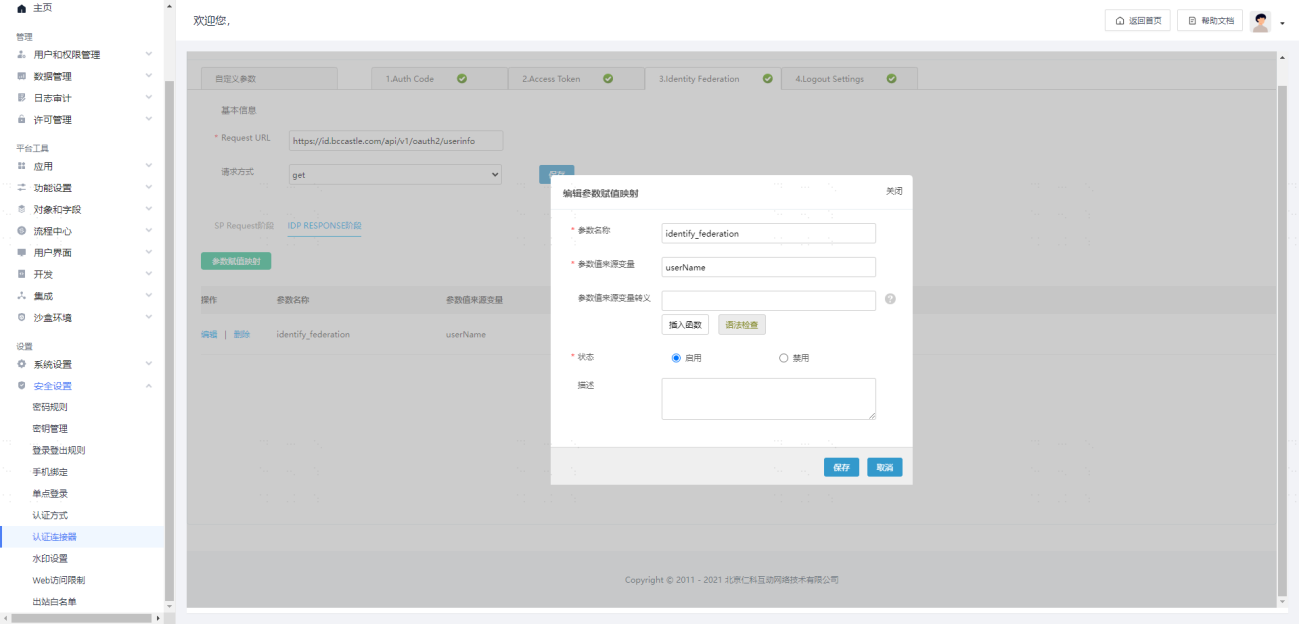
IDP RESPONSE Phase Parameter Configuration
| Parameter Name | Parameter Value Source Variable |
|---|---|
| identify_federation | userName |
Example is as follows:
# Logout Settings Configuration (Optional)
Basic Information
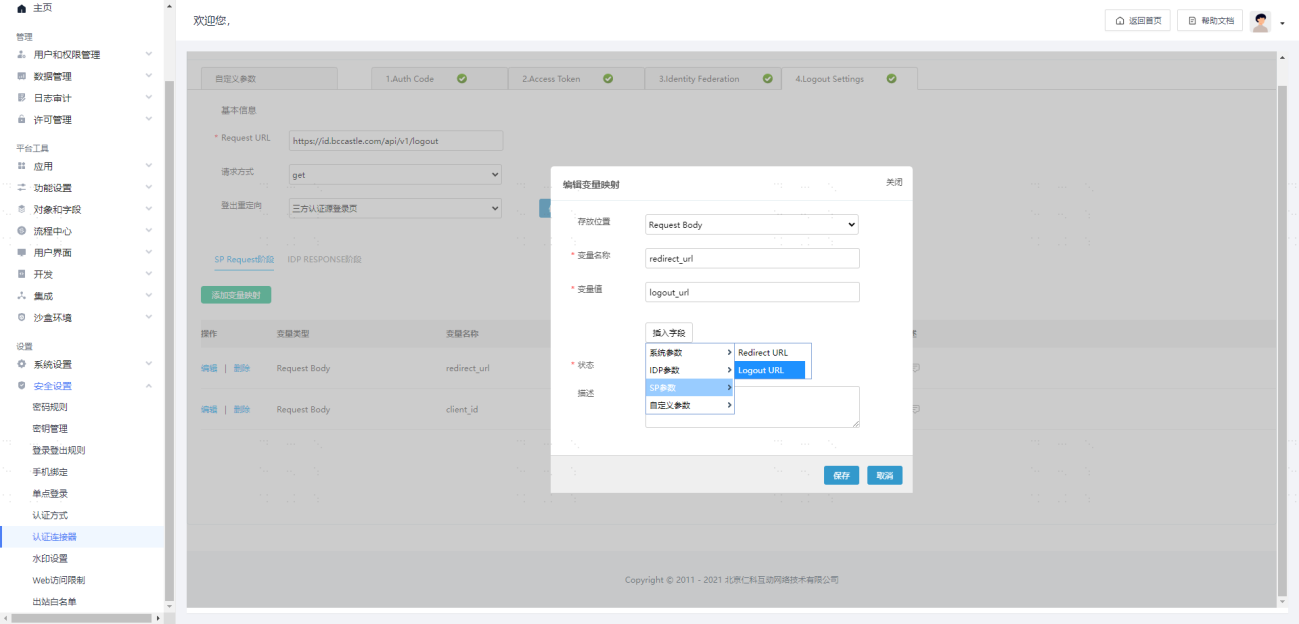
RequestURL: https://{Tenant domain address, example: domain: xx.xxx.com}/api/v1/logout
Request Method: get
SP Request Phase Parameter Configuration
| Storage Location | Variable Name | Variable Value (Selectable Only) | Variable Value Type |
|---|---|---|---|
| Request Body | redirect_url | logout_url | SP Parameter |
| Request Body | client_id | client_id | IDP Parameter |
Example is as follows:

# Testing and Verification
# Enable Third-Party Authentication

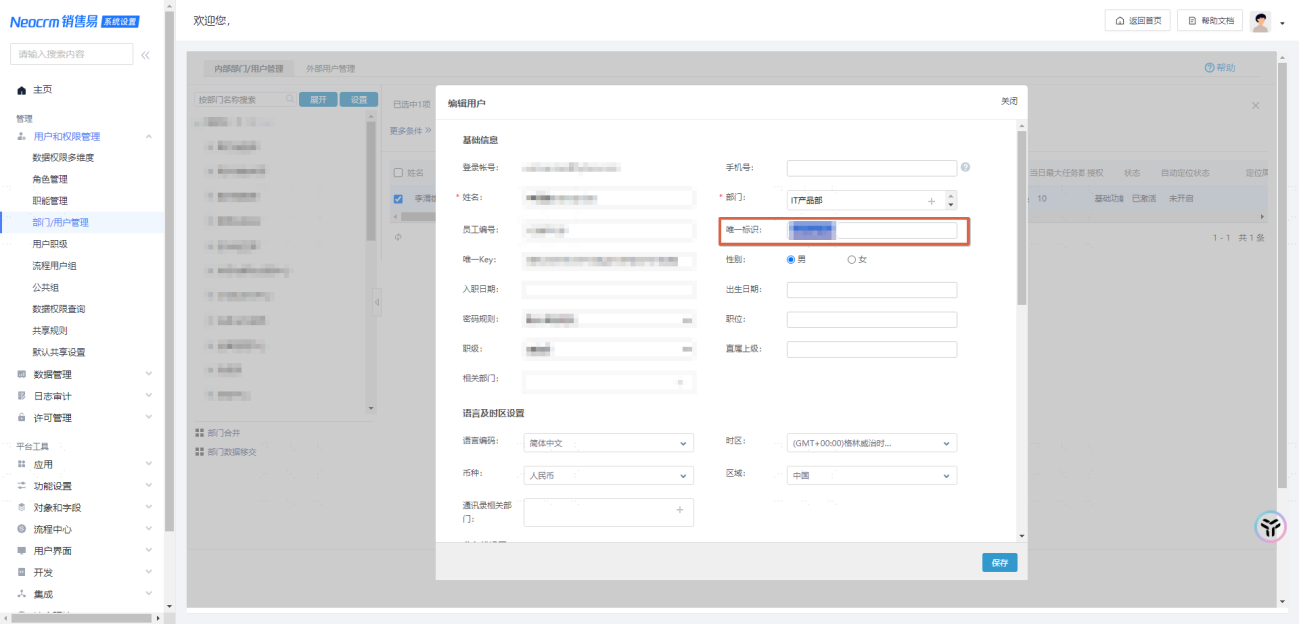
# Establish Associated Matching Accounts
During single sign-on, SalesYi personnel and Zhuyun IDaaS personnel rely on the matching login between the 【Unique Identifier】 attribute field in SalesYi personnel and the 【Username/Other Unique Attribute】 of Zhuyun users. Therefore, before verification, manually maintain the above field in SalesYi.
# Login Access
Access the SalesYi login homepage
Select the 【Zhuyun】 method to log in
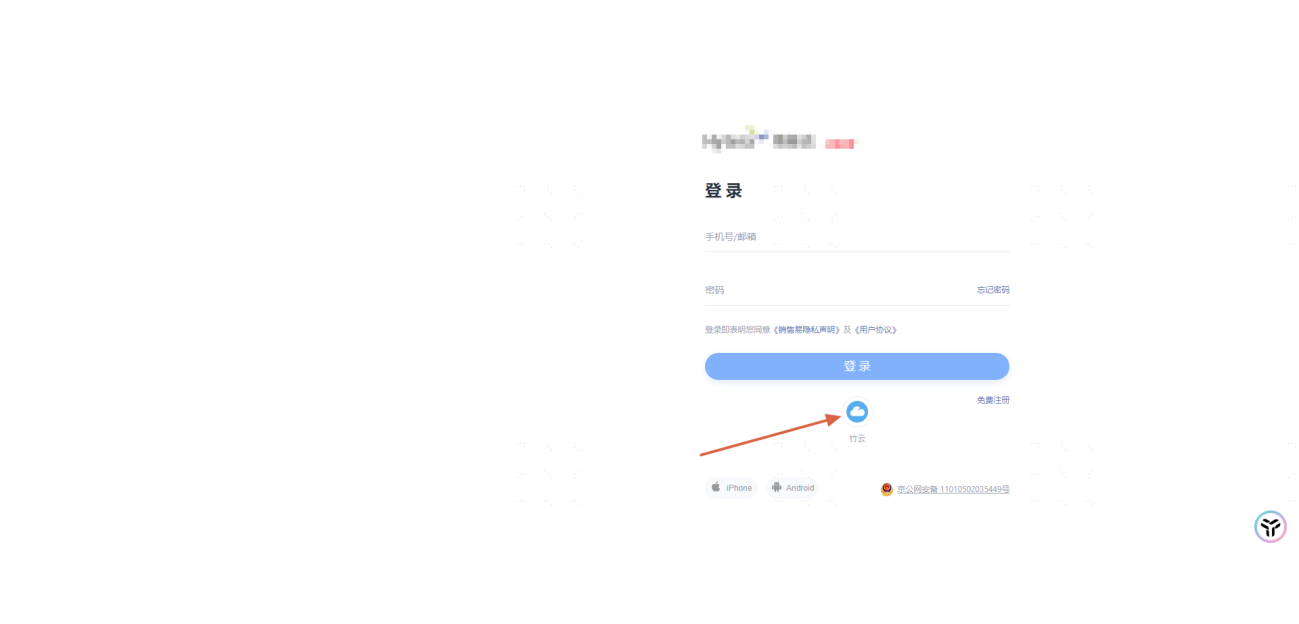
- Enter the Zhuyun account username and password, then click OK

- Check the login result.
# Appendix
[SalesYi Official Website Explanation on OAuth Protocol Integration](https://doc.xiaoshouyi.com/?code=8U1tuG0#/proMan/workplaceDetail?url=%2F%2Ftas ks%2F%E9%94%80%E5%94%AE%E6%98%93CRM_PaaS%E5%B9%B3%E5%8F%B0_% E7%B3%BB%E7%BB%9F%E5%8D%95%E7%82%B9%E7%99%BB%E5%BD%95%E9% 85%8D%E7%BD%AE_V2108.01_%E7%BB%91%E5%AE%9A_sp_%E4%B8%8E_idp_%E7 %94%A8%E6%88%B7.html&id=802&dir=output_1654767381620&time=169701647076 0&proId=undefined&checkStat=undefined)