WPS Office/Kingsoft Docs OAuth Single Sign-On
# Description
This document describes the OAuth authentication integration configuration between Kingsoft Docs and IDaaS.
# Authentication Configuration
# WPS Configuration
Log in to the WPS Admin Console (opens new window), select "Contacts" -> "SSO Login Settings", and add an OAuth 2.0 authentication source.
(IDaaS also supports authentication integration with WPS using the SAML protocol)
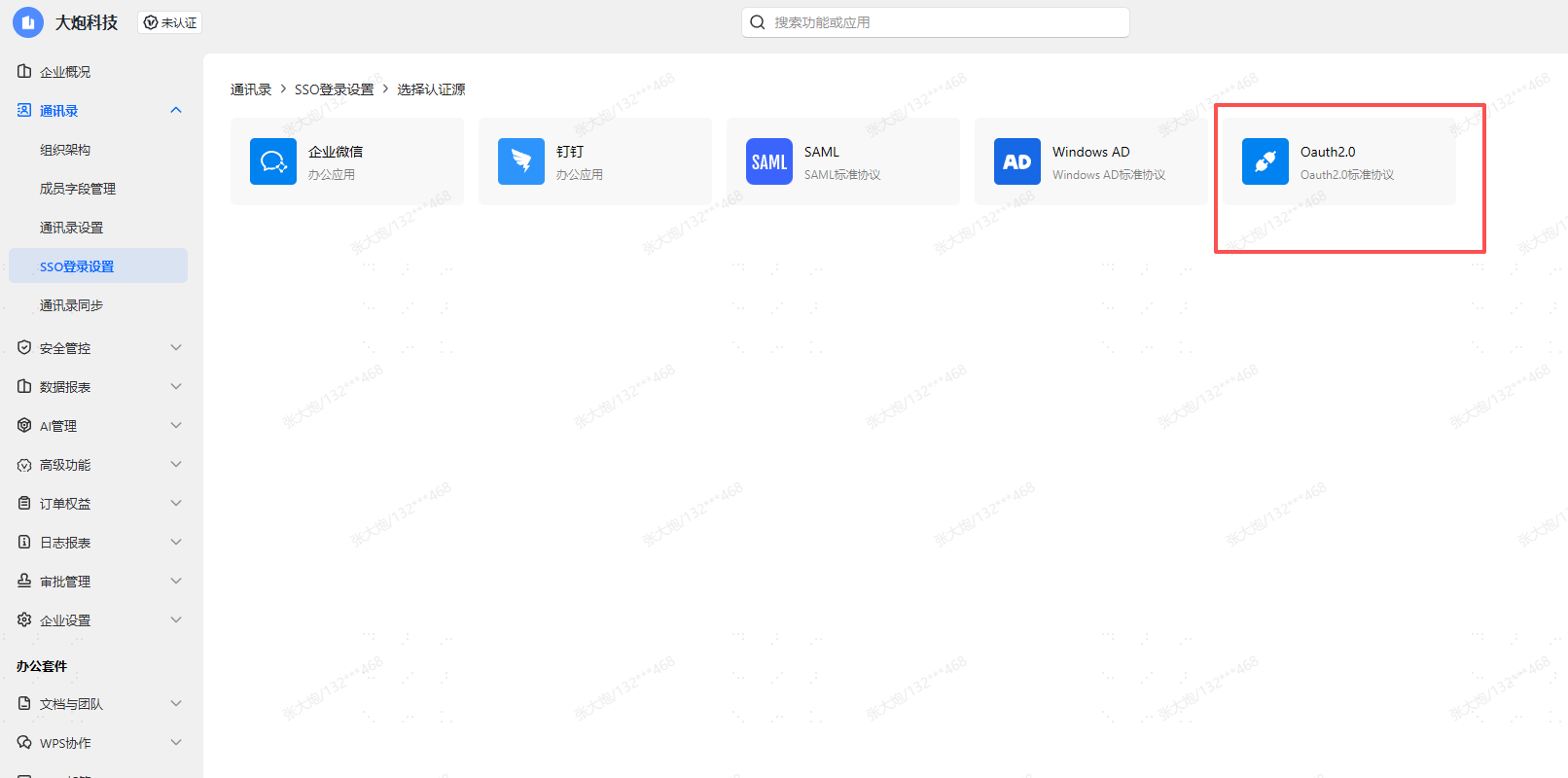
Configure the Authorization Request.
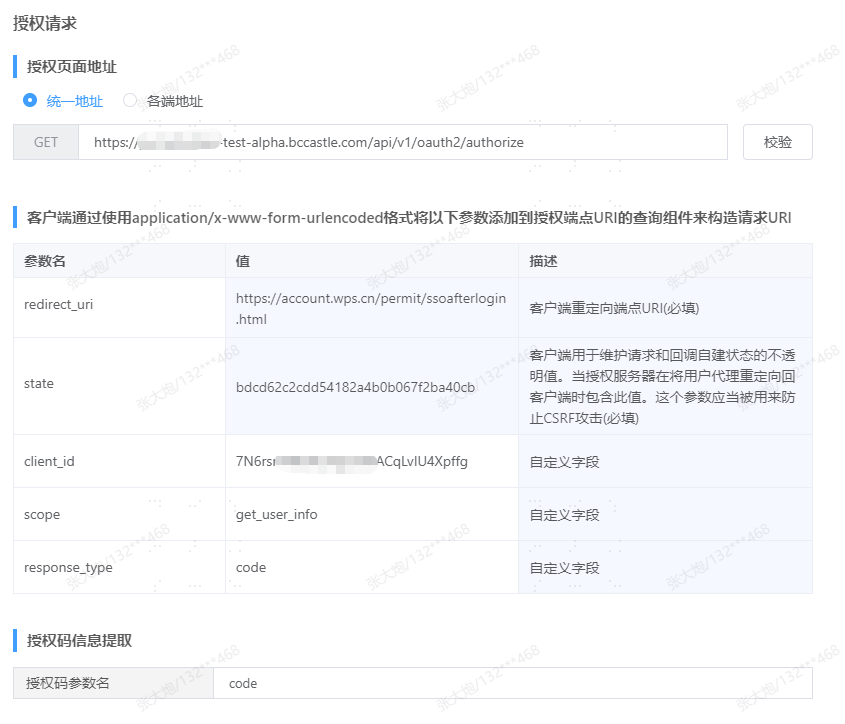
Authorization Page Address: https://{your_domain}/api/v1/oauth2/authorize
Authorization Code Parameter Name: Fixed value "code"
Parameter Description redirect_uri Client redirect endpoint URI. WPS defaults to redirect_url, please change it to redirect_uri!!! state An opaque value used by the client to maintain state between the request and callback client_id The client_id of the IDaaS application scope Fixed value "get_user_info" response_type Fixed value "code" Configure the Authorization Token Request.
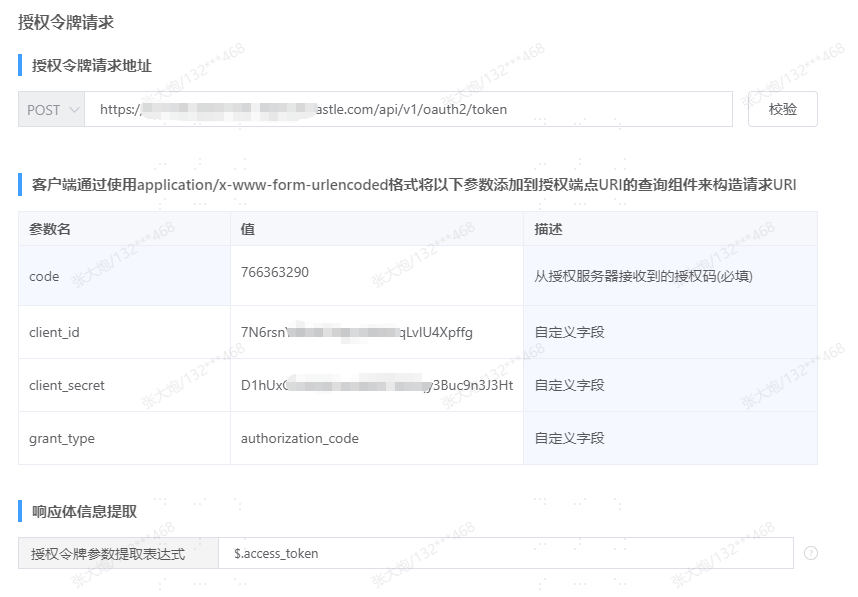
Authorization Token Request Address: https://{your_domain}/api/v1/oauth2/token
Authorization Token Parameter Extraction Expression: Fixed value "$.access_token"
Parameter Description code Authorization Code client_id The client_id of the IDaaS application client_secret The client_secret of the IDaaS application grant_type Fixed value "authorization_code" response_type Fixed value "code" Configure the User Info Request.
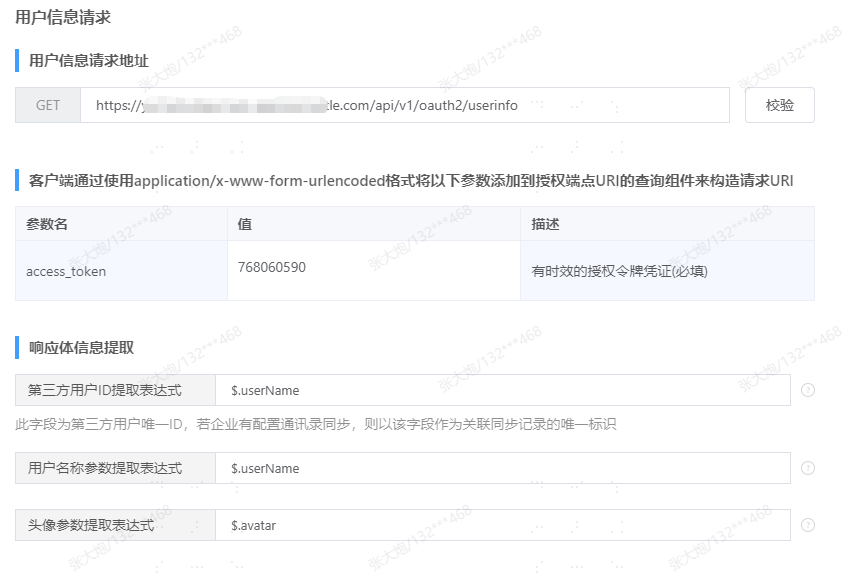
User Info Request Address: https://{your_domain}/api/v1/oauth2/userinfo
Third-party user ID extraction expression: Obtain value based on the authentication integration - mapping configuration in IDaaS application :::
| Parameter | Description |
|---|---|
| access_token | Timed authorization token credential |
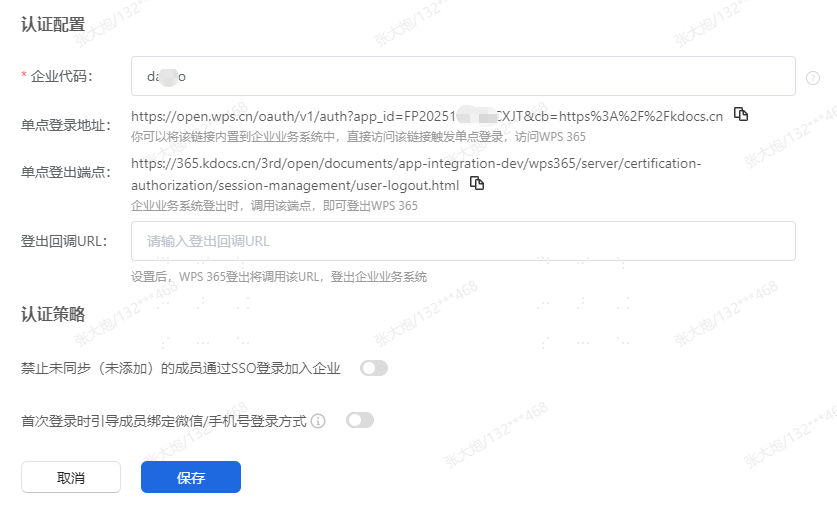
Authentication Configuration, obtain the single sign-on address, save.
# IDaaS Configuration
Administrator logs into the IDaaS Enterprise Center, Enterprise Center - Resources - Applications - Pre-integrated Applications - Add Pre-integrated Application, search for WPS, WPS Office.
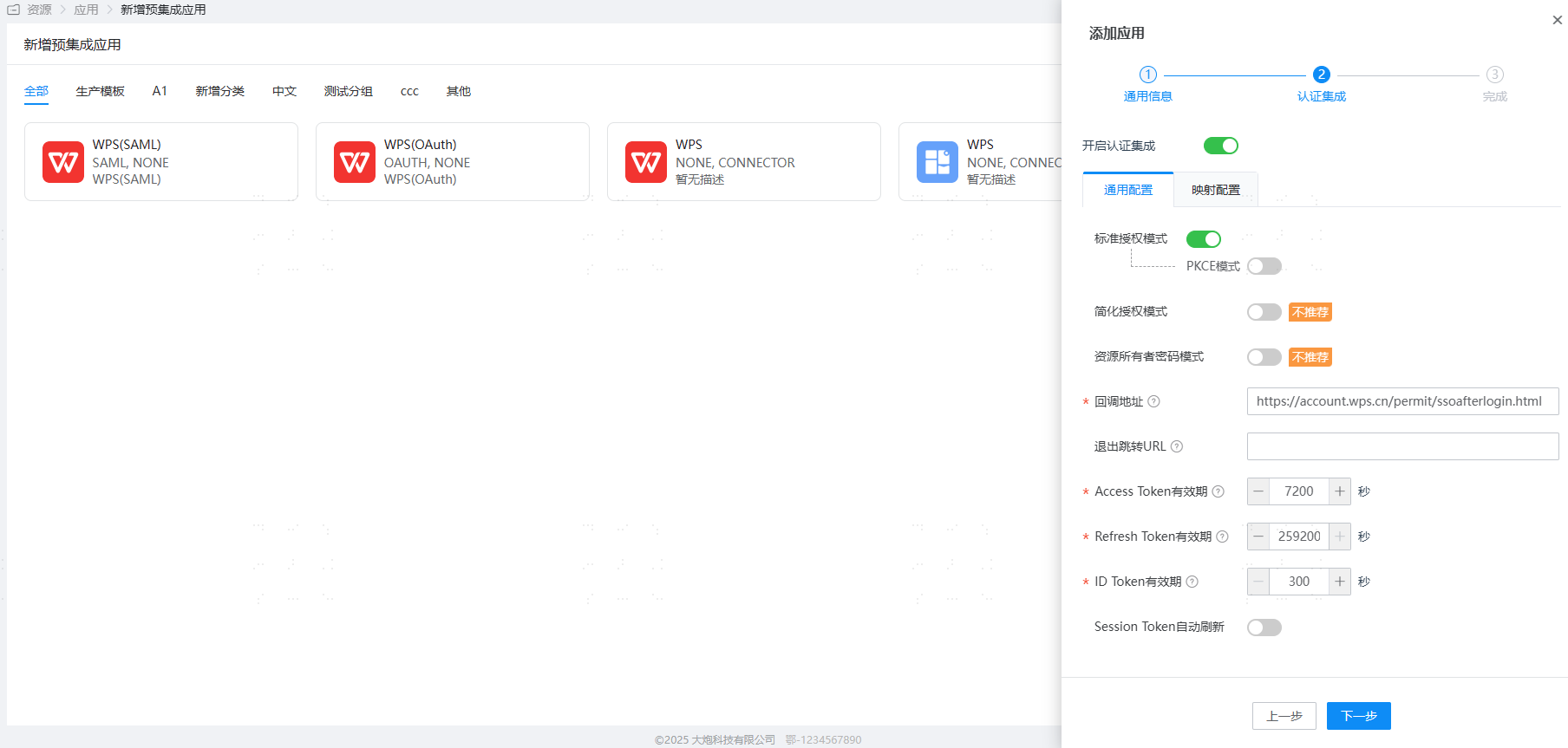
Authentication Configuration, where the callback address is filled in as https://account.wps.cn/permit/ssoafterlogin.html.
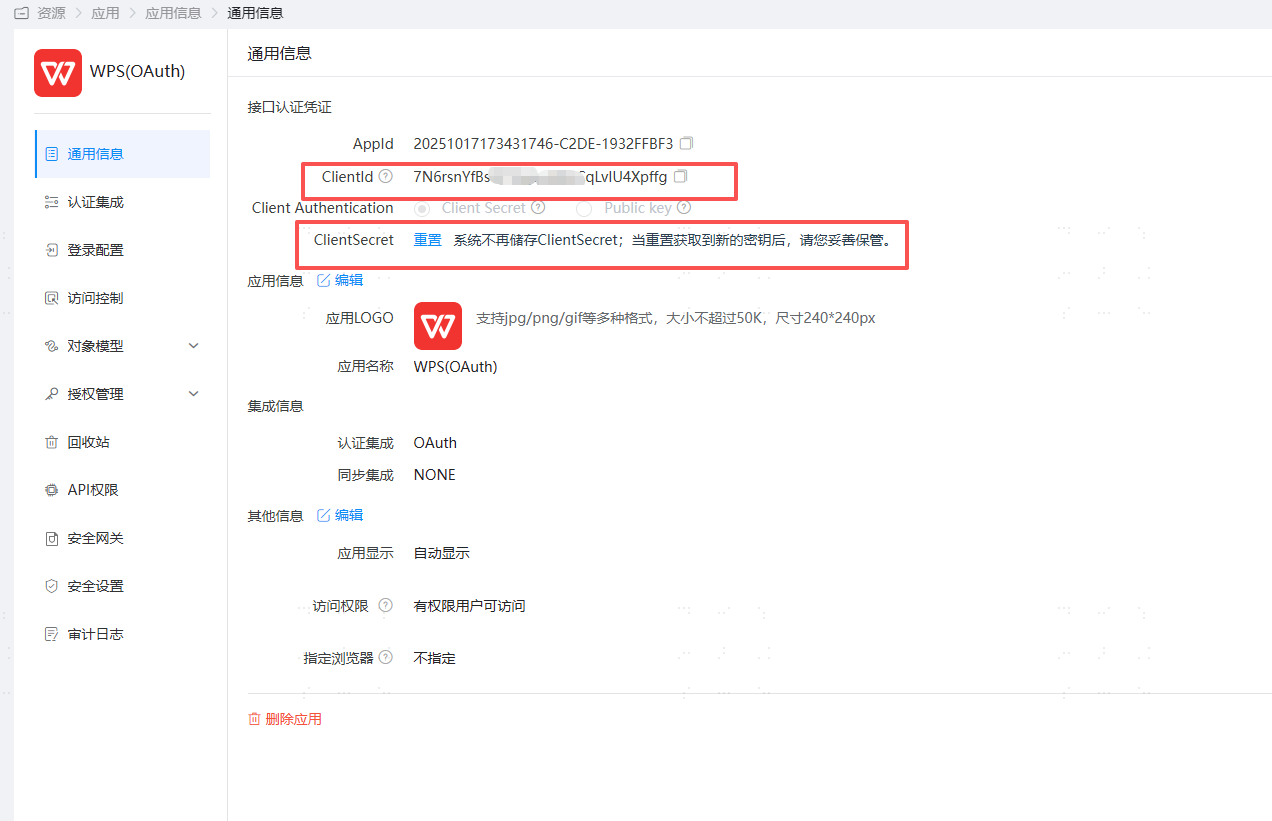
Enter the application details, view general information, obtain ClientId and ClientSecret.
User Authorization, Authorization Management - Application Accounts - Add Account.
# Login Verification
Web end login to WPS Personal Center (opens new window), select Exclusive Account SSO.
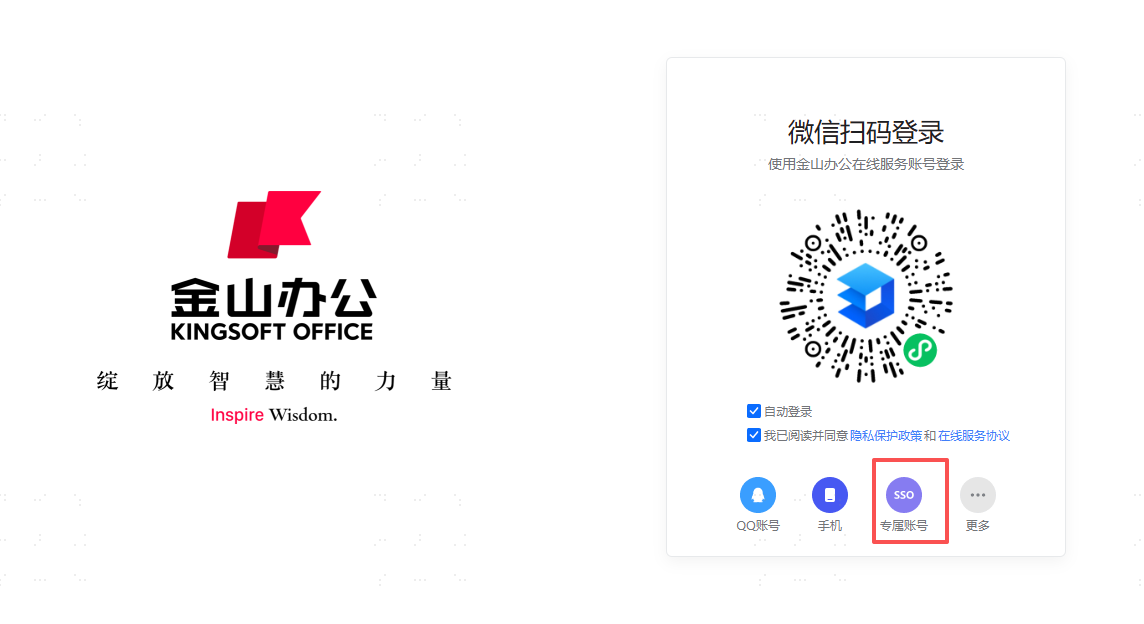
Enter the enterprise code, redirect to the IDaaS login page, input authorized user credentials, enter Kingsoft Docs.