
Worktile Single Sign-On
# Description
This document introduces the configuration process for single sign-on between Worktile and IDaaS based on the SAML protocol.
Currently, only paid version users of Worktile support authentication management.
# Authentication Configuration
# Worktile Configuration
Worktile administrator logs into the Worktile system (opens new window).
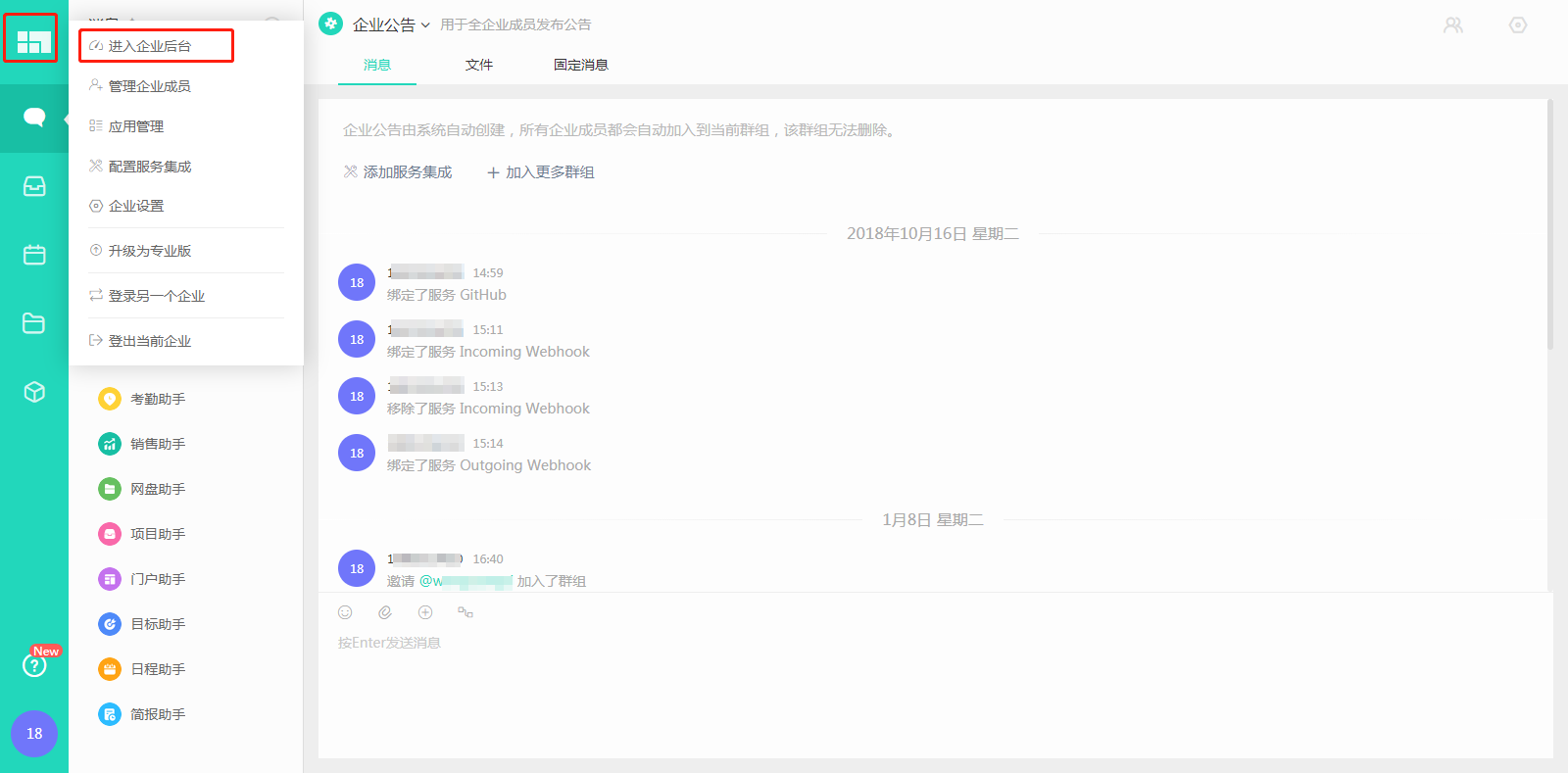
After entering the Worktile system, click the logo in the upper left corner and select "Enterprise Backend" to enter, as shown in the figure below.
After entering the Worktile console, click the left menu "Security Management", then expand "SAML" authentication.
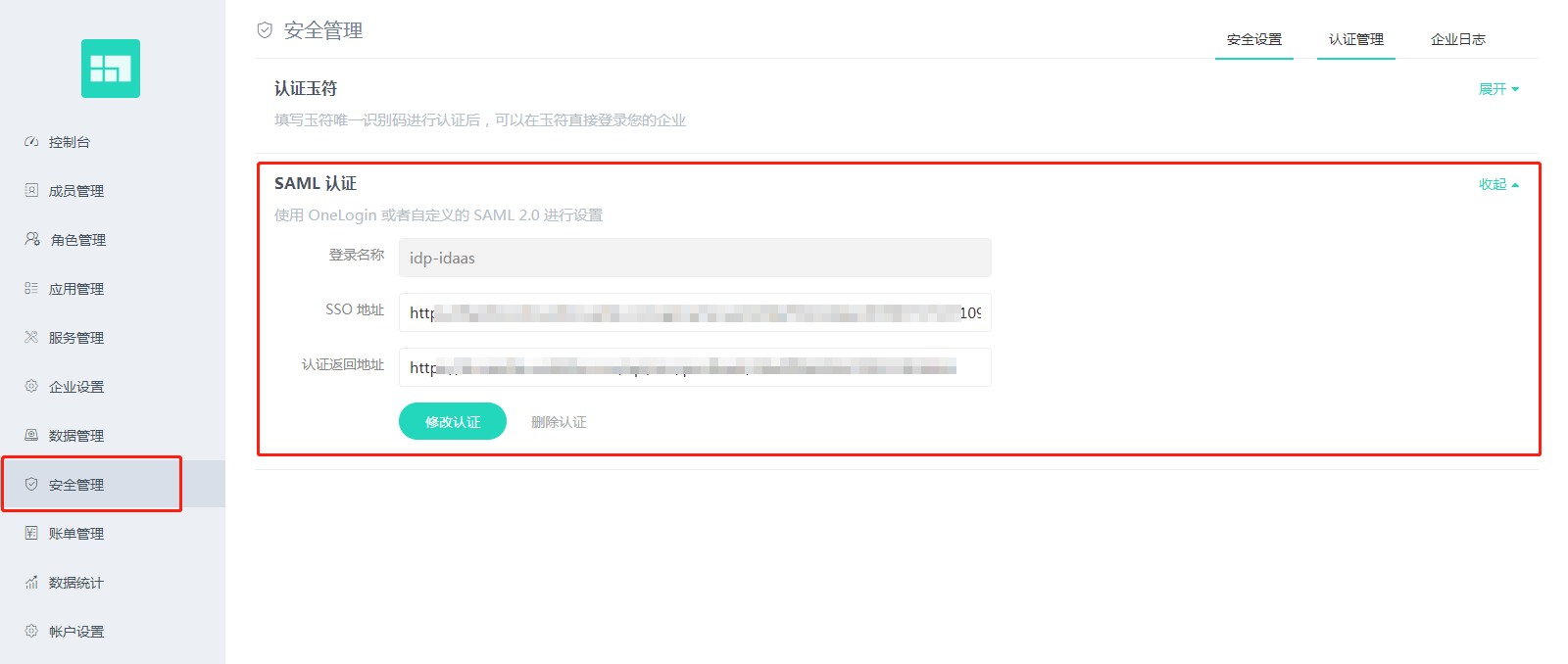
On the "SAML Authentication" page, click the "Modify Authentication" button to pop up the configuration SAML IDP window. The following table explains the information to be filled in.
Parameter Name Parameter Value Parameter Description Login Name Custom Identifies the SAML login, e.g., Zhuyun IDaaS. After configuring SAML in Worktile, a login button named this will appear on the Worktile login page. SSO Address Zhuyun IDaaS IDP SSO Address Zhuyun IDaaS IDP SSO URL IdP Address Zhuyun IDaaS IDP EntityID Zhuyun IDaaS IDP EntityId IdP Public Key Zhuyun IDaaS IDP Public Key Zhuyun IDaaS IDP Certificate SP Address Default is the personalized domain address assigned by the Worktile system to the enterprise tenant Default is https://pro.worktile.com/ To download IDaaS's IDP metadata, please visit https://{your_domain}/api/v1/saml2/idp/metadata.

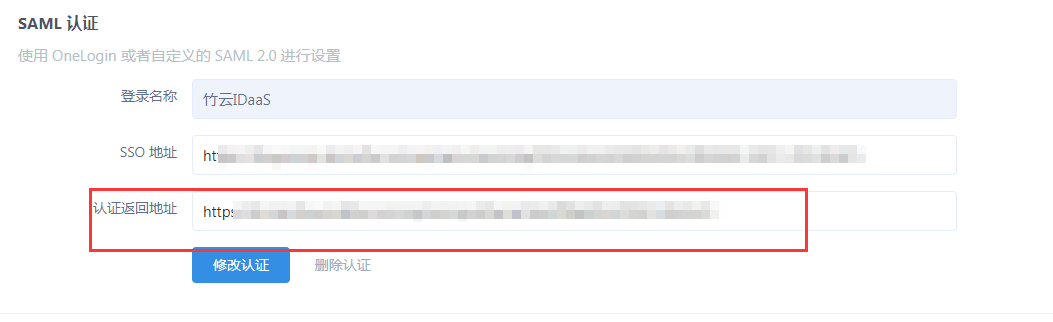
After configuration is complete, an authentication return address will be generated, which will be used later when configuring Worktile authentication parameters in IDaaS.
# IDaaS Configuration
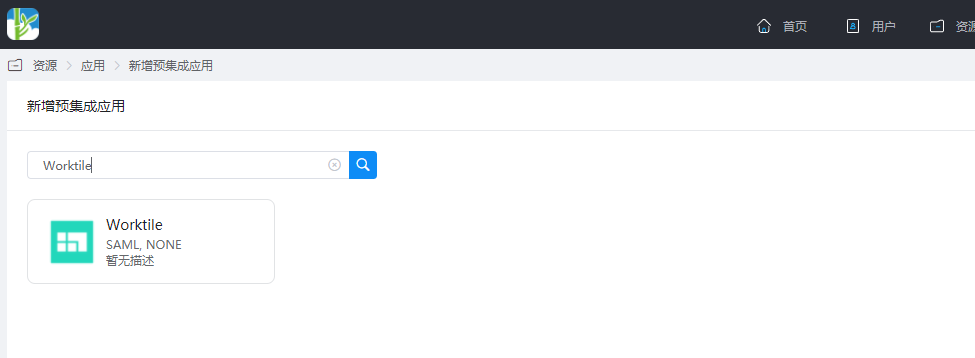
Add the pre-integrated application Worktile.
Configure authentication parameters. The parameter descriptions are as follows:

| Parameter | Description |
|---|---|
| SP Entity ID | The SP address in Worktile SAML authentication configuration. |
| Assertion Consumer Service (ACS) URL | The authentication callback address for Worktile. |
| Name ID | Account name. |
| Audience URI | The SP address in Worktile SAML authentication configuration. |
Other non-mandatory configurations can be left as defaults.
Go to Application Details > Authorization Management > Application Accounts, click the 'Add Account' button, and select the authorized user.
Modify the account name to the user's email or phone number in Worktile.
# Login Verification
There are two login methods as follows:
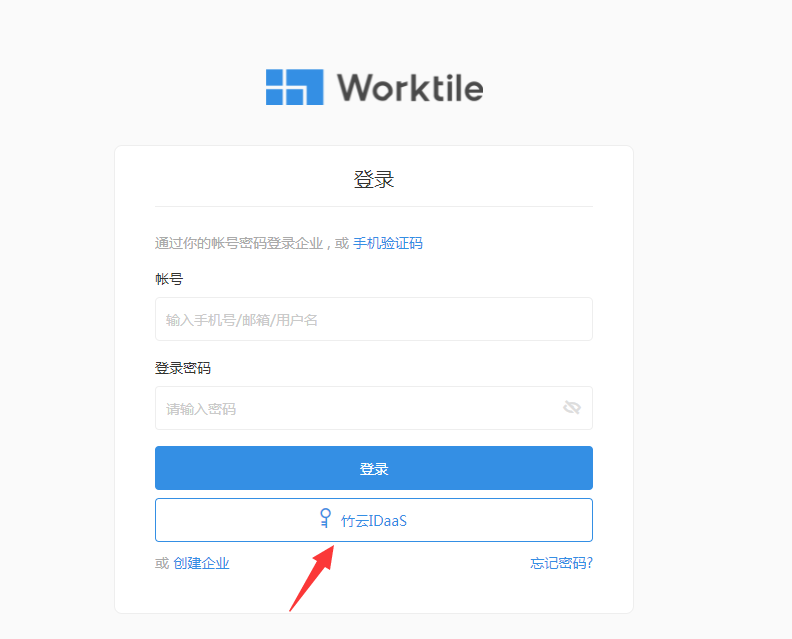
On the Worktile login page, click the 'SAML Login' button to initiate login authentication.
Log in to the IDaaS User Center and click the Worktile logo to redirect.