Enterprise WeChat Data Synchronization
# Description
This article explains how to synchronize organizational and personnel data from IDaaS to Enterprise WeChat, enabling data flow from IDaaS to Enterprise WeChat.
Note: For address book security considerations, Enterprise WeChat implemented a security upgrade for components like the address book on August 15, 2022. Calling address book APIs now requires trusted IP verification, and a single trusted IP can only be used for different applications within one Enterprise WeChat company. The same trusted IP cannot be configured for multiple customer Enterprise WeChat companies, otherwise it will be considered as a service provider. Announcement Link (opens new window)
# Prerequisites
- The user has Enterprise WeChat company administrator permissions.
- The administrator has access to the IDaaS Enterprise Center.
# Synchronization Configuration
# Enterprise WeChat Configuration
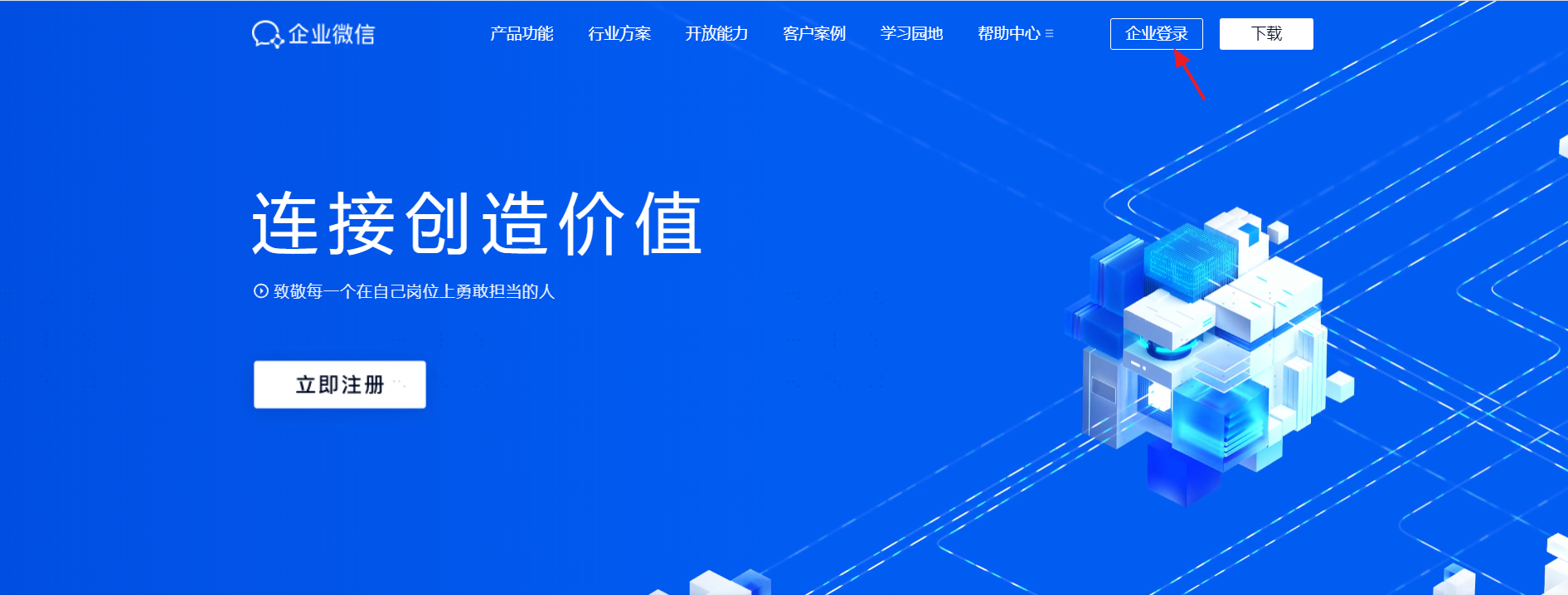
Log in to the Enterprise WeChat Admin Console (opens new window).
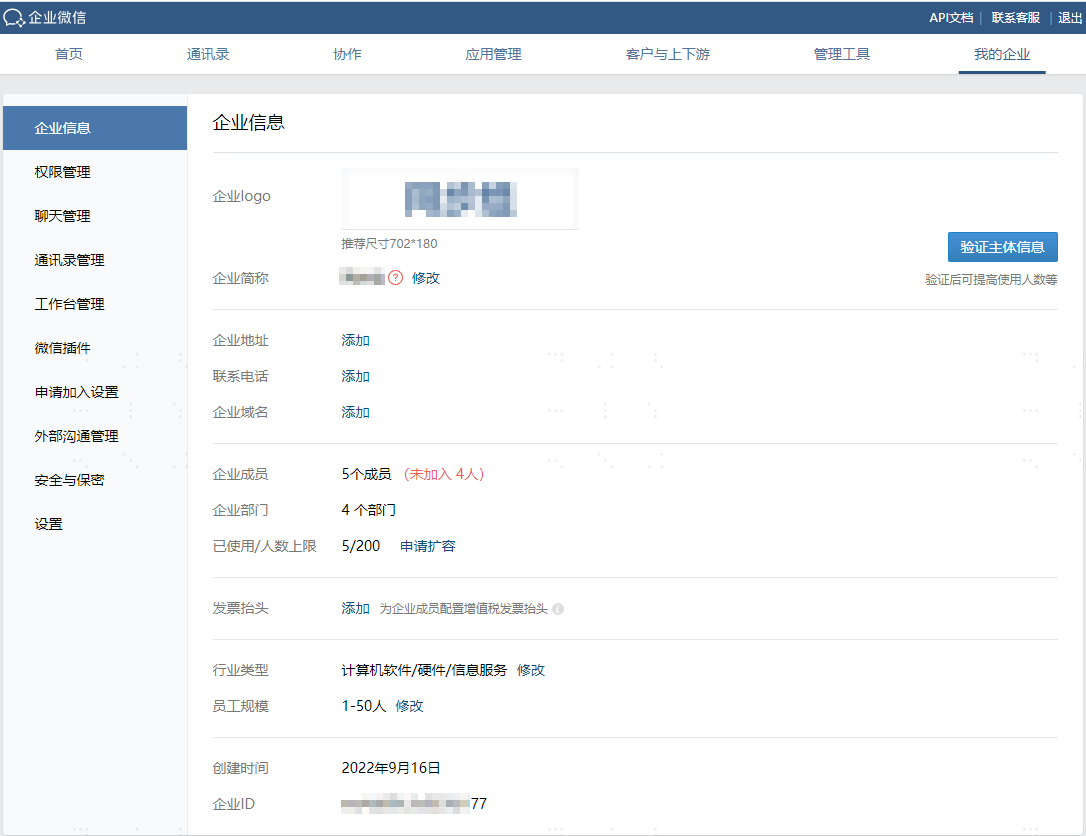
Obtain the Enterprise WeChat Company ID and Address Book Synchronization Secret.
Go to 【My Company】 to view the Company ID.
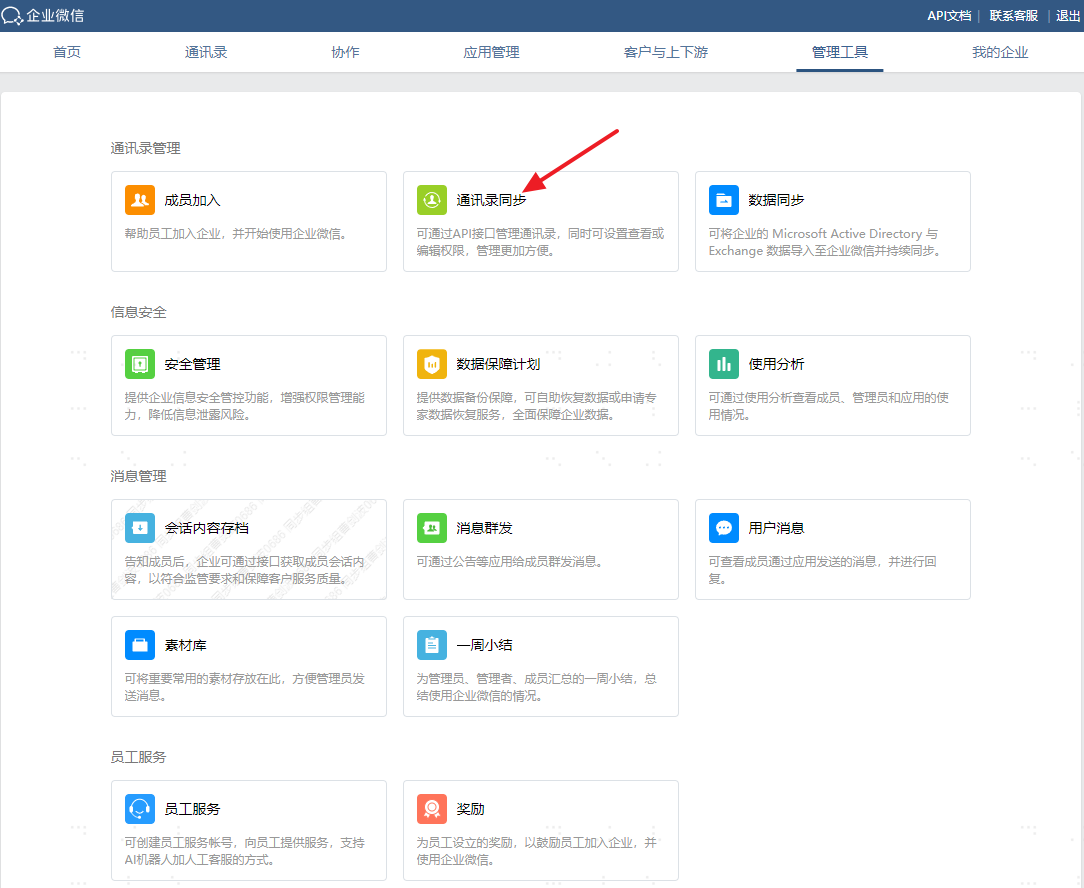
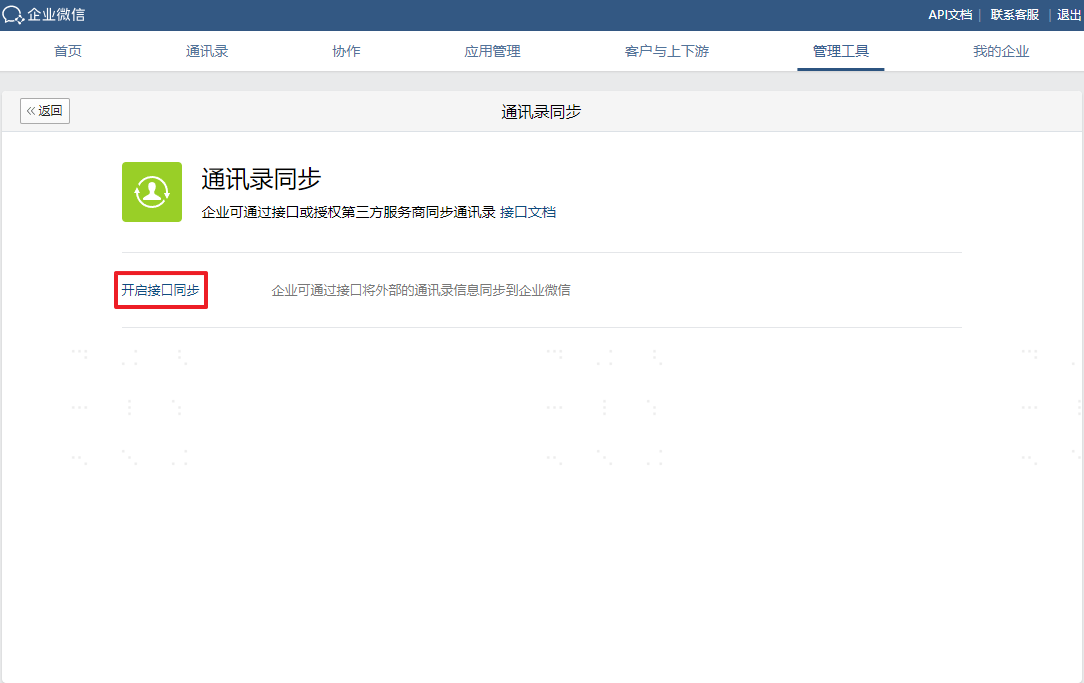
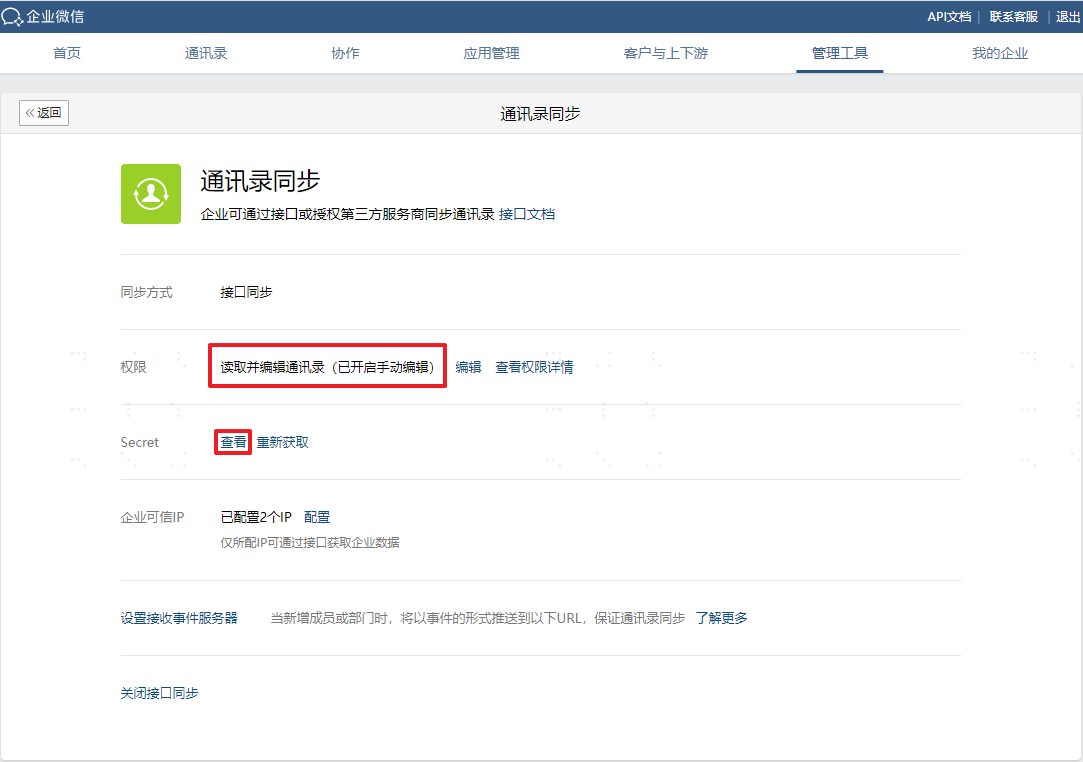
Go to 【Management Tools】-->【Address Book Synchronization】--> Enable API interface synchronization, enable API editing address book permissions, and view the Secret.
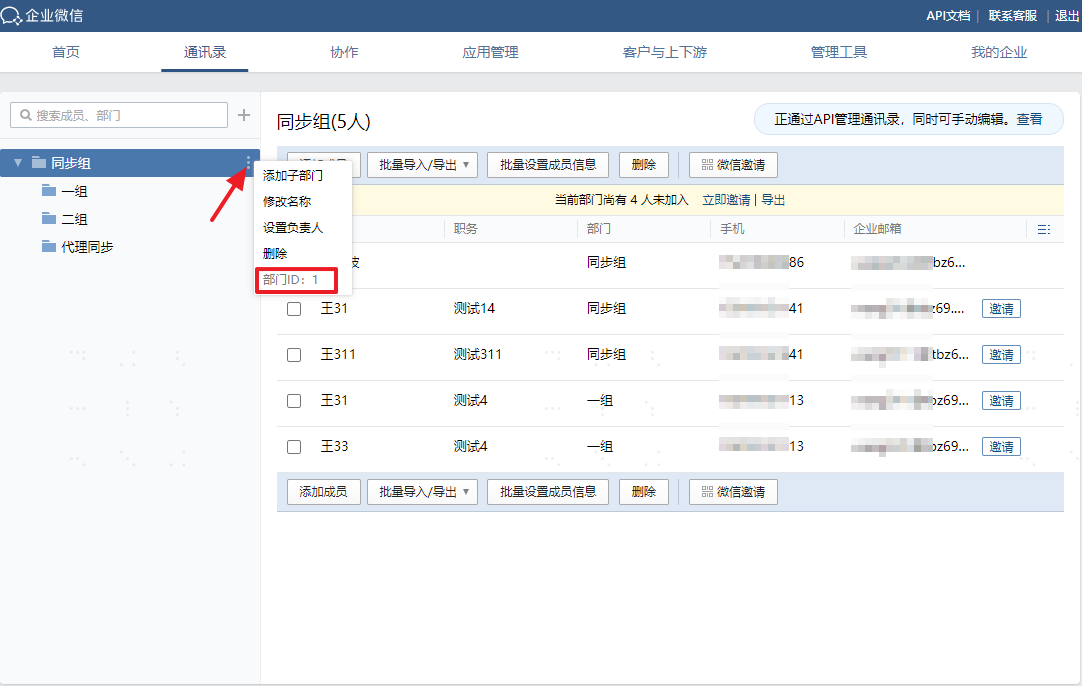
View the root department node ID.
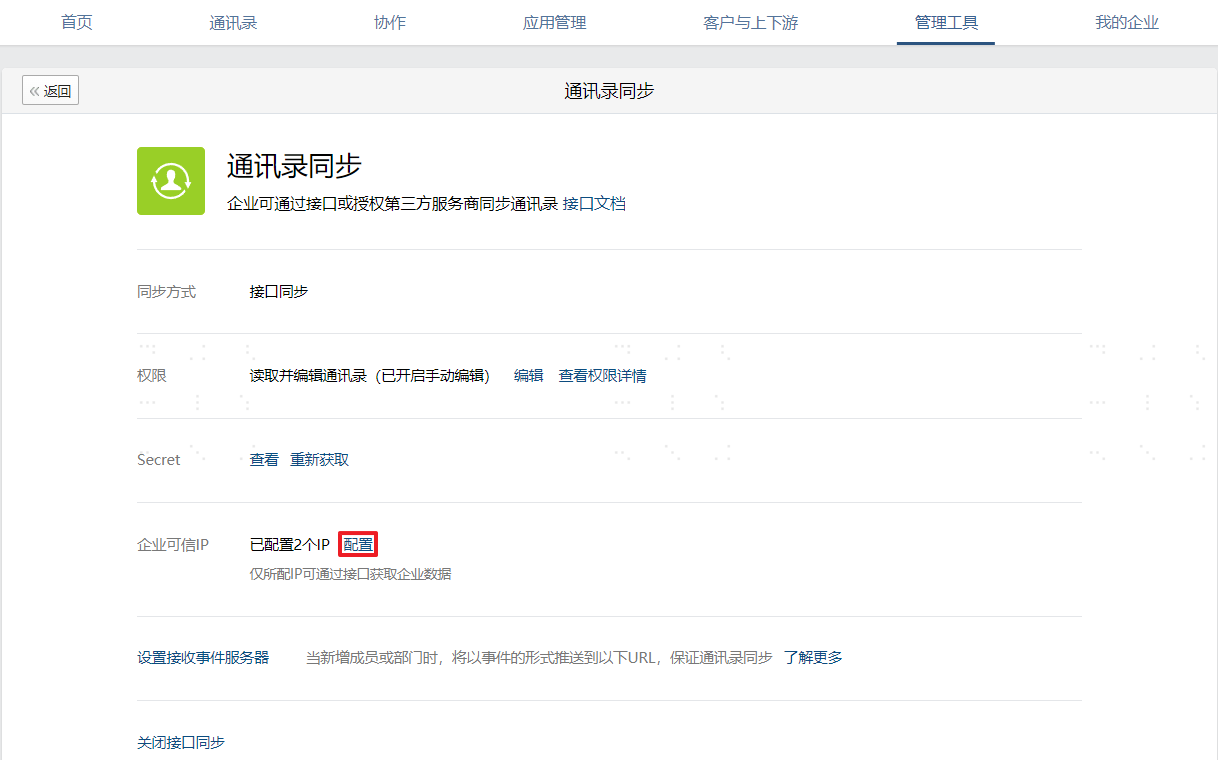
Configure the trusted IP address: This is the egress IP address for synchronizing to Enterprise WeChat.
# IDaaS Configuration
Add the Enterprise WeChat pre-integrated application.
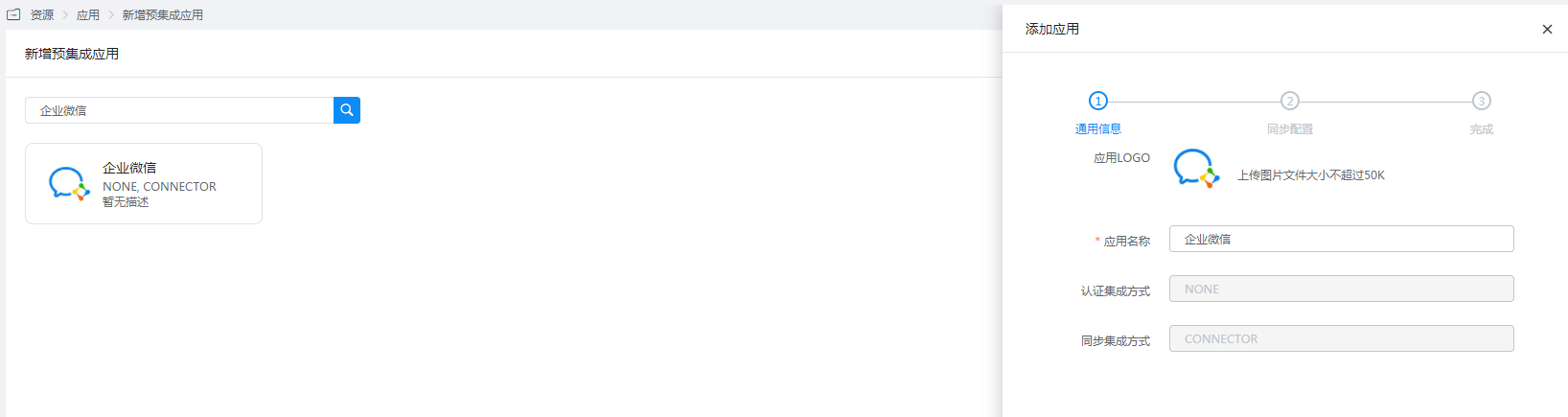
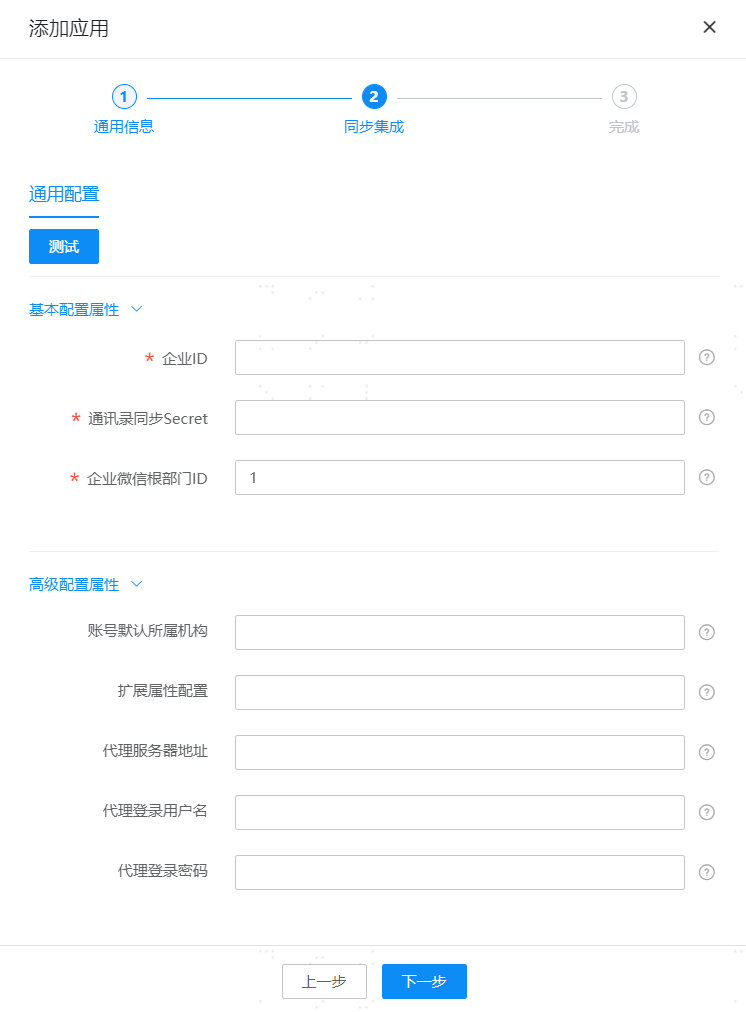
Configure application parameters:
- Company ID: The Enterprise WeChat Company ID.
- Address Book Sync Secret: The Enterprise WeChat Address Book Secret.
- Enterprise WeChat Root Department ID: The root department node ID.
- Default Organization for Accounts: Fill in the remote ID of the WeChat organization. After configuration, created accounts will be placed under this organization by default. At this point, even if mapping rules for account department affiliation are configured in the mapping definition, they will not take effect, and updates to the account's organization affiliation attribute will not be triggered.
- Extended Attribute Configuration: Supports Enterprise WeChat's extended attributes.
- Proxy Server Address: The server address proxying for Enterprise WeChat. Multiple addresses should be separated by commas (requires HTTPS proxy), e.g., domain1:port1,domain2:port2.
- Proxy Login Username: The username required for proxy service authentication.
- Proxy Login Password: The password required for proxy service authentication.