
Tencent Meeting Data Synchronization
# Description
This document describes how to synchronize organization and personnel data from IDaaS to Tencent Meeting, achieving data flow from IDaaS to Tencent Meeting.
# Synchronization Configuration
# Tencent Meeting Configuration
Log in to the Tencent Meeting Developer Platform using an administrator account and create a self-built enterprise application.
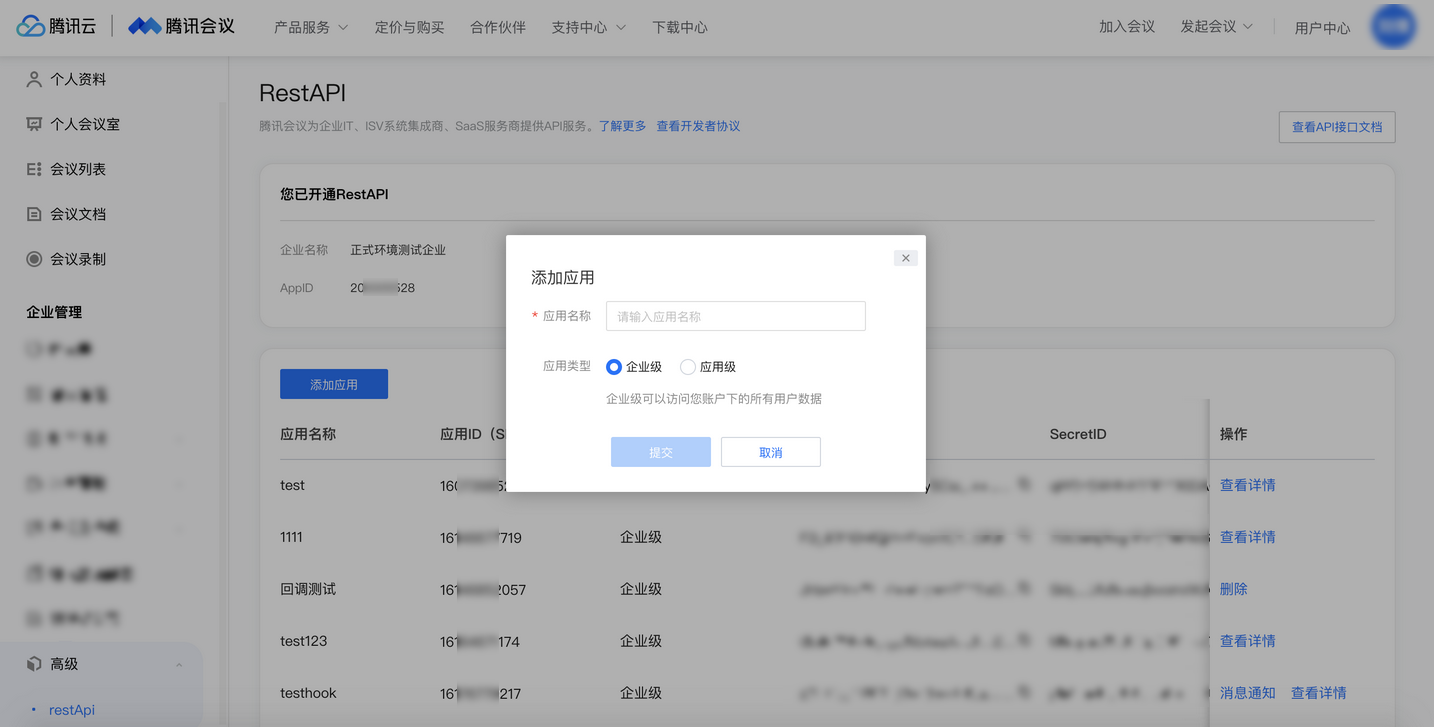
After the application is created, record the AppID, SDKID, SecretID, and SecretKey.

# IDaaS Configuration
Add the pre-integrated application Tencent Meeting.

Configure synchronization parameters.
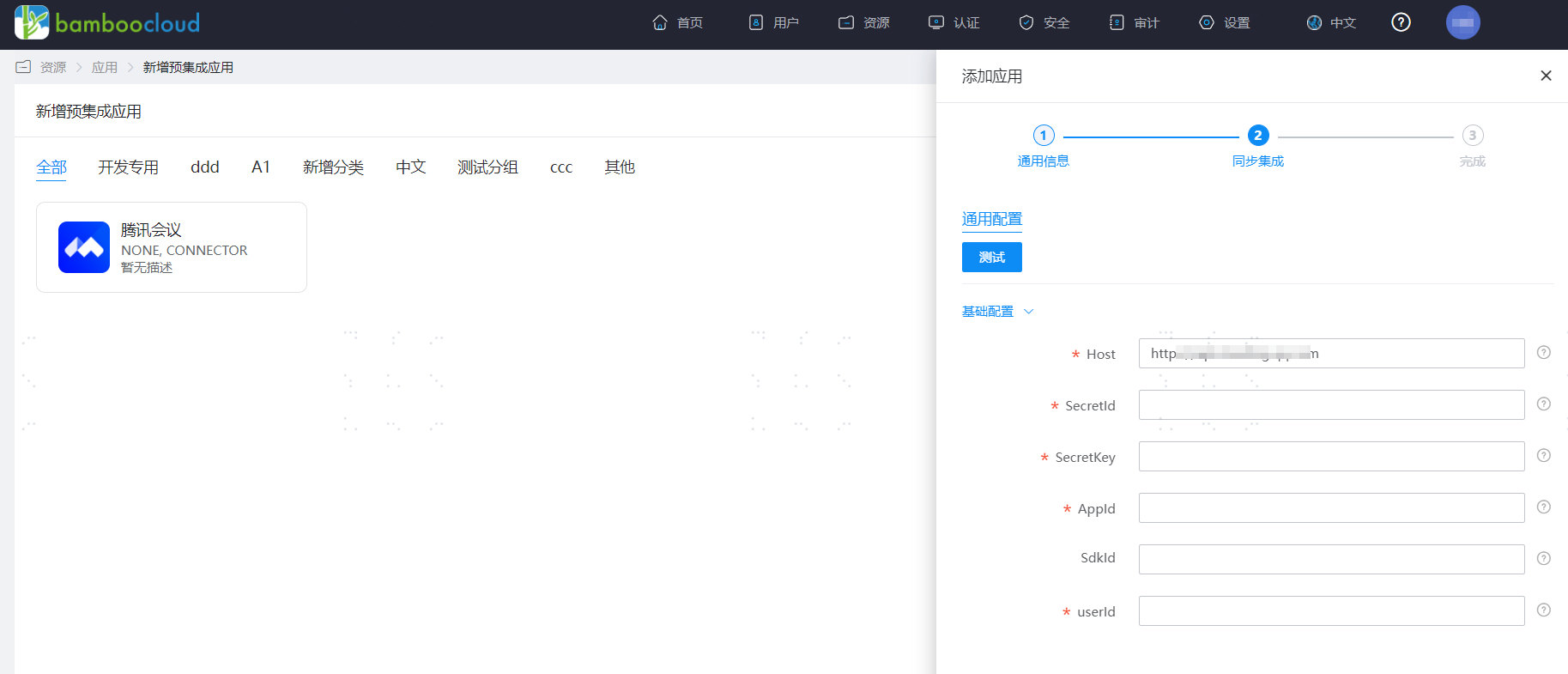
Parameter Description Host Tencent Meeting host address, default is https://api.meeting.qq.com SecretId Represents the identity of the API caller. SecretKey Represents the key for encrypting signature strings and verifying signature strings on the server side. AppId The App ID assigned by Tencent Meeting to third-party developed applications. Enterprise administrators can log in to the Tencent Meeting official website, click the user center in the upper right corner, and view it in the left menu under Enterprise Management > Advanced > restApi. SdkId User sub-account or developed application ID. Enterprise administrators can log in to the Tencent Meeting official website, click the user center in the upper right corner, and view it in the left menu under Enterprise Management > Advanced > restApi (must be filled in if SdkId exists; early API applicants without an assigned SdkId may leave it blank). userId Department API caller userid, must be a user within the enterprise with department editing permissions. Go to Application Details - Application Organization - Authorization Policy, enable automatic organization authorization, select the organization scope, click the save button, and then click execute addition.
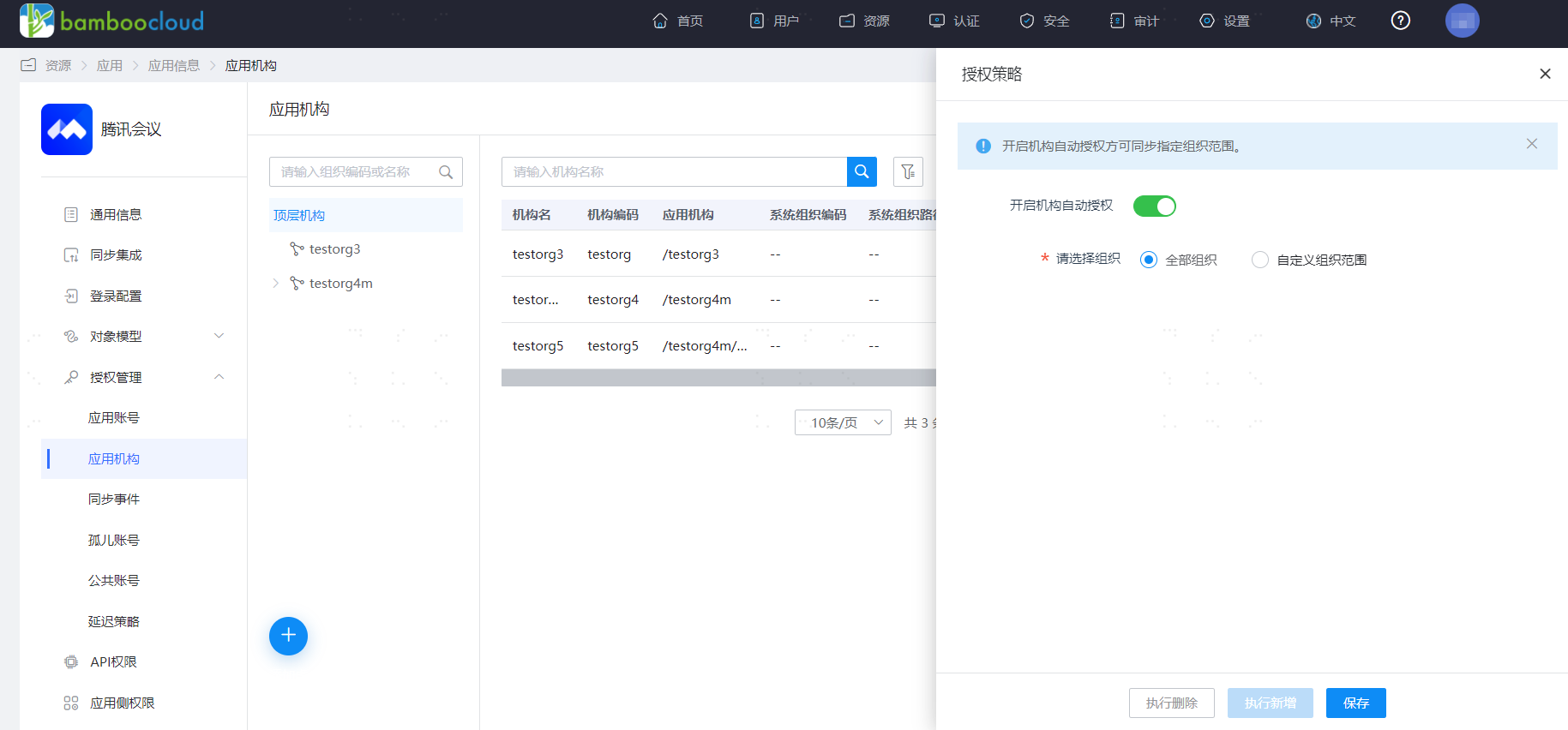
Go to Application Details - Application Account Structure - Authorization Policy, enable automatic organization authorization, select the user scope, click the save button, and then click execute addition.

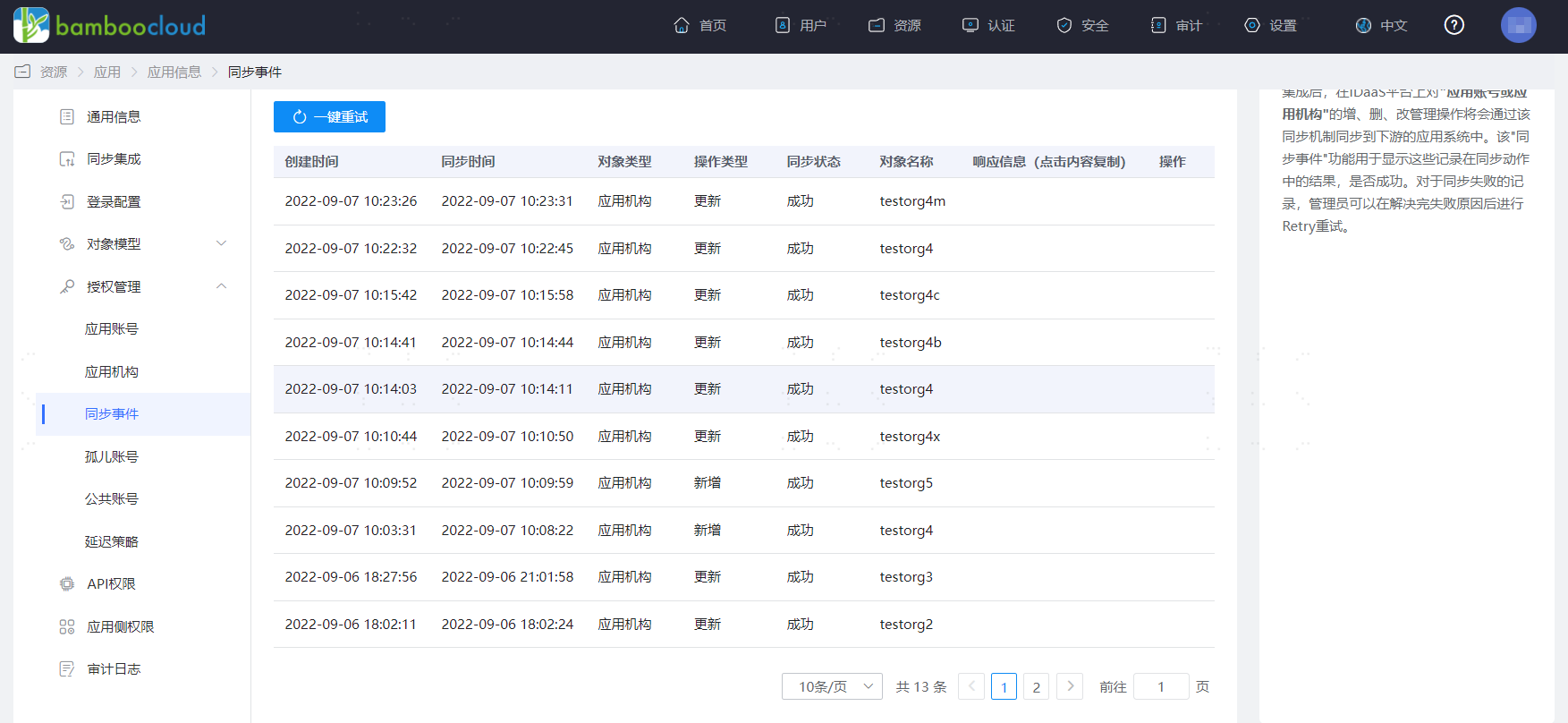
Go to Application Details - Synchronization Events to view synchronization events.
# View Synchronization Results
Log in to the Tencent Meeting management backend to view the synchronized organizations and users.