
Tencent Enterprise Mail Data Synchronization
# Description
This article introduces the synchronization configuration between Tencent Enterprise Mail and IDaaS, enabling the synchronization of IDaaS organization and user data to Tencent Enterprise Mail.
# Prerequisites
- Possess Tencent Enterprise Mail administrator account information and be able to obtain relevant parameters (e.g., CorpID, CorpSecret) from the Tencent Enterprise Mail backend.
- Possess administrator permissions in the IDaaS enterprise.
# Synchronization Configuration
# Tencent Enterprise Mail Backend Configuration
Click on the navigation bar 【Management Tools】-【Application Interconnection】-【Application API】, in the Application Center, click 【Contact Management】 to obtain the Secret (Corporate Password) parameter.

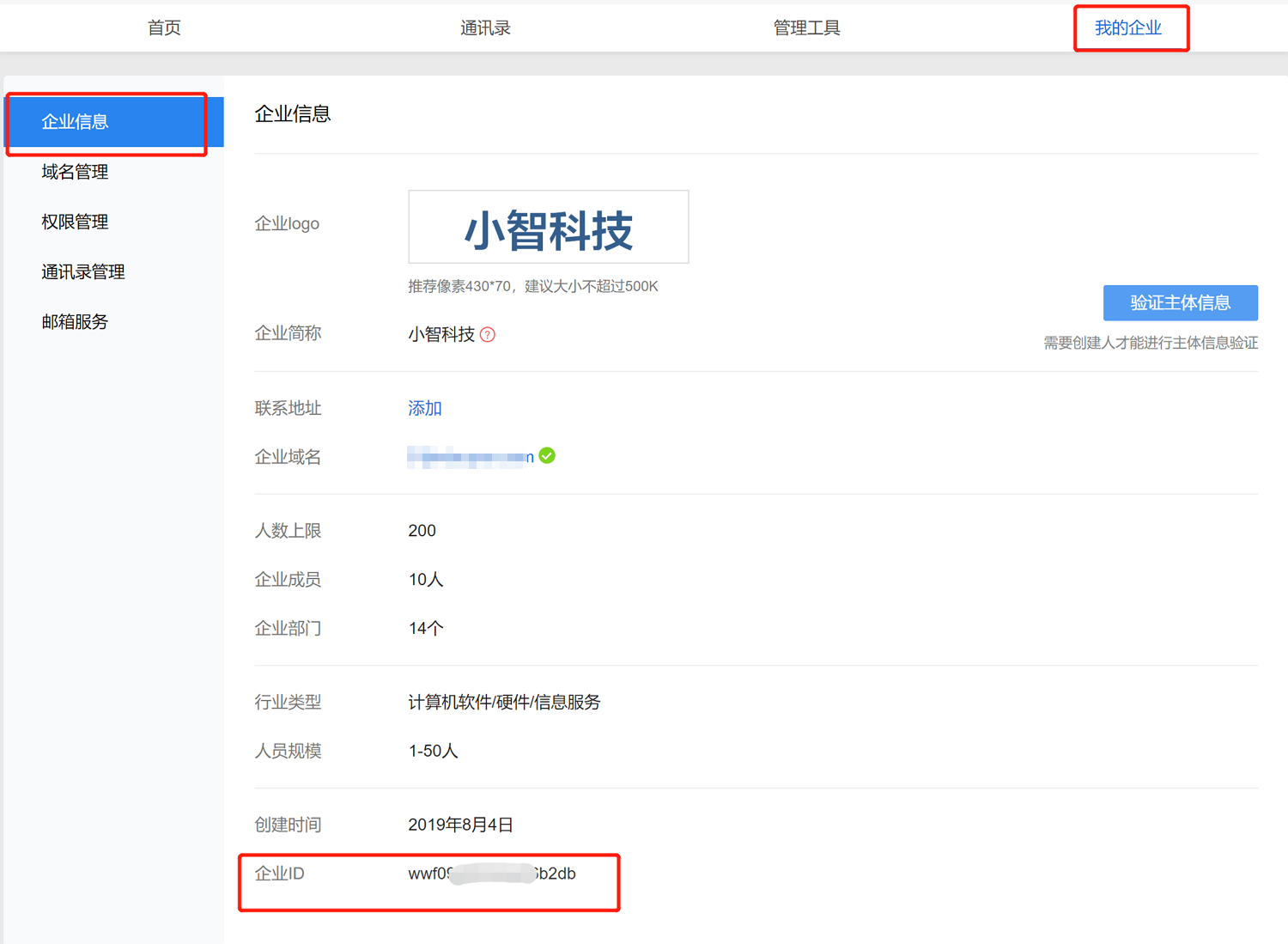
Select My Enterprise to obtain the Enterprise ID (CorpID) parameter.
# IDaaS Configuration
Add the pre-integrated application Tencent Enterprise Mail and configure the synchronization parameters.
- Enterprise ID: The Enterprise ID of Tencent Enterprise Mail
- Corporate Password: The Contact Secret of Tencent Enterprise Mail

Go to Application Details - Application Organization - Authorization Policy, enable automatic organization authorization, select the organization scope, click the Save button, then click Execute Addition to synchronize organizations to Tencent Enterprise Mail.

Go to Application Details - Application Accounts - Authorization Policy, enable automatic user authorization, select the user scope, click the Save button, then click Execute Addition to synchronize users to Tencent Enterprise Mail.

Go to Application Details - Synchronization Events to view synchronization events.
