
Integration of Tencent Cloud Console with Zhuyun IDaaS (Role-Based)
# Description
This document describes how to enable IDaaS login to the Tencent Cloud Console (based on Tencent Cloud Console roles).
Reference document: Using SAML 2.0 Federated Identity Users to Access the Tencent Cloud Management Console (opens new window)
# Prerequisites
The administrator has a Tencent Cloud account.
The administrator has access to the IDaaS Enterprise Center.
# Operation Flow

# Authentication Configuration
# Tencent Cloud System Configuration
Log in to the Tencent Cloud Console as an administrator and create an Identity Provider.

Fill in the provider name and import the IDAAS metadata XML file. To download the IDaaS IDP metadata, visit https://{your_domain}/api/v1/saml2/idp/metadata.

Create a new role.

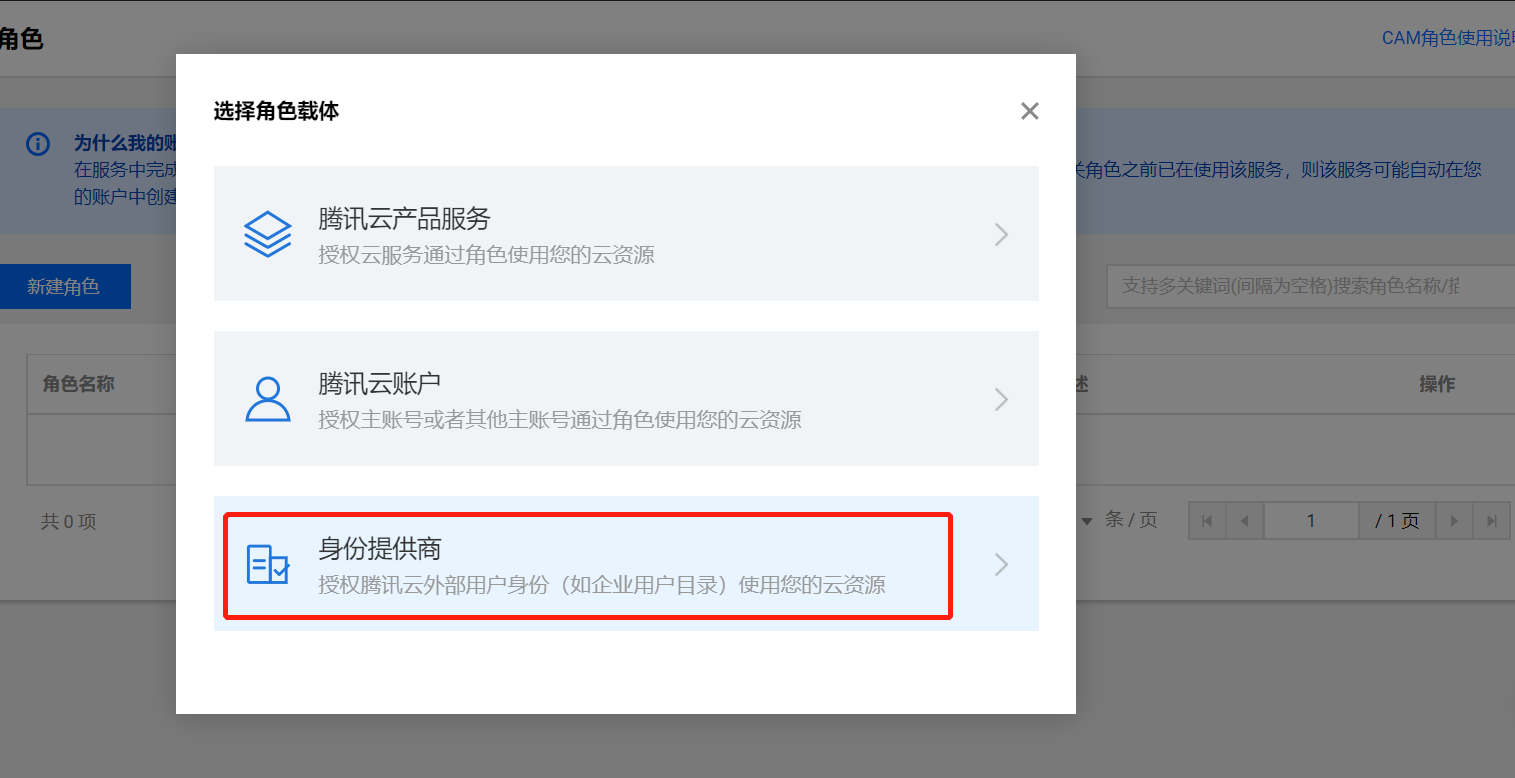
Select the identity provider and check "Allow access to the console".


# IDaaS Configuration
Log in to the IDaaS Enterprise Center, navigate to 【Resources】 -> 【Applications】 -> 【Pre-integrated Applications】 -> search for Tencent Cloud.
Configure authentication parameters according to the Tencent Metadata (opens new window).
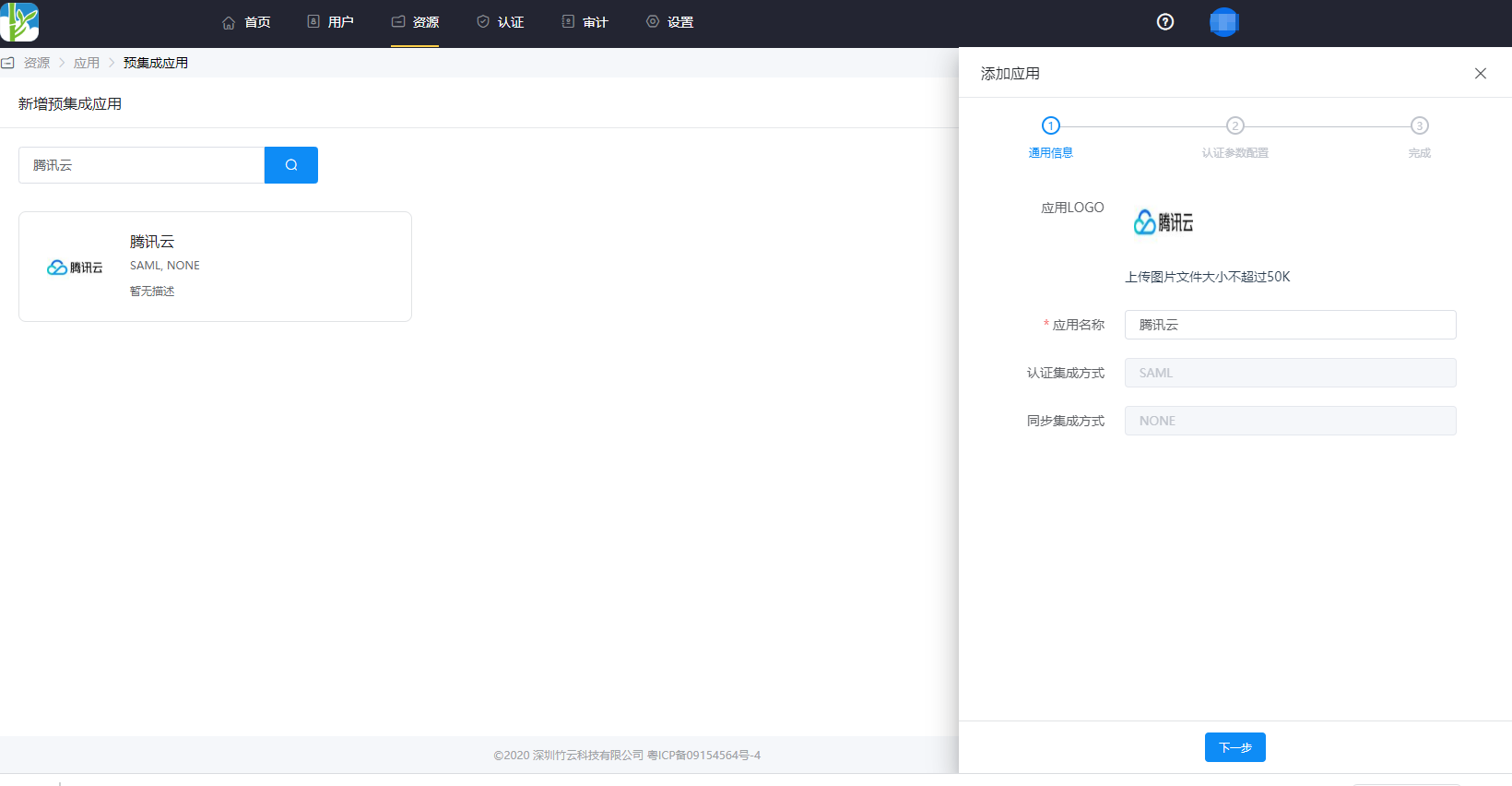

Configure attribute mapping.
For the Attribute element with the value
https://cloud.tencent.com/SAML/Attributes/Role- qcs::cam::uin/{AccountID}:roleName/{RoleName1},qcs::cam::uin/{AccountID}:saml-provider/{ProviderName1}
For the Attribute element with the value
https://cloud.tencent.com/SAML/Attributes/RoleSessionName- This element is mandatory and there can only be one. It is user-defined and should not exceed 32 characters in length.
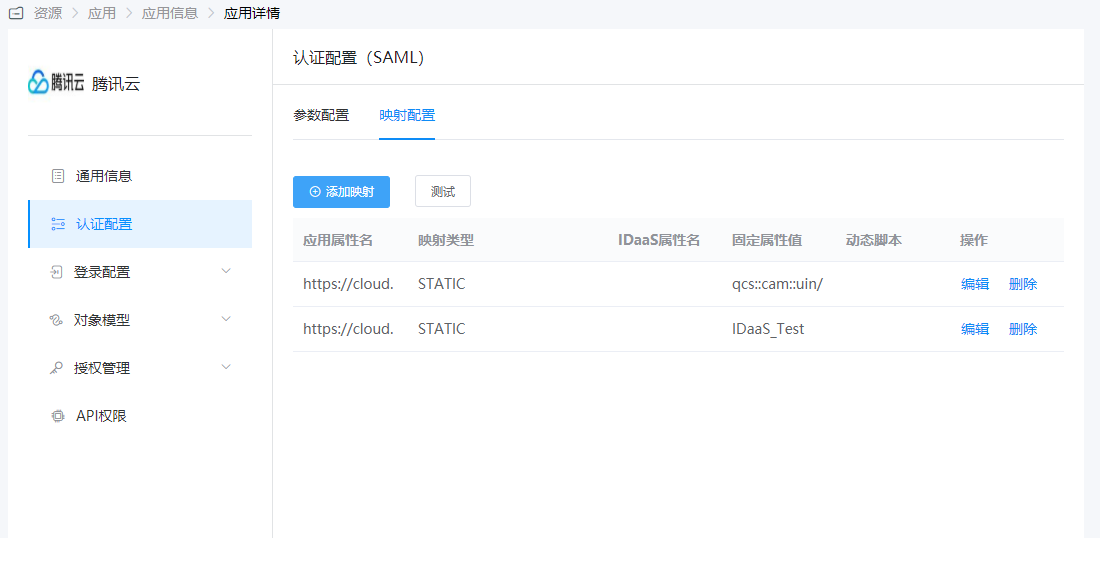

- This element is mandatory and there can only be one. It is user-defined and should not exceed 32 characters in length.
Switch to "Authorization Management - Application Accounts" to add accounts and complete user authorization.
# Login Verification
Authorized users log in to the IDaaS User Center and perform Single Sign-On to the Tencent Cloud system:

