Tencent Enterprise Email Single Sign-On
Single Sign-On SSO
# Description
This document describes the authentication configuration between Tencent Enterprise Email and IDaaS to achieve single sign-on from IDaaS to Tencent Enterprise Email.
# Prerequisites
- Have administrator account information for Tencent Enterprise Email and be able to obtain relevant parameters (such as CorpID, CorpSecret) from the Tencent Enterprise Email backend.
- Have administrator permissions within the IDaaS enterprise.
# Authentication Configuration
# Tencent Enterprise Email Backend Configuration
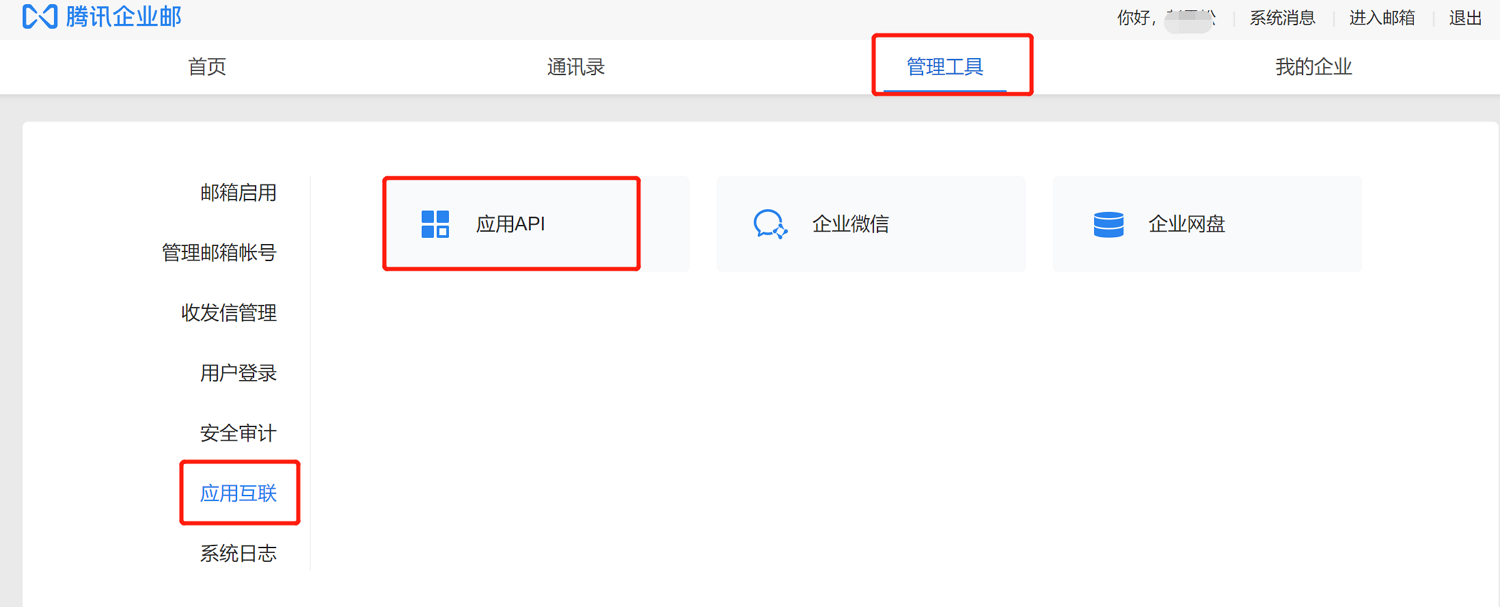
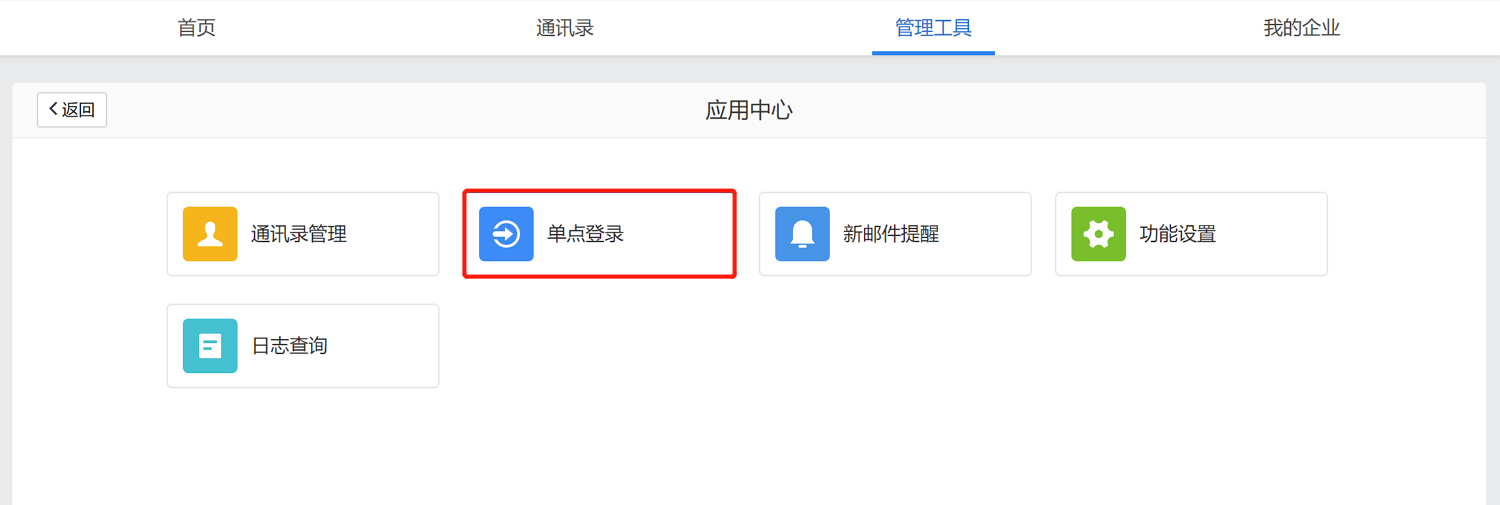
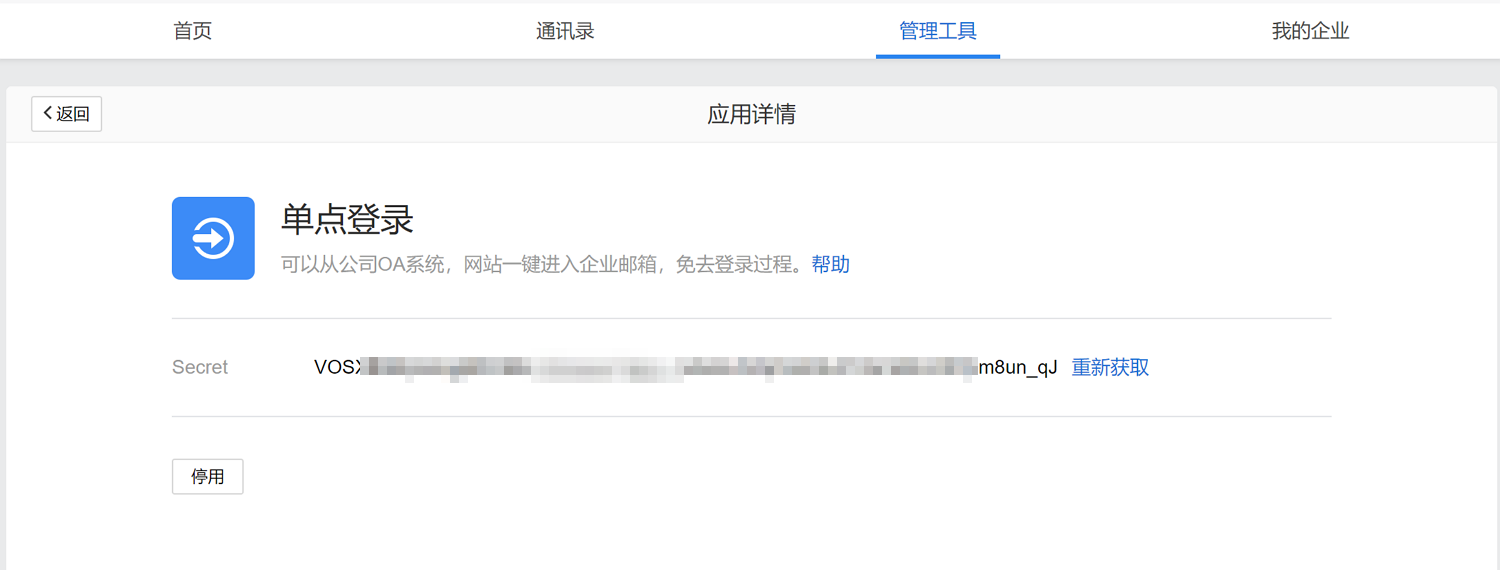
Log in to the Tencent Enterprise Email Management Console (opens new window), click on the navigation bar 【Management Tools】-【Application Interconnection】-【Application API】, in the Application Center, click 【Single Sign-On】 to obtain the Secret (CorpSecret) parameter.
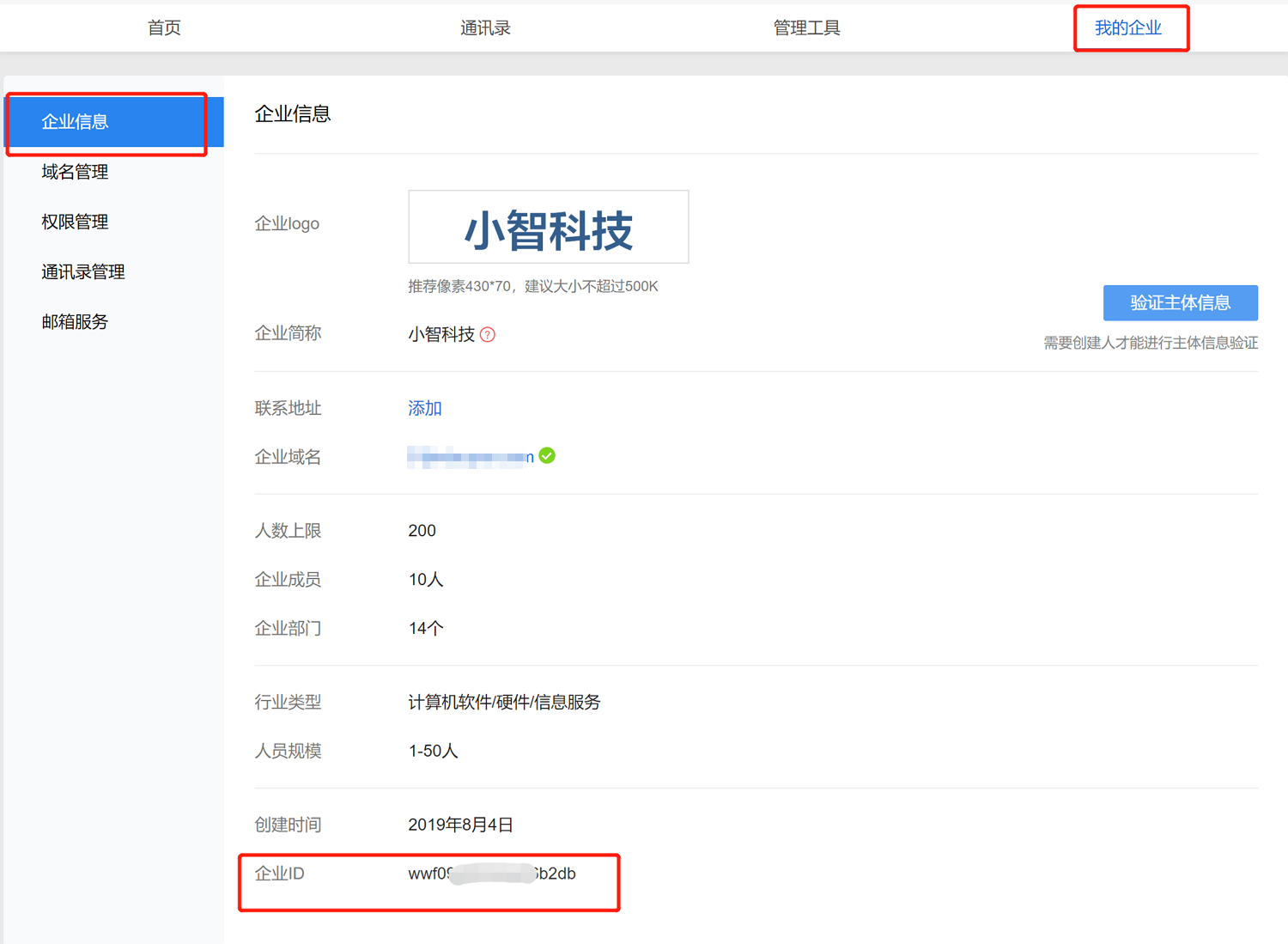
Select My Enterprise to obtain the Enterprise ID (CorpID) parameter.
# IDaaS Configuration
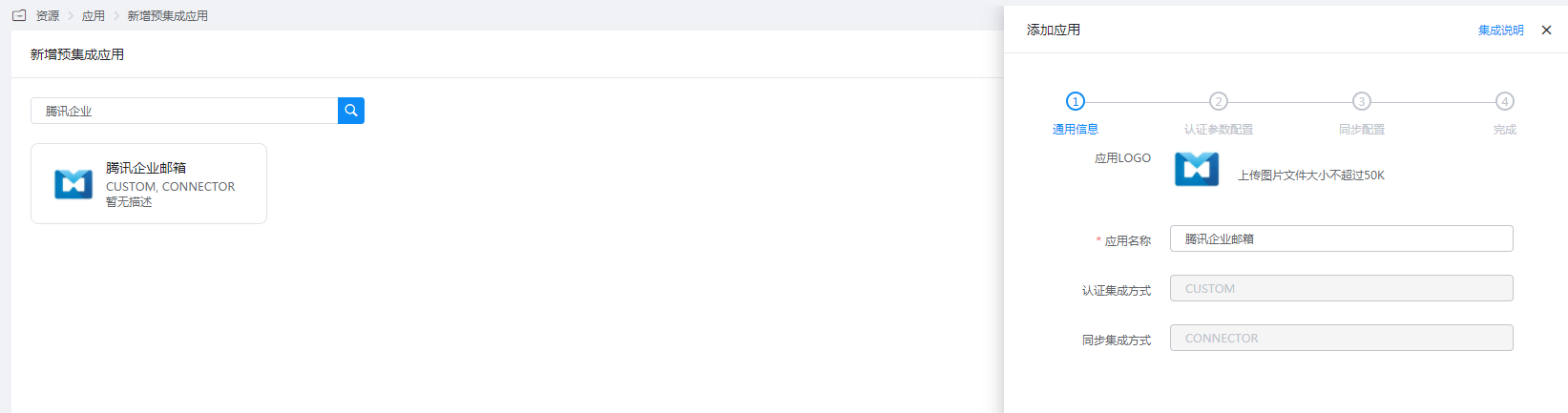
Add the pre-integrated application Tencent Enterprise Email.
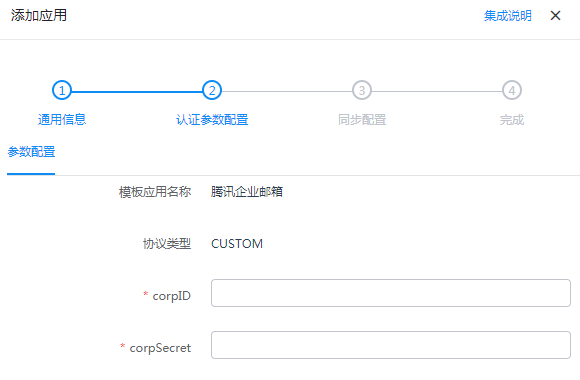
Configure authentication parameters.
- corpID : The Enterprise ID of Tencent Enterprise Email
- corpSecret : The Single Sign-On Secret of Tencent Enterprise Email
# Login Verification
Log in to the IDaaS User Center, click on the Tencent Enterprise Email logo to single sign-on into Tencent Enterprise Email.