
Teambition Single Sign-On
# Description
This document describes the configuration process for Single Sign-On between Teambition and IDaaS based on the SAML protocol.
# Authentication Configuration
# Teambition Configuration
The administrator logs into the Teambition Enterprise Management Console.
Navigate to Basic Settings - Enterprise Identity Authentication.
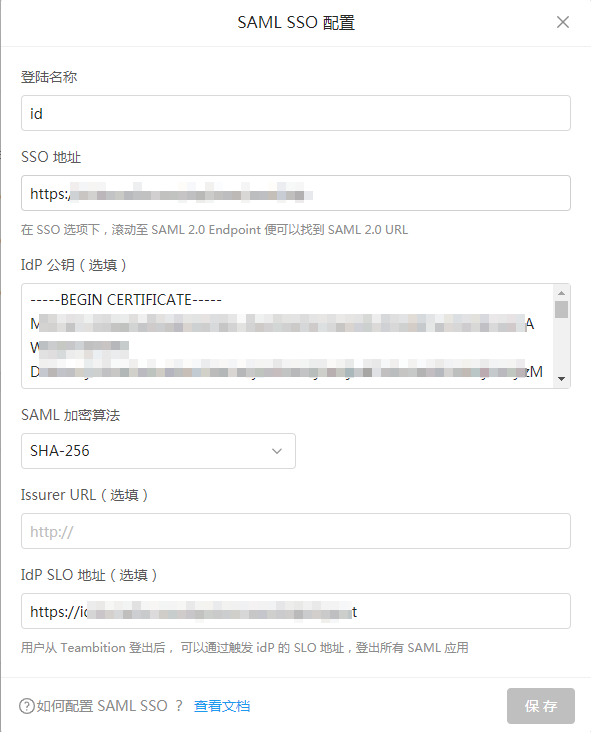
Configure SAML SSO.
Parameter Description Login Name Custom SSO URL Zhuyun IDaaS IDP SSO URL IDP Public Key Zhuyun IDaaS IDP Certificate SAML Encryption Algorithm SHA-256 Issuer URL Zhuyun IDaaS IDP EntityId IDP SLO URL Zhuyun IDaaS IDP Logout URL To download the IDaaS IDP metadata, please visit https://{your_domain}/api/v1/saml2/idp/metadata.
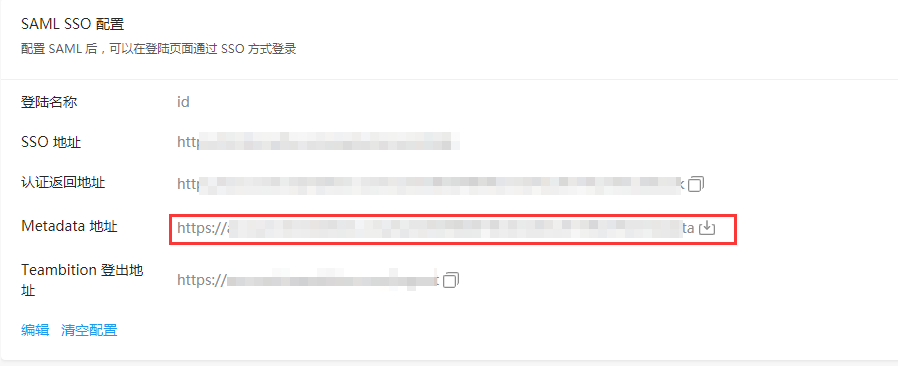
After saving the configuration, download the Teambition metadata.
# IDaaS Configuration
Add the pre-integrated application Teambition.

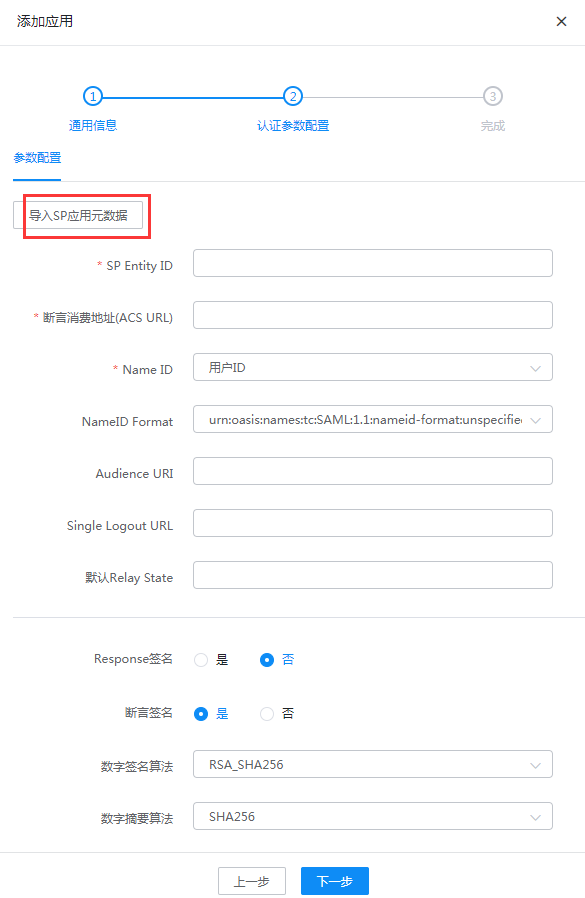
Configure authentication parameters and import the Teambition metadata.
Go to Application Details - Authorization Management - Application Accounts, click the Add Account button, and select the authorized user.
Modify the account name to the user's email or phone number in Teambition.
# Login Verification
Log in to the IDaaS User Center and click the Teambition logo to access Teambition.