Seafile Single Sign-On
# Description
Starting from CE version 6.2.3, Seafile supports user login via OAuth. Reference Documentation (opens new window) This document describes how to configure the OAuth authentication integration between IDaaS and Seafile.
# Authentication Configuration
# IDaaS Configuration
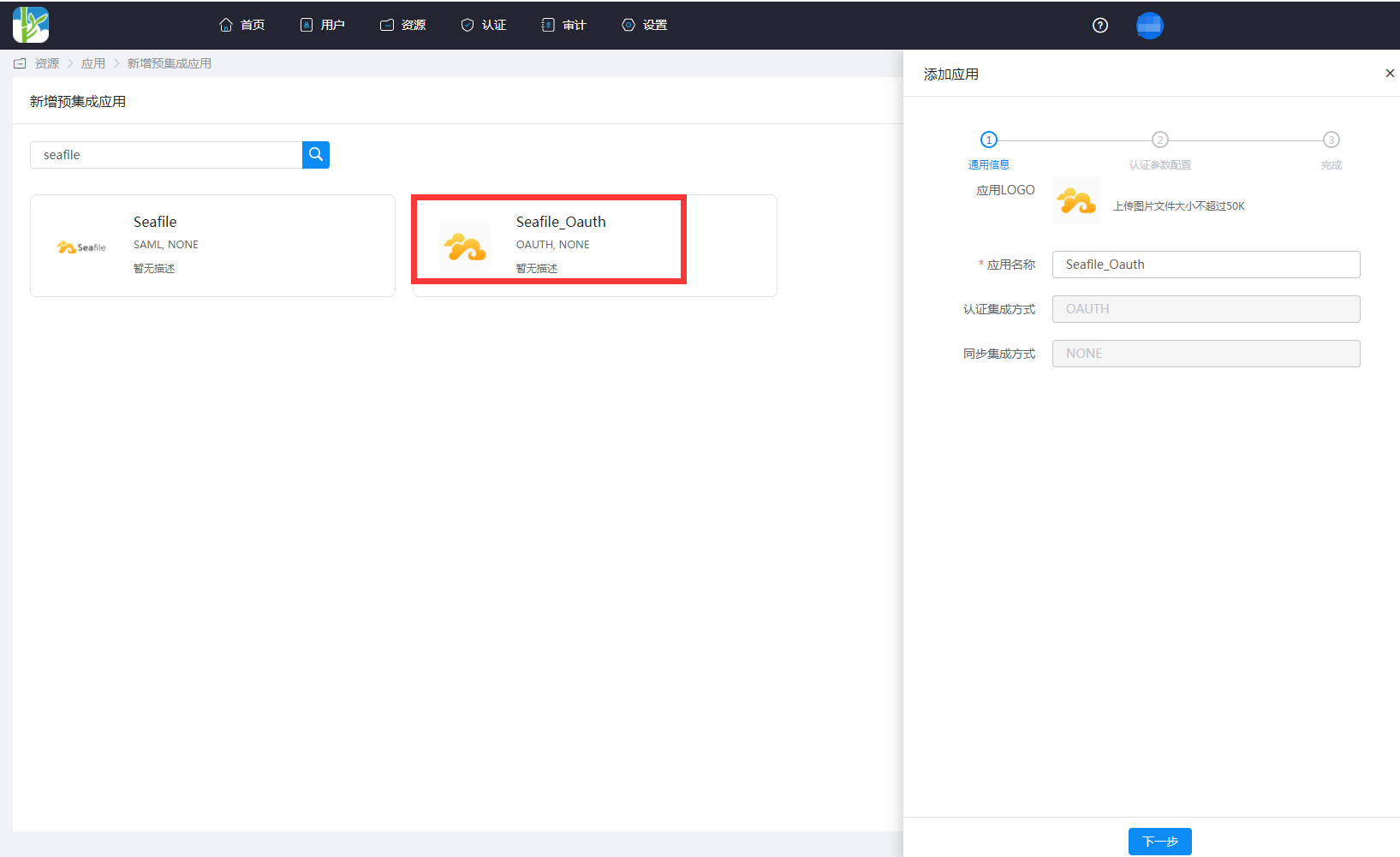
Administrator logs into the Enterprise Center 》Resources》Applications》Add Pre-integrated Application, search for seafile.
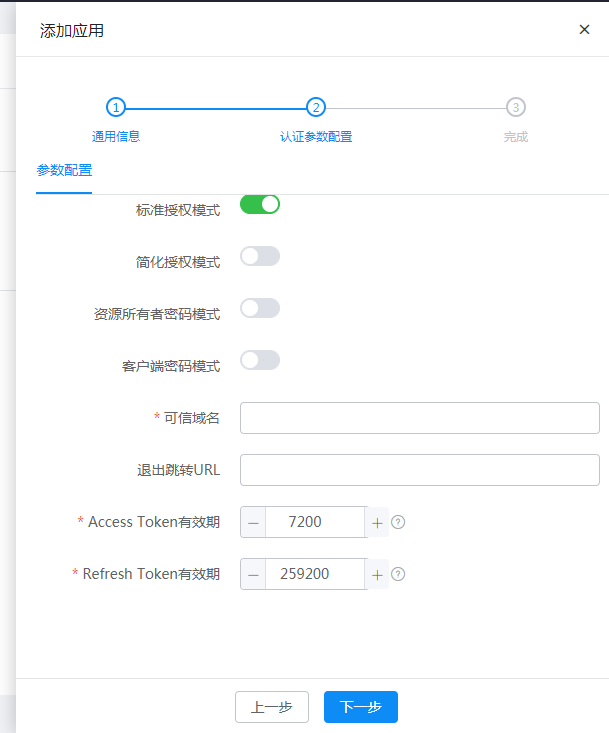
Trusted Domain: Fill in Seafile's OAuth callback address: https://{Seafile domain address}/oauth/callback/
Add an account attribute, select mapping type as account attribute, and select accName for the account attribute name.

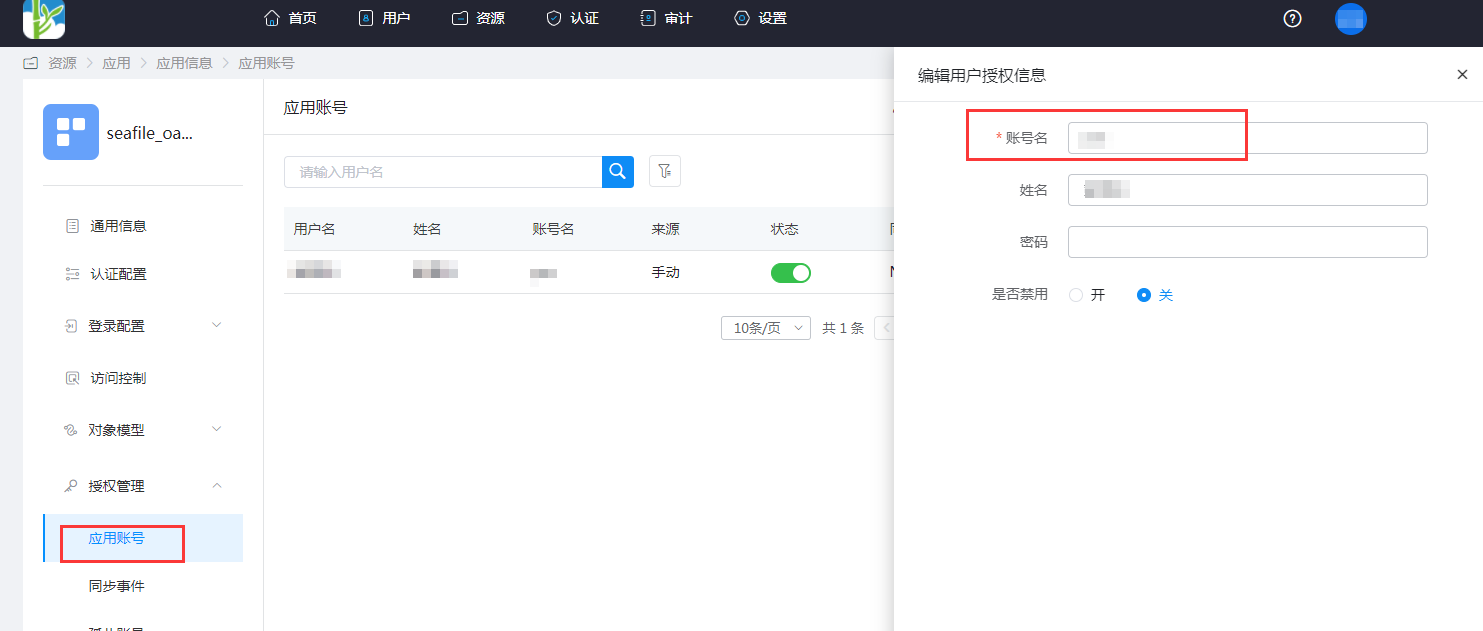
Go to Application Information》Authorization Management》Application Accounts》Add Account. The account name should be consistent with the login ID in Seafile.

# Seafile Configuration
Install third-party packages on the Seafile server.
sudo pip install requests_oauthlib1Modify Seafile's seahub_settings.py configuration file and restart the Seafile service.
ENABLE_OAUTH = True

# Usually OAuth works through SSL layer. If your server is not parametrized to allow HTTPS, some method will raise an "oauthlib.oauth2.rfc6749.errors.InsecureTransportError". Set this to `True` to avoid this error.

OAUTH_ENABLE_INSECURE_TRANSPORT = True

# Client id/secret generated by authorization server when you register your client application.

OAUTH_CLIENT_ID = "ClientId of the IDaaS application"
OAUTH_CLIENT_SECRET = "ClientSecret of the IDaaS application"

# Callback url when user authentication succeeded. Note, the redirect url you input when you register your client application MUST be exactly the same as this value.

OAUTH_REDIRECT_URL = 'https://{seafile domain}/oauth/callback/'

# The following should NOT be changed if you are using Github as OAuth provider.

OAUTH_PROVIDER_DOMAIN = '{IDaaS domain}.bccastle.com'
OAUTH_AUTHORIZATION_URL = 'https://{IDaaS domain}.bccastle.com/api/v1/oauth2/authorize'
OAUTH_TOKEN_URL = 'https://{IDaaS domain}.bccastle.com/api/v1/oauth2/token'
OAUTH_USER_INFO_URL = 'https://{IDaaS domain}.bccastle.com/api/v1/oauth2/get_user_info'
OAUTH_SCOPE = ["get_user_info",]
OAUTH_ATTRIBUTE_MAP = {
    "id": (True, "account"),
    "name": (False, "name"),
    "email": (False, "email"),
}
1
2
3
4
5
6
7
8
9
10
11
12
13
14
15
16
17
18
19
20
21
22
23
24
25
26
27
The parameter descriptions are as follows:
| Name | Description |
|---|---|
| ENABLE_OAUTH | True |
| OAUTH_ENABLE_INSECURE_TRANSPORT | True |
| OAUTH_CLIENT_ID | Application ID, the ClientId found in the application information after creating the application on IDaaS |
| OAUTH_CLIENT_SECRET | Application Secret, the ClientSecret found in the application information after creating the application on IDaaS |
| OAUTH_REDIRECT_URL | Seafile's callback address, https://your-domain.com/oauth/callback/ |
| OAUTH_PROVIDER_DOMAIN | IDaaS Tenant Domain |
| OAUTH_AUTHORIZATION_URL | IDaaS Oauth2.0 interface address for obtaining the Authorization Code |
| OAUTH_TOKEN_URL | IDaaS Oauth2.0 interface address for obtaining the Access Token |
| OAUTH_USER_INFO_URL | IDaaS Oauth2.0 interface address for obtaining user information |
| OAUTH_SCOPE | get_user_info |
| OAUTH_ATTRIBUTE_MAP | Attribute mapping: id, name, email are Seafile user attributes, the values in parentheses correspond to IDaaS user attributes |
For IDaaS Oauth 2.0 interfaces, please refer to IDaaS Application Authentication Integration.
# Login Verification {/examples/}
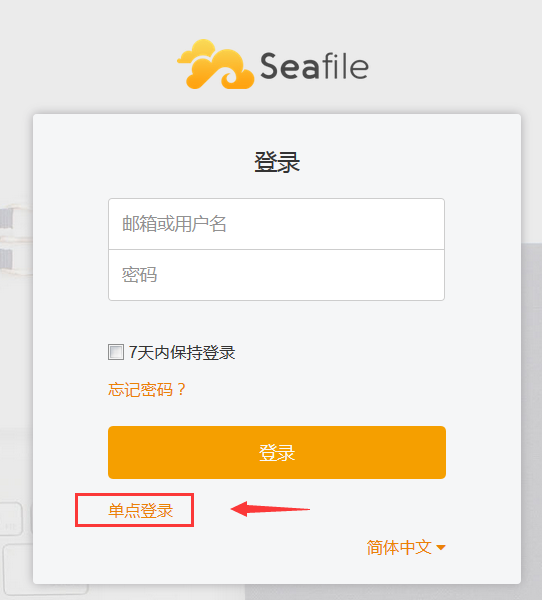
Login can be initiated in the following two ways:
Initiated from the Seafile login page.
By clicking the application logo in the IDaaS user center.