GitLab Data Synchronization
# Description
This document describes how IDaaS synchronizes user information via GitLab's REST API. Group and organizational unit synchronization is not currently supported.
# Synchronization Configuration
# GitLab Tasks
- Generate a personal access token. Log in to GitLab, navigate to your personal settings, select Access Tokens (api permissions), then create and save your personal access token.

- GitLab services support API access from IDaaS public cloud servers.
# IDaaS Configuration
- Log in to the Enterprise Center and add the GitLab synchronization pre-integrated application.
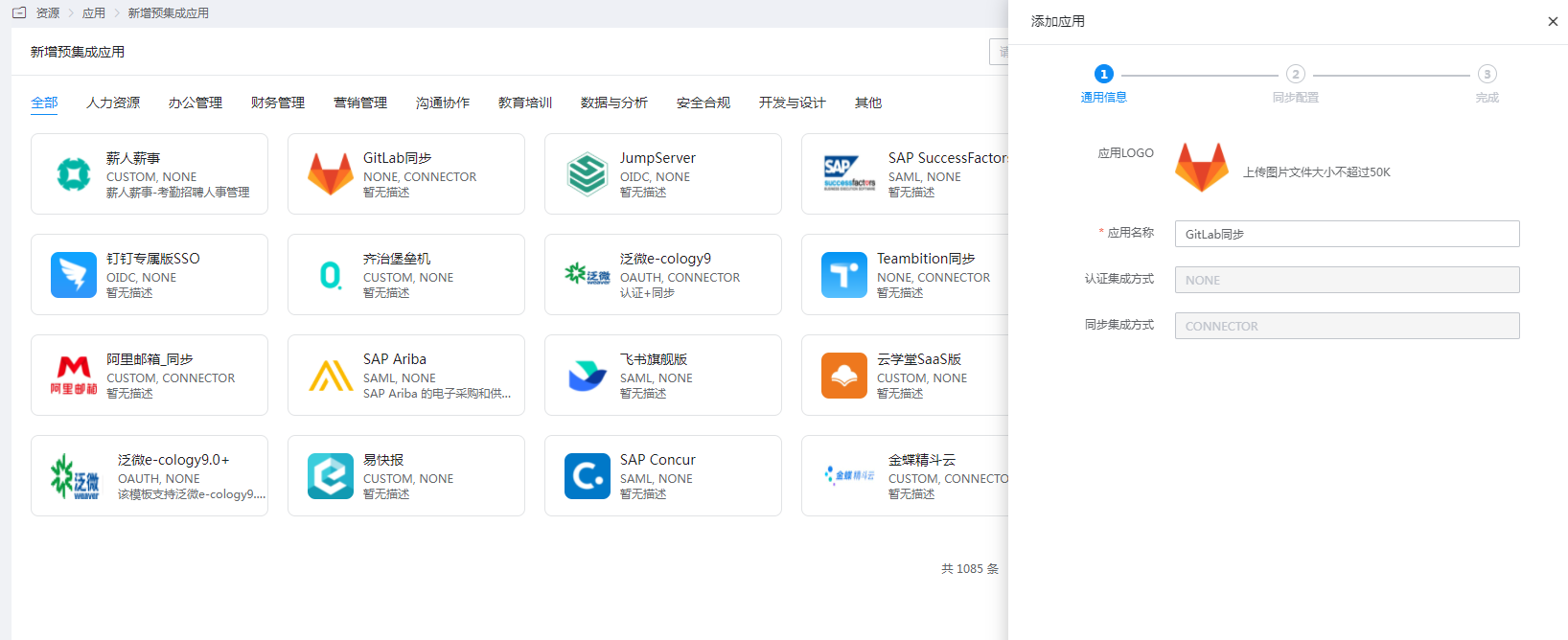
- Configure the authentication parameters, test the connection, and save upon success.
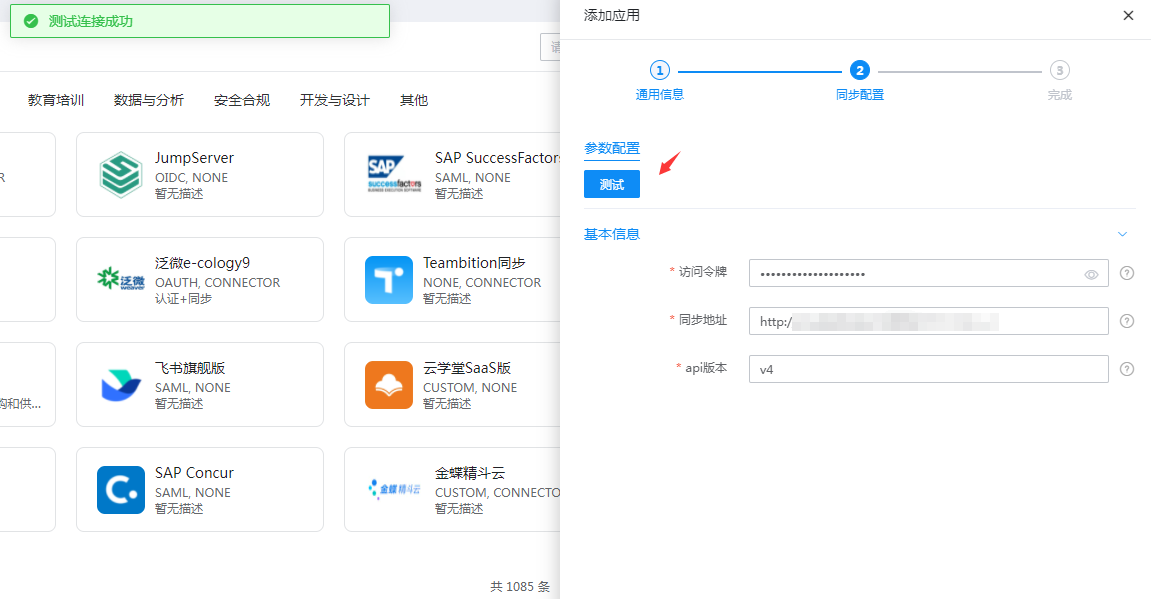
| Parameter | Description |
|---|---|
| Access Token | AccessTokens |
| Sync Address | GitLab service address (domain or ip+port, starting with the communication protocol "http:// or https://") |
| API Version | GitLab's API version, v4 is recommended |
- Go to Application Details > Authorization Management > Application Accounts, and add an account.
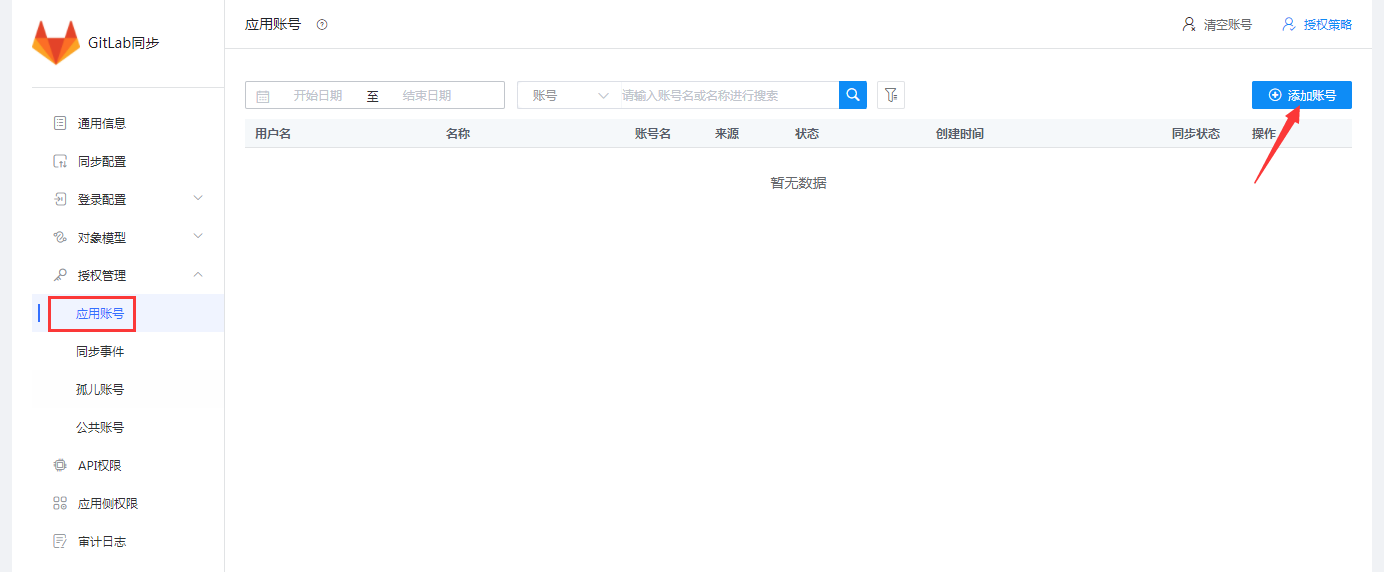
- Edit the account information.
| Parameter | Description |
|---|---|
| Account Name | GitLab Username |
| Full Name | GitLab Name |
| Password | GitLab login password, at least 8 characters |
| Confirm Password | Same as above |
| Personal Email | GitLab Email |
| External Provider Authentication Name | Corresponds to the GitLab user's provider, the name of other authentication methods (Note: Required field for SAML authentication. Its value is IDaaS's identifier in GitLab, configured in GitLab's configuration file.) |
| External Provider Username | Corresponds to the GitLab user's extern_uid, the username for other authentication methods (Note: Required field for SAML authentication. The default value should be the value of the username field.) |
IDaaS synchronizes users to GitLab, and GitLab is integrated with IDaaS for SAML authentication. To ensure users can SSO from IDaaS to GitLab, synchronized users need to provide the
providerandextern_uidfields (refer to the application documentation section). The value ofprovideris related to the SAML integration configuration between GitLab and IDaaS.For SAML integration configuration between GitLab and IDaaS, refer to GitLab Authentication Configuration for IDaaS Development Platform.

The value of
provideris ultimately composed oflabelandname. Thenameis fixed as the authentication protocol or method, while thelabelcan be freely changed. The format is as follows: label(name), for example: IDaaS(saml).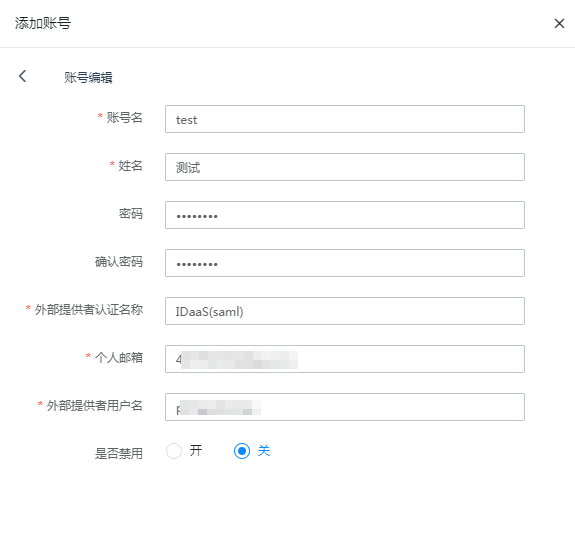
View synchronization records.

# Synchronization Verification
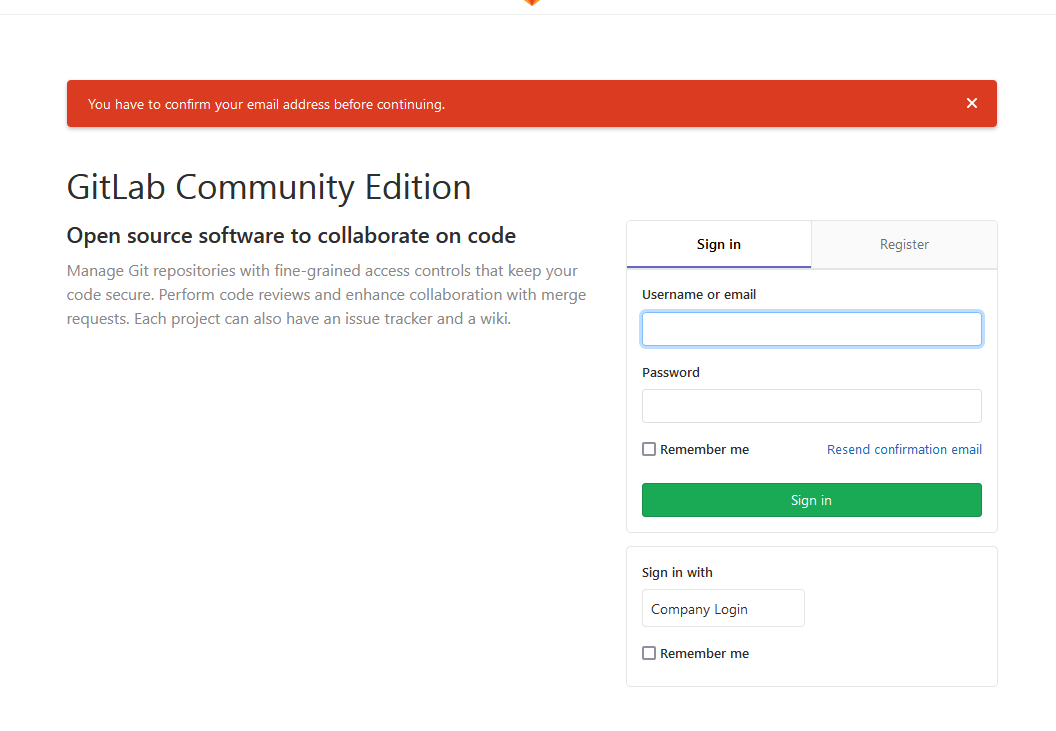
Synchronize users. For the first login, activation via email is required. If not activated, the following message will be displayed.
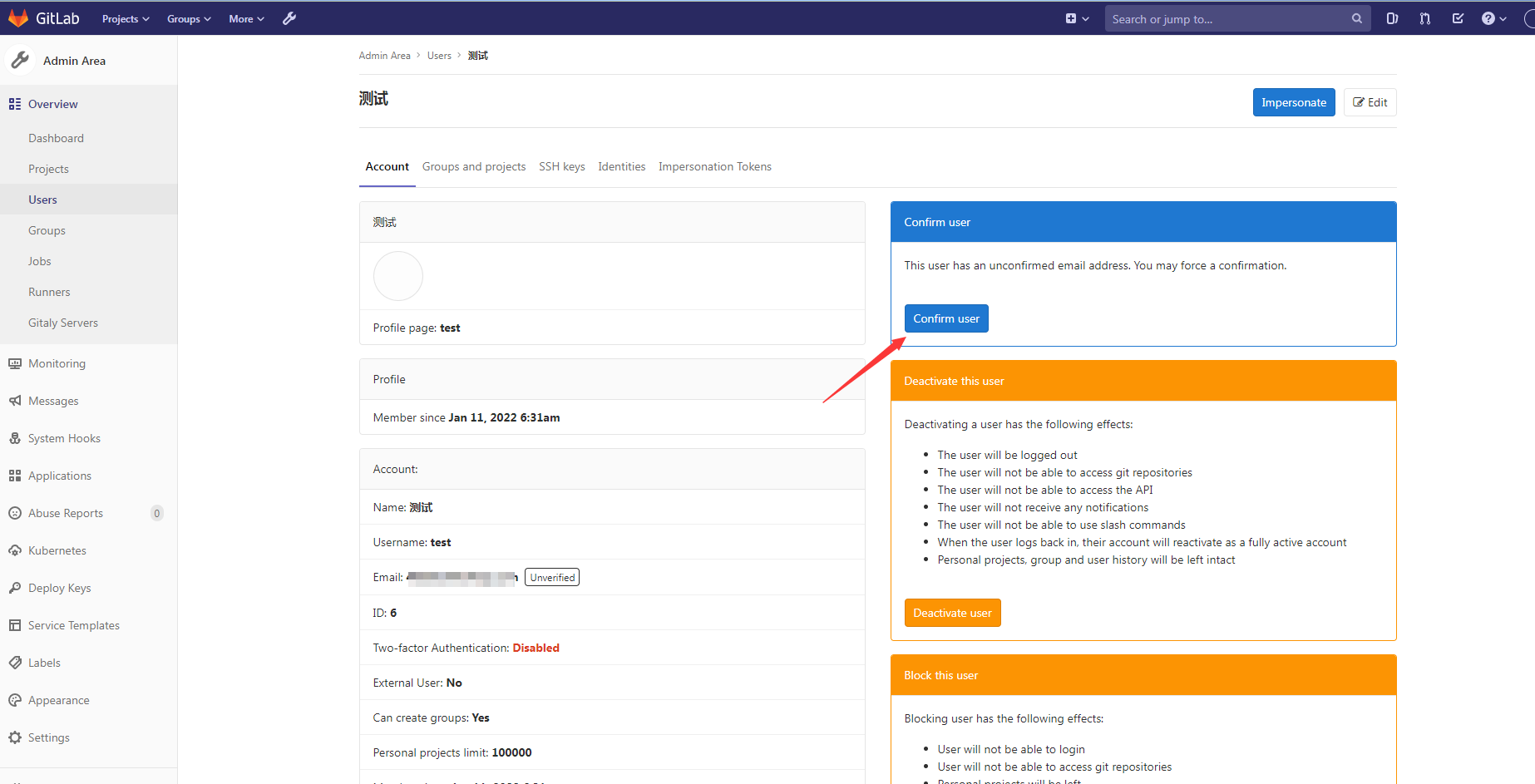
It can also be activated by an administrator.
After activation, log in using username + password or SAML authentication.