
Fxiaoke CRM Single Sign-On
# Description
This document introduces the configuration process for Single Sign-On (SSO) between the Fxiaoke CRM system and Bamboo Cloud IDaaS, enabling login to Fxiaoke CRM via IDaaS. This provides users with a simpler and more convenient login method and a better user experience.
# Prerequisites
- Have administrator access to the Fxiaoke CRM system backend.
- Have access to the IDaaS Enterprise Center.
# Authentication Configuration
# Fxiaoke Configuration
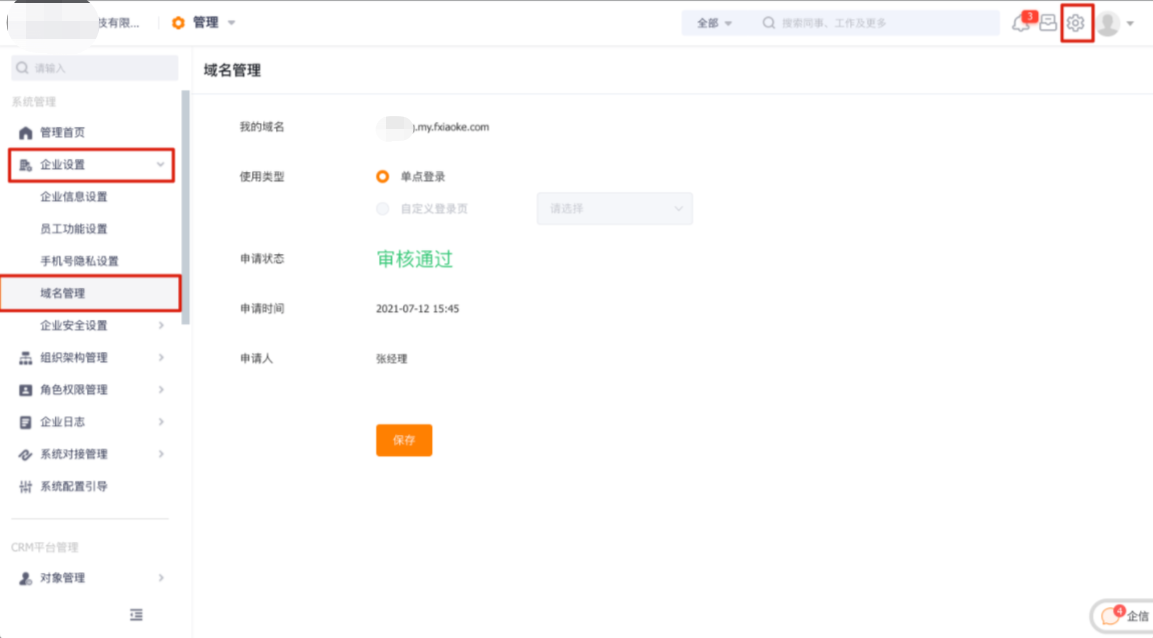
Log in to Fxiaoke using an administrator account, click the "Settings" button in the upper right corner to enter the enterprise management backend. Navigate to Enterprise Settings -> Domain Management, enter a domain name and apply for it, then wait for approval.
After approval, go to Enterprise Settings -> Enterprise Security Settings -> Single Sign-On, configure the parameter information, and save it.
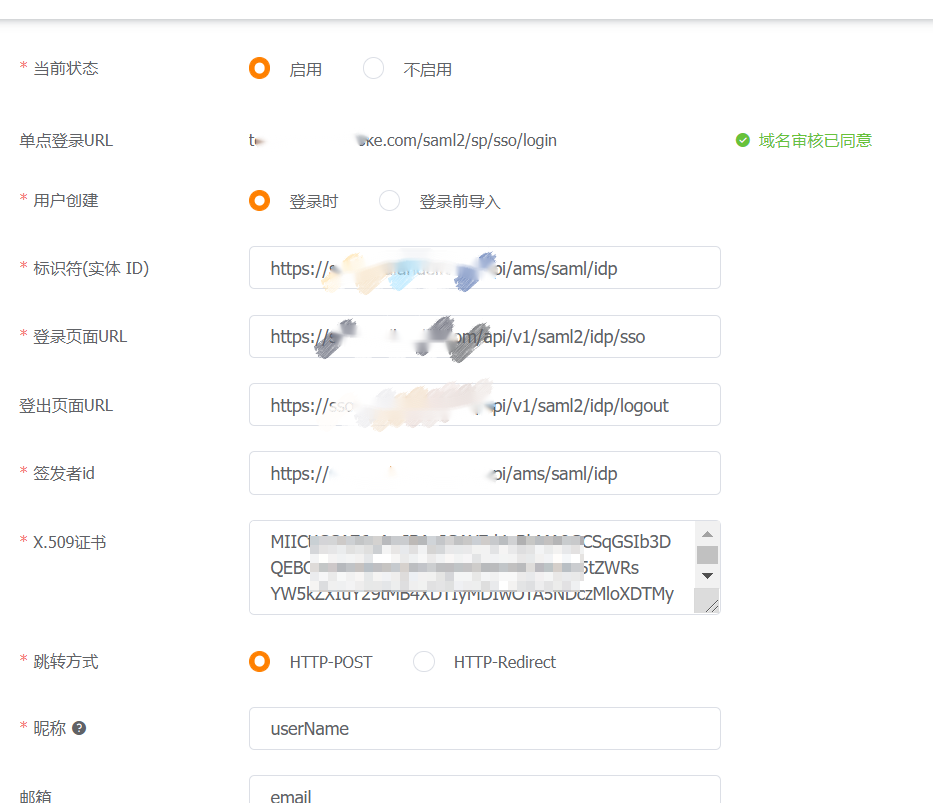
Parameter Description User Creation To map personnel relationships before login, select 【Import before login】. Generally, selecting 【At login】 is sufficient. Identifier Entity ID Obtain from the XML provided by Fxiaoke, value: EntityDescriptor-entityID Login Page URL IDaaS Enterprise Center - IDP Configuration - SSO URL Logout Page URL IDaaS Enterprise Center - IDP Configuration - IDP Logout URL Issuer ID IDaaS Enterprise Center - IDP Configuration - IDP EntityId X.509 Certificate IDaaS Enterprise Center - IDP Configuration - IDP Certificate Nickname userName Email email Phone Number phone
# IDaaS Configuration
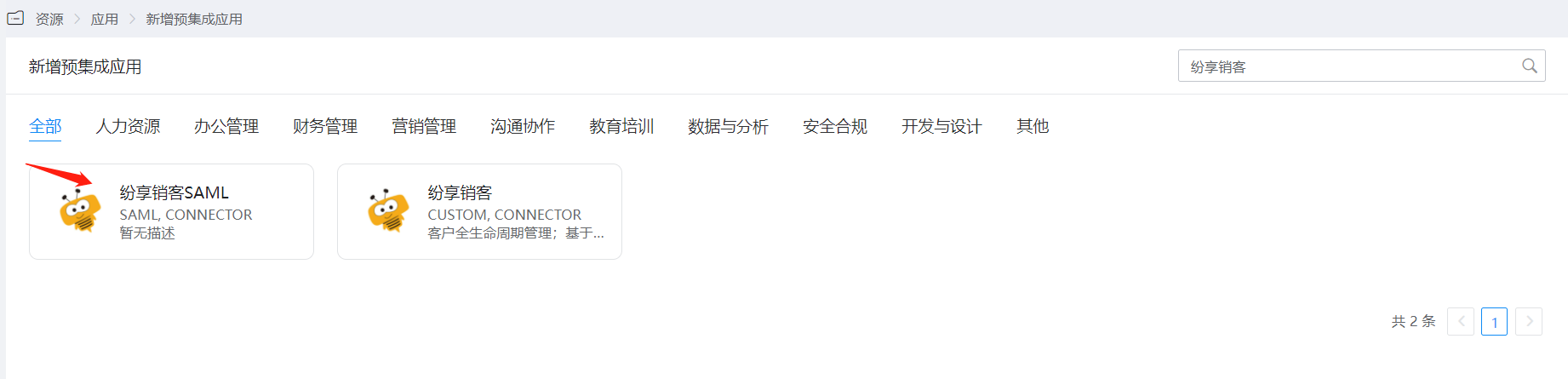
In the navigation bar 【Resources】 - 【Pre-integrated Applications】, click to add Fxiaoke.
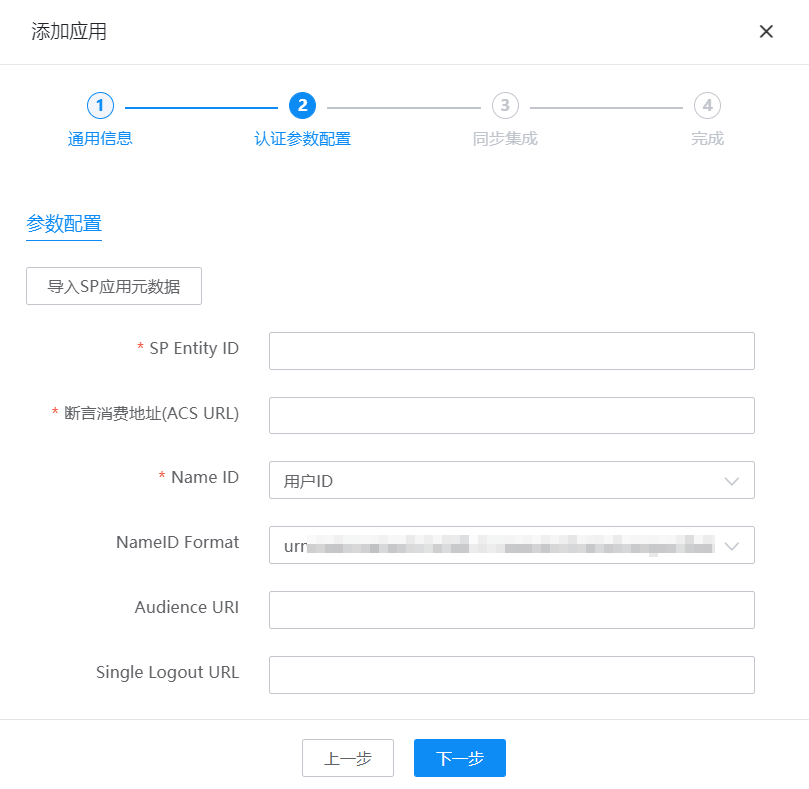
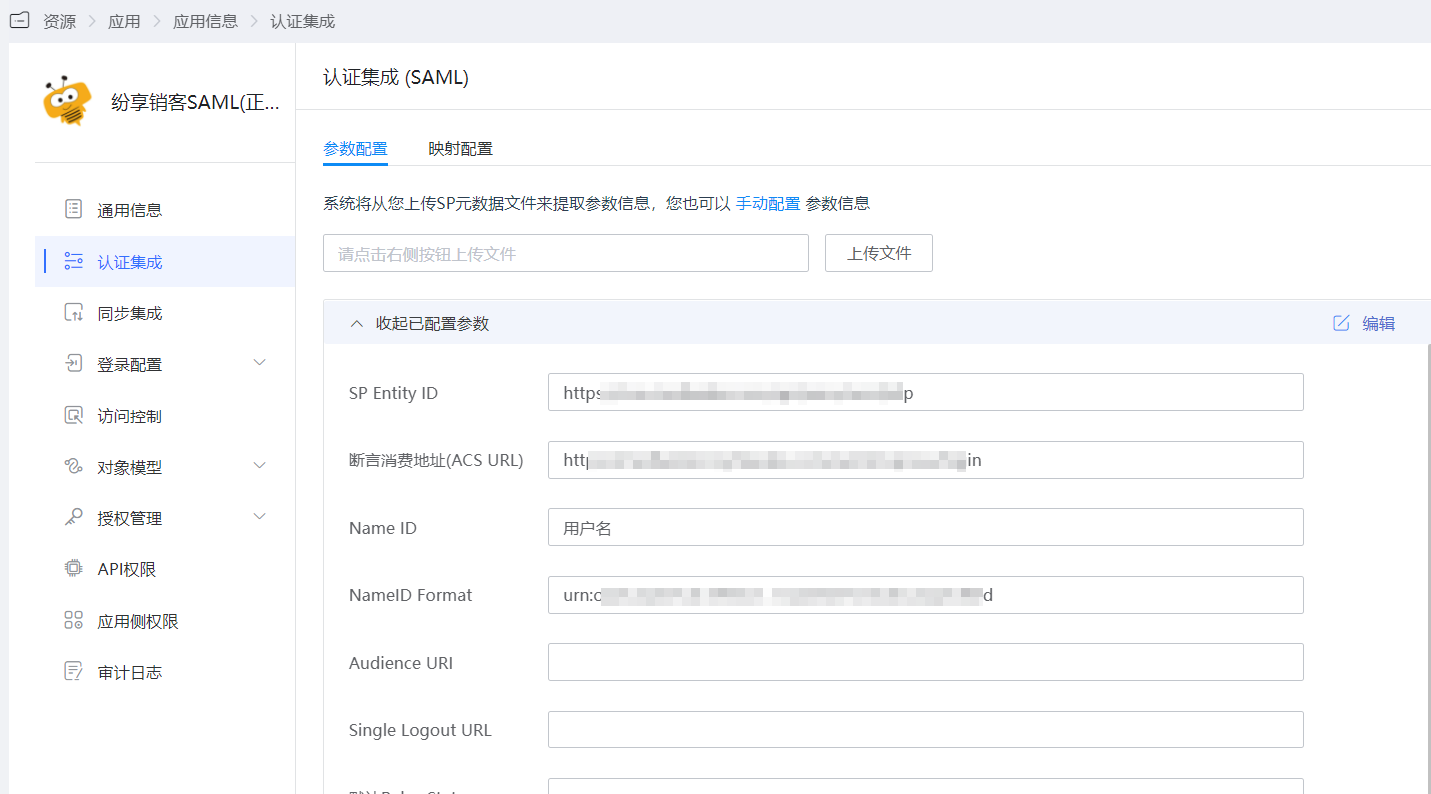
Upload the Fxiaoke metadata and configure the authentication parameters.
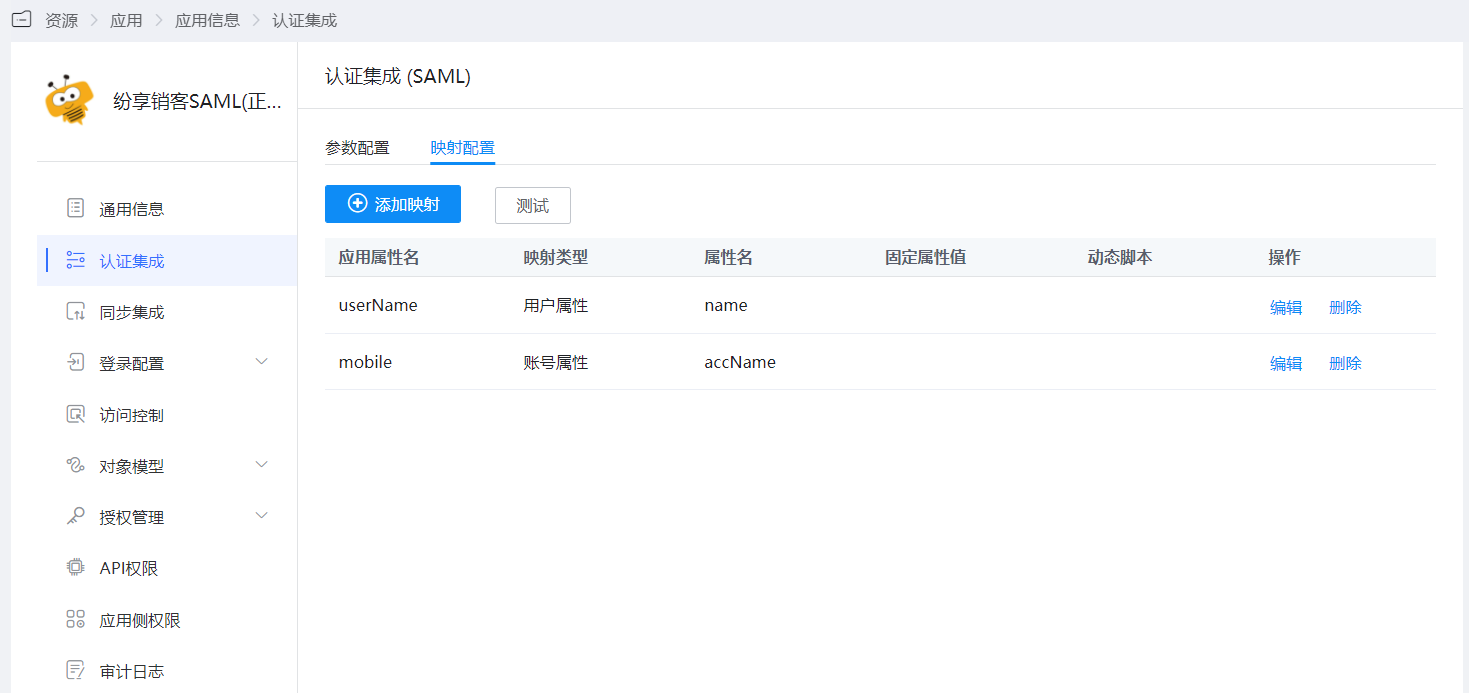
After the application is saved, enter the application details to configure the mapping settings in the authentication configuration.
# Login Verification
Authorized users log in to the IDaaS User Center and click on the Fxiaoke application LOGO to enter the Fxiaoke system.