Lark Single Sign-On
# Description
This article describes the authentication configuration between Lark and IDaaS to enable IDaaS single sign-on to Lark. Lark supports super administrators configuring SSO login based on the SAML 2.0 protocol, which allows single sign-on to the Lark system through a third-party authentication center. Applicable version: Enterprise Edition.
For configuration reference, see How Lark Administrators Configure Single Sign-On (opens new window).
# Authentication Configuration
# IDaaS Configuration
Log in to the IDaaS Enterprise Center and add the pre-integrated Lark Enterprise Edition application.
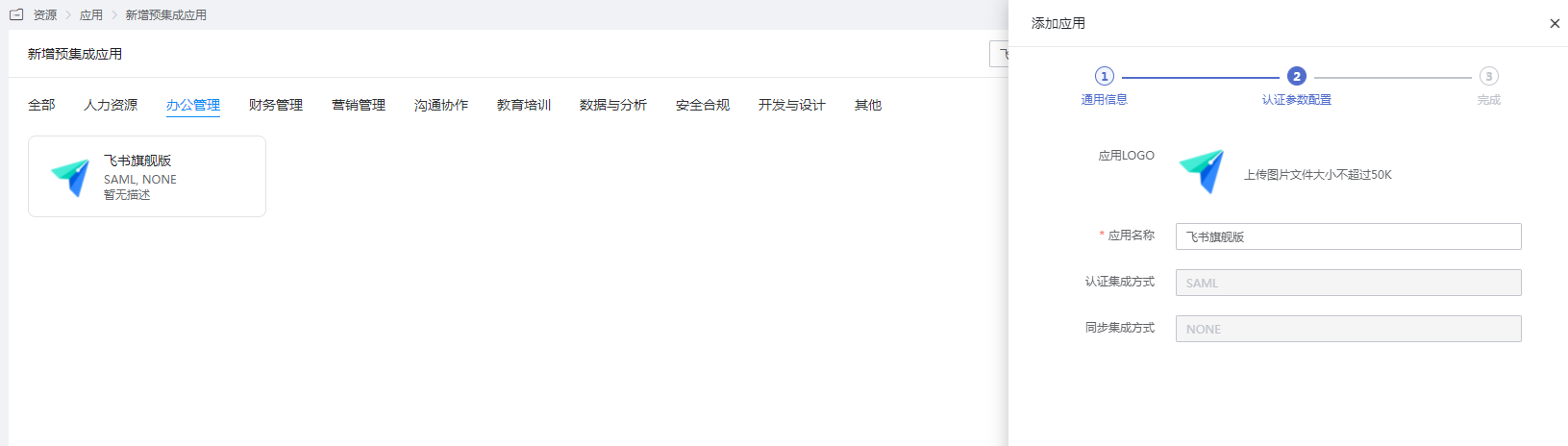
Configure authentication parameters.
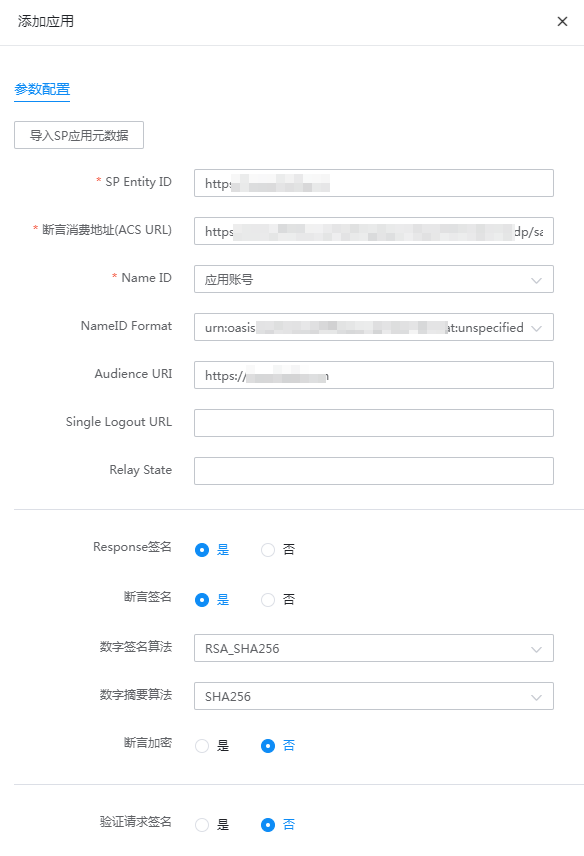
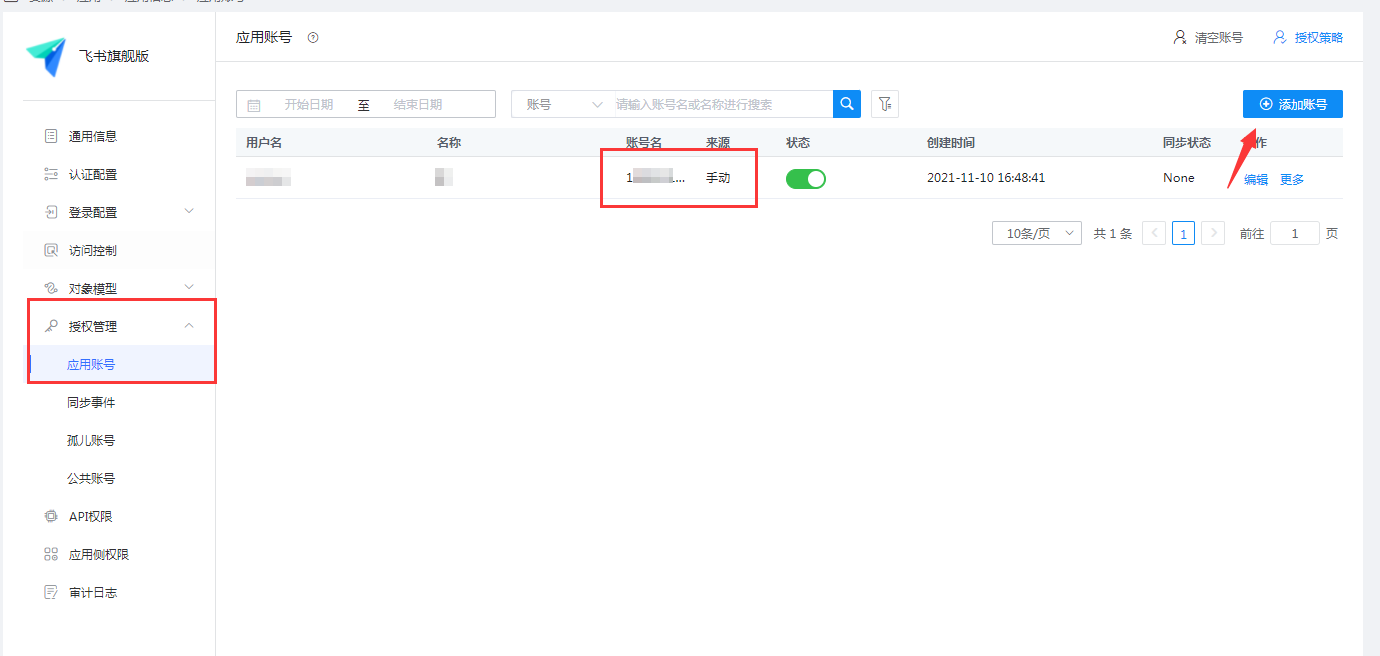
Parameter Description SP Entity ID: https://www.feishu.cn Assertion Consumer Service (ACS) URL: https://www.feishu.cn/suite/passport/authentication/idp/saml/call_back NameID Application Account NameID Format Default Audience URL https://www.feishu.cn Single Logout URL Leave blank Relay State Leave blank Response Signature Yes Assertion Signature Yes Digital Signature Algorithm Default Digital Digest Algorithm Default Assertion Encryption No Verify Request Signature No Go to Application Details -> Authentication Configuration -> Mapping Configuration, and add an email mapping.
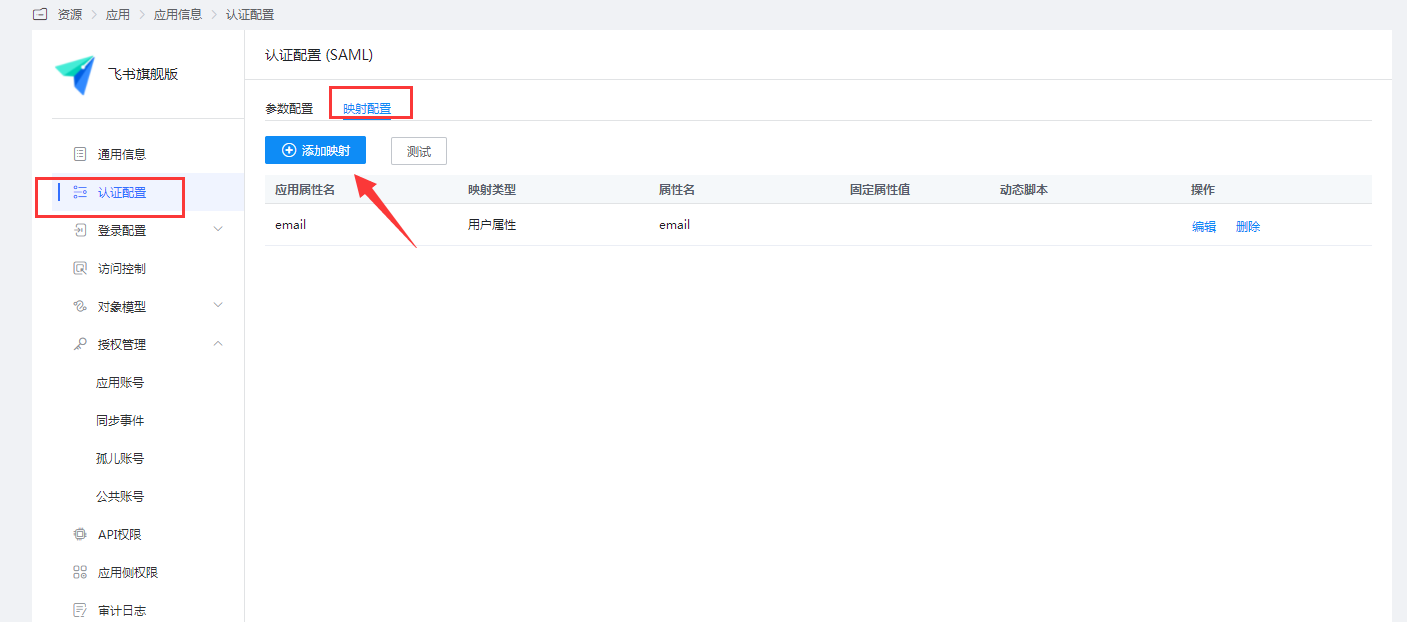
Set the account name to the user's mobile phone number or email within Lark.
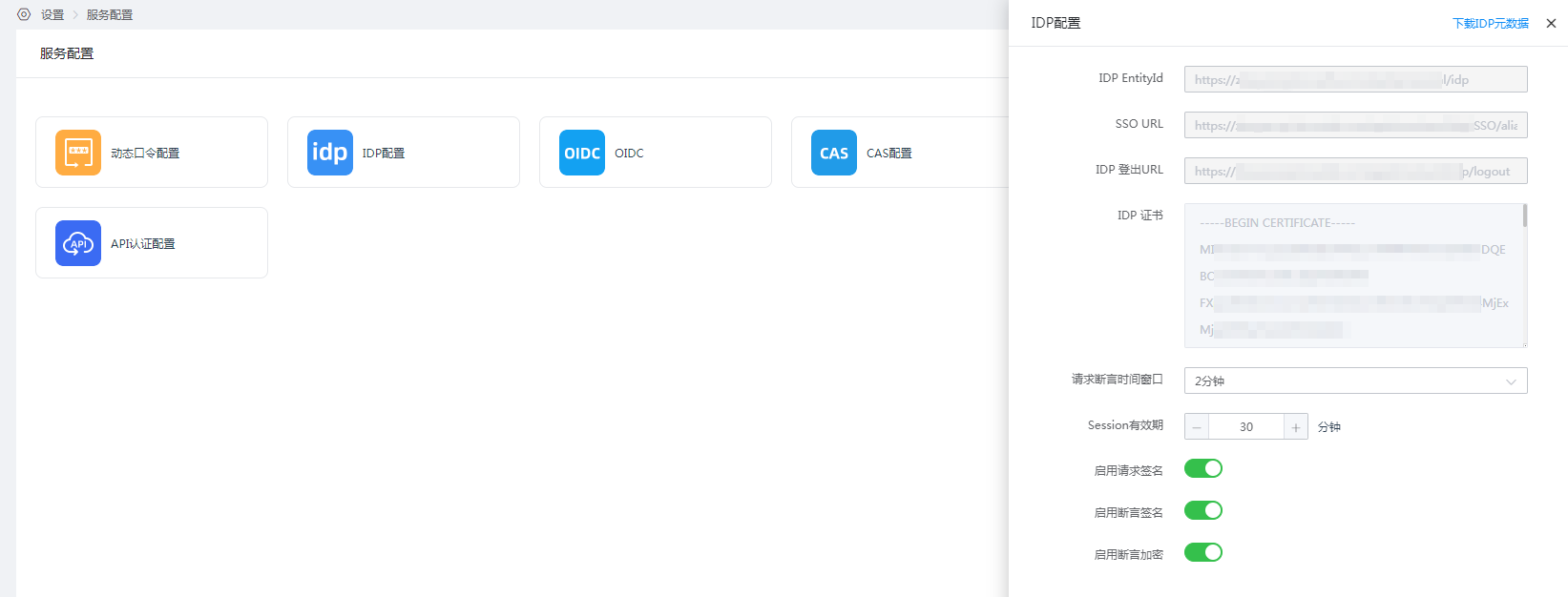
View IDP Configuration. Go to 【Settings】 -> 【Service Configuration】 -> 【IDP Configuration】. The IDP configuration parameters will be used in the following Lark SSO account login configuration.
# Feishu Configuration
Administrator logs into the Feishu management backend 【Enterprise Settings】-【SSO Account Login】.
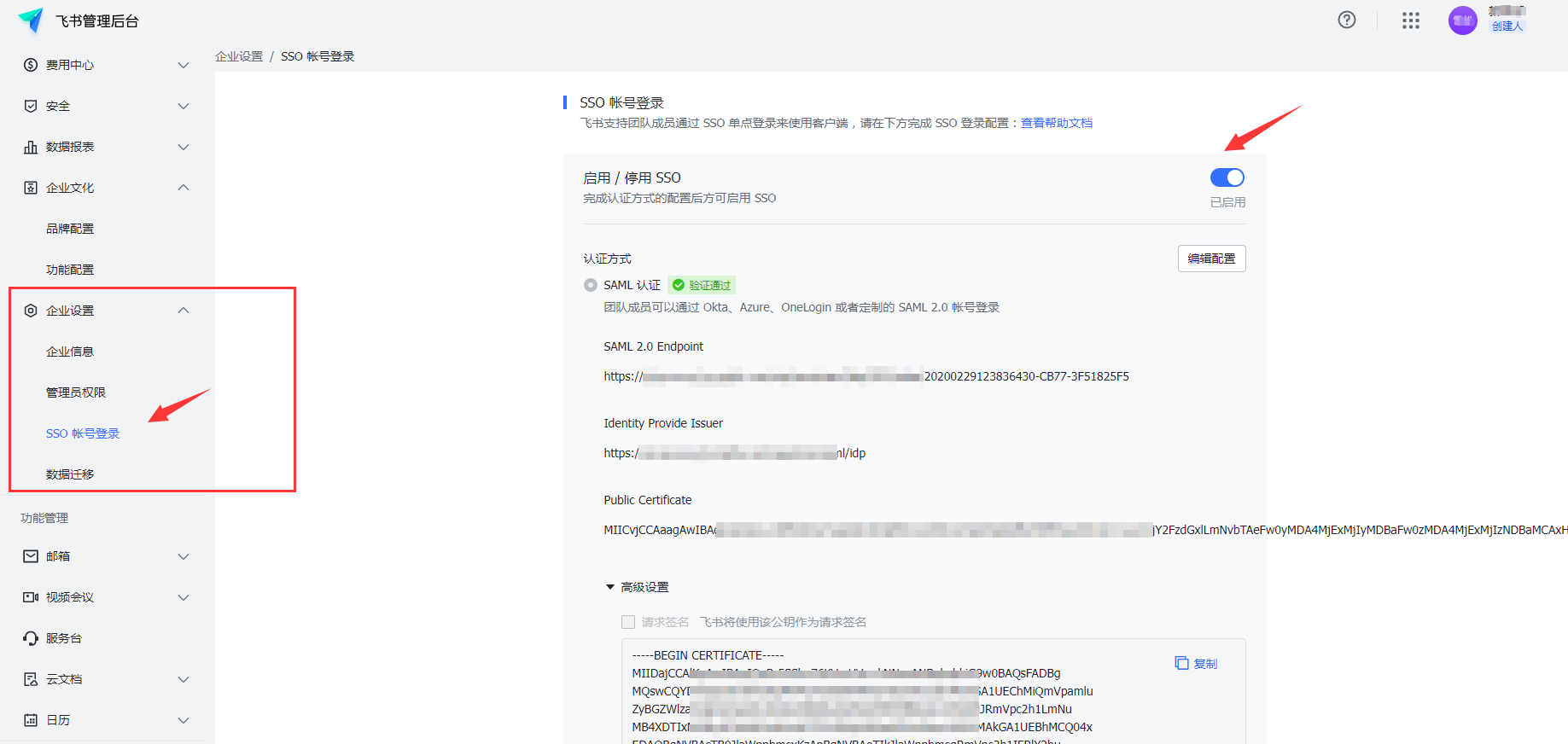
Edit and enable SSO.
- SAML 2.0 Endpoint: The SSO URL configured by the IDP
- Identity Provider Issuer: The IDP EntityId configured by the IDP
- Public Certificate: IDP Certificate (Remove the leading and trailing
-----BEGIN CERTIFICATE-----and-----END CERTIFICATE-----)
# Login Verification
Both desktop and mobile clients can log in.
Open Feishu, click "SSO Login", and enter the Feishu enterprise domain (Check in 【Feishu Management Backend】-【Enterprise Settings】-【Enterprise Information】).
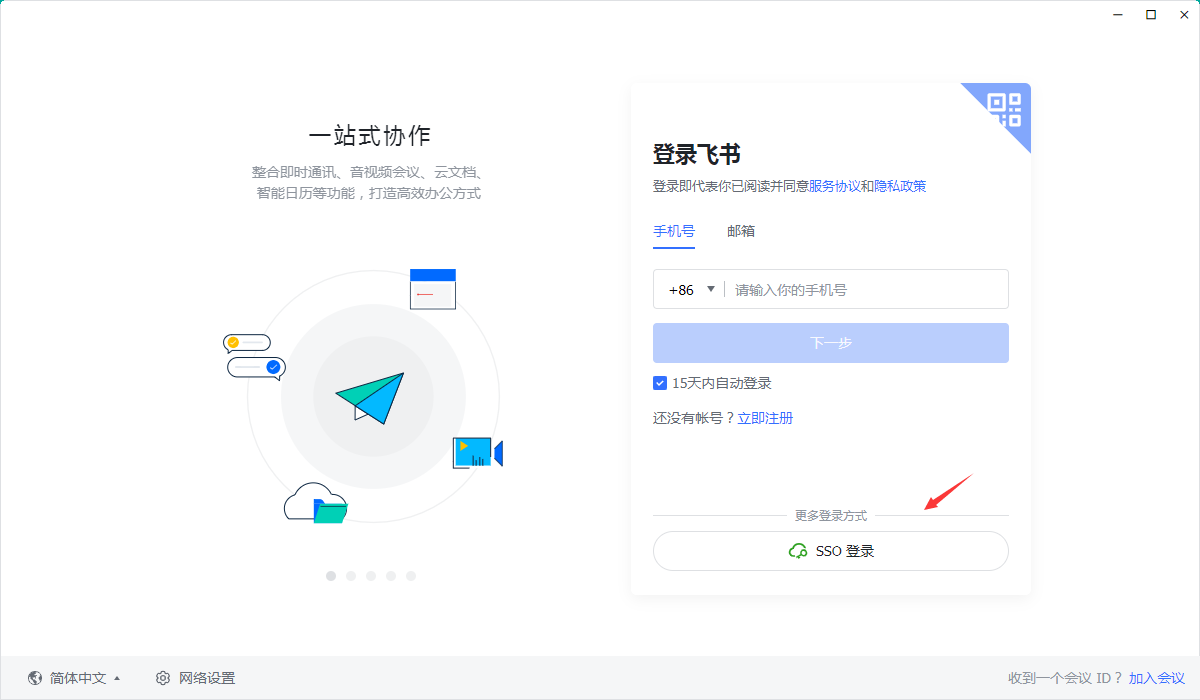
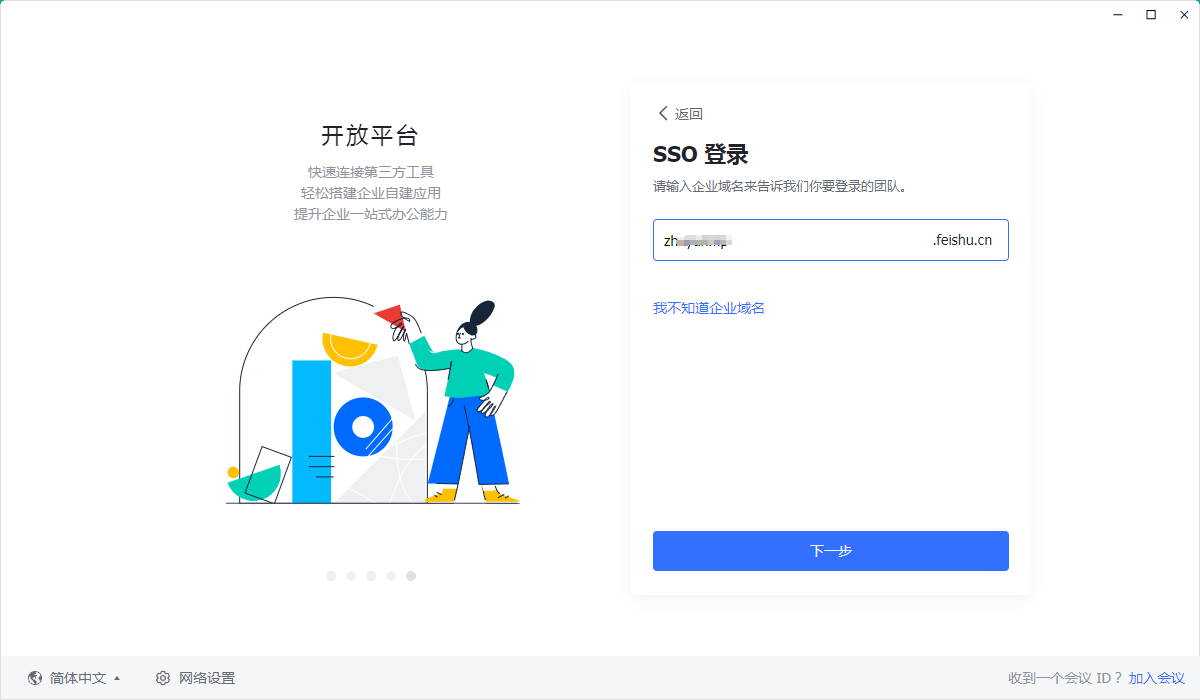
Redirect to the IDaaS login interface, enter the authorized account login credentials, and access Feishu.